<?xml version="1.0" encoding="UTF-8"?>
<feed xmlns="http://www.w3.org/2005/Atom" xmlns:media="http://search.yahoo.com/mrss/">
  <title>AVstudio - AV Control Interface Builder</title>
  <subtitle>Latest updates, features, showcase projects, and insights from AVstudio - the modern HTML5 GUI editor for AV control systems</subtitle>
  <link href="https://avstudio.app/atom.xml" rel="self" type="application/atom+xml"/>
  <link href="https://avstudio.app" rel="alternate" type="text/html"/>
  <id>https://avstudio.app/</id>
  <updated>2026-03-30T15:36:47.435Z</updated>
  <author>
    <name>AVstudio Team</name>
    <email>hello@avstudio.app</email>
    <uri>https://avstudio.app</uri>
  </author>
  <generator uri="https://astro.build/" version="5.0">Astro</generator>
  <icon>https://avstudio.app/favicon.svg</icon>
  <logo>https://avstudio.app/images/logo.png</logo>
  <rights>© 2026 AVstudio Inc. All rights reserved.</rights>
  
  <!-- Categories -->
  <category term="AV Control" label="AV Control Systems"/>
  <category term="HTML5" label="HTML5 Interfaces"/>
  <category term="GUI Design" label="GUI Design"/>
  <category term="Crestron" label="Crestron Integration"/>
  <category term="Smart Home" label="Smart Home Automation"/>
  <category term="Commercial AV" label="Commercial AV"/>
  <category term="Touch Panels" label="Touch Panel Interfaces"/>
  <category term="Responsive Design" label="Responsive Web Design"/>

  <entry>
    <title>New Elements Now Available in AVstudio Editor</title>
    <link href="https://avstudio.app/updates/new-elements-now-available-in-avstudio-editor" rel="alternate" type="text/html"/>
    <id>https://avstudio.app/updates/new-elements-now-available-in-avstudio-editor</id>
    <published>2026-03-09T15:53:52.000Z</published>
    <updated>2026-03-09T15:53:52.000Z</updated>
    <author>
      <name>AVstudio Team</name>
    </author>
    <category term="Updates" label="Updates"/>
    <category term="Blog" label="Blog"/>
    <category term="Updates" label="Updates"/>
    <summary type="text">We are happy to introduce two new elements to AVstudio Editor: the Compact Shades Control widget and the State Control element. Compact Shades Control The Compact Shades Control widget is a more compact and efficient way to control shades in interfaces with limited space. Despite its smaller form...</summary>
    <content type="html"><![CDATA[
      <img src="https://avstudio.app/images/blog/new-elements-now-available-in-avstudio-editor-bb268012.png" alt="New Elements Now Available in AVstudio Editor" style="max-width: 100%; height: auto; margin-bottom: 1rem;" />
      <p><strong>Category:</strong> Updates</p>
      <p><strong>Author:</strong> AVstudio Team</p>
      <p><strong>Tags:</strong> Blog, Updates</p>
      <div><p>We are happy to introduce two new elements to AVstudio Editor: the Compact Shades Control widget and the State Control element.</p>

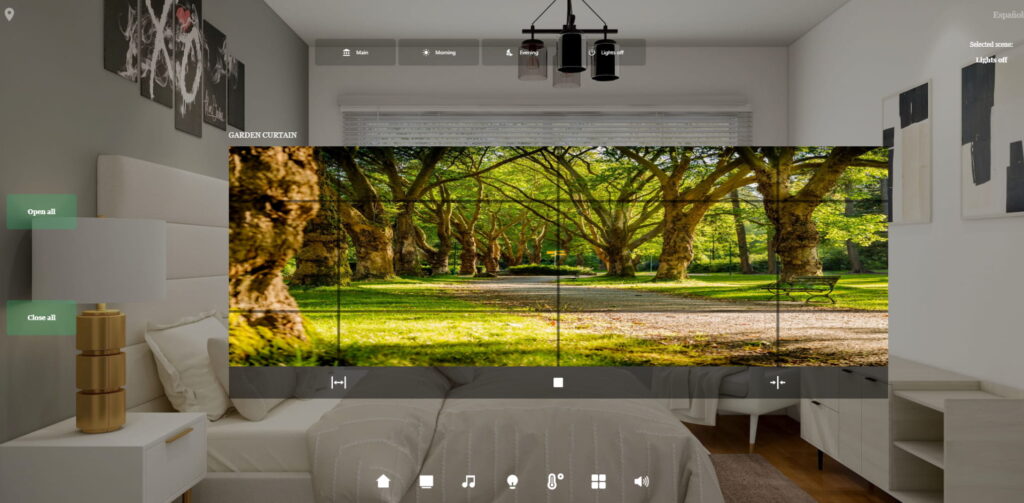
<h2 class="wp-block-heading">Compact Shades Control</h2>

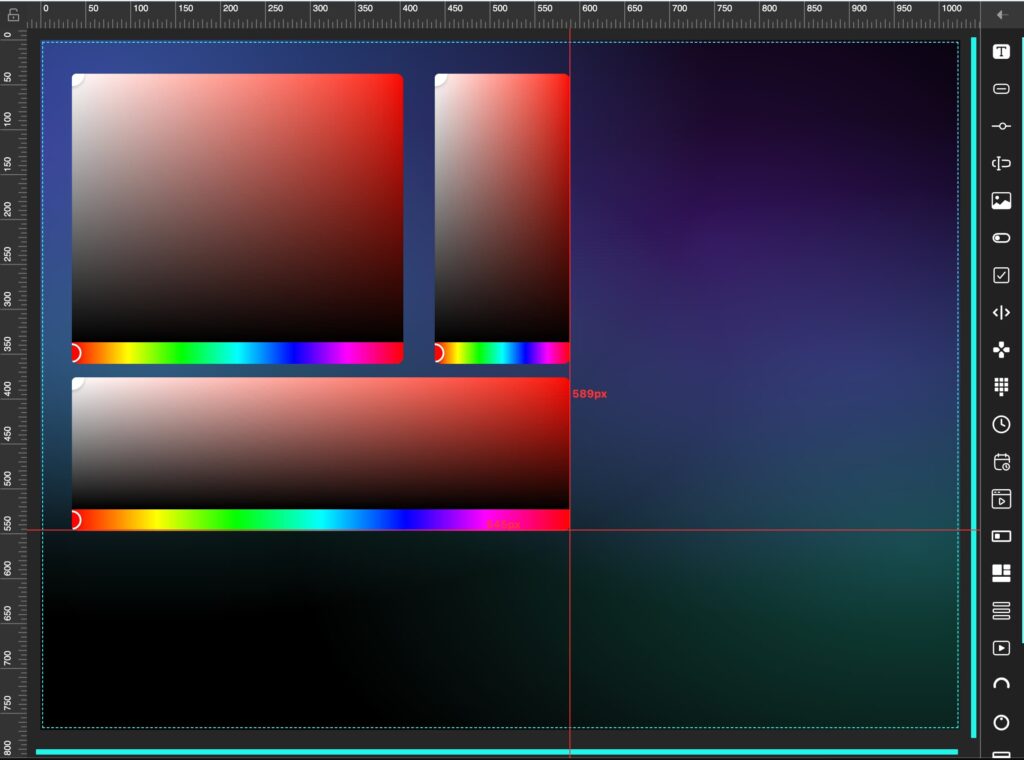
<figure class="wp-block-image size-large"><img loading="lazy" decoding="async" width="1024" height="697" src="https://avstudio.app/images/blog/new-elements-now-available-in-avstudio-editor-c12d7b4c.png" alt="" class="wp-image-30262" /></figure>

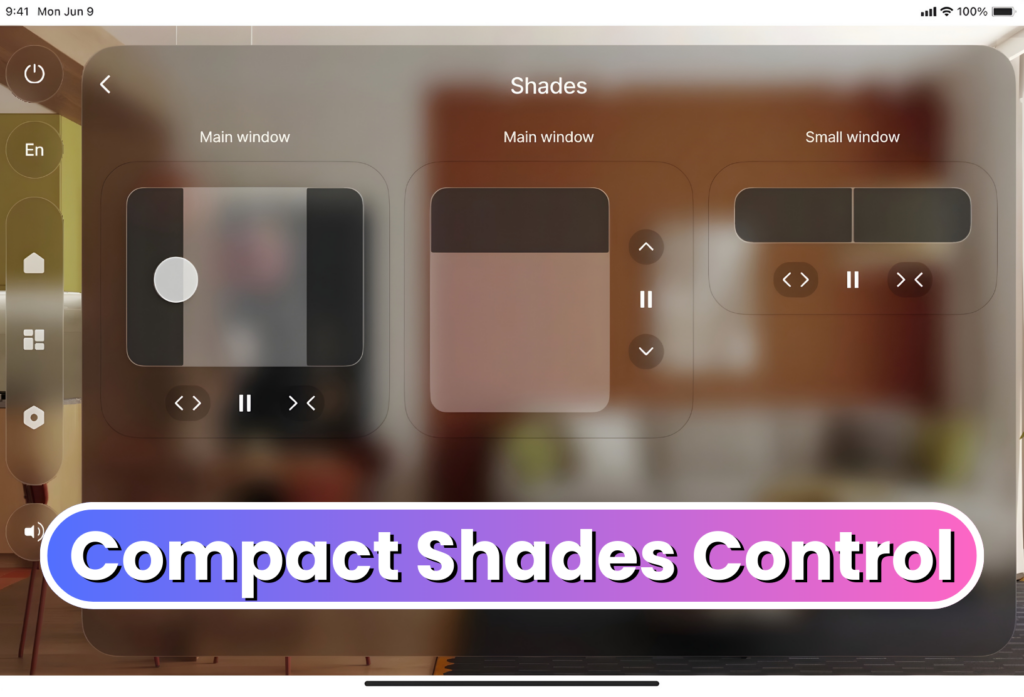
<p>The Compact Shades Control widget is a more compact and efficient way to control shades in interfaces with limited space. </p>

<p>Despite its smaller form, this new widget maintains the core function of the original Shades Control element. It supports vertical, horizontal, and dual-shade control modes, allowing developers to choose the configuration that best fits their project. Shades Control can now be fit into tighter spaces on the UI, allowing even more customization in design layout and flow.</p>

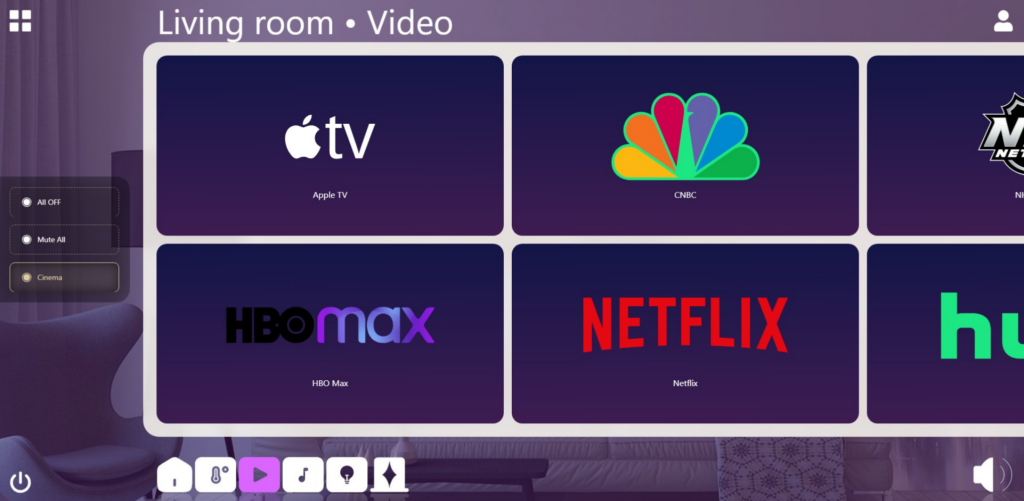
<h2 class="wp-block-heading">State Control</h2>

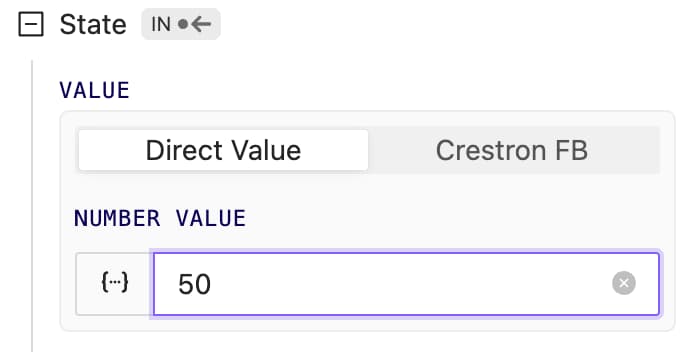
<figure class="wp-block-image size-large"><img loading="lazy" decoding="async" width="1024" height="697" src="https://avstudio.app/images/blog/new-elements-now-available-in-avstudio-editor-4a5342d9.png" alt="" class="wp-image-30263" /></figure>

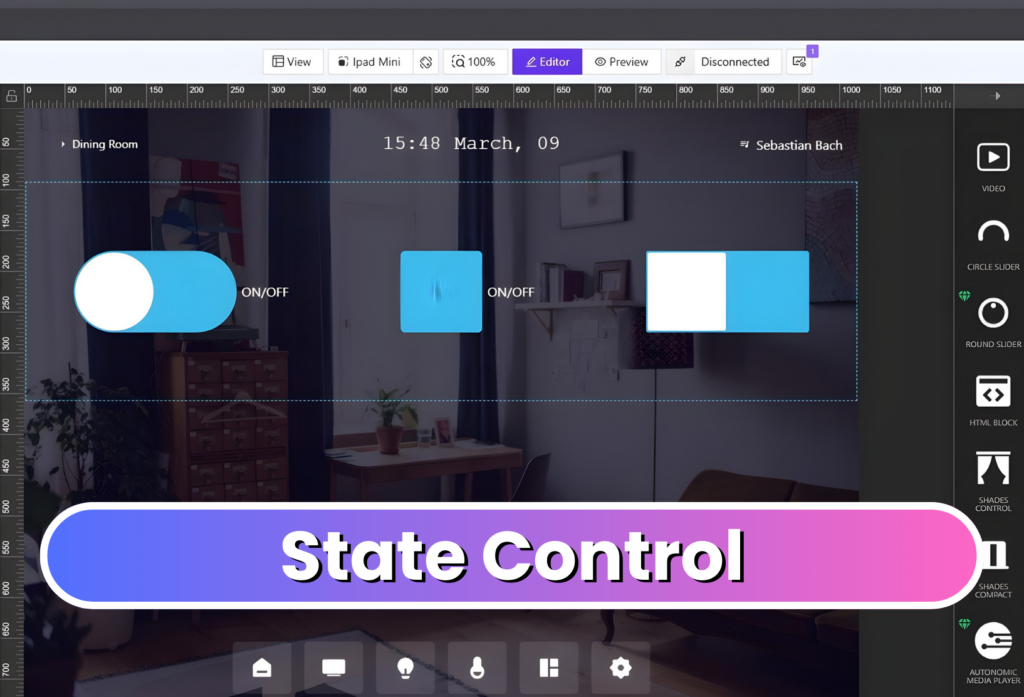
<p>The State Control element consolidates multiple true/false state controls into a single configurable component. Users can easily change its display to a checkbox, switch, or toggle, depending on preference. <br><br>The element is also highly customizable, allowing developers to adjust its styling, colors, borders, and other visual properties to match their interface's design.<br><br>Together, these new elements expand the range of tools available in AVstudio Editor, helping developers create more efficient and unique interfaces.</p></div>
      <p><a href="https://avstudio.app/updates/new-elements-now-available-in-avstudio-editor">Read the full article on AVstudio.app</a></p>
    ]]></content>
    <media:thumbnail url="https://avstudio.app/images/blog/new-elements-now-available-in-avstudio-editor-bb268012.png"/>
  </entry>
  <entry>
    <title>InfoComm 2026 Registration Is Now Open - Join AVstudio</title>
    <link href="https://avstudio.app/blog/infocomm-2026-registration-is-now-open-join-avstudio" rel="alternate" type="text/html"/>
    <id>https://avstudio.app/blog/infocomm-2026-registration-is-now-open-join-avstudio</id>
    <published>2026-02-19T15:23:54.000Z</published>
    <updated>2026-02-19T15:23:54.000Z</updated>
    <author>
      <name>AVstudio Team</name>
    </author>
    <category term="Blog" label="Blog"/>
    <category term="Blog" label="Blog"/>
    <category term="Events" label="Events"/>
    <summary type="text">Registration has officially opened for InfoComm 2026 in Las Vegas, and AVstudio invites you to experience our most ambitious showcase yet. From June 13-19, AVstudio will be located in Central Hall at Booth C5715. Feel free to stop by and talk with the team behind AVstudio Editor. We’ll be...</summary>
    <content type="html"><![CDATA[
      <img src="https://avstudio.app/images/blog/infocomm-2026-registration-is-now-open-join-avstudio-a618b13a.png" alt="InfoComm 2026 Registration Is Now Open - Join AVstudio" style="max-width: 100%; height: auto; margin-bottom: 1rem;" />
      <p><strong>Category:</strong> Blog</p>
      <p><strong>Author:</strong> AVstudio Team</p>
      <p><strong>Tags:</strong> Blog, Events</p>
      <div><figure class="wp-block-image size-large"><img loading="lazy" decoding="async" width="819" height="1024" src="https://avstudio.app/images/blog/infocomm-2026-registration-is-now-open-join-avstudio-3b5da81a.png" alt="" class="wp-image-30255" /></figure>

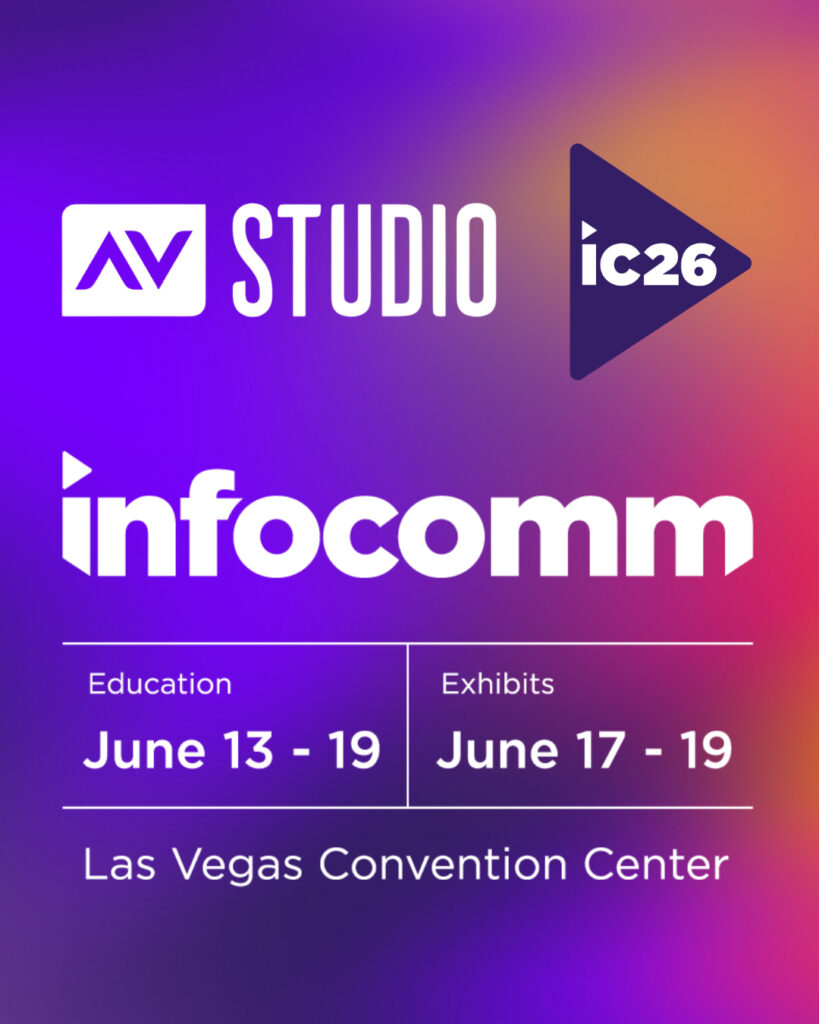
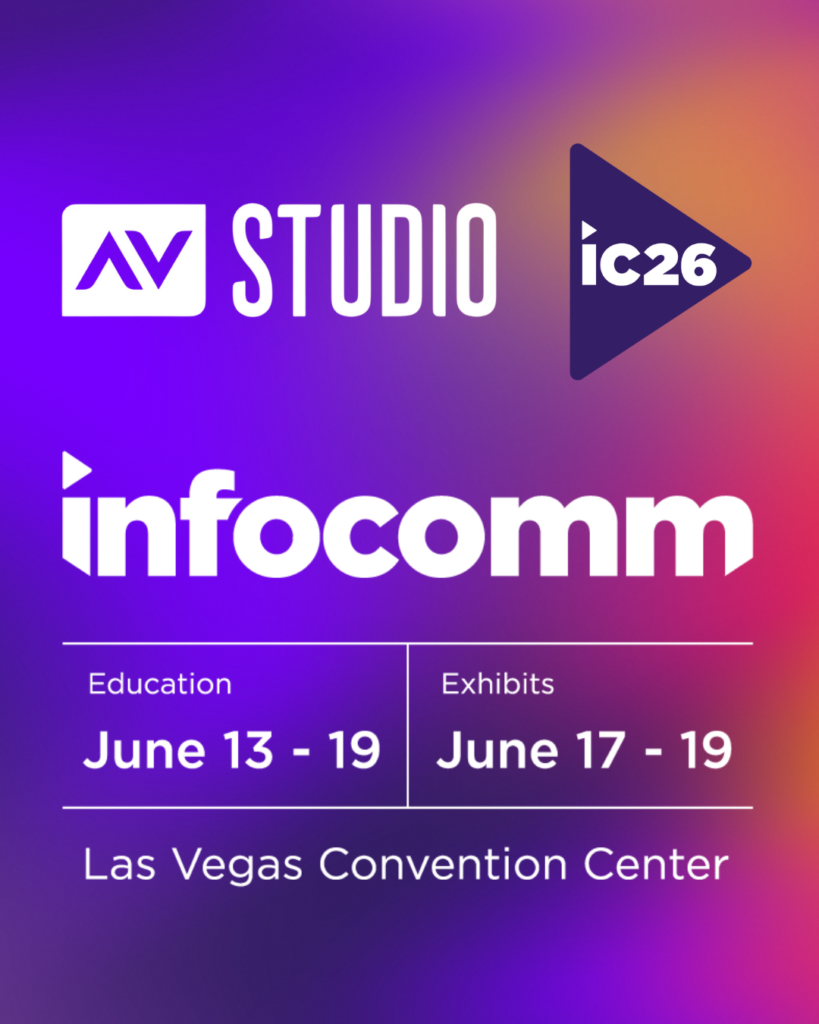
<p>Registration has officially opened for InfoComm 2026 in Las Vegas, and AVstudio invites you to experience our most ambitious showcase yet.</p>

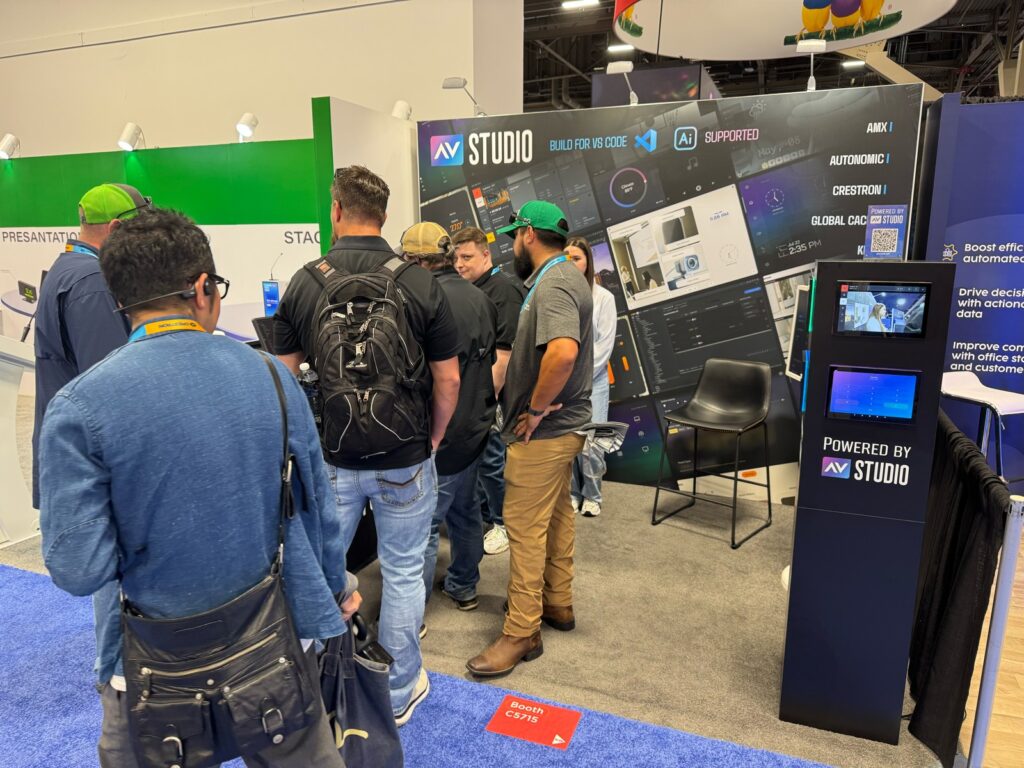
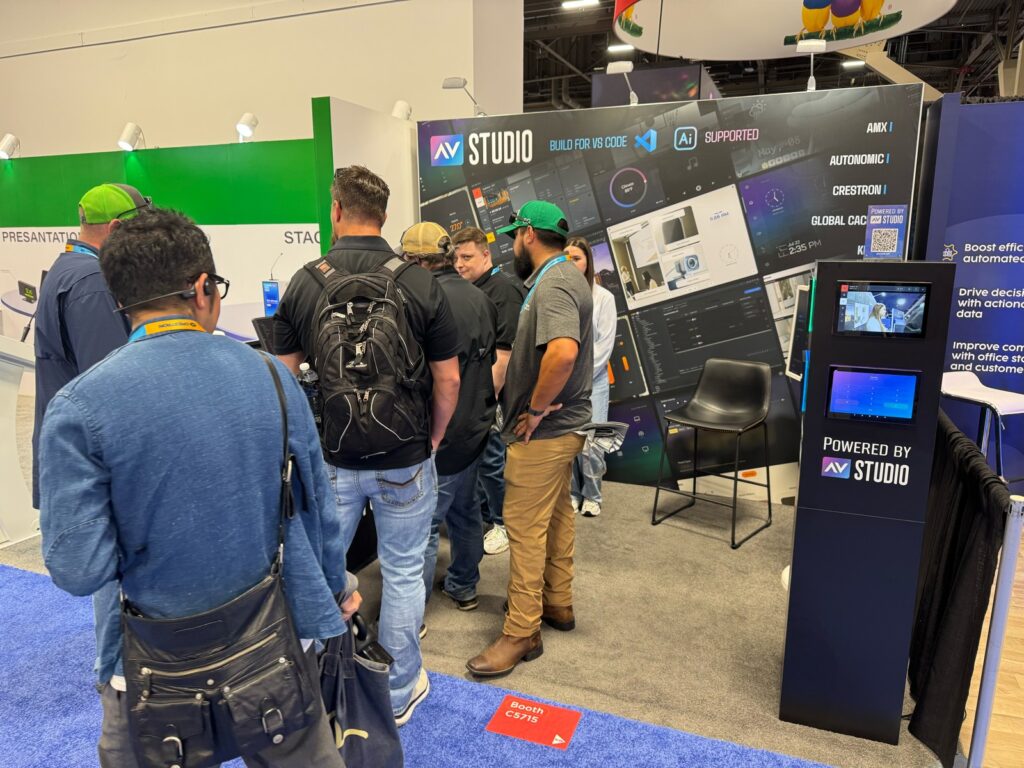
<p><strong>From June 13-19, AVstudio will be located in Central Hall at Booth C5715.</strong> Feel free to stop by and talk with the team behind AVstudio Editor. We’ll be highlighting the latest updates, showcasing new templates, and connecting with other AV professionals from around the world.<br><br>Over the past year, our team has focused heavily on listening to developers and the challenges they face. These insights have led to major functionality improvements, quality-of-life refinements, and the introduction of highly requested features.</p>

<p><br>See how these updates translate into real-world applications and help alleviate the pains of typical UI development. Our team will be there to answer questions and show exactly what AVstudio Editor can do.</p>

<p>With registration now open, it’s a great time to secure your spot and begin planning your visit. If you’re attending, be sure to add us to your schedule. We look forward to showing you what we have to offer and receiving your feedback.</p>

<p><strong>We’re offering a FREE exhibit hall pass for those wanting to attend. <br>Upon registration, use promo code: OPEN </strong></p>

<p><strong>Register here:</strong> <a href="https://go.avixa.org/e/888683/engagement-utm-vendor-internal/31mt2m7/2136312417/h/L9erD1eRbmCF-99mzUJnzAkUvLBH4wFPPger6HbTvCk" target="_blank" rel="noreferrer noopener"><strong>LINK</strong></a></p></div>
      <p><a href="https://avstudio.app/blog/infocomm-2026-registration-is-now-open-join-avstudio">Read the full article on AVstudio.app</a></p>
    ]]></content>
    <media:thumbnail url="https://avstudio.app/images/blog/infocomm-2026-registration-is-now-open-join-avstudio-a618b13a.png"/>
  </entry>
  <entry>
    <title>MQTT</title>
    <link href="https://avstudio.app/products/avstudio-editor/mqtt" rel="alternate" type="text/html"/>
    <id>https://avstudio.app/products/avstudio-editor/mqtt</id>
    <published>2026-02-10T17:42:59.000Z</published>
    <updated>2026-02-10T17:42:59.000Z</updated>
    <author>
      <name>AVstudio Team</name>
    </author>
    <category term="AVstudio Editor" label="AVstudio Editor"/>
    <category term="Products Features" label="Products Features"/>
    <summary type="text">Built-in MQTT support enables real-time communication with IoT devices and AV systems. This allows for interfaces to receive live status updates and send control commands instantly. MQTT integration allows for AVstudio projects to be more scalable and responsive across a multitude of environments.</summary>
    <content type="html"><![CDATA[
      <img src="https://avstudio.app/images/products/mqtt-f029077d.jpg" alt="MQTT" style="max-width: 100%; height: auto; margin-bottom: 1rem;" />
      <p><strong>Category:</strong> AVstudio Editor</p>
      <p><strong>Author:</strong> AVstudio Team</p>
      <p><strong>Tags:</strong> Products Features</p>
      <div><figure class="wp-block-image size-large"><img loading="lazy" decoding="async" width="1024" height="502" src="https://avstudio.app/images/products/mqtt-8896f66b.jpg" alt="" class="wp-image-30245" /></figure>

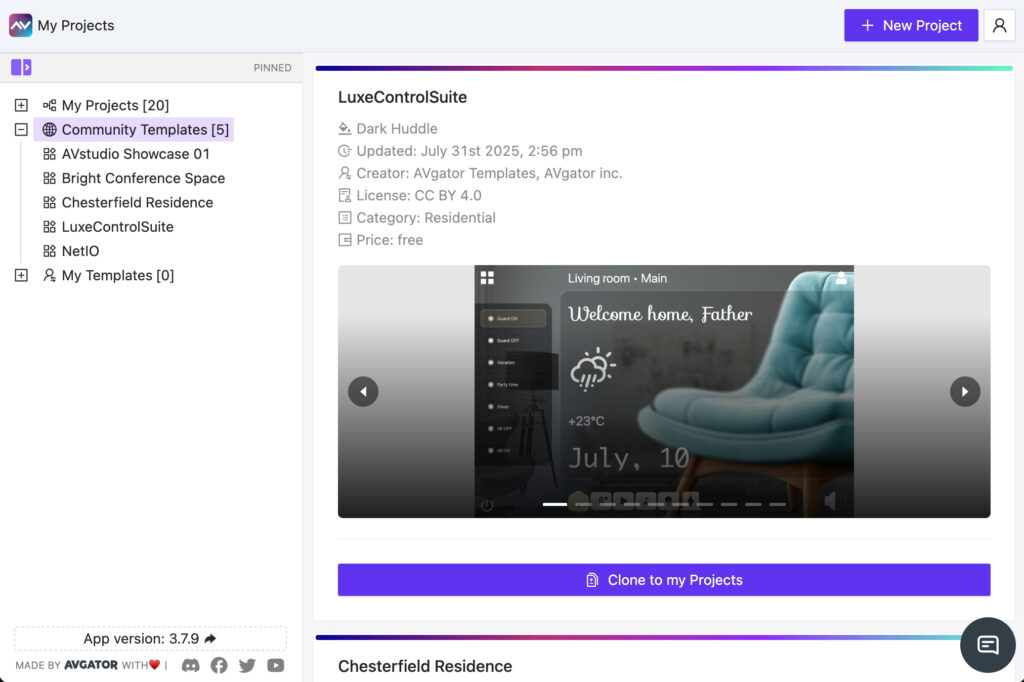
<p>Built-in MQTT support enables real-time communication with IoT devices and AV systems. This allows for interfaces to receive live status updates and send control commands instantly. MQTT integration allows for AVstudio projects to be more scalable and responsive across a multitude of environments.</p></div>
      <p><a href="https://avstudio.app/products/avstudio-editor/mqtt">Read the full article on AVstudio.app</a></p>
    ]]></content>
    <media:thumbnail url="https://avstudio.app/images/products/mqtt-f029077d.jpg"/>
  </entry>
  <entry>
    <title>Designing HTML5 User Interfaces for Multiple Screen Sizes</title>
    <link href="https://avstudio.app/blog/designing-html5-user-interfaces-for-multiple-screen-sizes" rel="alternate" type="text/html"/>
    <id>https://avstudio.app/blog/designing-html5-user-interfaces-for-multiple-screen-sizes</id>
    <published>2026-01-29T16:07:19.000Z</published>
    <updated>2026-01-29T16:07:19.000Z</updated>
    <author>
      <name>AVstudio Team</name>
    </author>
    <category term="Blog" label="Blog"/>
    <category term="Blog" label="Blog"/>
    <summary type="text">The AV and IoT UI industry has been evolving exponentially over the years. As new technologies are developed and refined, integrators and developers need tools that keep pace with changing expectations and increasingly complex system requirements. In the past, AV control interfaces were typically...</summary>
    <content type="html"><![CDATA[
      <img src="https://avstudio.app/images/blog/designing-html5-user-interfaces-for-multiple-screen-sizes-d9b4a635.jpg" alt="Designing HTML5 User Interfaces for Multiple Screen Sizes" style="max-width: 100%; height: auto; margin-bottom: 1rem;" />
      <p><strong>Category:</strong> Blog</p>
      <p><strong>Author:</strong> AVstudio Team</p>
      <p><strong>Tags:</strong> Blog</p>
      <div><figure class="wp-block-image size-large"><img loading="lazy" decoding="async" width="1024" height="550" src="https://avstudio.app/images/blog/designing-html5-user-interfaces-for-multiple-screen-sizes-354af37d.jpg" alt="" class="wp-image-30236" /></figure>

<p>The AV and IoT UI industry has been evolving exponentially over the years. As new technologies are developed and refined, integrators and developers need tools that keep pace with changing expectations and increasingly complex system requirements. In the past, AV control interfaces were typically located in one place. Users may have a single touchscreen on a wall to interact with the system. Today, that scenario is becoming less common. More and more, we see cases where an AV system needs to be controlled from a wall-mounted panel, a tablet, a phone, or even a laptop's browser. Each of these device types is obviously different in size and resolution, yet users expect the experience to feel the same, regardless of how they access it.</p>

<p>This shift in how AV systems are accessed has introduced new challenges for developers. Instead of creating a single design for a fixed device type, they are now expected to create multiple versions of the same HMI so that each component on the screen fits the specific resolution of the device being used.</p>

<p>The issue is that screen sizes change everything. One layout that feels perfectly intuitive for users, visually appealing, and functionally sound on a large touch panel may be completely unusable on something like a smartphone. When interfaces are scaled down or stretched to fit different resolutions, usability often suffers. This quickly degrades the end-user’s experience.</p>
<p>With many of the tools and platforms commonly used today to build user interfaces, the solution has been to create separate interfaces for each device. One might be for a wall panel, another for a phone, and another for a tablet. While this approach can work, it places additional strain on developers and increases development costs. It’s difficult to maintain this solution over time. Even small updates must be repeated across several layouts, increasing the chance that interfaces become out of sync. What starts as a reasonable workaround often turns into a long-term maintenance problem, and users feel the impact through inconsistent experiences.</p>

<p>The core challenge is not simply the number of screens involved, but how interfaces are designed in the first place. Many AV layouts are built as fixed designs, and adapting them to new screen resolutions almost always means starting over from scratch. A more sustainable approach is to design interfaces that can adapt to different screen sizes without requiring complete redesigns. This allows developers to focus on functionality and usability rather than constantly rebuilding layouts.</p>

<p>With AVstudio Editor, this is just one of many common challenges that we were intent on addressing. Our solution is to allow layouts to adapt to available space while keeping the core elements consistent.</p>

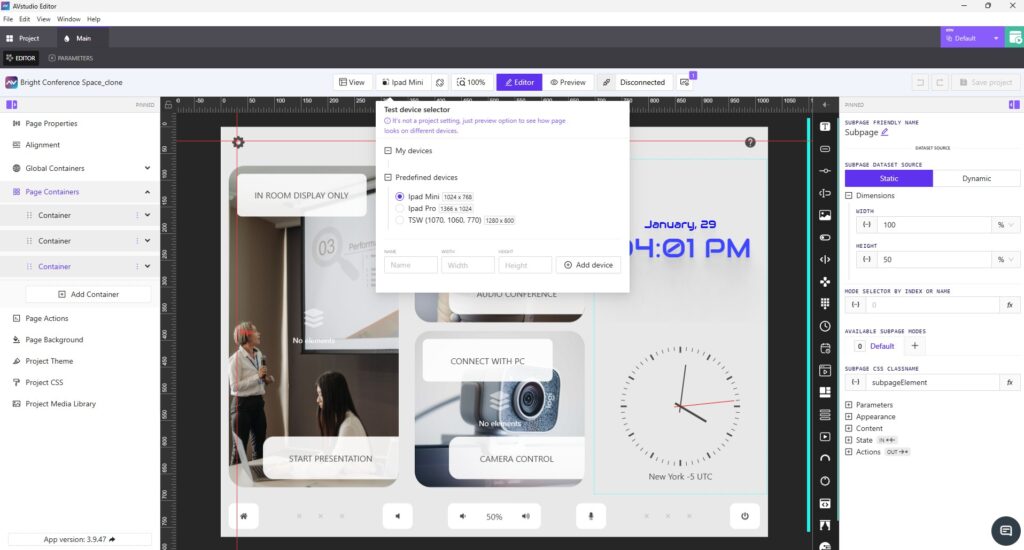
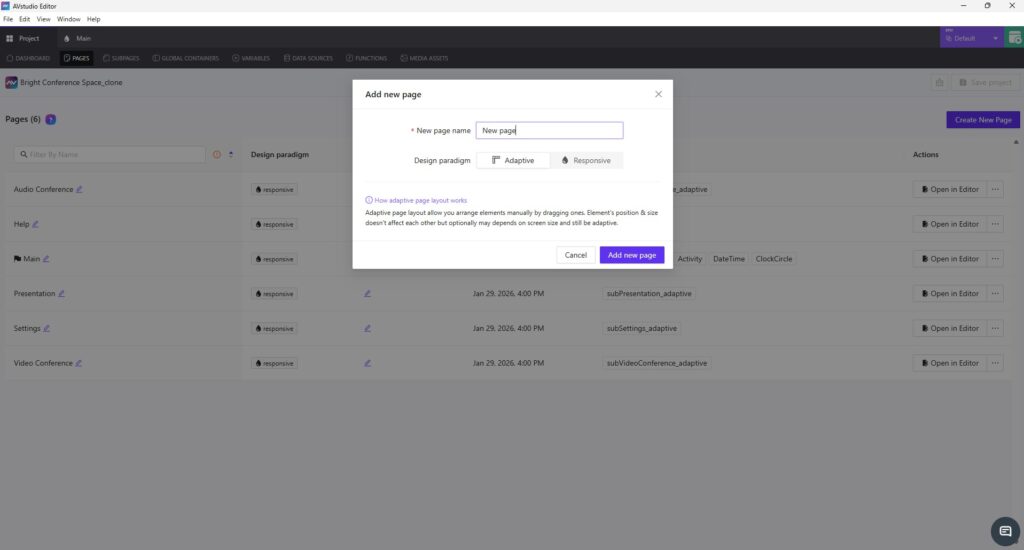
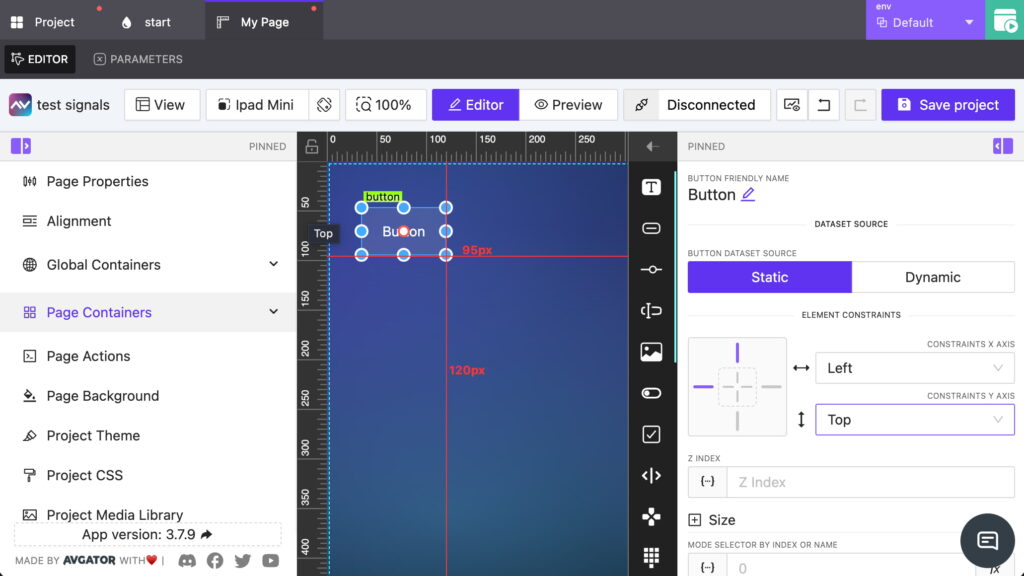
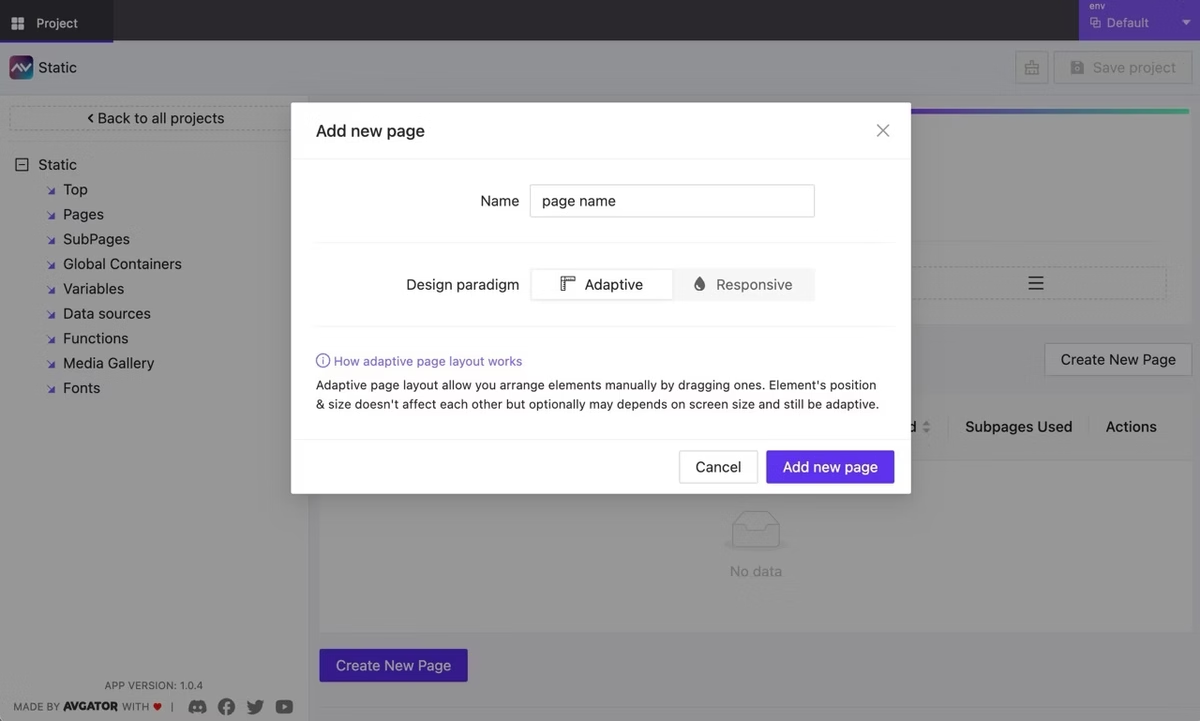
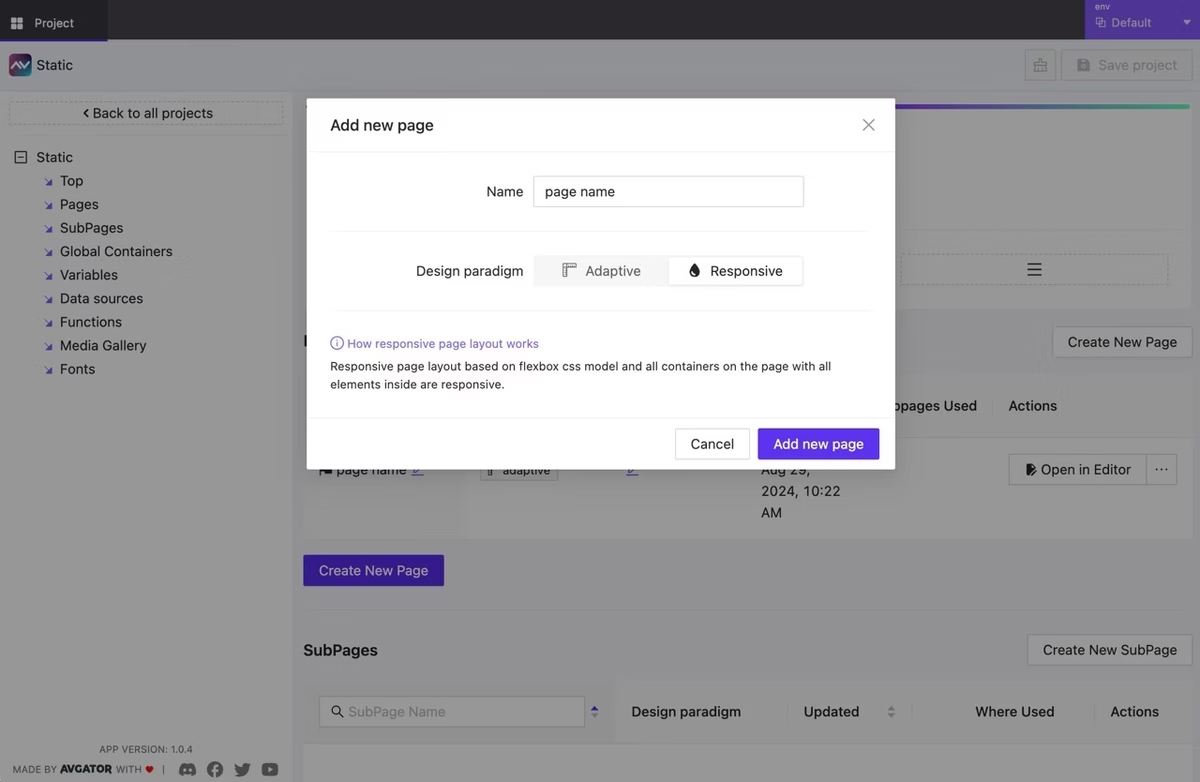
<p>From the very beginning, AVstudio Editor was designed with the assumption that any interface built on the platform will need to exist on more than one screen. This is where Adaptive and Responsive page design comes in. These options allow layouts to adapt naturally to screen sizes, but they do so in different ways.</p>

<p> Adaptive pages use an absolute positioning model, where elements are placed using exact coordinates. This gives you very precise control over placement, while still allowing elements to behave predictably across varying screen sizes.</p>

<p>Responsive pages, on the other hand, use layout rules to dynamically scale and reposition elements based on screen size. Instead of manually defining coordinates, you create a single layout and let the system handle how elements are distributed as the resolution changes. This approach significantly reduces layout effort and is often ideal for supporting multiple devices with one design.</p>

<figure class="wp-block-image size-large"><img loading="lazy" decoding="async" width="1024" height="550" src="https://avstudio.app/images/blog/designing-html5-user-interfaces-for-multiple-screen-sizes-27095869.jpg" alt="" class="wp-image-30237" /></figure>

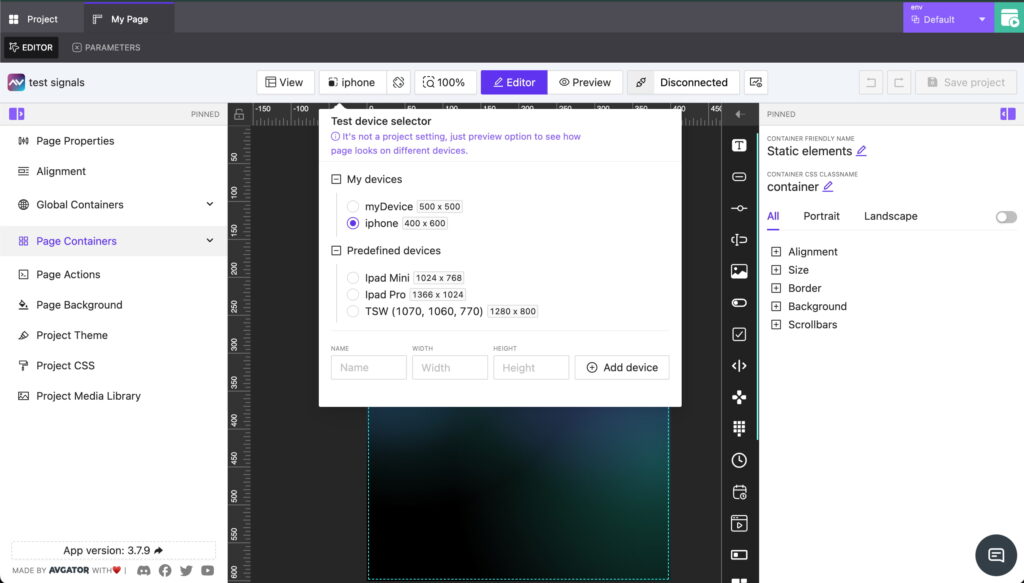
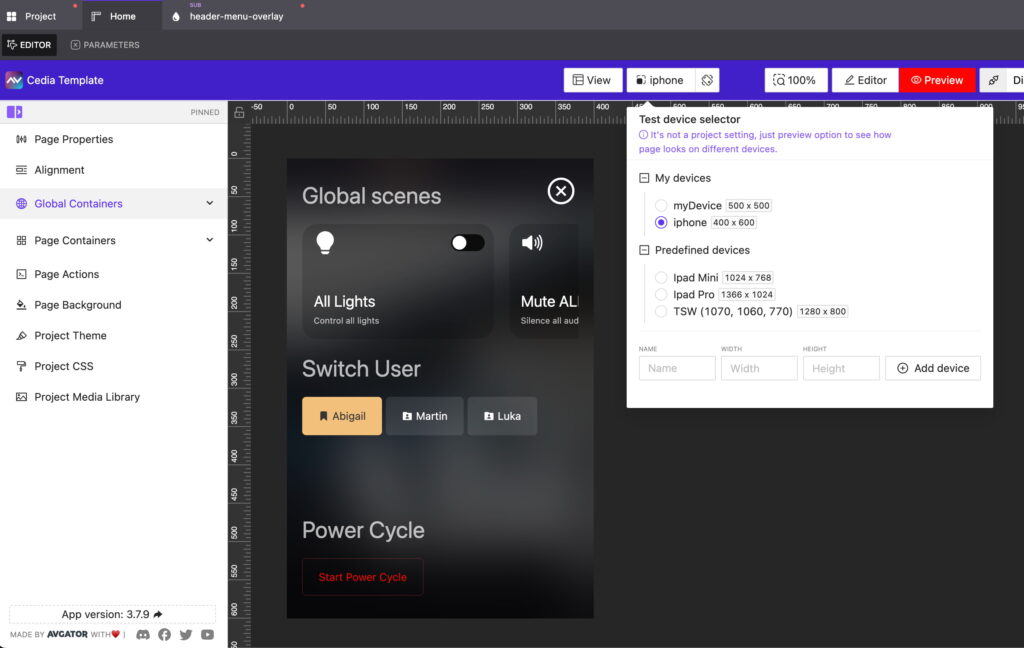
<p>Live preview is another key feature in AVstudio Editor that helps solve this problem. It allows developers to immediately see how an interface looks and behaves across different screen sizes during the design process, without any extra hassle. This makes it easier to make informed decisions early and helps reduce surprises later, such as when an interface is deployed on a device that was not originally considered.</p>

<p>These solutions are not only effective for deploying a UI across multiple devices, but are also incredibly helpful when a project needs to scale beyond its original scope. Adding new elements or pages is straightforward and doesn’t require an overhaul of the original design. Instead, you can simply build on what already exists, making AVstudio Editor ideal for scalability.</p>

<p>Designing HTML5 user interfaces for multiple screen sizes is no longer an exception in the industry. It’s a norm. As user expectations continue to evolve, developers and integrators need tools that offer the necessary flexibility. Traditional UI editors are increasingly struggling to keep up with these demands. AVstudio Editor was built by developers, for developers, to address these challenges directly. By reducing the need for repetitive page duplication and layout maintenance, teams can spend more time creating interfaces that are consistent, flexible, and ready to evolve alongside the industry.</p>

<p>AVstudio Editor is built to support secure and safe system interaction. This ensures a high level of consistency and reliability across all devices. If you’re looking to speed up the design process for HTML5 user interfaces that need to work across multiple screen sizes, AVstudio Editor is worth your time. Try it for free today!</p></div>
      <p><a href="https://avstudio.app/blog/designing-html5-user-interfaces-for-multiple-screen-sizes">Read the full article on AVstudio.app</a></p>
    ]]></content>
    <media:thumbnail url="https://avstudio.app/images/blog/designing-html5-user-interfaces-for-multiple-screen-sizes-d9b4a635.jpg"/>
  </entry>
  <entry>
    <title>AVstudio Partners with NETIO for ISE Expo 2026</title>
    <link href="https://avstudio.app/blog/avstudio-partners-with-netio-for-ise-expo-2026" rel="alternate" type="text/html"/>
    <id>https://avstudio.app/blog/avstudio-partners-with-netio-for-ise-expo-2026</id>
    <published>2026-01-19T16:08:20.000Z</published>
    <updated>2026-01-19T16:08:20.000Z</updated>
    <author>
      <name>AVstudio Team</name>
    </author>
    <category term="Blog" label="Blog"/>
    <category term="Blog" label="Blog"/>
    <category term="Events" label="Events"/>
    <summary type="text">ISE Expo 2026 is almost here, and we’ve partnered with NETIO to deliver something special. At the event, the NETIO team will use an AVstudio template to demonstrate their products on the show floor. This collaboration showcases how efficient user interface design and reliable power control come...</summary>
    <content type="html"><![CDATA[
      <img src="https://avstudio.app/images/blog/avstudio-partners-with-netio-for-ise-expo-2026-d56c31cb.jpg" alt="AVstudio Partners with NETIO for ISE Expo 2026" style="max-width: 100%; height: auto; margin-bottom: 1rem;" />
      <p><strong>Category:</strong> Blog</p>
      <p><strong>Author:</strong> AVstudio Team</p>
      <p><strong>Tags:</strong> Blog, Events</p>
      <div><figure class="wp-block-image size-large"><img loading="lazy" decoding="async" width="1024" height="523" src="https://avstudio.app/images/blog/avstudio-partners-with-netio-for-ise-expo-2026-b01295e4.jpg" alt="" class="wp-image-30230" /></figure>

<p>ISE Expo 2026 is almost here, and we’ve partnered with NETIO to deliver something special.</p>

<p>At the event, the NETIO team will use an AVstudio template to demonstrate their products on the show floor. This collaboration showcases how efficient user interface design and reliable power control come together in a real-world environment, elevating the way power distribution devices are controlled and managed.</p>

<figure class="wp-block-image size-large"><img loading="lazy" decoding="async" width="1024" height="525" src="https://avstudio.app/images/blog/avstudio-partners-with-netio-for-ise-expo-2026-10770ac1.jpg" alt="" class="wp-image-30231" /></figure>

<p>This showcase highlights several core capabilities, including:</p>

<ul class="wp-block-list">
<li>Use any Android or iOS device as a full-featured NETIO control interface</li>

<li>Install cost-effective Android touch panels in racks, IDFs, or IT rooms with no proprietary hardware required</li>

<li>Create one-button custom operating scenarios to trigger power sequences, restarts, and service workflows</li>

<li>Instantly turn NETIO PDU outputs on, off, or restart them for reliable device control</li>

<li>Build fully custom AVstudio interfaces that match your workflow, branding, and project needs</li>
</ul>

<figure class="wp-block-image size-large"><img loading="lazy" decoding="async" width="1024" height="523" src="https://avstudio.app/images/blog/avstudio-partners-with-netio-for-ise-expo-2026-e3779e6c.jpg" alt="" class="wp-image-30232" /></figure>

<p>If you’re attending ISE Expo 2026, keep an eye out for the NETIO team and see how AVstudio complements their hardware and brings their solutions to life.</p></div>
      <p><a href="https://avstudio.app/blog/avstudio-partners-with-netio-for-ise-expo-2026">Read the full article on AVstudio.app</a></p>
    ]]></content>
    <media:thumbnail url="https://avstudio.app/images/blog/avstudio-partners-with-netio-for-ise-expo-2026-d56c31cb.jpg"/>
  </entry>
  <entry>
    <title>NETIO</title>
    <link href="https://avstudio.app/partners/netio" rel="alternate" type="text/html"/>
    <id>https://avstudio.app/partners/netio</id>
    <published>2026-01-19T13:15:29.000Z</published>
    <updated>2026-01-19T13:15:29.000Z</updated>
    <author>
      <name>AVstudio Team</name>
    </author>
    <category term="Partners" label="Partners"/>
    <category term="Partners" label="Partners"/>
    <summary type="text">Partner: NETIO NETIO Products develops and manufactures power management solutions that help AV, IT, and industrial professionals gain full control over their power infrastructure, remotely, securely, and reliably. All products are designed, tested, and built in the Czech Republic, and certified...</summary>
    <content type="html"><![CDATA[
      <img src="https://avstudio.app/images/blog/netio-cc3f563d.png" alt="NETIO" style="max-width: 100%; height: auto; margin-bottom: 1rem;" />
      <p><strong>Category:</strong> Partners</p>
      <p><strong>Author:</strong> AVstudio Team</p>
      <p><strong>Tags:</strong> Partners</p>
      <div><figure class="wp-block-image size-full"><a href="https://avstudio.app/images/blog/netio-cc3f563d.png"><img loading="lazy" decoding="async" width="612" height="194" src="https://avstudio.app/images/blog/netio-cc3f563d.png" alt="" class="wp-image-30226" /></a></figure>

<h1 class="wp-block-heading">Partner: NETIO</h1>

<p>NETIO Products develops and manufactures power management solutions that help AV, IT, and industrial professionals gain full control over their power infrastructure, remotely, securely, and reliably. All products are designed, tested, and built in the Czech Republic, and certified around the world.<br><br><a href="https://www.netio-products.com/en">https://www.netio-products.com/en</a></p></div>
      <p><a href="https://avstudio.app/partners/netio">Read the full article on AVstudio.app</a></p>
    ]]></content>
    <media:thumbnail url="https://avstudio.app/images/blog/netio-cc3f563d.png"/>
  </entry>
  <entry>
    <title>Register for AVstudio’s Live Workshop on December 16th</title>
    <link href="https://avstudio.app/blog/register-for-avstudios-live-workshop-on-december-16th" rel="alternate" type="text/html"/>
    <id>https://avstudio.app/blog/register-for-avstudios-live-workshop-on-december-16th</id>
    <published>2025-12-08T19:01:58.000Z</published>
    <updated>2025-12-08T19:01:58.000Z</updated>
    <author>
      <name>AVstudio Team</name>
    </author>
    <category term="Blog" label="Blog"/>
    <category term="Blog" label="Blog"/>
    <category term="Events" label="Events"/>
    <summary type="text">AVstudio is excited to host our next Live Workshop on December 16th at 11:00 AM EST. What To Expect Our team will walk through helpful tips and tricks, best practices for building layouts efficiently, and a variety of simple interface examples to help you get started. Along with these topics, you...</summary>
    <content type="html"><![CDATA[
      <img src="https://avstudio.app/images/blog/register-for-avstudios-live-workshop-on-december-16th-822b0695.png" alt="Register for AVstudio’s Live Workshop on December 16th" style="max-width: 100%; height: auto; margin-bottom: 1rem;" />
      <p><strong>Category:</strong> Blog</p>
      <p><strong>Author:</strong> AVstudio Team</p>
      <p><strong>Tags:</strong> Blog, Events</p>
      <div><figure class="wp-block-image size-large"><img loading="lazy" decoding="async" width="1024" height="503" src="https://avstudio.app/images/blog/register-for-avstudios-live-workshop-on-december-16th-3be09712.png" alt="" class="wp-image-30216" /></figure>

<p>AVstudio is excited to host our next Live Workshop on<strong> December 16th at 11:00 AM EST</strong>.</p>

<h2 class="wp-block-heading">What To Expect</h2>

<p>Our team will walk through helpful tips and tricks, best practices for building layouts efficiently, and a variety of simple interface examples to help you get started.<br><br>Along with these topics, you will have plenty of opportunities to ask questions and get answers from our team. We want this session to reflect what you need most, so your questions will guide much of the conversation. We’re open to anything. If you need help navigating the platform's features, want to share ideas for improvements, or need advice on structuring a layout, we are ready to dive in and help you move forward with AVstudio Editor.<br><br>Upon registering, we encourage you to <strong>submit any questions or feedback you may have</strong>. This allows us to prepare targeted demonstrations that show precisely how to achieve the results you are looking for. If you do not have questions yet, that is completely fine. Our prepared topics will give you plenty of useful ideas and techniques you can apply right away.</p>
<h2 class="wp-block-heading">Register Today</h2>

<p>Join us for a session designed to help you build faster, design smarter, and get more out of AVstudio Editor.</p>

<p>Click the link below to register for the webinar:<br><br><a href="https://meeting.avstudio.app/meeting/register?uId=5037555000000070945&src=2f6fdd483e40660d0ab888342c3fca307c051aba7e0e252afbc21b728e54ae91" data-type="link" data-id="https://meeting.avstudio.app/meeting/register?uId=5037555000000070945&src=2f6fdd483e40660d0ab888342c3fca307c051aba7e0e252afbc21b728e54ae91" target="_blank" rel="noreferrer noopener">[LINK]</a></p>

<p>We look forward to seeing you there!</p></div>
      <p><a href="https://avstudio.app/blog/register-for-avstudios-live-workshop-on-december-16th">Read the full article on AVstudio.app</a></p>
    ]]></content>
    <media:thumbnail url="https://avstudio.app/images/blog/register-for-avstudios-live-workshop-on-december-16th-822b0695.png"/>
  </entry>
  <entry>
    <title>AVstudio Editor: A New Era for UI Development</title>
    <link href="https://avstudio.app/blog/avstudio-editor-a-new-era-for-ui-development" rel="alternate" type="text/html"/>
    <id>https://avstudio.app/blog/avstudio-editor-a-new-era-for-ui-development</id>
    <published>2025-12-01T16:06:36.000Z</published>
    <updated>2025-12-01T16:06:36.000Z</updated>
    <author>
      <name>AVstudio Team</name>
    </author>
    <category term="Blog" label="Blog"/>
    <category term="Blog" label="Blog"/>
    <summary type="text">Author: Amala Reddie (Commercial Integrator) The demand for modern, responsive and intuitive user interfaces has never been greater. For AV integrators and developers, delivering these experiences often involves navigating through a complex web of programming languages, proprietary ecosystems and...</summary>
    <content type="html"><![CDATA[
      <img src="https://avstudio.app/images/blog/avstudio-editor-a-new-era-for-ui-development-a3bdb73d.png" alt="AVstudio Editor: A New Era for UI Development" style="max-width: 100%; height: auto; margin-bottom: 1rem;" />
      <p><strong>Category:</strong> Blog</p>
      <p><strong>Author:</strong> AVstudio Team</p>
      <p><strong>Tags:</strong> Blog</p>
      <div><p>Author: Amala Reddie (Commercial Integrator)</p>

<figure class="wp-block-image size-large"><img loading="lazy" decoding="async" width="1024" height="768" src="https://avstudio.app/images/blog/avstudio-editor-a-new-era-for-ui-development-d4b42cc7.png" alt="" class="wp-image-30213" /></figure>

<p>The demand for modern, responsive and intuitive user interfaces has never been greater. For AV integrators and developers, delivering these experiences often involves navigating through a complex web of programming languages, proprietary ecosystems and time-consuming workflows. This challenge led to the creation of AVstudio Inc., a spinoff of integration firm <a href="https://www.avgator.com/" target="_blank" rel="noreferrer noopener">AVgator Inc.</a>, as well as the development of its flagship product, AVstudio Editor.</p>

<p>During a recent conversation with <em>Commercial Integrator,</em> Vadim Chekirka, founder and CEO of AVstudio, provided context on why the company’s HTML5 visual editor emerged and described how it addresses longstanding industry demands.</p>

<h2 class="wp-block-heading"><strong>The Launch of AVstudio Editor</strong></h2>

<p>The story of AVstudio Editor begins with a massive integration project completed by AVgator about five years ago. The job encompassed more than 100 rooms and 120 user interfaces, requiring extensive HTML5 coding in the process. This compelled AVgator to bring in web developers to support the AV programming team. The project was a success, but it came at a high cost, consuming about a thousand hours of labor. This led to a crucial realization: A better, more efficient tool was needed to handle the scale of the projects they were taking on, without expecting AV programmers to become web developers in the process.</p>

<p>That experience revealed a gap in the market for an efficient visual editor capable of producing high-quality HTML5 interfaces. AVstudio Editor emerged as the solution, created to streamline UI development for both AV and IoT environments. It’s a tool built <em>by</em> integrators <em>for</em> integrators.</p>

<h2 class="wp-block-heading"><strong>Redefining Flexibility in Systems Integration</strong></h2>

<p>AVstudio Editor integrates seamlessly with numerous systems and programming tools. Rather than locking developers into a single ecosystem, the platform is designed to be control-system agnostic. AVstudio Editor supports a wide range of systems, including, but not limited to, AMX, Crestron, Q-SYS and Node-RED for IoT applications. This gives integrators the freedom to choose the hardware that best fits each project.</p>

<p>This approach enables teams to design a single interface and connect it to any control system they prefer, without requiring a redesign. As Chekirka states, “You develop one user interface…one design…and you just select what control system you prefer to have.” End users benefit most from this consistency, allowing a team’s focus to elevate from the underlying technology to the user experience, which is what truly matters.</p>

<p>AVstudio Editor further achieves this through <a href="https://www.commercialintegrator.com/?s=open+standards" target="_blank" rel="noreferrer noopener">open standards</a>, using web sockets and the MQTT protocol. Ensuring seamless communication across a multitude of devices and platforms, AVstudio Editor is an ideal tool not just for traditional AV but also for the expanding world of industrial IoT.</p>

<h2 class="wp-block-heading"><strong>Reducing Development Time and Costs</strong></h2>

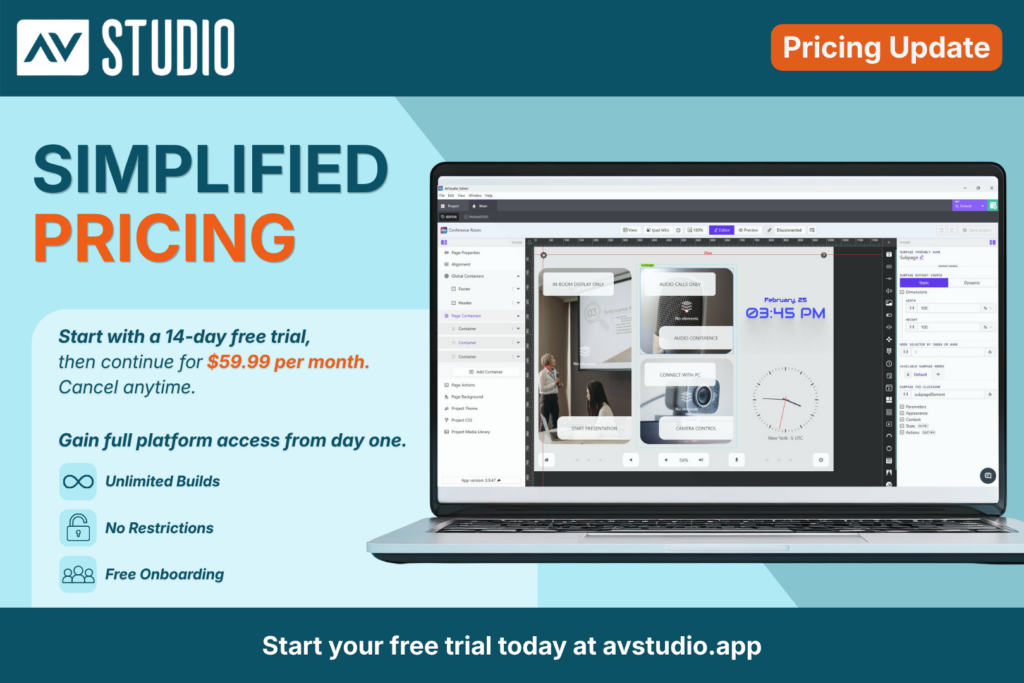
<p>In the world of commercial integration, time is money; that’s why speed and efficiency were key focal points for AVstudio when developing their platform. The WYSIWYG [What You See is What You Get] interface and drag-and-drop functionality eliminate the need for tedious line-by-line coding of standard UI elements, significantly reducing development time. According to Chekirka, users can reduce interface-development time by up to 80% as compared to traditional HTML5 development.</p>
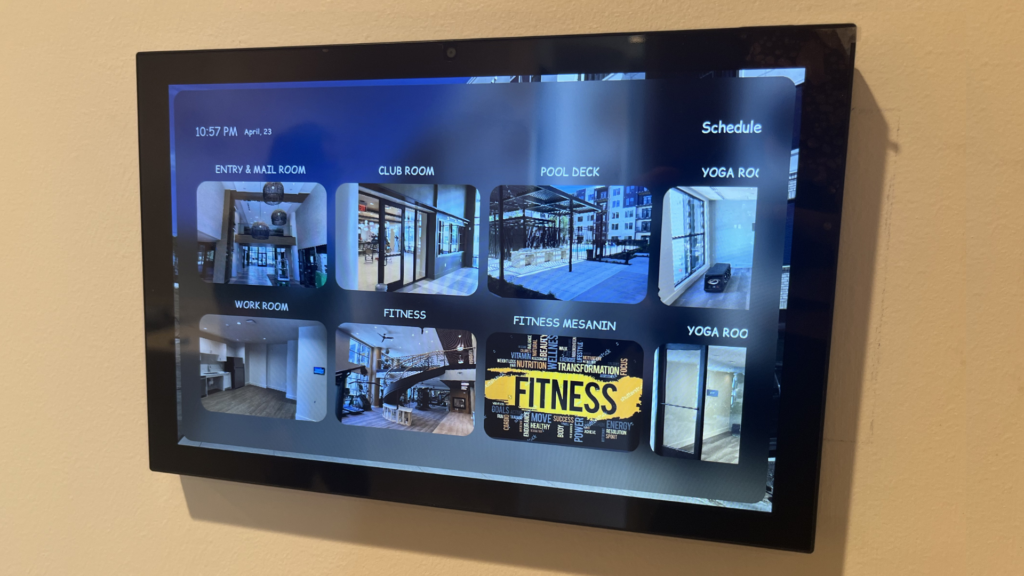
<p>This efficiency becomes particularly critical when dealing with last-minute client requests. Instead of rewriting sections of code, developers can adjust components visually, apply rules and see the updates immediately. This is nearly impossible to achieve when working with raw HTML5 code in traditional development environments.</p>
<p>The AVstudio Editor’s live preview feature further accelerates the workflow. Changes are visible in real time, even connecting directly to the control system during the design phase. “[If] you drag the button on the editor, you will see [it] in preview right [away],” Chekirka explains. “You don’t need to recompile [or] load to the touchpanel to see how it looks like.” This immediate feedback loop ensures a polished final product and avoids the frustrating cycle of compiling, deploying and testing. This is considered one of the platform’s most impressive and unique features, providing something that no other vendor on the market can quite match.</p>

<h2 class="wp-block-heading"><strong>An Advanced User Experience</strong></h2>

<p>AVstudio Editor empowers integrators and their teams to produce sleek, fast, highly functional interfaces without requiring expert developers. These are the building blocks for premium user experiences and projects that look and feel custom-made. And this is a crucial differentiator for high-end clients who demand unique solutions.<br>Although AVstudio Editor simplifies the design process, it does not limit the power available to advanced programmers. Developers can still inject custom JavaScript, use their own CSS [Cascading Style Sheets] and integrate with remote data sources. “We give advanced programmers the ability to do their own elements, code or scripts,” Chekirka notes.</p>

<p>Moreover, AVstudio is developing an intuitive theme editor that simplifies visual design and that is unlike anything currently on the market. Instead of managing dozens of color variables, users can create a consistent theme in just a few clicks. This feature aims to make professional styling far faster and easier for every skill level.</p>

<p>This balance of simplicity and power makes AVstudio Editor accessible to a wide range of skill levels, suiting everyone from AV technicians to seasoned web developers. The end result is a faster, higher-quality design cycle and clients that are more satisfied.</p>

<h2 class="wp-block-heading"><strong>Introducing App Container: The Offline Deployment Solution</strong></h2>

<p>AVstudio is also expanding its ecosystem with App Container, a new mobile application for iOS, Android, Windows and macOS, currently in beta testing. App Container allows developers and end users to run projects in a self-contained, offline environment. This eliminates the need for online-controller hosting, providing a secure and reliable way to deploy and view interfaces on mobile devices.</p>

<p>App Container will include features such as push notifications and the ability to switch between projects, adding another layer of convenience for users. Those interested <a href="https://www.commercialintegrator.com/news/avstudio-editor-a-new-era-for-ui-development/144762/avstudio.app/products/app-container" target="_blank" rel="noreferrer noopener">can download the beta version immediately</a>.</p>

<h2 class="wp-block-heading"><strong>The Future of UI Design and AVstudio Editor</strong></h2>

<p>With nearly 900 developers already using the platform, AVstudio Editor has quickly established itself as a leading tool for AV industry professionals. Moreover, AVstudio is itself now a standalone entity, having branched off from AVgator with more than $1 million of capital investment. And with ongoing community feedback, weekly documentation updates and hands-on workshops, the brand’s value proposition is growing even more compelling.</p>

<p>To explore the future of UI development, visit <a href="https://avstudio.app/" target="_blank" rel="noreferrer noopener">the AVstudio website</a>. You can register for a free account to begin experimenting with AVstudio Editor. You can also subscribe to the newsletter to stay informed about product updates, new features, upcoming workshops and the official launch of App Container.</p></div>
      <p><a href="https://avstudio.app/blog/avstudio-editor-a-new-era-for-ui-development">Read the full article on AVstudio.app</a></p>
    ]]></content>
    <media:thumbnail url="https://avstudio.app/images/blog/avstudio-editor-a-new-era-for-ui-development-a3bdb73d.png"/>
  </entry>
  <entry>
    <title>Save Your Spot: AVstudio Webinar — Live Q&amp;A and Walkthroughs</title>
    <link href="https://avstudio.app/blog/save-your-spot-avstudio-webinar-live-qa-and-walkthroughs" rel="alternate" type="text/html"/>
    <id>https://avstudio.app/blog/save-your-spot-avstudio-webinar-live-qa-and-walkthroughs</id>
    <published>2025-11-14T18:49:00.000Z</published>
    <updated>2025-11-14T18:49:00.000Z</updated>
    <author>
      <name>AVstudio Team</name>
    </author>
    <category term="Blog" label="Blog"/>
    <category term="Blog" label="Blog"/>
    <category term="Events" label="Events"/>
    <summary type="text">AVstudio is excited to announce our upcoming live webinar on November 25th at 11:00 AM (EST). This session is designed to give our users a deeper look into what AVstudio Editor can do, while also providing direct access to our team for a live QA. What To Expect During the webinar, our team will...</summary>
    <content type="html"><![CDATA[
      <img src="https://avstudio.app/images/blog/save-your-spot-avstudio-webinar-live-qa-and-walkthroughs-e6cd10b4.jpg" alt="Save Your Spot: AVstudio Webinar — Live Q&amp;A and Walkthroughs" style="max-width: 100%; height: auto; margin-bottom: 1rem;" />
      <p><strong>Category:</strong> Blog</p>
      <p><strong>Author:</strong> AVstudio Team</p>
      <p><strong>Tags:</strong> Blog, Events</p>
      <div><figure class="wp-block-image size-large"><a href="https://meeting.avstudio.app/meeting/register?uId=5037555000000070945&src=2f6fdd483e40660d0ab888342c3fca307c051aba7e0e252afbc21b728e54ae91" target="_blank" rel=" noreferrer noopener"><img loading="lazy" decoding="async" width="1024" height="503" src="https://avstudio.app/images/blog/save-your-spot-avstudio-webinar-live-qa-and-walkthroughs-3e37e1dd.jpg" alt="" class="wp-image-30195" /></a></figure>

<p>AVstudio is excited to announce our upcoming live webinar on November 25th at 11:00 AM (EST). This session is designed to give our users a deeper look into what AVstudio Editor can do, while also providing direct access to our team for a live Q&A.</p>

<h2 class="wp-block-heading"><strong>What To Expect</strong></h2>

<p>During the webinar, our team will walk through the powerful tools built into AVstudio Editor and demonstrate how they can be used to create fast, flexible, and fully responsive interfaces. You’ll have the opportunity to speak with our developers directly, ask questions, gain clarity on features you’re using, share feedback, and explore ideas for your current or upcoming projects.</p>

<p>This is also a great chance to learn about recent improvements, upcoming updates, and best practices for getting the most out of the platform.<br><br>Throughout the session, you’ll gain insights into:</p>

<ul class="wp-block-list">
<li>Building dynamic, responsive interfaces using AVstudio Editor</li>

<li>Using Data Sources, Variables, and Connectors in real-world scenarios</li>

<li>Integrations with MQTT, Node-RED, Home Assistant, and other tools</li>

<li>Best practices for ensuring smooth performance across devices</li>

<li>Tips to streamline your design and development workflow</li>
</ul>

<h2 class="wp-block-heading"><strong>Why You Should Join</strong></h2>

<p>As AV and IoT environments continue to evolve, developers need tools that keep pace with modern workflows. AVstudio Editor is built to support this growth, offering a fast, HTML5-driven environment that adapts to projects of any scale.</p>

<p>This webinar will show you why AVstudio Editor is the best platform on the market. If you’re new to AVstudio Editor, this is a great opportunity to learn the basics, ask questions to our team, and provide feedback on how we can better improve our product to fit your needs.</p>

<h2 class="wp-block-heading"><strong>Save Your Spot</strong></h2>

<p>Register today to save your spot. You don’t want to miss it. Once registered, we encourage you to let us know which topics you’d most like to discuss so we can tailor the session to your needs.</p>

<p>Click the link below to register for the webinar:</p>

<p>[<a href="https://meeting.avstudio.app/meeting/register?uId=5037555000000070945&src=2f6fdd483e40660d0ab888342c3fca307c051aba7e0e252afbc21b728e54ae91" data-type="link" data-id="https://meeting.avstudio.app/meeting/register?uId=5037555000000070945&src=2f6fdd483e40660d0ab888342c3fca307c051aba7e0e252afbc21b728e54ae91" target="_blank" rel="noreferrer noopener">LINK</a>]</p>

<p>We look forward to seeing you there!</p></div>
      <p><a href="https://avstudio.app/blog/save-your-spot-avstudio-webinar-live-qa-and-walkthroughs">Read the full article on AVstudio.app</a></p>
    ]]></content>
    <media:thumbnail url="https://avstudio.app/images/blog/save-your-spot-avstudio-webinar-live-qa-and-walkthroughs-e6cd10b4.jpg"/>
  </entry>
  <entry>
    <title>Version 3.9.12: MQTT Connectivity, Bug Fixes, and more</title>
    <link href="https://avstudio.app/updates/version-3-9-12-mqtt-connectivity-bug-fixes-and-more" rel="alternate" type="text/html"/>
    <id>https://avstudio.app/updates/version-3-9-12-mqtt-connectivity-bug-fixes-and-more</id>
    <published>2025-10-30T11:03:07.000Z</published>
    <updated>2025-10-30T11:03:07.000Z</updated>
    <author>
      <name>AVstudio Team</name>
    </author>
    <category term="Updates" label="Updates"/>
    <category term="Blog" label="Blog"/>
    <category term="Updates" label="Updates"/>
    <summary type="text">AVstudio is proud to introduce one of our most powerful updates yet. Version 3.9.12 brings full MQTT connector support, enabling developers and integrators to build interfaces that communicate in real time across devices, control systems, and automation environments. This update not only expands...</summary>
    <content type="html"><![CDATA[
      <img src="https://avstudio.app/images/blog/version-3-9-12-mqtt-connectivity-bug-fixes-and-more-578ee9ce.jpg" alt="Version 3.9.12: MQTT Connectivity, Bug Fixes, and more" style="max-width: 100%; height: auto; margin-bottom: 1rem;" />
      <p><strong>Category:</strong> Updates</p>
      <p><strong>Author:</strong> AVstudio Team</p>
      <p><strong>Tags:</strong> Blog, Updates</p>
      <div><p>AVstudio is proud to introduce one of our most powerful updates yet. Version 3.9.12 brings full MQTT connector support, enabling developers and integrators to build interfaces that communicate in real time across devices, control systems, and automation environments.</p>

<p>This update not only expands what AVstudio Editor can connect to, but also the capabilities of projects created in the editor. Data can move fast and seamlessly between your UI and the systems it manages like never before.</p>

<h2 class="wp-block-heading"><strong>Full MQTT Protocol Support</strong></h2>

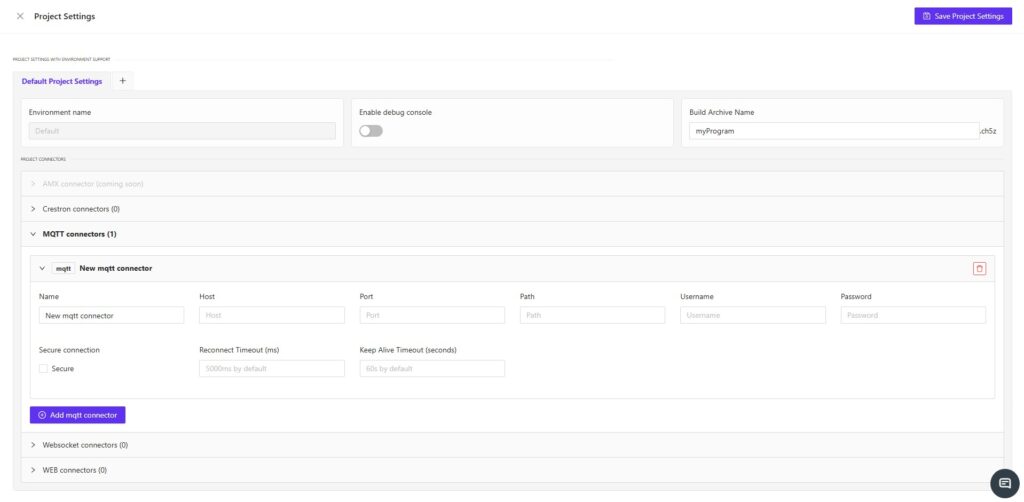
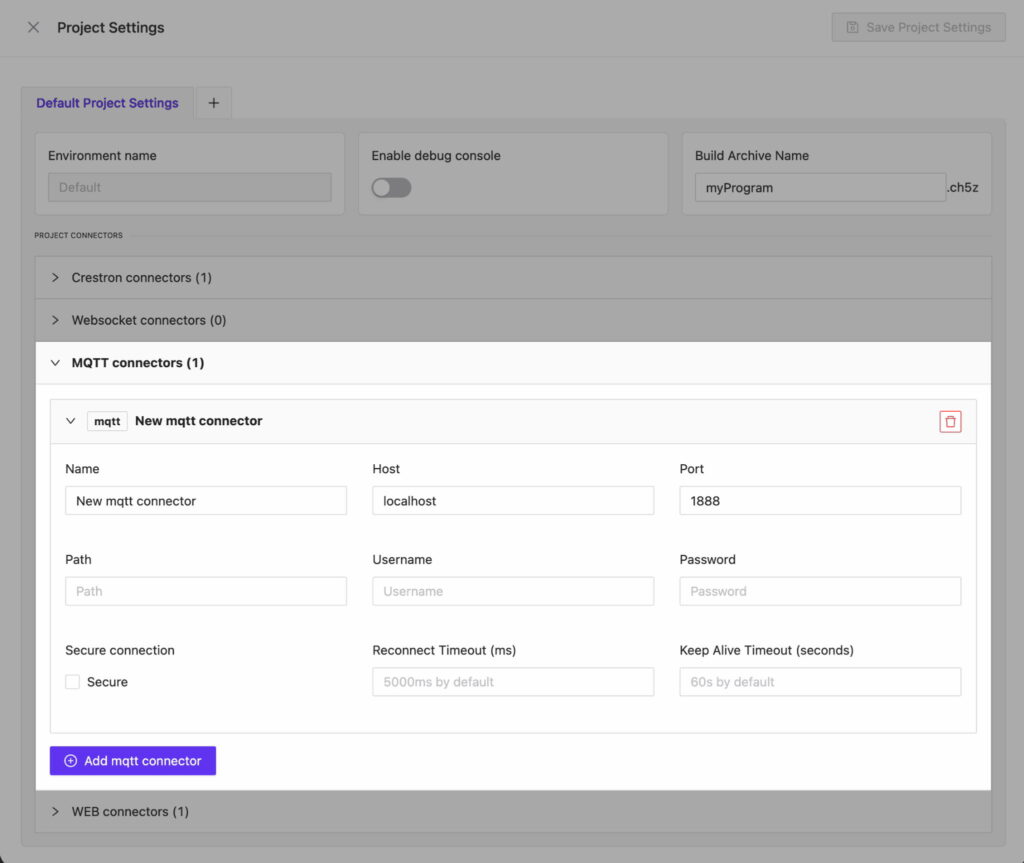
<p>We’ve added complete support for the MQTT protocol, allowing you to:</p>

<ul class="wp-block-list">
<li>Connect to multiple hosts and ports</li>

<li>Use secure (SSL/TLS) connections</li>

<li>Authenticate with login and password</li>

<li>Modify the PATH for total configuration control</li>
</ul>

<p>Whether you’re building local prototypes or deploying enterprise-grade automation, AVstudio gives you everything needed to fine-tune your MQTT setup for stability and flexibility.</p>

<figure class="wp-block-image size-large"><img loading="lazy" decoding="async" width="1024" height="863" src="https://avstudio.app/images/blog/version-3-9-12-mqtt-connectivity-bug-fixes-and-more-c9f0eaf7.jpg" alt="" class="wp-image-30182" /></figure>

<h2 class="wp-block-heading"><strong>Dynamic Data Through MQTT Data sources</strong></h2>

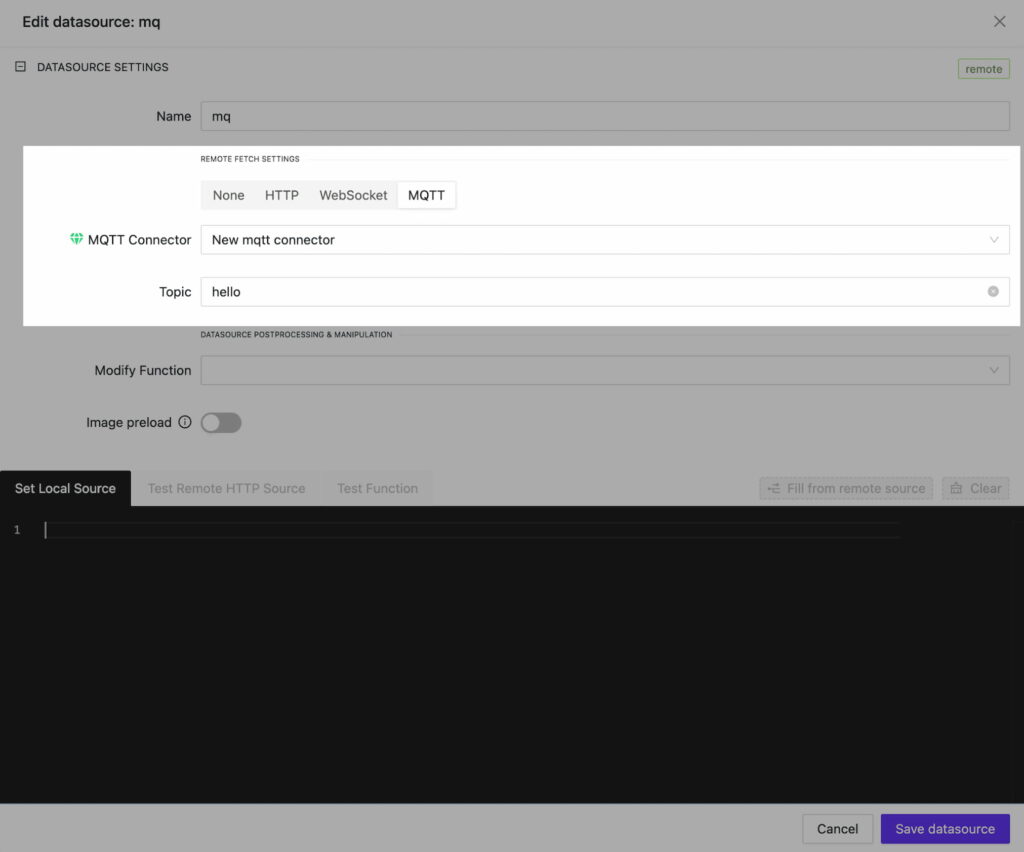
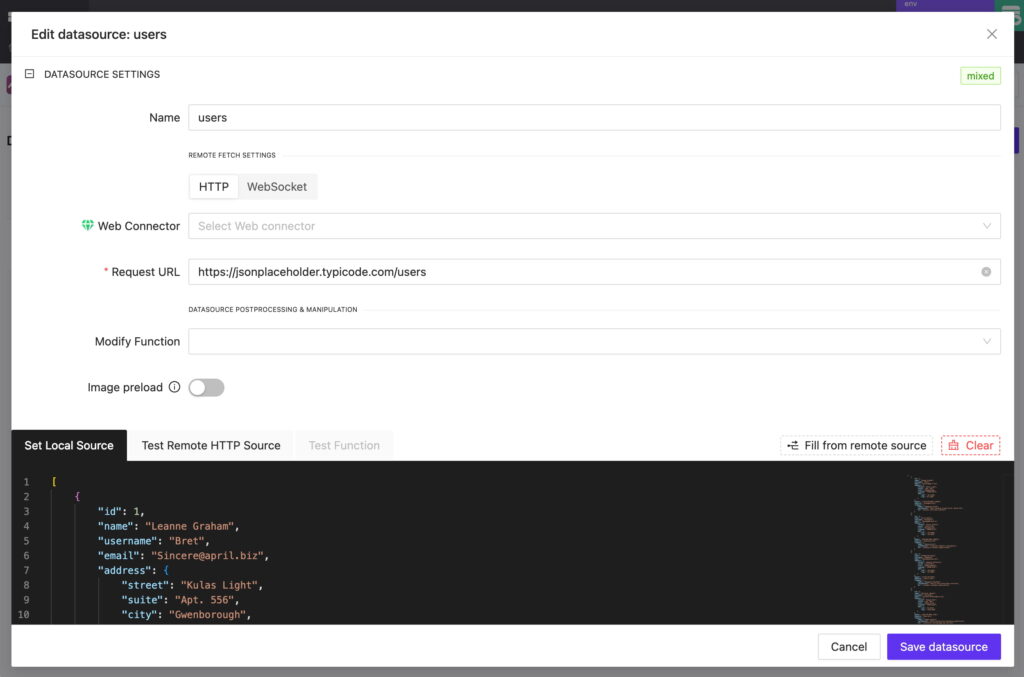
<p>With MQTT connectors, your AVstudio data sources can now be dynamically updated with live data. By linking to a specific topic, data inside your interface can be continuously synchronized.</p>

<p>To streamline your development workflow, we’ve also introduced a Mixed DataSource Type. By combining local data with MQTT feedback, you can maintain a solid local copy of the data, enabling you to prototype your interface seamlessly. </p>

<p>Once you switch to production mode, the data will be updated in real time via the MQTT channel. This means no more waiting for data to arrive. You can build, preview, and deploy with uninterrupted speed.</p>

<figure class="wp-block-image size-large"><img loading="lazy" decoding="async" width="1024" height="852" src="https://avstudio.app/images/blog/version-3-9-12-mqtt-connectivity-bug-fixes-and-more-e5571474.jpg" alt="" class="wp-image-30183" /></figure>

<h2 class="wp-block-heading"><strong>MQTT for Variables and Parameters</strong></h2>

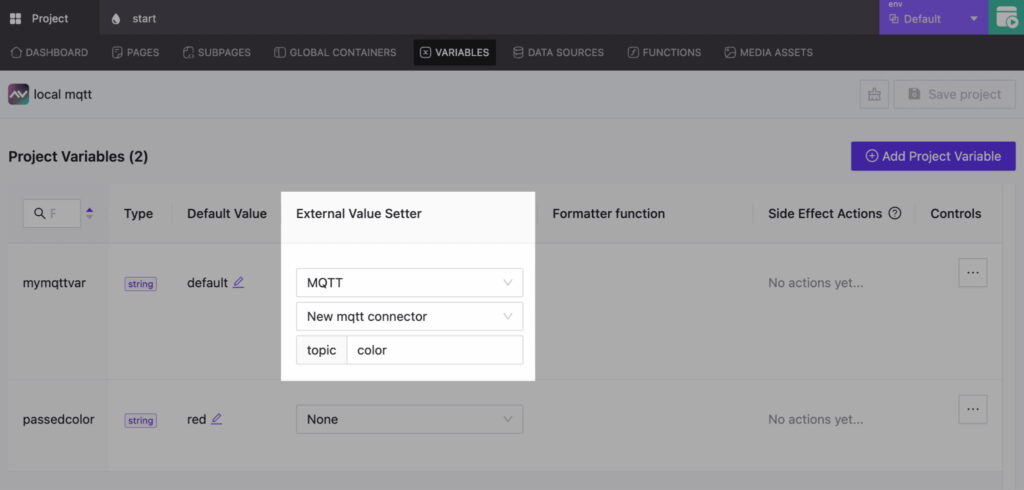
<p>We’ve expanded the functionality of variable and parameter updates through MQTT Feedback. By assigning the correct connector and topic, any variable or parameter in your project can receive live updates. This enables precise control of the interface and its elements.</p>

<figure class="wp-block-image size-large"><img loading="lazy" decoding="async" width="1024" height="490" src="https://avstudio.app/images/blog/version-3-9-12-mqtt-connectivity-bug-fixes-and-more-40255bb4.jpg" alt="" class="wp-image-30184" /></figure>

<h2 class="wp-block-heading"><strong>Connect to Node-RED, Home Assistant, and More</strong></h2>

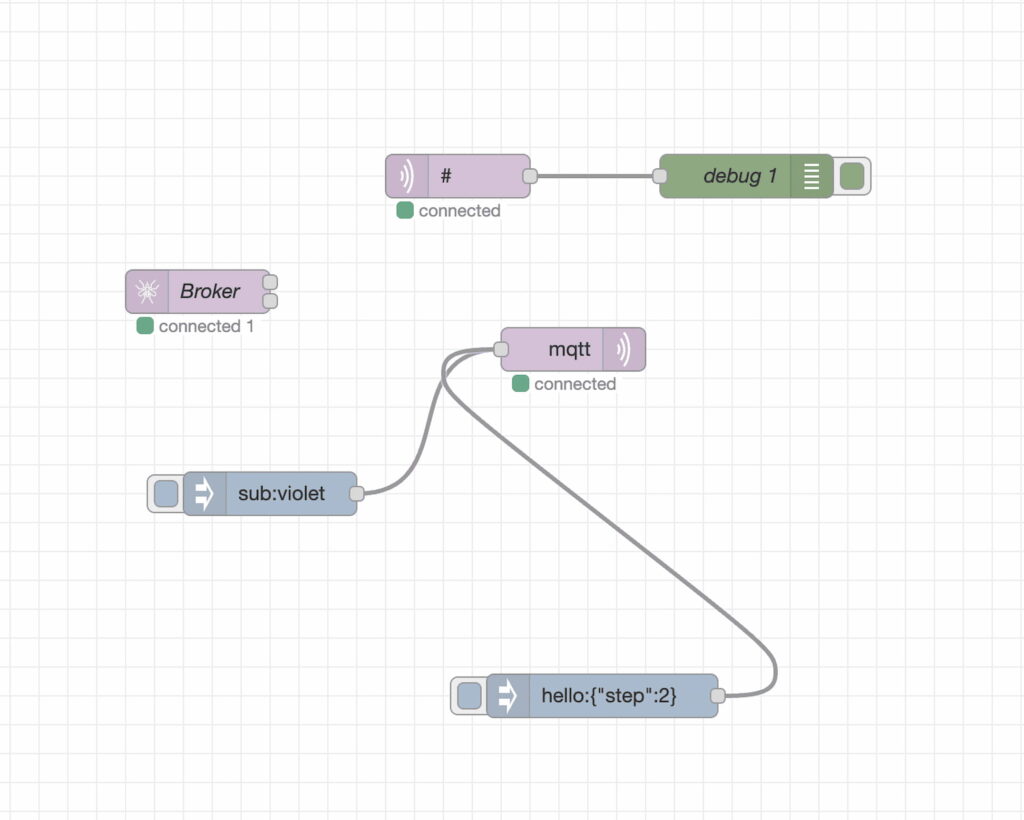
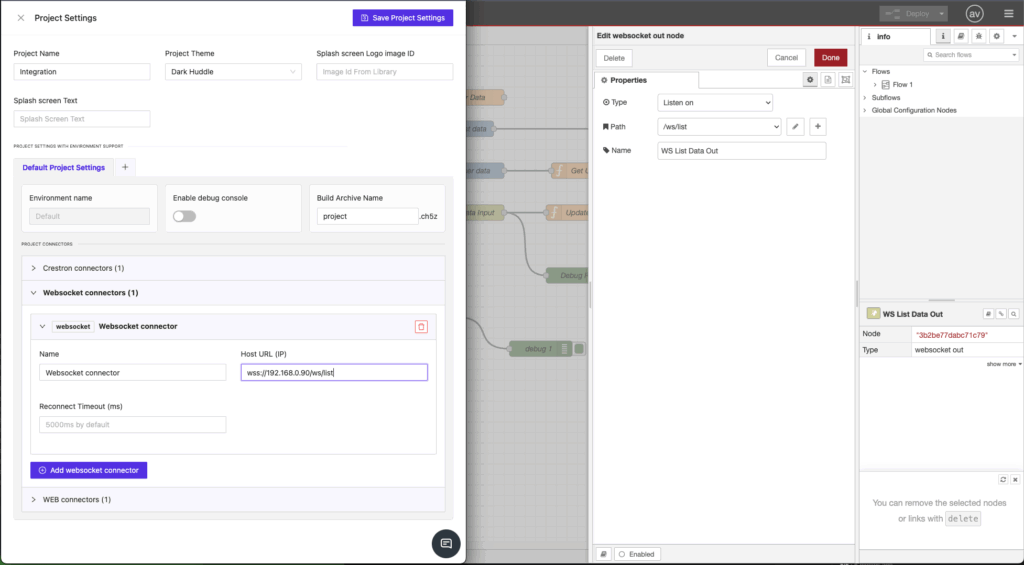
<p>AVstudio now connects to Node-RED, Home Assistant, and other systems over the MQTT Protocol. It only takes two clicks to establish a connection, making it easier than ever to exchange data between your interface and an automation or control system. This highly efficient solution enables dynamic management of data flows and end devices.</p>

<figure class="wp-block-image size-large"><img loading="lazy" decoding="async" width="1024" height="820" src="https://avstudio.app/images/blog/version-3-9-12-mqtt-connectivity-bug-fixes-and-more-d45e03fa.jpg" alt="" class="wp-image-30185" /></figure>

<h2 class="wp-block-heading"><strong>Bug Fixes and Performance Enhancements</strong></h2>

<p>In addition to MQTT support, this update includes several refinements:</p>

<ul class="wp-block-list">
<li>Stabilized Mixed DataSources: Fixed issues where local fallbacks for a repair DataSource were not correctly retrieved.</li>

<li>Improved Performance: Element selection, positioning, and property adjustments make AVstudio Editor faster, smoother, and more efficient.</li>
</ul>

<h2 class="wp-block-heading"><strong>AVstudio Editor Continues To Evolve</strong></h2>

<p>Update 3.9.12 reinforces AVstudio Editor’s powerful features through open, flexible connectivity. With MQTT, Node-RED, and real-time data feedback, your projects can be created faster, smarter, and more precise than ever.<br><br>Click the link below for a short video showcasing how this update enhances the development process: 👇</p>

<p><a href="https://www.youtube.com/watch?v=J8gK9liuRwI&t=2s" target="_blank" rel="noreferrer noopener">[AVstudio Editor + MQTT + Node-RED | Live Conference Room UI in HTML5]</a></p>

<p>Start creating with AVstudio Editor today.</p></div>
      <p><a href="https://avstudio.app/updates/version-3-9-12-mqtt-connectivity-bug-fixes-and-more">Read the full article on AVstudio.app</a></p>
    ]]></content>
    <media:thumbnail url="https://avstudio.app/images/blog/version-3-9-12-mqtt-connectivity-bug-fixes-and-more-578ee9ce.jpg"/>
  </entry>
  <entry>
    <title>5 Reasons Why AVstudio Editor Is the #1 Tool for Interface Development</title>
    <link href="https://avstudio.app/blog/5-reasons-why-avstudio-editor-is-the-1-tool-for-interface-development" rel="alternate" type="text/html"/>
    <id>https://avstudio.app/blog/5-reasons-why-avstudio-editor-is-the-1-tool-for-interface-development</id>
    <published>2025-10-27T21:22:51.000Z</published>
    <updated>2025-10-27T21:22:51.000Z</updated>
    <author>
      <name>AVstudio Team</name>
    </author>
    <category term="Blog" label="Blog"/>
    <category term="Blog" label="Blog"/>
    <summary type="text">In the evolving world of AV and IoT technology, developers need tools that not only look professional but also streamline project completion and enhance efficiency. As the demand grows for solutions that are faster, smoother, and more dynamic, integrators are moving away from traditional interface...</summary>
    <content type="html"><![CDATA[
      <img src="https://avstudio.app/images/blog/5-reasons-why-avstudio-editor-is-the-1-tool-for-interface-development-4f1ef498.jpg" alt="5 Reasons Why AVstudio Editor Is the #1 Tool for Interface Development" style="max-width: 100%; height: auto; margin-bottom: 1rem;" />
      <p><strong>Category:</strong> Blog</p>
      <p><strong>Author:</strong> AVstudio Team</p>
      <p><strong>Tags:</strong> Blog</p>
      <div><figure class="wp-block-image size-large"><img loading="lazy" decoding="async" width="1024" height="503" src="https://avstudio.app/images/blog/5-reasons-why-avstudio-editor-is-the-1-tool-for-interface-development-8885ab5b.jpg" alt="" class="wp-image-30170" /></figure>

<p>In the evolving world of AV and IoT technology, developers need tools that not only look professional but also streamline project completion and enhance efficiency. As the demand grows for solutions that are faster, smoother, and more dynamic, integrators are moving away from traditional interface builders and embracing AVstudio Editor, the industry’s leading HTML5 GUI and IoT platform.<br><br>Here are five reasons why AVstudio Editor is, without a doubt, the #1 interface development tool on the market.</p>

<h2 class="wp-block-heading"><strong>Built for Now and the Future</strong></h2>

<p>Many tools still used by developers today are severely outdated, inflexible, slow to process, and locked into fixed-resolution layouts. AVstudio Editor, on the other hand, is built entirely with HTML5, enabling a new standard of speed, adaptability, and design freedom.<br><br>It integrates seamlessly with modern AV, IoT, and automation technologies, delivering responsive scaling, dynamic performance, and visually stunning interfaces without the need for extra software or plug-ins.</p>

<p>AVstudio Editor is built to grow with the industry. Its robust HTML5 infrastructure ensures that, as technology evolves, AVstudio evolves with it. The platform is AI-ready and designed for continuous expansion, allowing it to adapt to innovations and remain at the forefront of modern interface development. Its progressive and adaptive design ensures every project looks and performs perfectly across any screen or device.</p>

<figure class="wp-block-image size-large"><img loading="lazy" decoding="async" width="1024" height="503" src="https://avstudio.app/images/blog/5-reasons-why-avstudio-editor-is-the-1-tool-for-interface-development-585ce6c8.jpg" alt="" class="wp-image-30171" /></figure>

<h2 class="wp-block-heading"><strong>A Unified Workflow with Faster Development</strong></h2>

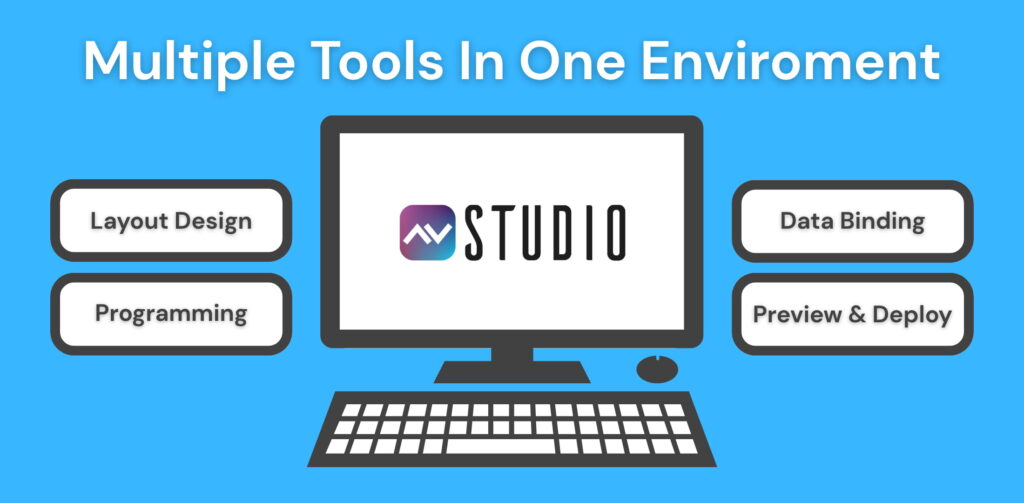
<p>A frequent struggle for interface developers is the need to use multiple programs, tools, and platforms to complete a single project. AVstudio Editor eliminates this problem by enabling a unified, all-in-one workflow that remains fully compatible with other tools.Gone are the days of switching between separate applications for layout, scripting, and testing. AVstudio Editor combines visual design, live previews, and integration tools into a single powerful environment.</p>

<p>Developers can design visually with a WYSIWYG editor, but also create custom HTML5 blocks, JavaScript functions, and CSS styling when more control is needed. Designers can bind components directly to data sources, logic, or API endpoints, preview changes instantly, and deploy to devices with ease.</p>

<p>All of these features are built to dramatically reduce project turnaround time. When you save time, you save money. AVstudio Editor delivers the fastest, cleanest, and most efficient HTML5 GUI design experience possible.</p>

<figure class="wp-block-image size-large"><img loading="lazy" decoding="async" width="1024" height="503" src="https://avstudio.app/images/blog/5-reasons-why-avstudio-editor-is-the-1-tool-for-interface-development-c6ba0b25.jpg" alt="" class="wp-image-30172" /></figure>

<h2 class="wp-block-heading"><strong>Node-RED Integration and API Support</strong></h2>

<p>Modern AV and IoT systems rely on cross-platform connectivity, real-time communication, and dynamic data exchange. Every component, from lighting controls to security systems, must work together seamlessly for an interface to feel functional, high-end, and professional. In most interface builders, achieving this level of integration requires manual coding or forces developers to work within limited toolsets.</p>

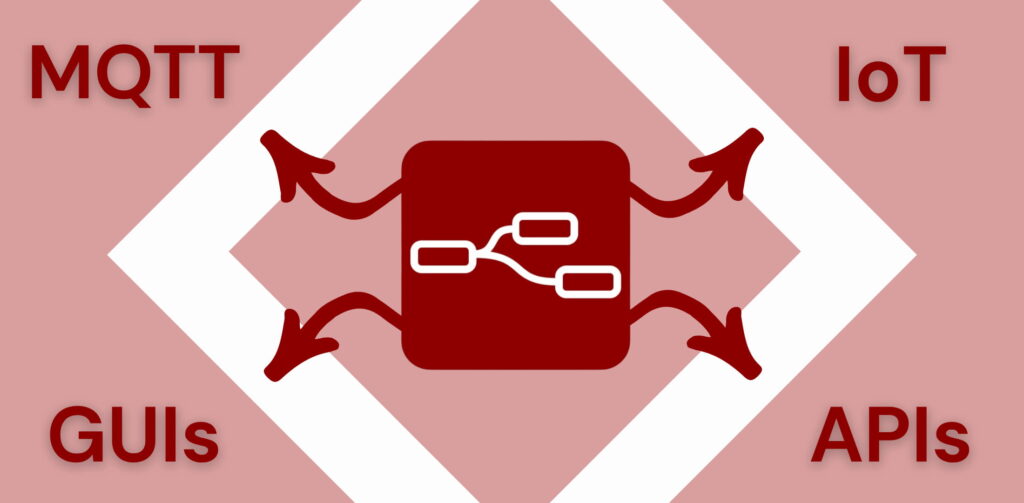
<p>AVstudio Editor eliminates these barriers with Node-RED integration, full API support, and native MQTT connectivity. These capabilities allow developers and integrators to connect their graphical interfaces directly to live system data, automation logic, and cloud services without writing extensive code.</p>

<p>In just a few clicks, you can connect to Node-RED and start managing GUDE, NETIO, or other network-based devices, or even control IoT sensors and relays directly. Data sources drive the dynamic behavior of every interface, updating visuals and logic in real time. This compatibility saves developers countless hours and provides a more efficient, flexible alternative to manual programming. Through visual logic and low-code connectivity, AVstudio empowers users to focus on design and innovation rather than troubleshooting.</p>

<figure class="wp-block-image size-large"><img loading="lazy" decoding="async" width="1024" height="503" src="https://avstudio.app/images/blog/5-reasons-why-avstudio-editor-is-the-1-tool-for-interface-development-e672e3fc.jpg" alt="" class="wp-image-30174" /></figure>

<h2 class="wp-block-heading"><strong>Adaptability and Compatibility</strong></h2>

<p>Possibly the most valuable aspect of AVstudio Editor, and what truly sets it apart from other interface builders, is its unmatched flexibility. This begins with its compatibility across numerous control systems, IoT devices, and programming tools, giving developers complete freedom in how they design and deploy projects.</p>

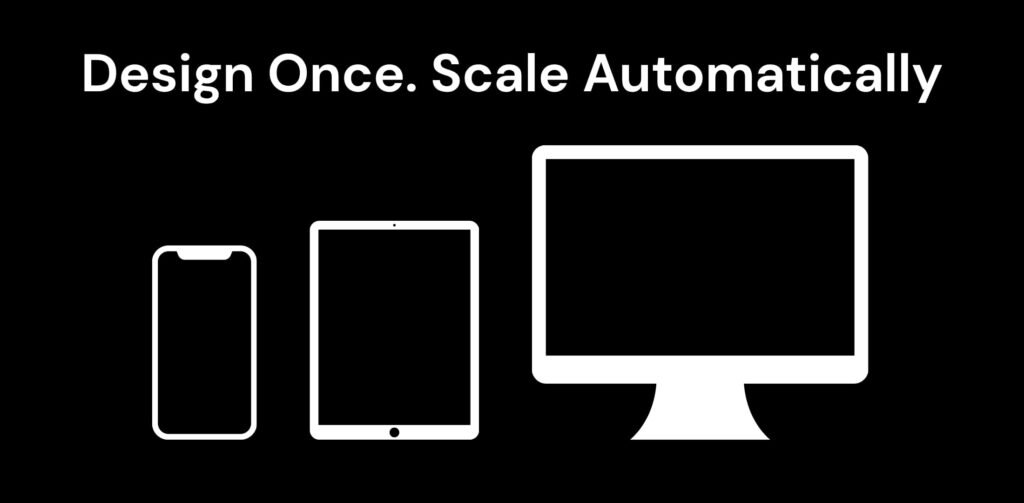
<p>AVstudio Editor removes the limitations that often slow down traditional workflows. Its flexibility is also showcased in its adaptability across devices, with a powerful HTML5 engine featuring progressive and adaptive design that automatically scales interfaces for any screen, from touch panels to tablets, laptops, and large-format displays.</p>

<p>AVstudio Editor stands as the #1 interface builder for developers who value versatility and creative freedom. Simply put, design once and deploy across multiple environments, systems, and devices of all kinds.</p>

<figure class="wp-block-image size-large"><img loading="lazy" decoding="async" width="1024" height="503" src="https://avstudio.app/images/blog/5-reasons-why-avstudio-editor-is-the-1-tool-for-interface-development-eb9901b3.jpg" alt="" class="wp-image-30175" /></figure>

<h2 class="wp-block-heading"><strong>Speed, Precision, and Scalability</strong></h2>

<p>AVstudio Editor features a robust framework that enables developers to move from concept to deployment faster than ever before. With reusable templates, customizable components, and adaptive layouts, projects can be built efficiently while minimizing repetitive work.</p>

<p>Every element in AVstudio is designed for precision. Fine-tuning details is effortless with live previews, snapping grids, and advanced CSS styling, allowing for pixel-perfect accuracy and seamless visual alignment across every device and display.</p>

<p>AVstudio Editor delivers the scalability modern projects demand. There’s no need to start from scratch; existing interfaces can easily evolve and expand as requirements grow. Whether you’re designing a small interface for a single room or a full-scale commercial control system, AVstudio’s HTML5 foundation ensures smooth performance, responsive design, and limitless future development potential.</p>

<figure class="wp-block-image size-large"><img loading="lazy" decoding="async" width="1024" height="503" src="https://avstudio.app/images/blog/5-reasons-why-avstudio-editor-is-the-1-tool-for-interface-development-f0836d6b.jpg" alt="" class="wp-image-30176" /></figure>

<h2 class="wp-block-heading"><strong>Smarter Interfaces Start with AVstudio</strong></h2>

<p>In an industry evolving every day, experience AVstudio Editor, the future of interface design and the #1 tool for developers looking to maximize speed, efficiency, adaptability, and flexibility. Built on a powerful HTML5 foundation, it gives developers everything they need to design, integrate, and deploy dynamic interfaces with ease.</p>

<p>Start creating smarter, more connected experiences today with AVstudio Editor.</p></div>
      <p><a href="https://avstudio.app/blog/5-reasons-why-avstudio-editor-is-the-1-tool-for-interface-development">Read the full article on AVstudio.app</a></p>
    ]]></content>
    <media:thumbnail url="https://avstudio.app/images/blog/5-reasons-why-avstudio-editor-is-the-1-tool-for-interface-development-4f1ef498.jpg"/>
  </entry>
  <entry>
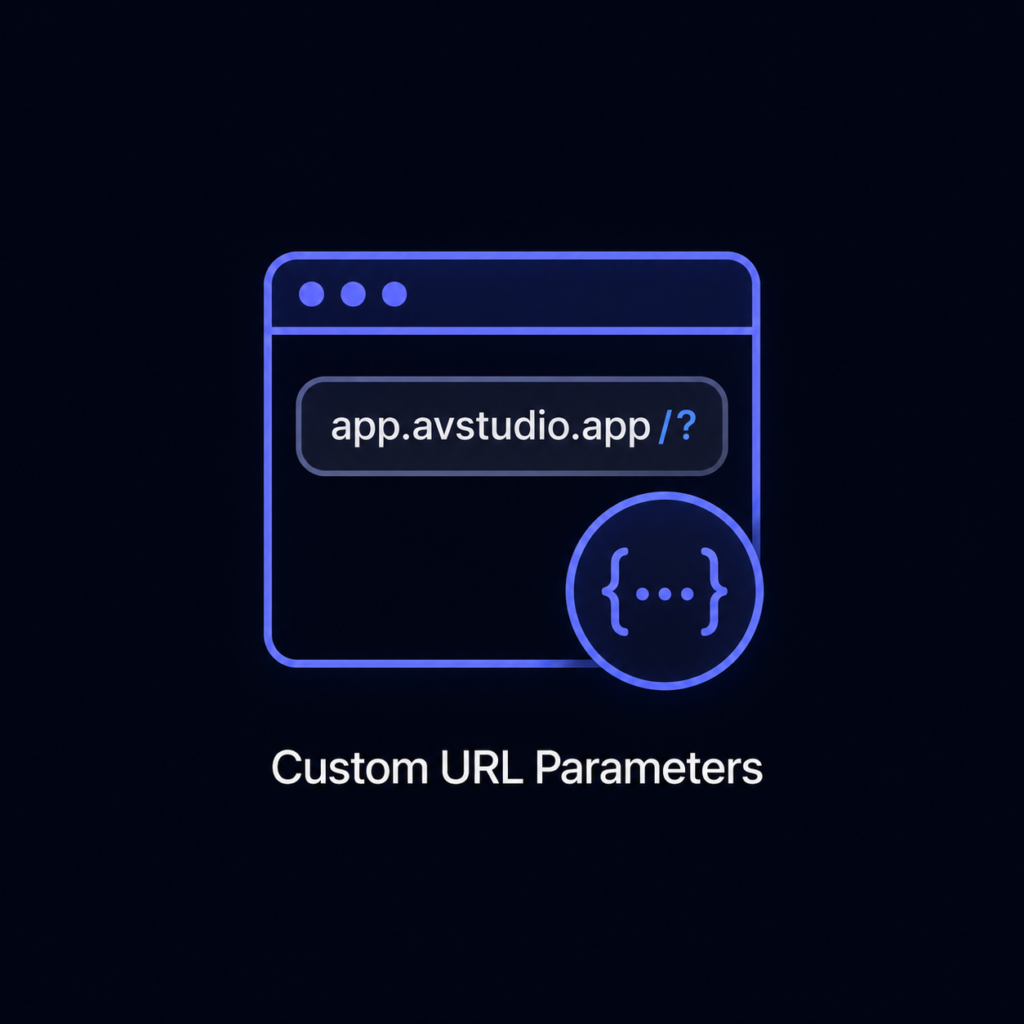
    <title>Custom URL Parameters</title>
    <link href="https://avstudio.app/products/app-container/custom-url-parameters" rel="alternate" type="text/html"/>
    <id>https://avstudio.app/products/app-container/custom-url-parameters</id>
    <published>2025-10-17T17:31:07.000Z</published>
    <updated>2025-10-17T17:31:07.000Z</updated>
    <author>
      <name>AVstudio Team</name>
    </author>
    <category term="App Container" label="App Container"/>
    <category term="Products Features" label="Products Features"/>
    <summary type="text">Add custom URL parameters to your projects to control app behavior, configuration, and content within App Container’s dedicated environment. Ideal for deep linking, dynamic environments, and passing runtime data directly into your web applications.</summary>
    <content type="html"><![CDATA[
      
      <p><strong>Category:</strong> App Container</p>
      <p><strong>Author:</strong> AVstudio Team</p>
      <p><strong>Tags:</strong> Products Features</p>
      <div><p>Add custom URL parameters to your projects to control app behavior, configuration, and content within App Container’s dedicated environment. Ideal for deep linking, dynamic environments, and passing runtime data directly into your web applications.</p></div>
      <p><a href="https://avstudio.app/products/app-container/custom-url-parameters">Read the full article on AVstudio.app</a></p>
    ]]></content>
    
  </entry>
  <entry>
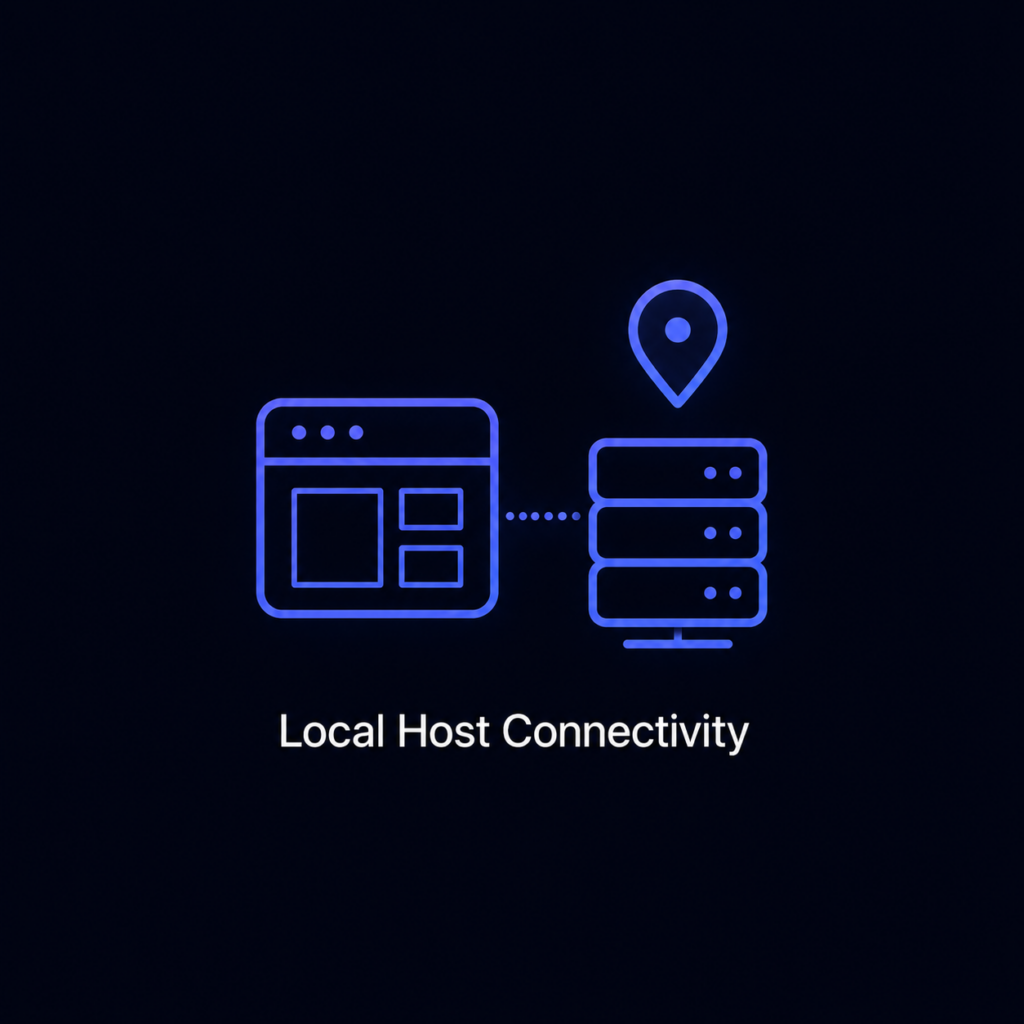
    <title>Localhost Connectivity</title>
    <link href="https://avstudio.app/products/app-container/localhost-connectivity" rel="alternate" type="text/html"/>
    <id>https://avstudio.app/products/app-container/localhost-connectivity</id>
    <published>2025-10-17T17:30:08.000Z</published>
    <updated>2025-10-17T17:30:08.000Z</updated>
    <author>
      <name>AVstudio Team</name>
    </author>
    <category term="App Container" label="App Container"/>
    <category term="Products Features" label="Products Features"/>
    <summary type="text">Run web applications that don’t meet standard browser restrictions, such as strict CORS or certificate policies. Developers maintain complete control and maximum flexibility in secure, internal environments.</summary>
    <content type="html"><![CDATA[
      
      <p><strong>Category:</strong> App Container</p>
      <p><strong>Author:</strong> AVstudio Team</p>
      <p><strong>Tags:</strong> Products Features</p>
      <div><p>Run web applications that don’t meet standard browser restrictions, such as strict CORS or certificate policies. Developers maintain complete control and maximum flexibility in secure, internal environments.</p></div>
      <p><a href="https://avstudio.app/products/app-container/localhost-connectivity">Read the full article on AVstudio.app</a></p>
    ]]></content>
    
  </entry>
  <entry>
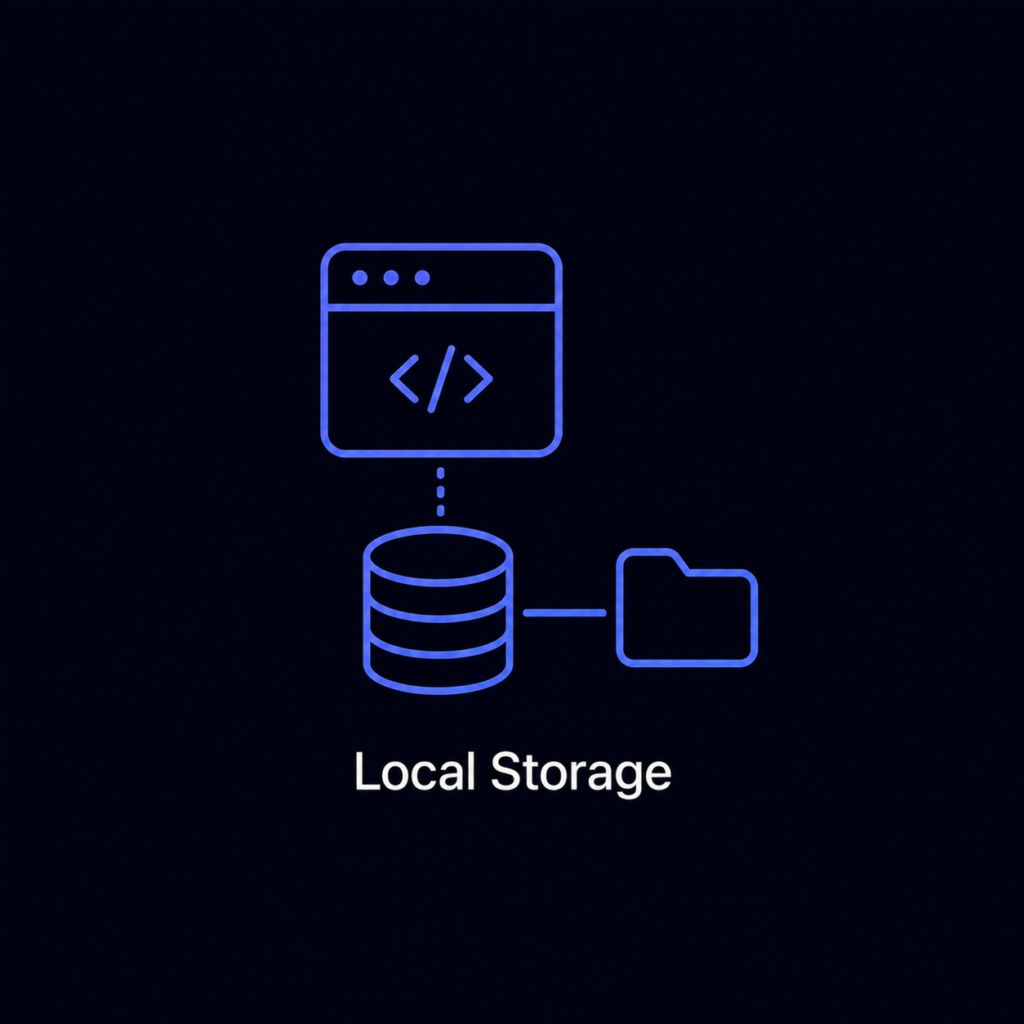
    <title>Local Storage</title>
    <link href="https://avstudio.app/products/app-container/local-storage" rel="alternate" type="text/html"/>
    <id>https://avstudio.app/products/app-container/local-storage</id>
    <published>2025-10-17T17:29:13.000Z</published>
    <updated>2025-10-17T17:29:13.000Z</updated>
    <author>
      <name>AVstudio Team</name>
    </author>
    <category term="App Container" label="App Container"/>
    <category term="Products Features" label="Products Features"/>
    <summary type="text">Store and load projects directly from the device’s local storage. This eliminates the need for web hosting and ensures full functionality even without an internet connection.</summary>
    <content type="html"><![CDATA[
      
      <p><strong>Category:</strong> App Container</p>
      <p><strong>Author:</strong> AVstudio Team</p>
      <p><strong>Tags:</strong> Products Features</p>
      <div><p>Store and load projects directly from the device’s local storage. This eliminates the need for web hosting and ensures full functionality even without an internet connection.</p></div>
      <p><a href="https://avstudio.app/products/app-container/local-storage">Read the full article on AVstudio.app</a></p>
    ]]></content>
    
  </entry>
  <entry>
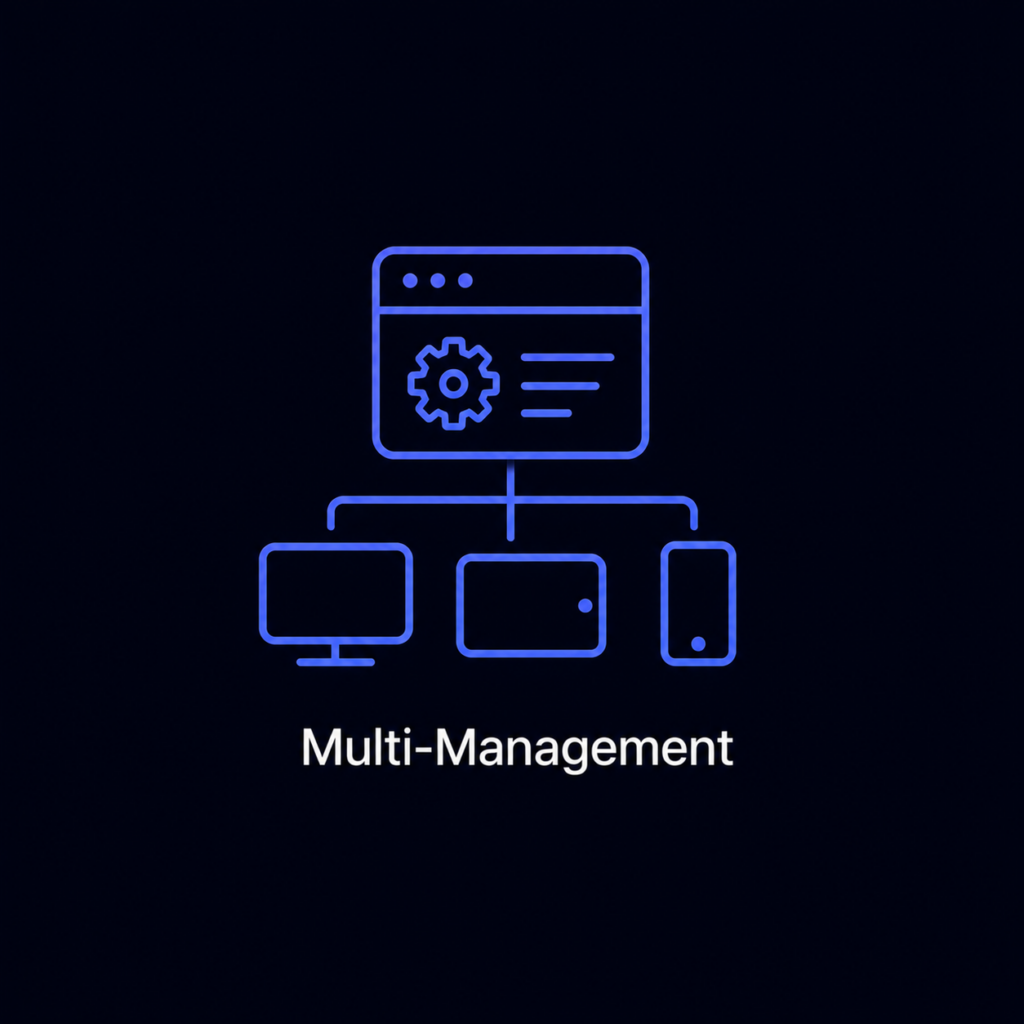
    <title>Multi-Management</title>
    <link href="https://avstudio.app/products/app-container/multi-management" rel="alternate" type="text/html"/>
    <id>https://avstudio.app/products/app-container/multi-management</id>
    <published>2025-10-17T17:28:01.000Z</published>
    <updated>2025-10-17T17:28:01.000Z</updated>
    <author>
      <name>AVstudio Team</name>
    </author>
    <category term="App Container" label="App Container"/>
    <category term="Products Features" label="Products Features"/>
    <summary type="text">Host and manage multiple web projects within a single container environment. Each project can have its own configuration, icon, and access rules for streamlined organization.</summary>
    <content type="html"><![CDATA[
      
      <p><strong>Category:</strong> App Container</p>
      <p><strong>Author:</strong> AVstudio Team</p>
      <p><strong>Tags:</strong> Products Features</p>
      <div><p>Host and manage multiple web projects within a single container environment. Each project can have its own configuration, icon, and access rules for streamlined organization.</p></div>
      <p><a href="https://avstudio.app/products/app-container/multi-management">Read the full article on AVstudio.app</a></p>
    ]]></content>
    
  </entry>
  <entry>
    <title>Remote Management</title>
    <link href="https://avstudio.app/products/app-container/remote-management" rel="alternate" type="text/html"/>
    <id>https://avstudio.app/products/app-container/remote-management</id>
    <published>2025-10-17T17:26:36.000Z</published>
    <updated>2025-10-17T17:26:36.000Z</updated>
    <author>
      <name>AVstudio Team</name>
    </author>
    <category term="App Container" label="App Container"/>
    <category term="Products Features" label="Products Features"/>
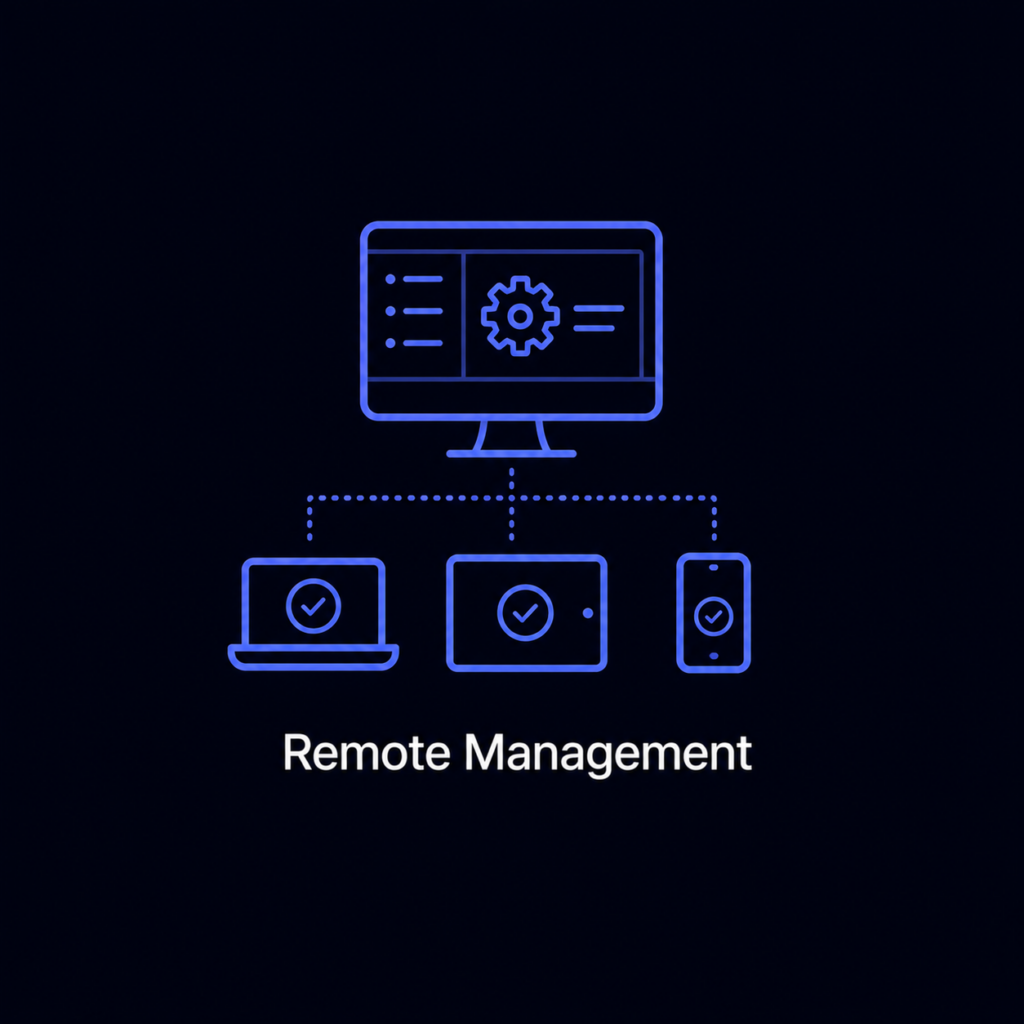
    <summary type="text">Manage, deploy, and update projects remotely through a secure control interface. Push configurations or content updates to any connected device instantly.</summary>
    <content type="html"><![CDATA[
      
      <p><strong>Category:</strong> App Container</p>
      <p><strong>Author:</strong> AVstudio Team</p>
      <p><strong>Tags:</strong> Products Features</p>
      <div><p>Manage, deploy, and update projects remotely through a secure control interface. Push configurations or content updates to any connected device instantly.</p></div>
      <p><a href="https://avstudio.app/products/app-container/remote-management">Read the full article on AVstudio.app</a></p>
    ]]></content>
    
  </entry>
  <entry>
    <title>Native iOS/Android Web Container</title>
    <link href="https://avstudio.app/products/app-container/native-ios-android-web-container" rel="alternate" type="text/html"/>
    <id>https://avstudio.app/products/app-container/native-ios-android-web-container</id>
    <published>2025-10-17T17:18:07.000Z</published>
    <updated>2025-10-17T17:18:07.000Z</updated>
    <author>
      <name>AVstudio Team</name>
    </author>
    <category term="App Container" label="App Container"/>
    <category term="Products Features" label="Products Features"/>
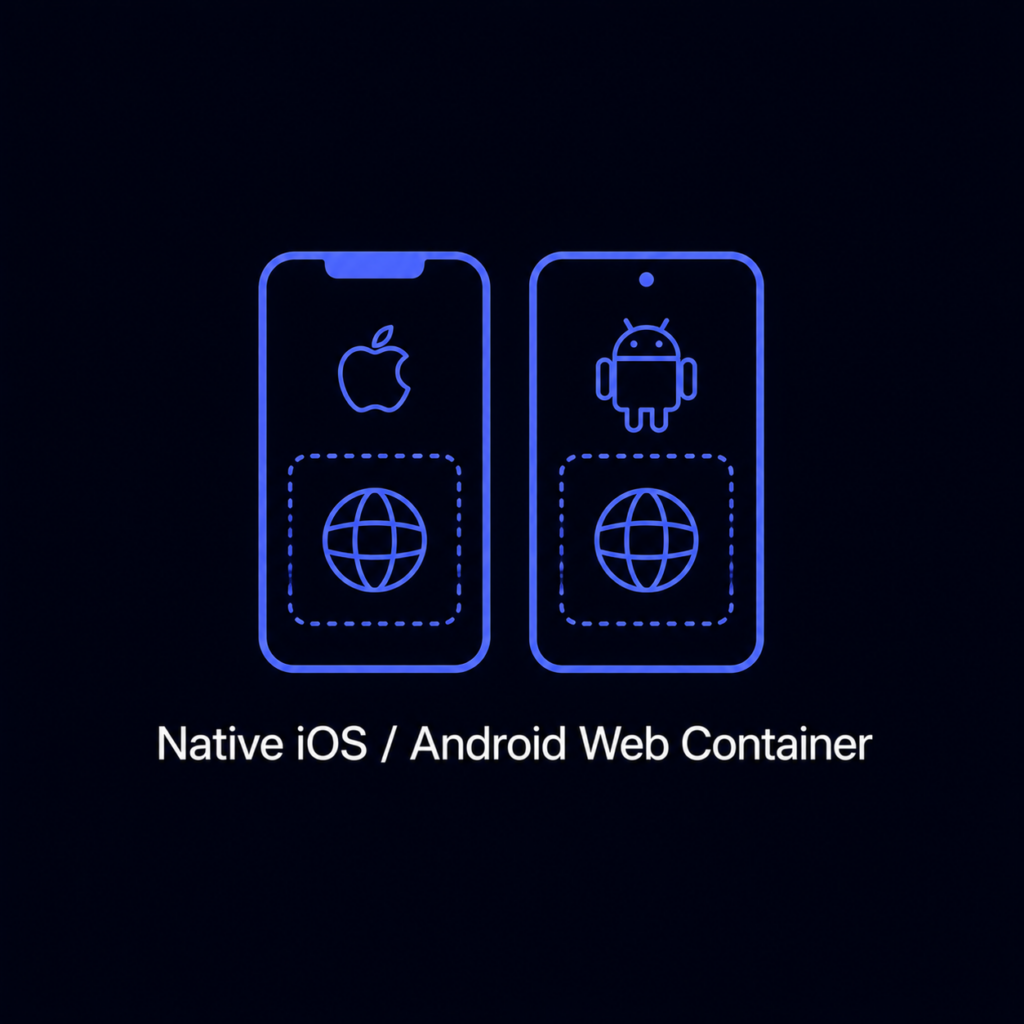
    <summary type="text">Run web applications natively within a self-contained, offline environment. App Container provides a dedicated runtime for HTML5 projects without requiring external hosting or connectivity.</summary>
    <content type="html"><![CDATA[
      
      <p><strong>Category:</strong> App Container</p>
      <p><strong>Author:</strong> AVstudio Team</p>
      <p><strong>Tags:</strong> Products Features</p>
      <div><p>Run web applications natively within a self-contained, offline environment. App Container provides a dedicated runtime for HTML5 projects without requiring external hosting or connectivity.</p></div>
      <p><a href="https://avstudio.app/products/app-container/native-ios-android-web-container">Read the full article on AVstudio.app</a></p>
    ]]></content>
    
  </entry>
  <entry>
    <title>App Container Opens for Beta Testing. Apply Now!</title>
    <link href="https://avstudio.app/blog/app-container-opens-for-beta-testing-apply-now" rel="alternate" type="text/html"/>
    <id>https://avstudio.app/blog/app-container-opens-for-beta-testing-apply-now</id>
    <published>2025-10-09T10:56:10.000Z</published>
    <updated>2025-10-09T10:56:10.000Z</updated>
    <author>
      <name>AVstudio Team</name>
    </author>
    <category term="Blog" label="Blog"/>
    <category term="Blog" label="Blog"/>
    <summary type="text">AVstudio is excited to announce that our newest product, App Container, is now open for beta testing! APPLY AS A BETA TESTER: [LINK] We’re proud that AVstudio Editor has already completely transformed AV interface development. Where integrators once faced long hours of complex coding or the...</summary>
    <content type="html"><![CDATA[
      <img src="https://avstudio.app/images/blog/app-container-opens-for-beta-testing-apply-now-2f61bd2d.jpg" alt="App Container Opens for Beta Testing. Apply Now!" style="max-width: 100%; height: auto; margin-bottom: 1rem;" />
      <p><strong>Category:</strong> Blog</p>
      <p><strong>Author:</strong> AVstudio Team</p>
      <p><strong>Tags:</strong> Blog</p>
      <div><p>AVstudio is excited to announce that our newest product, <em>App Container,</em> is now open for beta testing!<br><br>APPLY AS A BETA TESTER: <a href="https://testflight.apple.com/join/H872KjBE" target="_blank" rel="noreferrer noopener">[LINK]</a></p>

<p>We’re proud that <em>AVstudio Editor</em> has already completely transformed AV interface development. Where integrators once faced long hours of complex coding or the constraints of rigid builders, <em> AVstudio Editor </em>introduced a fast, flexible, and intuitive way to design user interfaces.<em><br><br></em>Now, with <em>App Container</em>, we’re expanding that ecosystem to give you the number one way to view, deploy, and run your projects on mobile devices. Whether your project was built in AVstudio, AMX, QSC, KNX, Crestron, another platform, or even as a custom HTML5 project, <em>App Container</em> lets you run, test, and manage it seamlessly on both iOS and Android.</p>

<figure class="wp-block-image size-large"><img loading="lazy" decoding="async" width="1024" height="503" src="https://avstudio.app/images/blog/app-container-opens-for-beta-testing-apply-now-c65b730e.jpg" alt="" class="wp-image-30108" /></figure>

<h2 class="wp-block-heading"><strong>The Value of App Container</strong></h2>

<p>Throughout the development process of an interface or web design, viewing your projects through traditional browsers isn’t enough. They’re limited in stability, remote management, and working with specialized integrations. <em>App Container </em>serves as a reliable and dedicated environment for running, viewing, and managing professional interfaces. While it excels with AV projects, <em>App Container</em> is also built to run website designs or other programs to meet your specific needs.<br><br>Key features include:<br><br><strong>Simplified Project Management</strong></p>

<ul class="wp-block-list">
<li>Create and organize multiple project lists.</li>

<li>Switch seamlessly between applications.</li>

<li>Manage deployments, upload archives, and push updates all remotely.</li>
</ul>

<p><strong>Mobile Web Server Power</strong></p>

<ul class="wp-block-list">
<li>Run apps locally, even without an internet connection.</li>

<li>Debug with advanced tools, including automatic screenshot capture.</li>
</ul>

<p><strong>Developer-First Integration</strong></p>

<ul class="wp-block-list">
<li>CI/CD pipeline integration</li>

<li>Switch seamlessly between applications.</li>
</ul>

<p><strong>Flexibility Beyond Browsers</strong></p>

<ul class="wp-block-list">
<li>Skip common web limitations</li>

<li>Compatible with secure and specialized systems</li>
</ul>

<p><em>App Container</em> is a dedicated deployment and runtime platform built for the unique needs of AV interface, automation, website, or program development. By combining universality, remote management, and modern debugging tools, it delivers a level of quality that ordinary browsers can’t match.</p>

<h2 class="wp-block-heading"><strong>Help Us Make App Container Better</strong></h2>

<p>In our effort to make <em>App Container</em> the best it can be, we invite you to join as a beta tester. As a beta tester, you’ll gain early access to the platform and play an essential role in shaping its future. We value your feedback and encourage you to report any issues, critiques, or questions you may have to our team.<br><br>APPLY AS A BETA TESTER: <a href="https://testflight.apple.com/join/H872KjBE" target="_blank" rel="noreferrer noopener">[LINK]</a><br><br>You can also connect with our community for support and discussions:<br><br>COMMUNITY: <a href="https://community.avstudio.app/portal/en/community/tech-support" data-type="link" data-id="https://community.avstudio.app/portal/en/community/tech-support" target="_blank" rel="noreferrer noopener">[LINK]</a> <br>DISCORD: <a href="https://discord.gg/qjSBTNaysW" data-type="link" data-id="https://discord.gg/qjSBTNaysW" target="_blank" rel="noreferrer noopener">[LINK]</a></p></div>
      <p><a href="https://avstudio.app/blog/app-container-opens-for-beta-testing-apply-now">Read the full article on AVstudio.app</a></p>
    ]]></content>
    <media:thumbnail url="https://avstudio.app/images/blog/app-container-opens-for-beta-testing-apply-now-2f61bd2d.jpg"/>
  </entry>
  <entry>
    <title>What’s the Fastest Way to Build a Crestron Interface?</title>
    <link href="https://avstudio.app/blog/whats-the-fastest-way-to-build-a-crestron-interface" rel="alternate" type="text/html"/>
    <id>https://avstudio.app/blog/whats-the-fastest-way-to-build-a-crestron-interface</id>
    <published>2025-09-24T09:36:44.000Z</published>
    <updated>2025-09-24T09:36:44.000Z</updated>
    <author>
      <name>AVstudio Team</name>
    </author>
    <category term="Blog" label="Blog"/>
    <category term="Blog" label="Blog"/>
    <summary type="text">Developing a Crestron interface can be a challenging task, especially when integrators are seeking the perfect balance between the cost of development, the quality of the design, the flexibility of the interface, and the speed of delivery. In todays UI development landscape, several tools and...</summary>
    <content type="html"><![CDATA[
      <img src="https://avstudio.app/images/blog/whats-the-fastest-way-to-build-a-crestron-interface-facca962.jpg" alt="What’s the Fastest Way to Build a Crestron Interface?" style="max-width: 100%; height: auto; margin-bottom: 1rem;" />
      <p><strong>Category:</strong> Blog</p>
      <p><strong>Author:</strong> AVstudio Team</p>
      <p><strong>Tags:</strong> Blog</p>
      <div><figure class="wp-block-image size-large"><img loading="lazy" decoding="async" width="1024" height="576" src="https://avstudio.app/images/blog/whats-the-fastest-way-to-build-a-crestron-interface-94ec0639.jpg" alt="" class="wp-image-30089" /></figure>

<p>Developing a Crestron interface can be a challenging task, especially when integrators are seeking the perfect balance between the cost of development, the quality of the design, the flexibility of the interface, and the speed of delivery. In today's UI development landscape, several tools and methods are available for integrators to choose from, each with their own advantages and limitations. The approach you choose can make a notable difference in how effectively a polished and user-friendly interface can be made.<br><br>Let’s take a closer look at the main options available and what they bring to the table.</p>

<h2 class="wp-block-heading"><strong>Option 1 - Manual Coding</strong></h2>

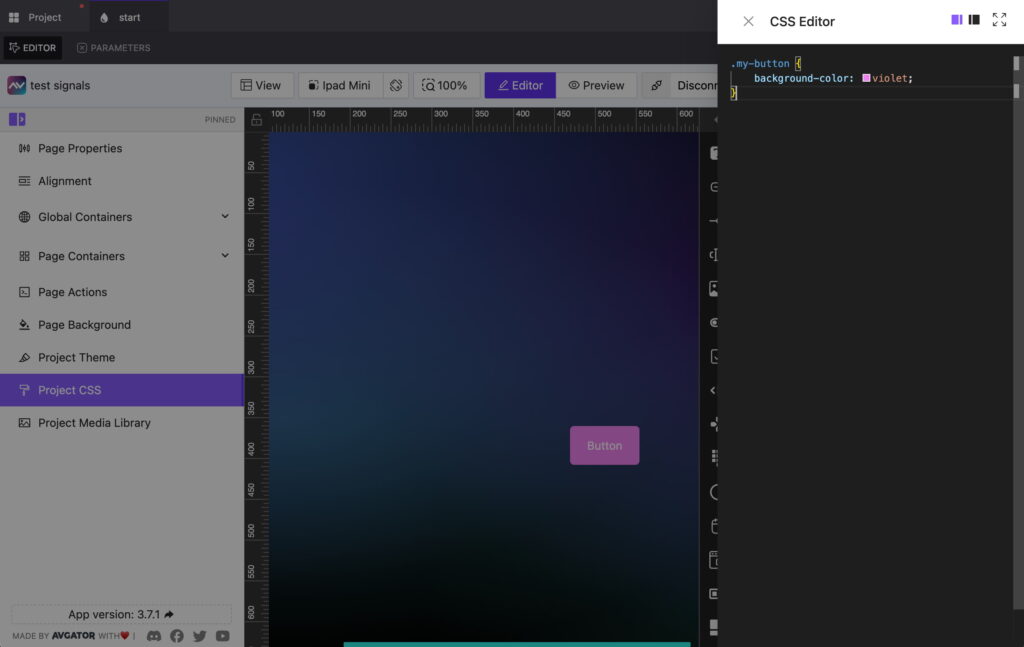
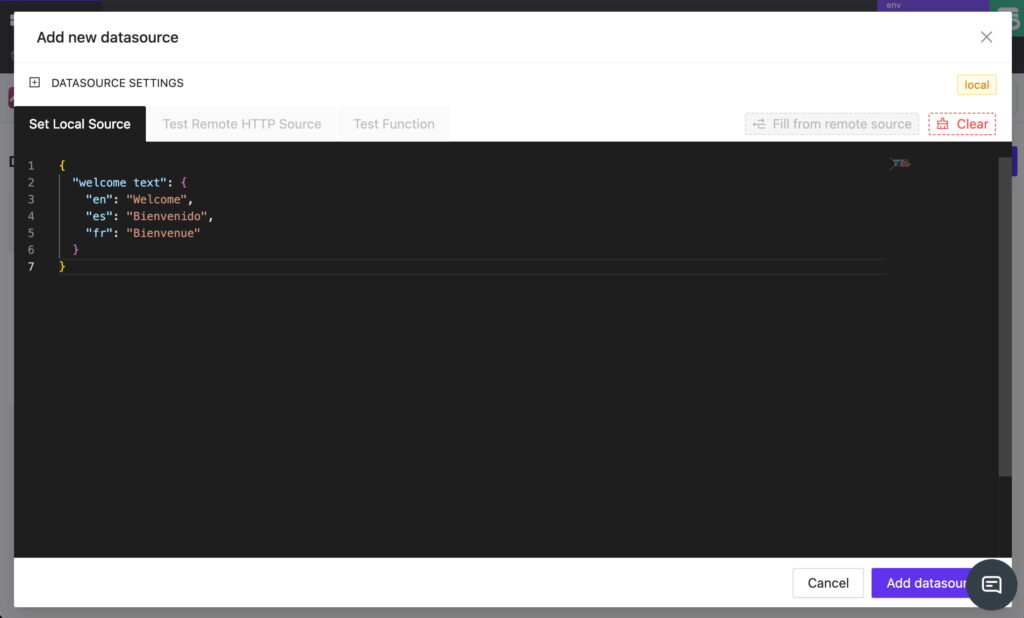
<p>The first and most traditional approach is to code your user interface from scratch. The most significant advantage of this method is having complete control over the design and functionality of the interface. Every single element of the interface, from buttons and layouts to navigation and dynamic behavior, must be manually written, line by line. This enables the creation of truly custom features that may not be possible with pre-built tools.<br><br>But the tradeoff is hefty. The overwhelming downside to manual coding is the significant time, knowledge, and budget required to create a professional design. Writing code manually can immensely stretch a project timeline. Even minor adjustments often require digging through the code and extensive retesting. Trial and error is common, and specialized programming knowledge is essential just to get started. For many projects, this method may be entirely impractical due to its scope or budget constraints.<br><br>While manual coding offers the most control over a final design, it is almost always the most expensive, time-consuming, and laborious. Fortunately, there are alternatives that make building a polished Crestron interface faster and more accessible.</p>
<h2 class="wp-block-heading"><strong>Option 2 - Common Interface Builders</strong></h2>

<p>Another approach is to use common interface builders provided by control system manufacturers. These tools simplify the design process by offering a visual approach to development, rather than requiring manual code writing. With drag-and-drop components, preconfigured templates, and guided workflows, integrators can assemble an interface with significantly reduced technical overhead.<br><br>The main advantage of these builders is accessibility. Teams with little to no programming experience can create fully functioning interfaces. For straightforward projects, they can be practical, time-saving, and budget-efficient solutions.<br><br>However, this option still comes with its own set of issues. Many common interface builders popular on the market today are highly outdated and lack the flexibility to meet modern design needs. Because they are tied to specific manufacturers, integrators are often locked into one ecosystem, limiting cross-platform work. These builders are typically based on standardized templates, which can limit the extent to which you can customize your design. Implementing unique workflows, custom layouts, or tailored branding can be difficult within their limitations.<br><br>Common interface builders, although relatively easy to learn, sometimes fall short when projects require a higher level of creativity, flexibility, or innovation. This is where our final option comes in.</p>

<h2 class="wp-block-heading"><strong>Option 3 - AVstudio HTML5 Editor</strong></h2>

<p>AVstudio Editor bridges the gap between the accessibility of common interface builders and the versatility of manual coding. This visual editor, built on HTML5, allows integrators to design professional, responsive interfaces quickly and cost-effectively.<br><br>What makes AVstudio Editor stand out is its combination of speed, flexibility, and customization:</p>

<ul class="wp-block-list">
<li><strong>Drag-and-drop editing</strong> - <em>build layouts with a visual editor, eliminating the need for manual coding.</em></li>

<li><strong>Responsive design</strong><em> – create layouts that automatically adapt to different screen sizes and devices</em></li>

<li><strong>Dynamic pages</strong> - <em>reuse logic across multiple views to cut down on repetitive work.</em></li>

<li><strong>Reusable templates</strong> - <em>start with proven designs and tailor them to your needs.</em></li>

<li><strong>Support for custom CSS/JS</strong><em> – add advanced styling and behaviors for complete design freedom</em></li>

<li><strong>Live preview mode</strong><em> – test changes instantly without rebuilding and connect directly to real control systems throughout the development process</em></li>

<li><strong>Cross-platform compatibility</strong> - <em>build once and deploy to multiple devices</em></li>

<li><strong>Scalable projects</strong> - <em>design both small and complex projects with the process</em></li>
</ul>

<p>Unlike many traditional UI builders, AVstudio Editor isn’t tied to one single ecosystem. While it’s often used to create impressive Crestron interfaces, it can also be applied to other platforms, such as AMX, Q-SYS, KNX, and PLC systems. This provides integrators with the utmost versatility, enabling them to work across multiple technologies with a consistent design workflow.</p>

<p>Because AVstudio Editor is modern and continuously updated, you’re never stuck with outdated tools. Instead, you have access to the latest features of the industry. The result is polished projects delivered in a fraction of the time manual coding would take, and with far more flexibility than typical builders allow.</p>

<p>AVstudio Editor empowers integrators to focus on user experience and design quality, rather than getting bogged down in technical roadblocks. For teams seeking to balance speed, cost efficiency, creativity, and versatility for their Crestron interfaces, this is the ideal option.</p>

<p>Start creating with AVstudio Editor today.<br><br>AVstudio is an independent software platform. Crestron® is a registered trademark of Crestron Electronics, Inc. AVstudio is not affiliated with or endorsed by Crestron Electronics.</p></div>
      <p><a href="https://avstudio.app/blog/whats-the-fastest-way-to-build-a-crestron-interface">Read the full article on AVstudio.app</a></p>
    ]]></content>
    <media:thumbnail url="https://avstudio.app/images/blog/whats-the-fastest-way-to-build-a-crestron-interface-facca962.jpg"/>
  </entry>
  <entry>
    <title>Modern Nest</title>
    <link href="https://avstudio.app/showcase/modern-nest" rel="alternate" type="text/html"/>
    <id>https://avstudio.app/showcase/modern-nest</id>
    <published>2025-09-08T11:04:46.000Z</published>
    <updated>2025-09-08T11:04:46.000Z</updated>
    <author>
      <name>AVstudio Team</name>
    </author>
    <category term="Showcase" label="Showcase"/>
    <category term="Showcase" label="Showcase"/>
    <summary type="text">The MODERN NEST HTML5 demo showcases the extensive yet straightforward smart home management capabilities provided by AVstudio Editor. Template Live Preview Why use AVstudio? Developing a smart home management interface typically requires an extensive and time-consuming development process. MODERN...</summary>
    <content type="html"><![CDATA[
      <img src="https://avstudio.app/images/blog/modern-nest-a13af792.jpg" alt="Modern Nest" style="max-width: 100%; height: auto; margin-bottom: 1rem;" />
      <p><strong>Category:</strong> Showcase</p>
      <p><strong>Author:</strong> AVstudio Team</p>
      <p><strong>Tags:</strong> Showcase</p>
      <div><h2 class="wp-block-heading">The <strong>MODERN NEST</strong> HTML5 demo showcases the extensive yet straightforward smart home management capabilities provided by <em>AVstudio Editor</em>.</h2>

<figure class="wp-block-image size-large"><img loading="lazy" decoding="async" width="1024" height="501" src="https://avstudio.app/images/blog/modern-nest-0412d4e2.jpg" alt="" class="wp-image-30031" /></figure>

<p><a href="https://project-010-modernnest.netlify.app/#/home" target="_blank" rel="noreferrer noopener">Template Live Preview</a></p>

<h2 class="wp-block-heading"><strong>Why use AVstudio?</strong></h2>

<p>Developing a smart home management interface typically requires an extensive and time-consuming development process. <strong>MODERN NEST</strong> proves how <em>AVstudio Editor</em> accelerates this process, allowing integrators to:</p>

<ul class="wp-block-list">
<li>Drastically reduce development time</li>

<li>Reduce costs by eliminating the need for any external tools, plug-ins, or additional coding</li>

<li>Maintain a consistent and fluid design across multiple devices</li>

<li>Allow both tech-savvy developers and beginners to build polished solutions easily</li>
</ul>

<p>With <em>AVstudio Editor</em>, building a powerful, smooth, and customizable home management interface has never been easier or more accessible, eliminating the need for months of development and specialized expertise.</p>

<figure class="wp-block-image size-large"><img loading="lazy" decoding="async" width="1024" height="501" src="https://avstudio.app/images/blog/modern-nest-01a31057.jpg" alt="" class="wp-image-30030" /></figure>

<h2 class="wp-block-heading"><strong>Features Showcased</strong></h2>

<p><strong>MODERN NEST </strong>highlights some of the most common features for a smart home interface, along with unique capabilities:</p>

<ul class="wp-block-list">
<li><strong><em>Lighting Systems</em></strong> - adjust brightness, switch modes, or configure presets for each room</li>

<li><strong><em>Audio Controls</em></strong> - manage sources, volume, and audio selection </li>

<li><strong><em>Climate Management</em></strong><em> </em>- set temperatures, monitor air quality, and set A/C or heating schedules</li>

<li><strong><em>Automated Window Shades</em></strong><em> </em>- raise and lower shades manually or program to align with daylight cycles</li>

<li><strong><em>Remote Vacuum Activation</em></strong><em> </em>- trigger cleaning at scheduled times or manually</li>

<li><strong><em>Integrated Security</em></strong><em> </em>- lock doors, access cameras, and activate alarms remotely</li>
</ul>

<p>Each system can be arranged individually, attached to preset modes, or saved under user profiles for a versatile and personalized experience.</p>

<figure class="wp-block-image size-large"><img loading="lazy" decoding="async" width="1024" height="501" src="https://avstudio.app/images/blog/modern-nest-393ec9bd.jpg" alt="" class="wp-image-30029" /></figure>

<h2 class="wp-block-heading"><strong>Flexible, Fast, & Future-Proof</strong></h2>

<p>What makes the <em>AVstudio Editor </em>impressive isn’t just what you see here with the <strong>MODERN NEST</strong> demo template; it’s the limitless capacity for expansion and creativity from developers to further push smart home management systems into the future. This isn’t a fixed showcase, but rather a framework designed to evolve and adjust with ease as customer needs change.</p>

<p><br>This has a multitude of benefits. For starters, as new smart home products enter the market, <em>AVstudio Editor</em> enables developers to integrate them seamlessly into the existing interface without rebuilding from scratch. Third-party integration is also supported, meaning platforms such as Alexa and Google Home are entirely compatible. <em>AVstudio Editor</em> also allows companies to fully tailor the design of their interface to match their branding. This includes, but is not limited to, logos, colors, and layouts.</p>

<p><br><strong>Why does this matter?</strong><em>AVstudio Editor </em>ensures that users won’t have to worry about their smart home management system becoming outdated or falling behind in modern technological capabilities. It grows alongside the market. This is especially beneficial in reducing the cost of adding new features by extending them onto already existing builds. It also provides a competitive edge for developers by allowing them to respond to customer needs and new products rapidly.</p>

<figure class="wp-block-image size-large"><img loading="lazy" decoding="async" width="1024" height="501" src="https://avstudio.app/images/blog/modern-nest-a314cfbe.jpg" alt="" class="wp-image-30028" /></figure>

<h2 class="wp-block-heading"><strong>Simple for Developers and Intuitive for Users</strong></h2>

<p><em>AVstudio Editor </em>delivers a perfect balance between developer efficiency and user simplicity. The <strong>MODERN NEST </strong>demo template<strong> </strong>was built entirely with the editor’s standard, built-in tools. This showcases how developers can spend less time coding and more time creating innovative designs. For users, this provides an intuitive navigation and responsive layout that ensures a sense of ease in their home.<br><br><em>AVstudio Editor</em> is flexible across all platforms, fitting seamlessly on tablets in both landscape and portrait modes, as well as phones. This versatility enables users to manage their smart home from anywhere, providing responsive control and convenience.</p>

<div style="height:1px" aria-hidden="true" class="wp-block-spacer"></div>

<figure class="wp-block-image size-large"><img loading="lazy" decoding="async" width="1024" height="501" src="https://avstudio.app/images/blog/modern-nest-665bc3e8.jpg" alt="" class="wp-image-30051" /></figure>

<h2 class="wp-block-heading"><strong>The Big Picture</strong></h2>

<p>While the <strong>MODERN NEST </strong>demo template is an excellent showcase of the impressive features possible for smart home management interfaces, it demonstrates more than that. It highlights what is possible when development tools are flexible, efficient, and intuitive.<br><br>Through the use of <em>AVstudio Editor</em>, scalable smart home systems have never been easier to build, customize, and deploy without any compromise to functional integrity.</p>

<div class="wp-block-group is-nowrap is-layout-flex wp-container-core-group-is-layout-6c531013 wp-block-group-is-layout-flex">
<p>Start creating with <em>AVstudio Editor</em> today.</p>
</div>

<p><a href="https://project-010-modernnest.netlify.app/#/home" data-type="link" data-id="https://project-010-modernnest.netlify.app/#/home" target="_blank" rel="noreferrer noopener"><strong>MODERN NEST</strong> Showcase</a><br></p></div>
      <p><a href="https://avstudio.app/showcase/modern-nest">Read the full article on AVstudio.app</a></p>
    ]]></content>
    <media:thumbnail url="https://avstudio.app/images/blog/modern-nest-a13af792.jpg"/>
  </entry>
  <entry>
    <title>Version 3.9.0: Color picker, Round slider and more.</title>
    <link href="https://avstudio.app/updates/version-3-9-0-color-picker-round-slider-and-more" rel="alternate" type="text/html"/>
    <id>https://avstudio.app/updates/version-3-9-0-color-picker-round-slider-and-more</id>
    <published>2025-08-18T09:00:01.000Z</published>
    <updated>2025-08-18T09:00:01.000Z</updated>
    <author>
      <name>AVstudio Team</name>
    </author>
    <category term="Updates" label="Updates"/>
    <category term="Updates" label="Updates"/>
    <summary type="text">New Round Slider Element We are pleased to introduce our new Round Slider. It features outstanding responsiveness and can seamlessly fit into any environment. It can be adapted both in height and width simultaneously. All content within the slider also automatically adjusts to the element’s size by...</summary>
    <content type="html"><![CDATA[
      <img src="https://avstudio.app/images/blog/version-3-9-0-color-picker-round-slider-and-more-a377e1ab.jpg" alt="Version 3.9.0: Color picker, Round slider and more." style="max-width: 100%; height: auto; margin-bottom: 1rem;" />
      <p><strong>Category:</strong> Updates</p>
      <p><strong>Author:</strong> AVstudio Team</p>
      <p><strong>Tags:</strong> Updates</p>
      <div><h2 class="wp-block-heading">New Round Slider Element</h2>

<figure class="wp-block-image size-large"><img loading="lazy" decoding="async" width="1024" height="813" src="https://avstudio.app/images/blog/version-3-9-0-color-picker-round-slider-and-more-dc37dd9d.jpg" alt="" class="wp-image-29929" /></figure>

<p>We are pleased to introduce our new <strong>Round Slider</strong>. It features outstanding responsiveness and can seamlessly fit into any environment. It can be adapted both in height and width simultaneously. All content within the slider also automatically adjusts to the element’s size by default, which is highly convenient. </p>

<p>Taking into account your feedback and our previous experience with the earlier version of the slider (Circle Slider One), the internal content is now presented as a standard text field. This allows you to freely arrange the necessary content across any number of lines and format it exactly as you wish.</p>

<figure class="wp-block-image size-large"><img loading="lazy" decoding="async" width="1024" height="557" src="https://avstudio.app/images/blog/version-3-9-0-color-picker-round-slider-and-more-a18b502c.jpg" alt="" class="wp-image-29930" /><figcaption class="wp-element-caption">Extremely responsive slider</figcaption></figure>

<p>A rich set of options allows you to style your slider and achieve completely different results that seamlessly fit into your design concept.</p>

<figure class="wp-block-image size-large"><img loading="lazy" decoding="async" width="1024" height="574" src="https://avstudio.app/images/blog/version-3-9-0-color-picker-round-slider-and-more-08820c2c.jpg" alt="" class="wp-image-29932" /><figcaption class="wp-element-caption">In this example, no custom styles were applied - only the basic element option was used.</figcaption></figure>

<h2 class="wp-block-heading">A universal approach to defining the list of element options.</h2>

<p>Due to the growing number of elements and their settings, it became necessary to standardize all properties in a consistent style across all elements. We carried out extensive work to group the properties in a clear and convenient way. For now, these properties will only be available in this form for the new elements introduced with this update. In the near future, we will gradually update the properties of all existing elements to bring them into full consistency.</p>

<figure class="wp-block-image size-large"><img loading="lazy" decoding="async" width="849" height="1024" src="https://avstudio.app/images/blog/version-3-9-0-color-picker-round-slider-and-more-48ca2e57.jpg" alt="" class="wp-image-29934" /><figcaption class="wp-element-caption">Appearance, content, action, and state now standard sections. </figcaption></figure>

<h2 class="wp-block-heading">Element state management.</h2>

<p>For new elements, we’ve made element state storage and usage universal. It can be stored and retrieved from any dynamic source: data sources, parameters, global variables, data received via WebSocket or HTTP requests. The Crestron option remains available. In the future, we’ll upgrade all elements so they can store, retrieve, and send state through any channels, not just Crestron.</p>

<figure class="wp-block-image size-full"><a href="https://avstudio.app/images/blog/version-3-9-0-color-picker-round-slider-and-more-6ec9a34e.jpg"><img loading="lazy" decoding="async" width="690" height="352" src="https://avstudio.app/images/blog/version-3-9-0-color-picker-round-slider-and-more-6ec9a34e.jpg" alt="" class="wp-image-29936" /></a></figure>

<h2 class="wp-block-heading">New Color Picker Element</h2>

<p>It’s time to introduce the new ColorPicker element. It allows you to add any RGB color range.It can store its state with any dynamic data; similar to RoundSlider, it is fully responsive and can adapt to any parent width and height.</p>

<figure class="wp-block-image size-large"><img loading="lazy" decoding="async" width="1024" height="760" src="https://avstudio.app/images/blog/version-3-9-0-color-picker-round-slider-and-more-09918c05.jpg" alt="" class="wp-image-29939" /></figure>

<h2 class="wp-block-heading">Auth improved</h2>

<p>We’ve improved the authorization system. Now you can log in not only using the Email and Password combination, but also via the Google platform. In the near future, we’ll add several more convenient authentication methods.</p>

<figure class="wp-block-image size-large"><img loading="lazy" decoding="async" width="1024" height="941" src="https://avstudio.app/images/blog/version-3-9-0-color-picker-round-slider-and-more-2f024f8a.jpg" alt="" class="wp-image-29941" /></figure>

<h2 class="wp-block-heading">Bug fixes and improvements</h2>

<ul class="wp-block-list">
<li><strong>Parameter</strong> handling has become much more stable. We fixed issues with boolean parameters, as well as some update and dynamic calculation errors.</li>

<li>When <strong>creating a</strong> <strong>data source</strong>, errors could occur during test data retrieval, test function applications, etc. All these issues have been fixed.</li>

<li><strong>Color selection</strong> in some element layers could be slow. We’ve improved its performance in the following object and will continue working to make this process even more convenient and faster.</li>

<li>And various other minor fixes and improvements.</li>
</ul></div>
      <p><a href="https://avstudio.app/updates/version-3-9-0-color-picker-round-slider-and-more">Read the full article on AVstudio.app</a></p>
    ]]></content>
    <media:thumbnail url="https://avstudio.app/images/blog/version-3-9-0-color-picker-round-slider-and-more-a377e1ab.jpg"/>
  </entry>
  <entry>
    <title>Join AVstudio at CEDIA Expo/CIX 2025 – See What’s Next in AV Interface Design</title>
    <link href="https://avstudio.app/blog/join-avstudio-at-cedia-expo-cix-2025-see-whats-next-in-av-interface-design" rel="alternate" type="text/html"/>
    <id>https://avstudio.app/blog/join-avstudio-at-cedia-expo-cix-2025-see-whats-next-in-av-interface-design</id>
    <published>2025-08-14T23:27:03.000Z</published>
    <updated>2025-08-14T23:27:03.000Z</updated>
    <author>
      <name>AVstudio Team</name>
    </author>
    <category term="Blog" label="Blog"/>
    <category term="Blog" label="Blog"/>
    <category term="Events" label="Events"/>
    <summary type="text">Join AVstudio Inc. at CEDIA Expo/CIX 2025 in Denver, September 3–6. Visit booth #4037 to see live AVstudio demos, explore AI-ready UI design tools, and connect with our team. Claim your free Expo Only Pass with promo code AVgator25 and discover how to create sleek, responsive AV interfaces up to...</summary>
    <content type="html"><![CDATA[
      <img src="https://avstudio.app/images/blog/join-avstudio-at-cedia-expo-cix-2025-see-whats-next-in-av-interface-design-d1c964b7.jpg" alt="Join AVstudio at CEDIA Expo/CIX 2025 – See What’s Next in AV Interface Design" style="max-width: 100%; height: auto; margin-bottom: 1rem;" />
      <p><strong>Category:</strong> Blog</p>
      <p><strong>Author:</strong> AVstudio Team</p>
      <p><strong>Tags:</strong> Blog, Events</p>
      <div><figure class="wp-block-image size-large"><img loading="lazy" decoding="async" width="1024" height="602" src="https://avstudio.app/images/blog/join-avstudio-at-cedia-expo-cix-2025-see-whats-next-in-av-interface-design-e71175f6.jpg" alt="CEDIA 2025 invite" class="wp-image-29924" /></figure>

<p>We’re excited to announce that AVstudio Inc. will be showcasing at CEDIA Expo/CIX 2025 in Denver, CO, September 4–6.<br>This is your chance to see the future of AV control system interfaces — live, in action.</p>

<p>Whether you’re an AV integrator, programmer, designer, or tech enthusiast, our booth will be the place to experience how modern, responsive, and dynamic interfaces can transform projects.</p>

<hr class="wp-block-separator has-alpha-channel-opacity"/>

<p>What You’ll Experience at Booth #4037</p>

<p>🎨 Live Demos of AVstudio<br>Watch us create sleek, responsive UIs in minutes — not days. Learn how AVstudio can cut your development time by up to 80%.</p>

<p>🚀 New AI-Ready Features<br>Discover our latest tools designed to make UI creation even faster, smarter, and more customizable.</p>

<p>🤝 Meet the Team<br>Share your ideas, get expert insights, and explore how AVstudio can fit into your workflow.</p>

<p>🌐 Integration Possibilities<br>See how AVstudio works seamlessly with Crestron, Q-SYS, Node-Red, Global Caché, and more.</p>

<hr class="wp-block-separator has-alpha-channel-opacity"/>

<p>Your Free Expo Pass</p>

<p>We’re offering a FREE Expo Only Pass for our guests.<br>Simply use Promo Code: AVgator25 when you register.</p>

<p>Register here: <a href="http://nvyt.es/5ef9df9e231dc65567a9">http://nvyt.es/5ef9df9e231dc65567a9</a></p>

<hr class="wp-block-separator has-alpha-channel-opacity"/>

<p>Let’s Talk at CEDIA</p>

<p>If you want to go deeper into your projects, we’d love to schedule a one-on-one meeting during the show.<br>Just reach out before the event, and we’ll make sure to set aside time for you.</p>

<p>📅 Event: CEDIA Expo/CIX 2025<br>📍 Location: Denver, CO<br>🎯 Booth: #4037<br>📅 Dates: September 4–6, 2025</p>

<hr class="wp-block-separator has-alpha-channel-opacity"/>

<p>See you in Denver!<br>- The AVstudio Team</p></div>
      <p><a href="https://avstudio.app/blog/join-avstudio-at-cedia-expo-cix-2025-see-whats-next-in-av-interface-design">Read the full article on AVstudio.app</a></p>
    ]]></content>
    <media:thumbnail url="https://avstudio.app/images/blog/join-avstudio-at-cedia-expo-cix-2025-see-whats-next-in-av-interface-design-d1c964b7.jpg"/>
  </entry>
  <entry>
    <title>AVstudio Inc. - New Name, Same Passion for Perfect Interfaces</title>
    <link href="https://avstudio.app/blog/avstudio-inc-new-name-same-passion-for-perfect-interfaces" rel="alternate" type="text/html"/>
    <id>https://avstudio.app/blog/avstudio-inc-new-name-same-passion-for-perfect-interfaces</id>
    <published>2025-08-08T07:13:37.000Z</published>
    <updated>2025-08-08T07:13:37.000Z</updated>
    <author>
      <name>AVstudio Team</name>
    </author>
    <category term="Blog" label="Blog"/>
    <category term="Blog" label="Blog"/>
    <summary type="text">AVstudio Inc. is the new independent home for what you knew as AVgator Studio same team, same mission, now with more focus, resources, and innovation to push UI design for AV control systems further than ever.</summary>
    <content type="html"><![CDATA[
      <img src="https://avstudio.app/images/blog/avstudio-inc-new-name-same-passion-for-perfect-interfaces-e7814929.jpg" alt="AVstudio Inc. - New Name, Same Passion for Perfect Interfaces" style="max-width: 100%; height: auto; margin-bottom: 1rem;" />
      <p><strong>Category:</strong> Blog</p>
      <p><strong>Author:</strong> AVstudio Team</p>
      <p><strong>Tags:</strong> Blog</p>
      <div><p>Welcome to AVstudio Inc. — the spin-off from AVgator Studio, built to push boundaries and set new standards in UI design for AV control systems.</p>

<p>Our mission stays the same: give AV integrators, designers, and programmers a tool that cuts development time by up to 80% and helps deliver world-class interfaces without complex coding or compromise.</p>

<p>What this move means for you:</p>

<ul class="wp-block-list">
<li>Product-first focus - AVstudio development is now our only priority.</li>

<li>More resources - growing our team, attracting investment, scaling faster.</li>

<li>Innovation ahead - AI-powered features, advanced design tools, and faster updates.</li>
</ul>

<p>If you’ve been with us as an AVgator Studio user — you’re already home. Just visit the new site, log in, and keep creating.</p>

<p>💡 This is only the beginning. Stay tuned for what’s next!</p>

<p>🌐 https://avstudio.app</p></div>
      <p><a href="https://avstudio.app/blog/avstudio-inc-new-name-same-passion-for-perfect-interfaces">Read the full article on AVstudio.app</a></p>
    ]]></content>
    <media:thumbnail url="https://avstudio.app/images/blog/avstudio-inc-new-name-same-passion-for-perfect-interfaces-e7814929.jpg"/>
  </entry>
  <entry>
    <title>Websocket</title>
    <link href="https://avstudio.app/products/avstudio-editor/websockets" rel="alternate" type="text/html"/>
    <id>https://avstudio.app/products/avstudio-editor/websockets</id>
    <published>2025-08-04T11:57:24.000Z</published>
    <updated>2025-08-04T11:57:24.000Z</updated>
    <author>
      <name>AVstudio Team</name>
    </author>
    <category term="AVstudio Editor" label="AVstudio Editor"/>
    <category term="Products Features" label="Products Features"/>
    <summary type="text">Support for WebSocket connections allows us to establish persistent, bidirectional communication channels with external systems such as Node-RED and other automation platforms.</summary>
    <content type="html"><![CDATA[
      <img src="https://avstudio.app/images/products/websockets-d58fa046.png" alt="Websocket" style="max-width: 100%; height: auto; margin-bottom: 1rem;" />
      <p><strong>Category:</strong> AVstudio Editor</p>
      <p><strong>Author:</strong> AVstudio Team</p>
      <p><strong>Tags:</strong> Products Features</p>
      <div><figure class="wp-block-image size-large"><img loading="lazy" decoding="async" width="1024" height="565" src="https://avstudio.app/images/products/websockets-9f7026ff.png" alt="" class="wp-image-29865" /></figure>

<p>Support for WebSocket connections allows us to establish persistent, bidirectional communication channels with external systems such as Node-RED and other automation platforms.</p></div>
      <p><a href="https://avstudio.app/products/avstudio-editor/websockets">Read the full article on AVstudio.app</a></p>
    ]]></content>
    <media:thumbnail url="https://avstudio.app/images/products/websockets-d58fa046.png"/>
  </entry>
  <entry>
    <title>HTTP feature</title>
    <link href="https://avstudio.app/products/avstudio-editor/http-feature" rel="alternate" type="text/html"/>
    <id>https://avstudio.app/products/avstudio-editor/http-feature</id>
    <published>2025-08-04T11:56:57.000Z</published>
    <updated>2025-08-04T11:56:57.000Z</updated>
    <author>
      <name>AVstudio Team</name>
    </author>
    <category term="AVstudio Editor" label="AVstudio Editor"/>
    <category term="Products Features" label="Products Features"/>
    <summary type="text">Built-in HTTP request capabilities let AVstudio projects send and receive data via RESTful APIs, enabling seamless integration with cloud services, IoT devices, and custom back-end endpoints</summary>
    <content type="html"><![CDATA[
      <img src="https://avstudio.app/images/products/http-feature-474ac7b7.png" alt="HTTP feature" style="max-width: 100%; height: auto; margin-bottom: 1rem;" />
      <p><strong>Category:</strong> AVstudio Editor</p>
      <p><strong>Author:</strong> AVstudio Team</p>
      <p><strong>Tags:</strong> Products Features</p>
      <div><figure class="wp-block-image size-large"><img loading="lazy" decoding="async" width="1024" height="616" src="https://avstudio.app/images/products/http-feature-84ef0cfc.png" alt="" class="wp-image-29868" /></figure>

<p>Built-in HTTP request capabilities let AVstudio projects send and receive data via RESTful APIs, enabling seamless integration with cloud services, IoT devices, and custom back-end endpoints<br></p></div>
      <p><a href="https://avstudio.app/products/avstudio-editor/http-feature">Read the full article on AVstudio.app</a></p>
    ]]></content>
    <media:thumbnail url="https://avstudio.app/images/products/http-feature-474ac7b7.png"/>
  </entry>
  <entry>
    <title>GUI Sample Multi-Language</title>
    <link href="https://avstudio.app/showcase/gui-sample-multi-language" rel="alternate" type="text/html"/>
    <id>https://avstudio.app/showcase/gui-sample-multi-language</id>
    <published>2025-07-31T20:54:49.000Z</published>
    <updated>2025-07-31T20:54:49.000Z</updated>
    <author>
      <name>AVstudio Team</name>
    </author>
    <category term="Showcase" label="Showcase"/>
    <category term="Showcase" label="Showcase"/>
    <summary type="text">The GUI Sample Multi-Language HTML5 demo demonstrates how easily an interface can be created through the AVstudio Editor that toggles between languages with the click of a button. Why Choose Avstudio For Multilingual Interfaces? Developing a smart home interface that offers the personalization...</summary>
    <content type="html"><![CDATA[
      <img src="https://avstudio.app/images/blog/gui-sample-multi-language-a06b2f6f.jpeg" alt="GUI Sample Multi-Language" style="max-width: 100%; height: auto; margin-bottom: 1rem;" />
      <p><strong>Category:</strong> Showcase</p>
      <p><strong>Author:</strong> AVstudio Team</p>
      <p><strong>Tags:</strong> Showcase</p>
      <div><h2 class="wp-block-heading">The <strong>GUI Sample Multi-Language</strong> HTML5 demo demonstrates how easily an interface can be created through the <em>AVstudio Editor </em>that toggles between languages with the click of a button.</h2>

<figure class="wp-block-image size-large"><a href="https://avgatordemo4.netlify.app/#/main" target="_blank" rel=" noreferrer noopener"><img loading="lazy" decoding="async" width="1024" height="503" src="https://avstudio.app/images/blog/gui-sample-multi-language-ef32a8d9.jpg" alt="" class="wp-image-30059" /></a></figure>

<h2 class="wp-block-heading"><strong>Why Choose Avstudio For Multilingual Interfaces?</strong></h2>

<p>Developing a smart home interface that offers the personalization customers deserve is a challenging process in itself, especially when each feature needs to adapt to multiple languages with the click of a button. Luckily, AVstudio has solved this issue. <em>AVstudio Editor</em> simplifies a process that’d typically demand complex coding, numerous redesigns, and extensive localization.<br><br>This makes interfaces easily adaptable across languages, time zones, currencies, cultures, and more. The <em>AVstudio Editor’s</em> simple drag-and-drop function alleviates developers from countless hours of work reconstructing designs.<br><br>The <strong>GUI Sample Multi-Language</strong> demo showcases how integrators are now enabled to:</p>

<ul class="wp-block-list">
<li>Easily toggle between multiple languages without additional coding</li>

<li>Reduce costs by eliminating the need for any external tools, plug-ins</li>

<li>Maintain a consistent and fluid design across every language and device</li>

<li>Empower developers, both experienced and beginner, to create globally accessible solutions</li>
</ul>

<p>With <em>AVstudio Editor</em>, designing a multi-language home management interface has never been more efficient, removing the barriers of localization and substantial development time.</p>

<figure class="wp-block-image size-large"><a href="https://avgatordemo4.netlify.app/#/main" target="_blank" rel=" noreferrer noopener"><img loading="lazy" decoding="async" width="1024" height="503" src="https://avstudio.app/images/blog/gui-sample-multi-language-912e47ca.jpg" alt="" class="wp-image-30060" /></a></figure>

<h2 class="wp-block-heading"><strong>Key Features In Action</strong></h2>

<p>The <strong>GUI Sample Multi-Language </strong>demo<strong> </strong>highlights how core smart home features can be built into a versatile, multilingual interface.<br><br>Features include, but are not limited to:</p>

<ul class="wp-block-list">
<li><strong><em>Lighting Systems</em></strong> - adjust brightness manually to specific fixtures or through presets</li>

<li><strong><em>Audio Controls</em></strong> - manage sources, music queue, volume, and audio selection</li>

<li><strong><em>Climate Management</em></strong><em> </em>- set temperatures, monitor air quality, establish presets, and set A/C or heating schedules</li>

<li><strong><em>Automated Window Shades</em></strong><em> </em>- raise and lower shades manually or program to align with daylight cycles</li>

<li><strong><em>Time and Weather Monitors</em></strong><em> </em>- view weather updates and monitor time</li>
</ul>

<p>What sets this demo apart is how every feature can smoothly transition between languages and be adapted to meet localization needs.</p>

<figure class="wp-block-image size-large"><a href="https://avgatordemo4.netlify.app/#/main" target="_blank" rel=" noreferrer noopener"><img loading="lazy" decoding="async" width="1024" height="503" src="https://avstudio.app/images/blog/gui-sample-multi-language-60cdfb3f.jpg" alt="" class="wp-image-30061" /></a></figure>

<h2 class="wp-block-heading"><strong>Global by Design, Local in Experience</strong></h2>

<p>The main advantage of <em>AVstudio Editor</em>, showcased in this demo, is its ability to create interfaces that seamlessly adapt to users worldwide. This isn’t a fixed showcase, but a framework built to adjust to customer needs and personalization.<br><br>The benefits are clear. <em>AVstudio Editor</em> makes it simple to configure interfaces between different languages, time zones, and other geographical characteristics, eliminating the need for complicated coding for such a massive overhaul. Developers can use this flexibility to deliver interfaces that adapt effortlessly to every region. The <em>AVstudio Editor</em> also supports seamless integration with third-party smart home products such as Alexa or Google Home, while still giving full autonomy over the interface's branding, design, and capabilities.<br><br>The <em>AVstudio Editor</em> ensures that a smart home management system is not only future-proof but also globally accessible. Developers can quickly adapt to the needs of customers from diverse backgrounds, cultures, and regions. Features can be easily extended across pre-existing builds, while still maintaining a polished and consistent experience.</p>

<figure class="wp-block-image size-large"><a href="https://avgatordemo4.netlify.app/#/main" target="_blank" rel=" noreferrer noopener"><img loading="lazy" decoding="async" width="1024" height="503" src="https://avstudio.app/images/blog/gui-sample-multi-language-9e796fa5.jpg" alt="" class="wp-image-30062" /></a></figure>

<h2 class="wp-block-heading"><strong>A Smarter Way to Build Interfaces</strong></h2>

<p>The <strong>GUI Sample Multi-Language</strong> demo was built entirely through <em>AVstudio Editor’s</em> standard, built-in tools. No extra coding or plug-ins were required. This provides developers with an efficiency they can’t find with any other platform, and users with the functional design they’re seeking.<br><br>All the features showcased are responsive across various device layouts, including phones and tablets (in portrait or landscape orientation), and possess the ability to switch instantly between different languages.<br><br>But the value goes beyond this demo. The <strong>GUI Sample Multi-Language</strong> template proves what’s possible when interface development tools are flexible, efficient, and built for easy future adjustments.</p>

<div class="wp-block-group is-nowrap is-layout-flex wp-container-core-group-is-layout-6c531013 wp-block-group-is-layout-flex">
<p>Start creating with the <em>AVstudio Editor</em> today!</p>
</div>

<p><a href="https://avgatordemo4.netlify.app/#/main" data-type="link" data-id="https://avgatordemo4.netlify.app/#/main" target="_blank" rel="noreferrer noopener">GUI Sample Multi-Language Showcase</a></p></div>
      <p><a href="https://avstudio.app/showcase/gui-sample-multi-language">Read the full article on AVstudio.app</a></p>
    ]]></content>
    <media:thumbnail url="https://avstudio.app/images/blog/gui-sample-multi-language-a06b2f6f.jpeg"/>
  </entry>
  <entry>
    <title>Luxe Control Suite</title>
    <link href="https://avstudio.app/showcase/luxe-control-suite" rel="alternate" type="text/html"/>
    <id>https://avstudio.app/showcase/luxe-control-suite</id>
    <published>2025-07-31T20:47:01.000Z</published>
    <updated>2025-07-31T20:47:01.000Z</updated>
    <author>
      <name>AVstudio Team</name>
    </author>
    <category term="Showcase" label="Showcase"/>
    <category term="Showcase" label="Showcase"/>
    <summary type="text">The Luxe Control Suite HTML5 demo showcases how a sleek, unique smart home UI can be built entirely using the standard tools in AVstudio Editor. Built entirely within AVstudio Editor, the Luxe Control Suite is a prime example of how elegant design and seamless functionality can come together in a...</summary>
    <content type="html"><![CDATA[
      <img src="https://avstudio.app/images/blog/luxe-control-suite-94439e59.jpeg" alt="Luxe Control Suite" style="max-width: 100%; height: auto; margin-bottom: 1rem;" />
      <p><strong>Category:</strong> Showcase</p>
      <p><strong>Author:</strong> AVstudio Team</p>
      <p><strong>Tags:</strong> Showcase</p>
      <div><h2 class="wp-block-heading"><strong>The Luxe Control Suite HTML5 demo showcases how a sleek, unique smart home UI can be built entirely using the standard tools in <em>AVstudio Editor</em>.</strong></h2>

<figure class="wp-block-image size-large"><img loading="lazy" decoding="async" width="1024" height="501" src="https://avstudio.app/images/blog/luxe-control-suite-c9deeda6.png" alt="" class="wp-image-30250" /></figure>

<p>Built entirely within <em>AVstudio Editor</em>, the <strong>Luxe Control Suite</strong> is a prime example of how elegant design and seamless functionality can come together in a unified system. Developed exclusively with the platform's native tools, this template delivers a comprehensive smart-home interface that integrates core features such as customizable lighting systems, adjustable shades, climate management, and multimedia control, all without requiring complex coding or third-party plug-ins.</p>

<p>Every element in the demo was designed to perform flawlessly across devices, demonstrating how responsive layouts and dynamic pages deliver an effortless, fluid user experience.As a WYSIWYG visual editor, <em>AVstudio Editor</em> provides an intuitive design environment powered by drag-and-drop controls, real-time previews, and adaptive components. The <strong>Luxe Control Suite</strong> highlights how these tools work in harmony, enabling developers to build sophisticated, high-performance projects in less than half the time required by traditional interface builders or manual coding. All of this is delivered while maintaining the refined precision and polish that <em>AVstudio Editor</em> is known for.</p>

<p><a href="https://avgatordemo5luxecontrolsuite.netlify.app/" data-type="link" data-id="https://avgatordemo4.netlify.app/#/main" target="_blank" rel="noreferrer noopener">GUI Luxe Control Suite</a></p></div>
      <p><a href="https://avstudio.app/showcase/luxe-control-suite">Read the full article on AVstudio.app</a></p>
    ]]></content>
    <media:thumbnail url="https://avstudio.app/images/blog/luxe-control-suite-94439e59.jpeg"/>
  </entry>
  <entry>
    <title>Bright Conference Space</title>
    <link href="https://avstudio.app/showcase/bright-conference-space" rel="alternate" type="text/html"/>
    <id>https://avstudio.app/showcase/bright-conference-space</id>
    <published>2025-07-31T20:45:06.000Z</published>
    <updated>2025-07-31T20:45:06.000Z</updated>
    <author>
      <name>AVstudio Team</name>
    </author>
    <category term="Showcase" label="Showcase"/>
    <category term="Showcase" label="Showcase"/>
    <summary type="text">Bright Conference Space, a cutting-edge HTML5 demo project designed for modern meeting and huddle rooms. This template, available in AVstudio, offers a sleek and contemporary design that enhances any collaborative environment. With features that allow you to select activities such as presentations...</summary>
    <content type="html"><![CDATA[
      <img src="https://avstudio.app/images/blog/bright-conference-space-f0b9492f.jpeg" alt="Bright Conference Space" style="max-width: 100%; height: auto; margin-bottom: 1rem;" />
      <p><strong>Category:</strong> Showcase</p>
      <p><strong>Author:</strong> AVstudio Team</p>
      <p><strong>Tags:</strong> Showcase</p>
      <div><p>Bright Conference Space, a cutting-edge HTML5 demo project designed for modern meeting and huddle rooms.</p>

<p>This template, available in AVstudio, offers a sleek and contemporary design that enhances any collaborative environment. </p>

<p>With features that allow you to select activities such as presentations, video conferences, or audio conferences, you can easily control cameras, presets, and sources to create the perfect meeting experience. Elevate your collaboration with Bright Conference Space, where innovation meets functionality.</p>

<div class="wp-block-group is-nowrap is-layout-flex wp-container-core-group-is-layout-6c531013 wp-block-group-is-layout-flex">
<p>Start creating with the <em>AVstudio Editor</em> today!</p>
</div>

<p><a href="https://avgatordemo6brightconferencespace.netlify.app/" data-type="link" data-id="https://avgatordemo4.netlify.app/#/main" target="_blank" rel="noreferrer noopener">GUI Bright Conference Space</a></p></div>
      <p><a href="https://avstudio.app/showcase/bright-conference-space">Read the full article on AVstudio.app</a></p>
    ]]></content>
    <media:thumbnail url="https://avstudio.app/images/blog/bright-conference-space-f0b9492f.jpeg"/>
  </entry>
  <entry>
    <title>Chesterfield Residence</title>
    <link href="https://avstudio.app/showcase/chesterfield-residence" rel="alternate" type="text/html"/>
    <id>https://avstudio.app/showcase/chesterfield-residence</id>
    <published>2025-07-31T20:42:18.000Z</published>
    <updated>2025-07-31T20:42:18.000Z</updated>
    <author>
      <name>AVstudio Team</name>
    </author>
    <category term="Showcase" label="Showcase"/>
    <category term="Showcase" label="Showcase"/>
    <summary type="text">This Demo Project is a simple yet dynamic showcase of modern design. Its responsive interface adapts to various touch panel sizes, ensuring a smooth user experience across all devices. Enjoy effortless navigation and an engaging layout that highlights the projects unique features. Experience the...</summary>
    <content type="html"><![CDATA[
      <img src="https://avstudio.app/images/blog/chesterfield-residence-bba98794.jpeg" alt="Chesterfield Residence" style="max-width: 100%; height: auto; margin-bottom: 1rem;" />
      <p><strong>Category:</strong> Showcase</p>
      <p><strong>Author:</strong> AVstudio Team</p>
      <p><strong>Tags:</strong> Showcase</p>
      <div><p>This Demo Project is a simple yet dynamic showcase of modern design. Its responsive interface adapts to various touch panel sizes, ensuring a smooth user experience across all devices.</p>

<p>Enjoy effortless navigation and an engaging layout that highlights the project's unique features. Experience the perfect blend of simplicity and functionality.</p>

<div class="wp-block-group is-nowrap is-layout-flex wp-container-core-group-is-layout-6c531013 wp-block-group-is-layout-flex">
<p>Start creating with the <em>AVstudio Editor</em> today!</p>
</div>

<p><a href="https://avgatordemo7chesterfieldresidence.netlify.app/" data-type="link" data-id="https://avgatordemo4.netlify.app/#/main" target="_blank" rel="noreferrer noopener">GUI Chesterfield Residence</a></p></div>
      <p><a href="https://avstudio.app/showcase/chesterfield-residence">Read the full article on AVstudio.app</a></p>
    ]]></content>
    <media:thumbnail url="https://avstudio.app/images/blog/chesterfield-residence-bba98794.jpeg"/>
  </entry>
  <entry>
    <title>Home Cinema</title>
    <link href="https://avstudio.app/showcase/cinema" rel="alternate" type="text/html"/>
    <id>https://avstudio.app/showcase/cinema</id>
    <published>2025-07-31T20:40:07.000Z</published>
    <updated>2025-07-31T20:40:07.000Z</updated>
    <author>
      <name>AVstudio Team</name>
    </author>
    <category term="Showcase" label="Showcase"/>
    <category term="Showcase" label="Showcase"/>
    <summary type="text">Introducing a simple yet powerful HTML5 interface designed specifically for cinema environments. This intuitive UI allows users to effortlessly select sources, control lighting, and manage climate settings all in one place. With its user-friendly design, you can enhance the cinematic experience...</summary>
    <content type="html"><![CDATA[
      <img src="https://avstudio.app/images/blog/cinema-82f72154.jpeg" alt="Home Cinema" style="max-width: 100%; height: auto; margin-bottom: 1rem;" />
      <p><strong>Category:</strong> Showcase</p>
      <p><strong>Author:</strong> AVstudio Team</p>
      <p><strong>Tags:</strong> Showcase</p>
      <div><p>Introducing a simple yet powerful HTML5 interface designed specifically for cinema environments. </p>

<p>This intuitive UI allows users to effortlessly select sources, control lighting, and manage climate settings all in one place. With its user-friendly design, you can enhance the cinematic experience while ensuring optimal comfort and functionality. Experience seamless control and elevate your cinema operations with this innovative solution.</p>

<div class="wp-block-group is-nowrap is-layout-flex wp-container-core-group-is-layout-6c531013 wp-block-group-is-layout-flex">
<p>Start creating with the <em>AVstudio Editor</em> today!</p>
</div>

<p><a href="https://avgatordemo8cinema.netlify.app/" data-type="link" data-id="https://avgatordemo4.netlify.app/#/main" target="_blank" rel="noreferrer noopener">GUI Home Cinema</a></p></div>
      <p><a href="https://avstudio.app/showcase/cinema">Read the full article on AVstudio.app</a></p>
    ]]></content>
    <media:thumbnail url="https://avstudio.app/images/blog/cinema-82f72154.jpeg"/>
  </entry>
  <entry>
    <title>🔧 Visual WYSIWYG Editor</title>
    <link href="https://avstudio.app/products/avstudio-editor/visual-wysiwyg-editor" rel="alternate" type="text/html"/>
    <id>https://avstudio.app/products/avstudio-editor/visual-wysiwyg-editor</id>
    <published>2025-07-27T17:30:08.000Z</published>
    <updated>2025-07-27T17:30:08.000Z</updated>
    <author>
      <name>AVstudio Team</name>
    </author>
    <category term="AVstudio Editor" label="AVstudio Editor"/>
    <category term="Products Features" label="Products Features"/>
    <summary type="text">AVstudio offers an intuitive, drag-and-drop editor built for AV professionals who want speed and flexibility without the need to write code. You can build beautiful, responsive HTML5 interfaces with ease: add elements, rearrange layouts, apply styles, and define actions visually. AVstudio takes...</summary>
    <content type="html"><![CDATA[
      <img src="https://avstudio.app/images/products/visual-wysiwyg-editor-e4dbafbe.png" alt="🔧 Visual WYSIWYG Editor" style="max-width: 100%; height: auto; margin-bottom: 1rem;" />
      <p><strong>Category:</strong> AVstudio Editor</p>
      <p><strong>Author:</strong> AVstudio Team</p>
      <p><strong>Tags:</strong> Products Features</p>
      <div><p><br></p>

<figure class="wp-block-image size-large"><img loading="lazy" decoding="async" width="1024" height="576" src="https://avstudio.app/images/products/visual-wysiwyg-editor-459dd5be.jpg" alt="" class="wp-image-29872" /></figure>

<p>AVstudio offers an intuitive, drag-and-drop editor built for AV professionals who want speed and flexibility - without the need to write code.</p>

<p>You can build beautiful, responsive HTML5 interfaces with ease: add elements, rearrange layouts, apply styles, and define actions visually. AVstudio takes care of the code behind the scenes so you can focus on design and user experience.</p></div>
      <p><a href="https://avstudio.app/products/avstudio-editor/visual-wysiwyg-editor">Read the full article on AVstudio.app</a></p>
    ]]></content>
    <media:thumbnail url="https://avstudio.app/images/products/visual-wysiwyg-editor-e4dbafbe.png"/>
  </entry>
  <entry>
    <title>Dynamic Pages &amp; Responsive Layouts</title>
    <link href="https://avstudio.app/products/avstudio-editor/dynamic-pages-responsive-layouts" rel="alternate" type="text/html"/>
    <id>https://avstudio.app/products/avstudio-editor/dynamic-pages-responsive-layouts</id>
    <published>2025-07-27T17:00:34.000Z</published>
    <updated>2025-07-27T17:00:34.000Z</updated>
    <author>
      <name>AVstudio Team</name>
    </author>
    <category term="AVstudio Editor" label="AVstudio Editor"/>
    <category term="Products Features" label="Products Features"/>
    <summary type="text">AVstudio goes beyond static design. Create dynamic pages that automatically adapt to different screen sizes and devices from iPads to touch panels and mobile phones using modern layout tools like CSS Grid and Flexbox.</summary>
    <content type="html"><![CDATA[
      <img src="https://avstudio.app/images/products/dynamic-pages-responsive-layouts-608ede36.jpg" alt="Dynamic Pages &amp; Responsive Layouts" style="max-width: 100%; height: auto; margin-bottom: 1rem;" />
      <p><strong>Category:</strong> AVstudio Editor</p>
      <p><strong>Author:</strong> AVstudio Team</p>
      <p><strong>Tags:</strong> Products Features</p>
      <div><figure class="wp-block-image size-large"><img loading="lazy" decoding="async" width="1024" height="583" src="https://avstudio.app/images/products/dynamic-pages-responsive-layouts-d60dc77a.jpg" alt="" class="wp-image-29874" /></figure>

<p>AVstudio goes beyond static design. Create dynamic pages that automatically adapt to different screen sizes and devices - from iPads to touch panels and mobile phones - using modern layout tools like CSS Grid and Flexbox.</p></div>
      <p><a href="https://avstudio.app/products/avstudio-editor/dynamic-pages-responsive-layouts">Read the full article on AVstudio.app</a></p>
    ]]></content>
    <media:thumbnail url="https://avstudio.app/images/products/dynamic-pages-responsive-layouts-608ede36.jpg"/>
  </entry>
  <entry>
    <title>Smart Object Bindings</title>
    <link href="https://avstudio.app/products/app-container/smart-object-bindings" rel="alternate" type="text/html"/>
    <id>https://avstudio.app/products/app-container/smart-object-bindings</id>
    <published>2025-07-27T16:30:24.000Z</published>
    <updated>2025-07-27T16:30:24.000Z</updated>
    <author>
      <name>AVstudio Team</name>
    </author>
    <category term="App Container" label="App Container"/>
    <category term="Products Features" label="Products Features"/>
    <summary type="text">Connect UI components to control system data using classic joins, string joins, and JSON datasources. Visual binding helps you avoid complex logic while enabling powerful automation.</summary>
    <content type="html"><![CDATA[
      
      <p><strong>Category:</strong> App Container</p>
      <p><strong>Author:</strong> AVstudio Team</p>
      <p><strong>Tags:</strong> Products Features</p>
      <div><p>Connect UI components to control system data using classic joins, string joins, and JSON datasources. Visual binding helps you avoid complex logic while enabling powerful automation.</p></div>
      <p><a href="https://avstudio.app/products/app-container/smart-object-bindings">Read the full article on AVstudio.app</a></p>
    ]]></content>
    
  </entry>
  <entry>
    <title>Real time Live Preview</title>
    <link href="https://avstudio.app/products/avstudio-editor/real-time-live-preview" rel="alternate" type="text/html"/>
    <id>https://avstudio.app/products/avstudio-editor/real-time-live-preview</id>
    <published>2025-07-27T16:00:04.000Z</published>
    <updated>2025-07-27T16:00:04.000Z</updated>
    <author>
      <name>AVstudio Team</name>
    </author>
    <category term="AVstudio Editor" label="AVstudio Editor"/>
    <category term="Products Features" label="Products Features"/>
    <summary type="text">No need to save, recompile, or refresh what you see is truly what you get.Test your UI in real time with live preview. Preview touch interactions and animations directly in the browser before deploying to the control system.</summary>
    <content type="html"><![CDATA[
      <img src="https://avstudio.app/images/products/real-time-live-preview-4ee1ef97.jpg" alt="Real time Live Preview" style="max-width: 100%; height: auto; margin-bottom: 1rem;" />
      <p><strong>Category:</strong> AVstudio Editor</p>
      <p><strong>Author:</strong> AVstudio Team</p>
      <p><strong>Tags:</strong> Products Features</p>
      <div><figure class="wp-block-image size-large"><img loading="lazy" decoding="async" width="1024" height="592" src="https://avstudio.app/images/products/real-time-live-preview-8f27ad0c.jpg" alt="" class="wp-image-29877" /></figure>

<p>No need to save, recompile, or refresh - what you see is truly what you get.Test your UI in real time with live preview. Preview touch interactions and animations directly in the browser before deploying to the control system.</p></div>
      <p><a href="https://avstudio.app/products/avstudio-editor/real-time-live-preview">Read the full article on AVstudio.app</a></p>
    ]]></content>
    <media:thumbnail url="https://avstudio.app/images/products/real-time-live-preview-4ee1ef97.jpg"/>
  </entry>
  <entry>
    <title>Theme &amp; Style Manager</title>
    <link href="https://avstudio.app/products/avstudio-editor/theme-style-manager" rel="alternate" type="text/html"/>
    <id>https://avstudio.app/products/avstudio-editor/theme-style-manager</id>
    <published>2025-07-27T15:30:39.000Z</published>
    <updated>2025-07-27T15:30:39.000Z</updated>
    <author>
      <name>AVstudio Team</name>
    </author>
    <category term="AVstudio Editor" label="AVstudio Editor"/>
    <category term="Products Features" label="Products Features"/>
    <summary type="text">Maintain consistent branding and styling across your UI with reusable themes, font libraries, and color palettes. Make global changes in seconds.</summary>
    <content type="html"><![CDATA[
      <img src="https://avstudio.app/images/products/theme-style-manager-3352a05f.jpg" alt="Theme &amp; Style Manager" style="max-width: 100%; height: auto; margin-bottom: 1rem;" />
      <p><strong>Category:</strong> AVstudio Editor</p>
      <p><strong>Author:</strong> AVstudio Team</p>
      <p><strong>Tags:</strong> Products Features</p>
      <div><figure class="wp-block-image size-large"><img loading="lazy" decoding="async" width="1024" height="647" src="https://avstudio.app/images/products/theme-style-manager-06ba3e2b.jpg" alt="" class="wp-image-29880" /></figure>

<p>Maintain consistent branding and styling across your UI with reusable themes, font libraries, and color palettes. Make global changes in seconds.</p></div>
      <p><a href="https://avstudio.app/products/avstudio-editor/theme-style-manager">Read the full article on AVstudio.app</a></p>
    ]]></content>
    <media:thumbnail url="https://avstudio.app/images/products/theme-style-manager-3352a05f.jpg"/>
  </entry>
  <entry>
    <title>Multi-language Support</title>
    <link href="https://avstudio.app/products/avstudio-editor/multi-language-support" rel="alternate" type="text/html"/>
    <id>https://avstudio.app/products/avstudio-editor/multi-language-support</id>
    <published>2025-07-27T15:00:08.000Z</published>
    <updated>2025-07-27T15:00:08.000Z</updated>
    <author>
      <name>AVstudio Team</name>
    </author>
    <category term="AVstudio Editor" label="AVstudio Editor"/>
    <category term="Products Features" label="Products Features"/>
    <summary type="text">Design interfaces that support multiple languages with easy-to-configure translation data and automatic string replacement for UI elements.</summary>
    <content type="html"><![CDATA[
      <img src="https://avstudio.app/images/products/multi-language-support-5936938d.jpg" alt="Multi-language Support" style="max-width: 100%; height: auto; margin-bottom: 1rem;" />
      <p><strong>Category:</strong> AVstudio Editor</p>
      <p><strong>Author:</strong> AVstudio Team</p>
      <p><strong>Tags:</strong> Products Features</p>
      <div><figure class="wp-block-image size-large"><img loading="lazy" decoding="async" width="1024" height="618" src="https://avstudio.app/images/products/multi-language-support-41eb21d7.jpg" alt="" class="wp-image-29882" /></figure>

<p>Design interfaces that support multiple languages with easy-to-configure translation data and automatic string replacement for UI elements.</p></div>
      <p><a href="https://avstudio.app/products/avstudio-editor/multi-language-support">Read the full article on AVstudio.app</a></p>
    ]]></content>
    <media:thumbnail url="https://avstudio.app/images/products/multi-language-support-5936938d.jpg"/>
  </entry>
  <entry>
    <title>Crestron Integration</title>
    <link href="https://avstudio.app/products/avstudio-editor/crestron-integration" rel="alternate" type="text/html"/>
    <id>https://avstudio.app/products/avstudio-editor/crestron-integration</id>
    <published>2025-07-27T14:30:26.000Z</published>
    <updated>2025-07-27T14:30:26.000Z</updated>
    <author>
      <name>AVstudio Team</name>
    </author>
    <category term="AVstudio Editor" label="AVstudio Editor"/>
    <category term="Products Features" label="Products Features"/>
    <summary type="text">Deploy AVstudio projects into Crestron environments using traditional joins or JSON over WebSocket. AVstudio is an independent software platform. Crestron® is a registered trademark of Crestron Electronics, Inc. AVstudio is not affiliated with or endorsed by Crestron Electronics.</summary>
    <content type="html"><![CDATA[
      <img src="https://avstudio.app/images/products/crestron-integration-63842850.png" alt="Crestron Integration" style="max-width: 100%; height: auto; margin-bottom: 1rem;" />
      <p><strong>Category:</strong> AVstudio Editor</p>
      <p><strong>Author:</strong> AVstudio Team</p>
      <p><strong>Tags:</strong> Products Features</p>
      <div><figure class="wp-block-image size-large"><img loading="lazy" decoding="async" width="1024" height="501" src="https://avstudio.app/images/products/crestron-integration-a0076d11.png" alt="" class="wp-image-30114" /></figure>

<p>Deploy AVstudio projects into Crestron environments using traditional joins or JSON over WebSocket.<br><br>AVstudio is an independent software platform. Crestron® is a registered trademark of Crestron Electronics, Inc. AVstudio is not affiliated with or endorsed by Crestron Electronics.</p></div>
      <p><a href="https://avstudio.app/products/avstudio-editor/crestron-integration">Read the full article on AVstudio.app</a></p>
    ]]></content>
    <media:thumbnail url="https://avstudio.app/images/products/crestron-integration-63842850.png"/>
  </entry>
  <entry>
    <title>Custom HTML5 Blocks</title>
    <link href="https://avstudio.app/products/avstudio-editor/custom-html5-blocks" rel="alternate" type="text/html"/>
    <id>https://avstudio.app/products/avstudio-editor/custom-html5-blocks</id>
    <published>2025-07-27T14:00:52.000Z</published>
    <updated>2025-07-27T14:00:52.000Z</updated>
    <author>
      <name>AVstudio Team</name>
    </author>
    <category term="AVstudio Editor" label="AVstudio Editor"/>
    <category term="Products Features" label="Products Features"/>
    <summary type="text">Insert raw HTML with JavaScript and CSS blocks directly into your project to support advanced custom logic, integrations, or visual effects.</summary>
    <content type="html"><![CDATA[
      <img src="https://avstudio.app/images/products/custom-html5-blocks-4c6c5df8.jpg" alt="Custom HTML5 Blocks" style="max-width: 100%; height: auto; margin-bottom: 1rem;" />
      <p><strong>Category:</strong> AVstudio Editor</p>
      <p><strong>Author:</strong> AVstudio Team</p>
      <p><strong>Tags:</strong> Products Features</p>
      <div><details class="wp-block-details is-layout-flow wp-block-details-is-layout-flow"><summary></summary>
<figure class="wp-block-image size-large"><img loading="lazy" decoding="async" width="1024" height="550" src="https://avstudio.app/images/products/custom-html5-blocks-cc203750.jpg" alt="" class="wp-image-29887" /></figure>
</details>

<p>Insert raw HTML with JavaScript and CSS blocks directly into your project to support advanced custom logic, integrations, or visual effects.</p></div>
      <p><a href="https://avstudio.app/products/avstudio-editor/custom-html5-blocks">Read the full article on AVstudio.app</a></p>
    ]]></content>
    <media:thumbnail url="https://avstudio.app/images/products/custom-html5-blocks-4c6c5df8.jpg"/>
  </entry>
  <entry>
    <title>JSON &amp; API Datasource Support</title>
    <link href="https://avstudio.app/products/avstudio-editor/json-api-datasource-support" rel="alternate" type="text/html"/>
    <id>https://avstudio.app/products/avstudio-editor/json-api-datasource-support</id>
    <published>2025-07-27T13:30:19.000Z</published>
    <updated>2025-07-27T13:30:19.000Z</updated>
    <author>
      <name>AVstudio Team</name>
    </author>
    <category term="AVstudio Editor" label="AVstudio Editor"/>
    <category term="Products Features" label="Products Features"/>
    <summary type="text">Bind data from external APIs, internal files, or control systems to your interface using powerful JSON datasource tools and formatting options.</summary>
    <content type="html"><![CDATA[
      <img src="https://avstudio.app/images/products/json-api-datasource-support-6db077f0.jpg" alt="JSON &amp; API Datasource Support" style="max-width: 100%; height: auto; margin-bottom: 1rem;" />
      <p><strong>Category:</strong> AVstudio Editor</p>
      <p><strong>Author:</strong> AVstudio Team</p>
      <p><strong>Tags:</strong> Products Features</p>
      <div><figure class="wp-block-image size-large"><img loading="lazy" decoding="async" width="1024" height="677" src="https://avstudio.app/images/products/json-api-datasource-support-c9a59b62.jpg" alt="" class="wp-image-29889" /></figure>

<p>Bind data from external APIs, internal files, or control systems to your interface using powerful JSON datasource tools and formatting options.</p></div>
      <p><a href="https://avstudio.app/products/avstudio-editor/json-api-datasource-support">Read the full article on AVstudio.app</a></p>
    ]]></content>
    <media:thumbnail url="https://avstudio.app/images/products/json-api-datasource-support-6db077f0.jpg"/>
  </entry>
  <entry>
    <title>Mobile-Friendly</title>
    <link href="https://avstudio.app/products/avstudio-editor/mobile-friendly" rel="alternate" type="text/html"/>
    <id>https://avstudio.app/products/avstudio-editor/mobile-friendly</id>
    <published>2025-07-27T13:00:00.000Z</published>
    <updated>2025-07-27T13:00:00.000Z</updated>
    <author>
      <name>AVstudio Team</name>
    </author>
    <category term="AVstudio Editor" label="AVstudio Editor"/>
    <category term="Products Features" label="Products Features"/>
    <summary type="text">Design once and use across mobile, tablets, and wall-mounted touch panels. Preview projects directly on your device of choice.</summary>
    <content type="html"><![CDATA[
      <img src="https://avstudio.app/images/products/mobile-friendly-1448605a.jpg" alt="Mobile-Friendly" style="max-width: 100%; height: auto; margin-bottom: 1rem;" />
      <p><strong>Category:</strong> AVstudio Editor</p>
      <p><strong>Author:</strong> AVstudio Team</p>
      <p><strong>Tags:</strong> Products Features</p>
      <div><figure class="wp-block-image size-large"><img loading="lazy" decoding="async" width="1024" height="648" src="https://avstudio.app/images/products/mobile-friendly-0cc8ac31.jpg" alt="" class="wp-image-29892" /></figure>

<p>Design once and use across mobile, tablets, and wall-mounted touch panels. Preview projects directly on your device of choice. </p></div>
      <p><a href="https://avstudio.app/products/avstudio-editor/mobile-friendly">Read the full article on AVstudio.app</a></p>
    ]]></content>
    <media:thumbnail url="https://avstudio.app/images/products/mobile-friendly-1448605a.jpg"/>
  </entry>
  <entry>
    <title>Project &amp; Template Library</title>
    <link href="https://avstudio.app/products/avstudio-editor/project-template-library" rel="alternate" type="text/html"/>
    <id>https://avstudio.app/products/avstudio-editor/project-template-library</id>
    <published>2025-07-27T12:30:25.000Z</published>
    <updated>2025-07-27T12:30:25.000Z</updated>
    <author>
      <name>AVstudio Team</name>
    </author>
    <category term="AVstudio Editor" label="AVstudio Editor"/>
    <category term="Products Features" label="Products Features"/>
    <summary type="text">Start faster using ready-made templates. Save time with a growing library of professionally designed UIs.</summary>
    <content type="html"><![CDATA[
      <img src="https://avstudio.app/images/products/project-template-library-cac551dc.jpg" alt="Project &amp; Template Library" style="max-width: 100%; height: auto; margin-bottom: 1rem;" />
      <p><strong>Category:</strong> AVstudio Editor</p>
      <p><strong>Author:</strong> AVstudio Team</p>
      <p><strong>Tags:</strong> Products Features</p>
      <div><figure class="wp-block-image size-large"><img loading="lazy" decoding="async" width="1024" height="682" src="https://avstudio.app/images/products/project-template-library-37280a78.jpg" alt="" class="wp-image-29894" /></figure>

<p>Start faster using ready-made templates. Save time with a growing library of professionally designed UIs.</p></div>
      <p><a href="https://avstudio.app/products/avstudio-editor/project-template-library">Read the full article on AVstudio.app</a></p>
    ]]></content>
    <media:thumbnail url="https://avstudio.app/images/products/project-template-library-cac551dc.jpg"/>
  </entry>
  <entry>
    <title>Offline &amp; On-Premises Version</title>
    <link href="https://avstudio.app/products/avstudio-editor/offline-on-premises-version" rel="alternate" type="text/html"/>
    <id>https://avstudio.app/products/avstudio-editor/offline-on-premises-version</id>
    <published>2025-07-27T12:00:23.000Z</published>
    <updated>2025-07-27T12:00:23.000Z</updated>
    <author>
      <name>AVstudio Team</name>
    </author>
    <category term="AVstudio Editor" label="AVstudio Editor"/>
    <category term="Products Features" label="Products Features"/>
    <summary type="text">Use AVstudio even without internet access. Perfect for secure environments or local development offline builds coming soon.</summary>
    <content type="html"><![CDATA[
      <img src="https://avstudio.app/images/products/offline-on-premises-version-12de90c5.jpg" alt="Offline &amp; On-Premises Version" style="max-width: 100%; height: auto; margin-bottom: 1rem;" />
      <p><strong>Category:</strong> AVstudio Editor</p>
      <p><strong>Author:</strong> AVstudio Team</p>
      <p><strong>Tags:</strong> Products Features</p>
      <div><figure class="wp-block-image size-large"><img loading="lazy" decoding="async" width="1024" height="644" src="https://avstudio.app/images/products/offline-on-premises-version-91c77dc7.jpg" alt="" class="wp-image-29896" /></figure>

<p>Use AVstudio even without internet access. Perfect for secure environments or local development - offline builds coming soon.</p></div>
      <p><a href="https://avstudio.app/products/avstudio-editor/offline-on-premises-version">Read the full article on AVstudio.app</a></p>
    ]]></content>
    <media:thumbnail url="https://avstudio.app/images/products/offline-on-premises-version-12de90c5.jpg"/>
  </entry>
  <entry>
    <title>Integrated Hosting &amp; Showcase Mode (Upcoming)</title>
    <link href="https://avstudio.app/products/avstudio-editor/integrated-hosting-showcase-mode" rel="alternate" type="text/html"/>
    <id>https://avstudio.app/products/avstudio-editor/integrated-hosting-showcase-mode</id>
    <published>2025-07-27T11:30:03.000Z</published>
    <updated>2025-07-27T11:30:03.000Z</updated>
    <author>
      <name>AVstudio Team</name>
    </author>
    <category term="AVstudio Editor" label="AVstudio Editor"/>
    <category term="Products Features" label="Products Features"/>
    <summary type="text">Compile and host your projects with ease. Generate beautiful previews with cover image, title, and description automatically.</summary>
    <content type="html"><![CDATA[
      <img src="https://avstudio.app/images/products/integrated-hosting-showcase-mode-c171aab5.jpg" alt="Integrated Hosting &amp; Showcase Mode (Upcoming)" style="max-width: 100%; height: auto; margin-bottom: 1rem;" />
      <p><strong>Category:</strong> AVstudio Editor</p>
      <p><strong>Author:</strong> AVstudio Team</p>
      <p><strong>Tags:</strong> Products Features</p>
      <div><figure class="wp-block-image size-large"><img loading="lazy" decoding="async" width="1024" height="644" src="https://avstudio.app/images/products/integrated-hosting-showcase-mode-9d6af7ee.jpg" alt="" class="wp-image-29898" /></figure>

<p>Compile and host your projects with ease. Generate beautiful previews with cover image, title, and description automatically.</p></div>
      <p><a href="https://avstudio.app/products/avstudio-editor/integrated-hosting-showcase-mode">Read the full article on AVstudio.app</a></p>
    ]]></content>
    <media:thumbnail url="https://avstudio.app/images/products/integrated-hosting-showcase-mode-c171aab5.jpg"/>
  </entry>
  <entry>
    <title>Export &amp; Import Projects (Upcoming)</title>
    <link href="https://avstudio.app/products/avstudio-editor/export-import-projects" rel="alternate" type="text/html"/>
    <id>https://avstudio.app/products/avstudio-editor/export-import-projects</id>
    <published>2025-07-27T11:00:31.000Z</published>
    <updated>2025-07-27T11:00:31.000Z</updated>
    <author>
      <name>AVstudio Team</name>
    </author>
    <category term="AVstudio Editor" label="AVstudio Editor"/>
    <category term="Products Features" label="Products Features"/>
    <summary type="text">Export full projects with all assets bundled or share templates with colleagues or clients. Import older projects with backward compatibility ensured.</summary>
    <content type="html"><![CDATA[
      <img src="https://avstudio.app/images/products/export-import-projects-0fbe27ae.jpg" alt="Export &amp; Import Projects (Upcoming)" style="max-width: 100%; height: auto; margin-bottom: 1rem;" />
      <p><strong>Category:</strong> AVstudio Editor</p>
      <p><strong>Author:</strong> AVstudio Team</p>
      <p><strong>Tags:</strong> Products Features</p>
      <div><figure class="wp-block-image size-large"><img loading="lazy" decoding="async" width="1024" height="683" src="https://avstudio.app/images/products/export-import-projects-b6dacb0b.jpg" alt="" class="wp-image-29900" /></figure>

<p>Export full projects with all assets bundled or share templates with colleagues or clients. Import older projects with backward compatibility ensured.</p></div>
      <p><a href="https://avstudio.app/products/avstudio-editor/export-import-projects">Read the full article on AVstudio.app</a></p>
    ]]></content>
    <media:thumbnail url="https://avstudio.app/images/products/export-import-projects-0fbe27ae.jpg"/>
  </entry>
  <entry>
    <title>Built-in Versioning &amp; Autosave (Upcoming)</title>
    <link href="https://avstudio.app/products/avstudio-editor/built-in-versioning-autosave" rel="alternate" type="text/html"/>
    <id>https://avstudio.app/products/avstudio-editor/built-in-versioning-autosave</id>
    <published>2025-07-27T10:00:11.000Z</published>
    <updated>2025-07-27T10:00:11.000Z</updated>
    <author>
      <name>AVstudio Team</name>
    </author>
    <category term="AVstudio Editor" label="AVstudio Editor"/>
    <category term="Products Features" label="Products Features"/>
    <summary type="text">Never lose your work. AVstudio tracks changes with autosave and version management, so you can always go back.</summary>
    <content type="html"><![CDATA[
      <img src="https://avstudio.app/images/products/built-in-versioning-autosave-9e6e9b7b.jpg" alt="Built-in Versioning &amp; Autosave (Upcoming)" style="max-width: 100%; height: auto; margin-bottom: 1rem;" />
      <p><strong>Category:</strong> AVstudio Editor</p>
      <p><strong>Author:</strong> AVstudio Team</p>
      <p><strong>Tags:</strong> Products Features</p>
      <div><figure class="wp-block-image size-large"><img loading="lazy" decoding="async" width="1024" height="644" src="https://avstudio.app/images/products/built-in-versioning-autosave-85e2f689.jpg" alt="" class="wp-image-29902" /></figure>

<p>Never lose your work. AVstudio tracks changes with autosave and version management, so you can always go back.</p></div>
      <p><a href="https://avstudio.app/products/avstudio-editor/built-in-versioning-autosave">Read the full article on AVstudio.app</a></p>
    ]]></content>
    <media:thumbnail url="https://avstudio.app/images/products/built-in-versioning-autosave-9e6e9b7b.jpg"/>
  </entry>
  <entry>
    <title>Collaborative Ready (Upcoming)</title>
    <link href="https://avstudio.app/products/avstudio-editor/collaborative-ready-upcoming" rel="alternate" type="text/html"/>
    <id>https://avstudio.app/products/avstudio-editor/collaborative-ready-upcoming</id>
    <published>2025-07-27T09:00:42.000Z</published>
    <updated>2025-07-27T09:00:42.000Z</updated>
    <author>
      <name>AVstudio Team</name>
    </author>
    <category term="AVstudio Editor" label="AVstudio Editor"/>
    <category term="Products Features" label="Products Features"/>
    <summary type="text">Future versions will support shared editing, comments, and permissions for team collaboration.</summary>
    <content type="html"><![CDATA[
      <img src="https://avstudio.app/images/products/collaborative-ready-upcoming-ffd16ec1.jpg" alt="Collaborative Ready (Upcoming)" style="max-width: 100%; height: auto; margin-bottom: 1rem;" />
      <p><strong>Category:</strong> AVstudio Editor</p>
      <p><strong>Author:</strong> AVstudio Team</p>
      <p><strong>Tags:</strong> Products Features</p>
      <div><figure class="wp-block-image size-large"><img loading="lazy" decoding="async" width="1024" height="644" src="https://avstudio.app/images/products/collaborative-ready-upcoming-4ddb97e7.jpg" alt="" class="wp-image-29904" /></figure>

<p>Future versions will support shared editing, comments, and permissions for team collaboration.</p></div>
      <p><a href="https://avstudio.app/products/avstudio-editor/collaborative-ready-upcoming">Read the full article on AVstudio.app</a></p>
    ]]></content>
    <media:thumbnail url="https://avstudio.app/images/products/collaborative-ready-upcoming-ffd16ec1.jpg"/>
  </entry>
  <entry>
    <title>Elegant Home Scene Control - AVstudio Demo by Artem Buslaev</title>
    <link href="https://avstudio.app/showcase/elegant-home-scene-control-avstudio-demo-by-artem-buslaev" rel="alternate" type="text/html"/>
    <id>https://avstudio.app/showcase/elegant-home-scene-control-avstudio-demo-by-artem-buslaev</id>
    <published>2025-07-23T16:57:14.000Z</published>
    <updated>2025-07-23T16:57:14.000Z</updated>
    <author>
      <name>AVstudio Team</name>
    </author>
    <category term="Showcase" label="Showcase"/>
    <category term="Showcase" label="Showcase"/>
    <summary type="text">Demo Home by Artem Buslaev Introducing the Smart Home User Interface by Artem Buslaev — a cutting-edge demo created with AVstudio that redefines the smart home experience. This sophisticated yet intuitive GUI offers a refined design with dynamic quick actions like “Lounge,” “Dinner,” and...</summary>
    <content type="html"><![CDATA[
      <img src="https://avstudio.app/images/blog/elegant-home-scene-control-avstudio-demo-by-artem-buslaev-ca3a6af5.jpeg" alt="Elegant Home Scene Control - AVstudio Demo by Artem Buslaev" style="max-width: 100%; height: auto; margin-bottom: 1rem;" />
      <p><strong>Category:</strong> Showcase</p>
      <p><strong>Author:</strong> AVstudio Team</p>
      <p><strong>Tags:</strong> Showcase</p>
      <div><p><strong>Demo Home by Artem Buslaev</strong></p>

<p>Introducing the Smart Home User Interface by Artem Buslaev — a cutting-edge demo created with AVstudio that redefines the smart home experience. This sophisticated yet intuitive GUI offers a refined design with dynamic quick actions like “Lounge,” “Dinner,” and “Cleaning,” alongside direct controls for lighting, climate, and shades.</p>

<figure data-wp-context="{"imageId":"69ca988c43099"}" data-wp-interactive="core/image" data-wp-key="69ca988c43099" class="wp-block-image size-large wp-lightbox-container"><img loading="lazy" decoding="async" width="1024" height="746" data-wp-class--hide="state.isContentHidden" data-wp-class--show="state.isContentVisible" data-wp-init="callbacks.setButtonStyles" data-wp-on--click="actions.showLightbox" data-wp-on--load="callbacks.setButtonStyles" data-wp-on-window--resize="callbacks.setButtonStyles" src="https://avstudio.app/images/blog/elegant-home-scene-control-avstudio-demo-by-artem-buslaev-3bea020a.jpg" alt="" class="wp-image-29516" /><button
			class="lightbox-trigger"
			type="button"
			aria-haspopup="dialog"
			aria-label="Enlarge"
			data-wp-init="callbacks.initTriggerButton"
			data-wp-on--click="actions.showLightbox"
			data-wp-style--right="state.imageButtonRight"
			data-wp-style--top="state.imageButtonTop"
		>
			<svg xmlns="http://www.w3.org/2000/svg" width="12" height="12" fill="none" viewBox="0 0 12 12">
				<path fill="#fff" d="M2 0a2 2 0 0 0-2 2v2h1.5V2a.5.5 0 0 1 .5-.5h2V0H2Zm2 10.5H2a.5.5 0 0 1-.5-.5V8H0v2a2 2 0 0 0 2 2h2v-1.5ZM8 12v-1.5h2a.5.5 0 0 0 .5-.5V8H12v2a2 2 0 0 1-2 2H8Zm2-12a2 2 0 0 1 2 2v2h-1.5V2a.5.5 0 0 0-.5-.5H8V0h2Z" />
			</svg>
		</button></figure>

<p>Fully responsive across devices — including iPads and iPhones — the interface automatically adapts to screen size without the need for additional programming. Multi-language support and a smooth, logical layout ensure ease of use for all users.</p>

<div class="wp-block-gallery enhanced-gallery" data-gallery-id="gallery-i2sh0m019">
          <figure class="wp-block-image gallery-item" data-index="0">
            <img src="https://avstudio.app/images/blog/elegant-home-scene-control-avstudio-demo-by-artem-buslaev-6da7f8ad.jpg" alt="" class="gallery-image" loading="lazy" />
          </figure>
        </div>

<figure class="wp-block-image size-large"><img loading="lazy" decoding="async" width="1024" height="750" data-id="29518" src="https://avstudio.app/images/blog/elegant-home-scene-control-avstudio-demo-by-artem-buslaev-8aa3da4b.jpg" alt="" class="wp-image-29518" /></figure>

<figure class="wp-block-image size-large"><img loading="lazy" decoding="async" width="1024" height="746" data-id="29519" src="https://avstudio.app/images/blog/elegant-home-scene-control-avstudio-demo-by-artem-buslaev-a73582e9.jpg" alt="" class="wp-image-29519" /></figure>

<figure class="wp-block-image size-large"><img loading="lazy" decoding="async" width="1024" height="748" data-id="29520" src="https://avstudio.app/images/blog/elegant-home-scene-control-avstudio-demo-by-artem-buslaev-796d70af.jpg" alt="" class="wp-image-29520" /></figure>

<figure class="wp-block-image size-large"><img loading="lazy" decoding="async" width="1024" height="748" data-id="29521" src="https://avstudio.app/images/blog/elegant-home-scene-control-avstudio-demo-by-artem-buslaev-f4048d70.jpg" alt="" class="wp-image-29521" /></figure>

<figure class="wp-block-image size-large"><img loading="lazy" decoding="async" width="1024" height="746" data-id="29522" src="https://avstudio.app/images/blog/elegant-home-scene-control-avstudio-demo-by-artem-buslaev-5d46609f.jpg" alt="" class="wp-image-29522" /></figure>

<figure class="wp-block-image size-large"><img loading="lazy" decoding="async" width="1024" height="748" data-id="29523" src="https://avstudio.app/images/blog/elegant-home-scene-control-avstudio-demo-by-artem-buslaev-d3091032.jpg" alt="" class="wp-image-29523" /></figure>

<figure class="wp-block-image size-large"><img loading="lazy" decoding="async" width="1024" height="750" data-id="29524" src="https://avstudio.app/images/blog/elegant-home-scene-control-avstudio-demo-by-artem-buslaev-018f37f2.jpg" alt="" class="wp-image-29524" /></figure>

<figure class="wp-block-image size-large"><img loading="lazy" decoding="async" width="1024" height="749" data-id="29525" src="https://avstudio.app/images/blog/elegant-home-scene-control-avstudio-demo-by-artem-buslaev-a175f4f0.jpg" alt="" class="wp-image-29525" /></figure>

<figure class="wp-block-image size-large"><img loading="lazy" decoding="async" width="1024" height="748" data-id="29526" src="https://avstudio.app/images/blog/elegant-home-scene-control-avstudio-demo-by-artem-buslaev-ee525019.jpg" alt="" class="wp-image-29526" /></figure>
</figure>

<p>Optimized for seamless integration with Crestron and KNX systems, this demo showcases what’s possible with AVstudio: precision, performance, and design elegance combined.</p>

        <figure class="wp-block-video enhanced-video">
          <video 
            controls 
            playsinline 
            preload="metadata"
            
            class="responsive-video"
          >
            <source src="https://avstudio.app/images/blog/elegant-home-scene-control-avstudio-demo-by-artem-buslaev-4d71859e.mp4" type="video/mp4" />
            Your browser does not support the video tag.
          </video>
        </figure>

<p><strong>Explore the demo</strong>: <a href="https://avgatordemo09home-ab.netlify.app" target="_blank" rel="noreferrer noopener">Elegant Home Scene Control – AVstudio Demo by Artem Buslaev</a></p></div>
      <p><a href="https://avstudio.app/showcase/elegant-home-scene-control-avstudio-demo-by-artem-buslaev">Read the full article on AVstudio.app</a></p>
    ]]></content>
    <media:thumbnail url="https://avstudio.app/images/blog/elegant-home-scene-control-avstudio-demo-by-artem-buslaev-ca3a6af5.jpeg"/>
  </entry>
  <entry>
    <title>Smart Home Dashboard – Dining Room Overview</title>
    <link href="https://avstudio.app/showcase/smart-home-dashboard-dining-room-overview" rel="alternate" type="text/html"/>
    <id>https://avstudio.app/showcase/smart-home-dashboard-dining-room-overview</id>
    <published>2025-07-23T16:48:53.000Z</published>
    <updated>2025-07-23T16:48:53.000Z</updated>
    <author>
      <name>AVstudio Team</name>
    </author>
    <category term="Showcase" label="Showcase"/>
    <category term="Showcase" label="Showcase"/>
    <summary type="text">This HTML5 GUI sample was created using one of the earliest versions of AVstudio.app, demonstrating its power even in the early stages of development. The interface delivers a clean, modern experience for smart home control, featuring real-time weather, analog clock, daily reminders, and...</summary>
    <content type="html"><![CDATA[
      <img src="https://avstudio.app/images/blog/smart-home-dashboard-dining-room-overview-f431ea75.jpeg" alt="Smart Home Dashboard – Dining Room Overview" style="max-width: 100%; height: auto; margin-bottom: 1rem;" />
      <p><strong>Category:</strong> Showcase</p>
      <p><strong>Author:</strong> AVstudio Team</p>
      <p><strong>Tags:</strong> Showcase</p>
      <div><p>This HTML5 GUI sample was created using one of the earliest versions of AVstudio.app, demonstrating its power even in the early stages of development. The interface delivers a clean, modern experience for smart home control, featuring real-time weather, analog clock, daily reminders, and personalized user data.</p>

<p>Explore basic functionality like video control, adjustable lighting, and motorized shades. Effortlessly switch between rooms and enjoy the intuitive layout.</p>

<p>Built with AVstudio.app to showcase versatility, speed, and simplicity – no coding required.</p>

<p><strong>Explore the demo</strong>: <a href="https://avgatordemo2.netlify.app/#/home">Live Preview Smart Home Dashboard – Dining Room</a></p></div>
      <p><a href="https://avstudio.app/showcase/smart-home-dashboard-dining-room-overview">Read the full article on AVstudio.app</a></p>
    ]]></content>
    <media:thumbnail url="https://avstudio.app/images/blog/smart-home-dashboard-dining-room-overview-f431ea75.jpeg"/>
  </entry>
  <entry>
    <title>What You Missed If You Didn&apos;t Stop by the AVGator Booth at InfoComm 2025</title>
    <link href="https://avstudio.app/blog/what-you-missed-if-you-didnt-stop-by-the-avgator-booth-at-infocomm-2025" rel="alternate" type="text/html"/>
    <id>https://avstudio.app/blog/what-you-missed-if-you-didnt-stop-by-the-avgator-booth-at-infocomm-2025</id>
    <published>2025-06-26T00:00:00.000Z</published>
    <updated>2025-06-26T00:00:00.000Z</updated>
    <author>
      <name>AVstudio Team</name>
    </author>
    <category term="Blog" label="Blog"/>
    <category term="Blog" label="Blog"/>
    <summary type="text">Discover what you missed at InfoComm 2025! Explore AVGator booth highlights and AVStudio HTML5 GUI Editor at InfoComm 2025. Join our webinar!</summary>
    <content type="html"><![CDATA[
      <img src="https://avstudio.app/images/blog/what-you-missed-if-you-didnt-stop-by-the-avgator-booth-at-infocomm-2025-9c88cc5c.jpg" alt="What You Missed If You Didn&apos;t Stop by the AVGator Booth at InfoComm 2025" style="max-width: 100%; height: auto; margin-bottom: 1rem;" />
      <p><strong>Category:</strong> Blog</p>
      <p><strong>Author:</strong> AVstudio Team</p>
      <p><strong>Tags:</strong> Blog</p>
      <div><p>It’s been a little over a week since InfoComm 2025 wrapped up in Orlando, and now that we’ve caught our breath, it’s time to reflect on what turned out to be an incredible show — both for the AVGator team and the broader AV industry.</p>

<p>Our booth was buzzing with conversations, live demos, and hands-on exploration of <strong><a href="http://avstudio.app/" data-type="link" data-id="http://avstudio.app/">AVStudio.app</a></strong>, the cloud-based HTML5 GUI editor that’s rapidly gaining momentum. In just three days, we saw a 12% increase in new user registrations and a 27% boost in individual license sales — a clear sign that AV professionals are embracing the shift toward HTML5-based GUI design.</p>

<figure class="wp-block-image size-large"><img loading="lazy" decoding="async" width="1024" height="814" src="https://avstudio.app/images/blog/what-you-missed-if-you-didnt-stop-by-the-avgator-booth-at-infocomm-2025-845e8243.jpg" alt="" class="wp-image-30126" /></figure>

<h2 class="wp-block-heading">Why All the Buzz?</h2>

<p>It seems the entire AV Industry is moving fast toward HTML5:</p>

<p>🧩 Leading Control System Manufacturers are rolling out HTML5-only support on their touch panels</p>

<p>🧩 Integrators — large and small — are training AV engineers in JavaScript, React, and other web development frameworks</p>

<p>🧩 And manufacturers across product categories — from UC and room scheduling to signal distribution and digital signage — are looking for flexible, future-ready GUI solutions</p>

<p>AVstudio just happens to be in the right place at the right time. Why? Because it’s built for AV professionals by AV integrators — with years of real-world project experience behind it.</p>

<p>As the AVGator founder — <strong>Vadim Chekirka</strong> says:</p>

<blockquote class="wp-block-quote is-layout-flow wp-block-quote-is-layout-flow">
<p>"Try to train an AV engineer to become a web developer, and you’ll lose a great AV engineer… and gain a mediocre programmer."</p>
</blockquote>

<p>That’s exactly why <strong>AVStudio bridges the gap </strong>— empowering AV engineers to build fully custom, responsive GUIs <strong>without writing a line of HTML/CSS/JS</strong>. With a product shaped by control system experts and web developers, over 900 AV professionals are already designing smarter with AVStudio.</p>

<h2 class="wp-block-heading">What we Showcased at InfoComm 2025</h2>

<p>Visitors at our booth got hands-on with the latest release of AVStudio — the cloud-based HTML5 GUI editor, and it quickly became one of the most talked-about tools on the floor.</p>

<p>Here’s what we demoed:</p>

<p>⚡<strong>One-Click Autonomic Media Player Widget</strong>– Add a fully functional media player interface to your GUI just by entering the IP address. Zone control, source selection, metadata, artwork — no scripting required.</p>

<p>⚡<strong>Global Caché Integration</strong>– Seamlessly connect AVStudio to Global Caché devices via HTTP. Easily control IR, RS-232, and relay-based devices.</p>

<p>⚡<strong>NETIO PDU Control</strong>– Live outlet management using AVStudio: power on/off, toggling, and status monitoring in real time.</p>

<p>⚡<strong>Node-RED Bridge & Proxy Server</strong>– Showcased how AVStudio integrates with open platforms for custom automation and API-based control.</p>

<p>⚡<strong> 3rd-Party Touchscreens</strong>– AVStudio designs were deployed across native iOS, Android, and any HTML5-compatible panels.</p>

<p>🌐<strong>Multi-Language GUI Support</strong>– A must-have for global installations, with seamless language switching.</p>

<p>Each integration wasn’t just functional — it was <strong>a piece of GUI art</strong>: responsive, intuitive, and deployment-ready.</p>

<h2 class="wp-block-heading">Want to see what you missed?</h2>

<p>On <strong>July 26th 2025</strong> at 6pm CET / 12pm EST / 9am PST we are hosting a 45-minute <strong>live webinar</strong> with Q&A to showcase everything we demoed at InfoComm — plus new releases and a look at what’s coming next. Save the Date and Join Our Recap Webinar.<br><br>AVstudio is an independent software platform. Crestron® is a registered trademark of Crestron Electronics, Inc. AVstudio is not affiliated with or endorsed by Crestron Electronics.</p></div>
      <p><a href="https://avstudio.app/blog/what-you-missed-if-you-didnt-stop-by-the-avgator-booth-at-infocomm-2025">Read the full article on AVstudio.app</a></p>
    ]]></content>
    <media:thumbnail url="https://avstudio.app/images/blog/what-you-missed-if-you-didnt-stop-by-the-avgator-booth-at-infocomm-2025-9c88cc5c.jpg"/>
  </entry>
  <entry>
    <title>Global Caché</title>
    <link href="https://avstudio.app/partners/global-cache" rel="alternate" type="text/html"/>
    <id>https://avstudio.app/partners/global-cache</id>
    <published>2025-06-09T08:30:00.000Z</published>
    <updated>2025-06-09T08:30:00.000Z</updated>
    <author>
      <name>AVstudio Team</name>
    </author>
    <category term="Partners" label="Partners"/>
    <category term="Partners" label="Partners"/>
    <summary type="text">GlobalCaché A leader in IP and WiFi control hardware, Global Caché offers best-in-class connectivity products like Global Connect, iTach, and Flex. Global Cache is trusted across custom automation, signage, residential, and enterprise installations. In partnership with AVgator, Global Caché devices...</summary>
    <content type="html"><![CDATA[
      <img src="https://avstudio.app/images/blog/global-cache-7e759582.png" alt="Global Caché" style="max-width: 100%; height: auto; margin-bottom: 1rem;" />
      <p><strong>Category:</strong> Partners</p>
      <p><strong>Author:</strong> AVstudio Team</p>
      <p><strong>Tags:</strong> Partners</p>
      <div><h2 class="wp-block-heading">Global Caché</h2>

<p>A leader in IP and WiFi control hardware, Global Caché offers best-in-class connectivity products like Global Connect, iTach, and Flex. Global Cache is trusted across custom automation, signage, residential, and enterprise installations.</p>

<figure class="wp-block-image aligncenter size-full"><a href="https://avstudio.app/images/blog/global-cache-be4afd31.png"><img loading="lazy" decoding="async" width="612" height="194" src="https://avstudio.app/images/blog/global-cache-be4afd31.png" alt="" class="wp-image-30080" /></a></figure>

<p>In partnership with AVgator, Global Caché devices now natively interface with GUIs built in AVstudio. This delivers HTTP‑based messaging from AVstudio dashboards directly to hardware, without writing drivers or custom firmware.</p>

<ul class="wp-block-list">
<li>Seamlessly controls Global Caché devices via AVstudio dashboards.</li>

<li>Enterprise‑grade performance with minimal latency.</li>

<li>Ideal for scalable deployments: digital signage, classrooms, corporate, or residential automation.</li>
</ul>

<blockquote class="wp-block-quote is-layout-flow wp-block-quote-is-layout-flow">
<p>“By bridging AVgator GUI design with Global Caché’s connectivity, integrators can deploy custom control systems faster—without coding or complex driver development.”<br>— Vadim Chekirka, Founder & President, AVgator</p>
</blockquote>

<p><strong>Use AVstudio with Global Caché</strong>: <a href="https://www.globalcache.com" data-type="link" data-id="https://www.globalcache.com">Explore Global Caché</a></p>

<hr class="wp-block-separator has-alpha-channel-opacity"/>

<h3 class="wp-block-heading">About Global Caché</h3>

<p>Global Caché builds hardware modules that make IP and WiFi integration simple and reliable. Their lineup, such as Global Connect, iTach, and Flex, supports control over IR, serial, and relay devices via HTTP, enabling broad compatibility and streamlined deployment.</p>

<h3 class="wp-block-heading">About AVgator & AVstudio</h3>

<p>AVgator developed AVstudio: the code‑free GUI builder for control systems. Designed by integrators, it lets you visually create responsive, customizable UI for any touchscreen, mobile, or web interface. Start for free at <a href="https://avstudio.app">AVstudio.app</a>.</p></div>
      <p><a href="https://avstudio.app/partners/global-cache">Read the full article on AVstudio.app</a></p>
    ]]></content>
    <media:thumbnail url="https://avstudio.app/images/blog/global-cache-7e759582.png"/>
  </entry>
  <entry>
    <title>AVgator and Global Caché Announce Strategic Partnership to Deliver Custom User Interfaces for Control Systems.</title>
    <link href="https://avstudio.app/blog/avgator-and-global-cache-announce-strategic-partnership-to-deliver-custom-user-interfaces-for-control-systems" rel="alternate" type="text/html"/>
    <id>https://avstudio.app/blog/avgator-and-global-cache-announce-strategic-partnership-to-deliver-custom-user-interfaces-for-control-systems</id>
    <published>2025-06-09T00:00:00.000Z</published>
    <updated>2025-06-09T00:00:00.000Z</updated>
    <author>
      <name>AVstudio Team</name>
    </author>
    <category term="Blog" label="Blog"/>
    <category term="Blog" label="Blog"/>
    <summary type="text">AVgator and Global Caché Announce Strategic Partnership to Deliver Customizable User Interfaces for Control Systems.</summary>
    <content type="html"><![CDATA[
      <img src="https://avstudio.app/images/blog/avgator-and-global-cache-announce-strategic-partnership-to-deliver-custom-user-interfaces-for-control-systems-5a80767d.png" alt="AVgator and Global Caché Announce Strategic Partnership to Deliver Custom User Interfaces for Control Systems." style="max-width: 100%; height: auto; margin-bottom: 1rem;" />
      <p><strong>Category:</strong> Blog</p>
      <p><strong>Author:</strong> AVstudio Team</p>
      <p><strong>Tags:</strong> Blog</p>
      <div><h2 class="wp-block-heading">FOR IMMEDIATE RELEASE</h2>

<p><strong>Orlando, FL – June 09, 2025</strong>— AVgator®, the creator of AVStudio.app, a powerful and intuitive GUI design platform, today announced a strategic partnership with Global Caché, the leading independent manufacturer of IP and WiFi enabling connectivity products for the control and automation market. This collaboration combines Global Caché’s robust hardware products with AVgator’s flexible software tools, delivering integrators a streamlined, cost-effective solution for building custom control systems.</p>

<figure class="wp-block-image aligncenter"><img decoding="async" src="https://avstudio.app/images/blog/avgator-and-global-cache-announce-strategic-partnership-to-deliver-custom-user-interfaces-for-control-systems-b26d520d.png" alt="AVgator and Global Caché Announce Strategic Partnership"/></figure>

<p>The integration enables custom GUIs designed in AVStudio to send HTTP commands directly to Global Caché devices, such as Global Connect. This direct communication reduces latency, accelerates device response times, and simplifies system troubleshooting.</p>

<ul class="wp-block-list">
<li>System integrators benefit from AVStudio’s user-friendly GUI builder that <strong>requires no driver </strong>development for Global Caché hardware.</li>

<li>Global Caché partners now have a tested solution for <strong>adding custom GUIs to the control systems </strong>quickly and without heavy development overhead.</li>

<li>In scalable systems such as digital signage, multi-room AV, or small automation projects, this integration makes it feasible to include a fully custom GUI, where it was previously too expensive or time-consuming to develop.</li>

<li>This partnership opens doors for custom interfaces in environments that were previously limited by time, budget, or security constraints, such as classrooms, government, or military facilities</li>
</ul>

<p>System integrators benefit from AVStudio’s user-friendly GUI builder <span style="box-sizing: border-box; margin: 0px; padding: 0px;">that<strong> requires</strong></span><strong> no </strong><span style="box-sizing: border-box; margin: 0px; padding: 0px;"><strong>driver </strong>development</span> for Global Caché hardware.</p>

<p>Global Caché partners now have a tested solution <span style="box-sizing: border-box; margin: 0px; padding: 0px;">for<strong> adding</strong></span><strong> custom GUIs to the control </strong><span style="box-sizing: border-box; margin: 0px; padding: 0px;"><strong>systems </strong>quickly</span> and without heavy development overhead.</p>

<p>In scalable systems such as digital signage, multi-room AV, or small automation projects, this integration makes it feasible to include a fully custom GUI, where it was previously too expensive or time-consuming to develop.</p>

<p>This partnership opens doors for custom interfaces in environments that were previously limited by time, budget, or security constraints, such as classrooms, government, or military facilities</p>

<p>AVStudio enables control systems using Global Caché connectivity products to offer tailored user experiences across various applications: residential, corporate, or educational. A custom user interface for a control system no longer means “complicated” or “expensive". It means that control systems can now be designed around specific user needs, whether they ask for a unique, creative UI that reflects their vision and matches their unique style, or they want a minimalistic design with just an on/off function. ”</p>

<p>“We’re excited to partner with Global Caché to offer integrators and control system developers a seamless, end-to-end solution that bridges hardware and software,” said Vadim Chekirka, Founder and President of AVgator. “This collaboration empowers both AVgator and Global Caché integrators to deliver high-quality, customized control interfaces for even more customer satisfaction and greater user experience.”</p>

<p>“Our connectivity products are built to enable IP and WiFi connectivity simply and reliably,” said Robin Ford, VP of Business Development at Global Caché.“This partnership with AVgator provides powerful GUI capabilities to our customers, giving integrators a smarter, faster way to create tailored control interfaces with seamless integration with our products.”</p>

<p>The AVStudio integrated solution with Global Caché will be on display at Infocomm 2025, Booth#3391, June 11-13, 2025. Register at <a href="https://www.infocommshow.org/">https://www.infocommshow.org/</a> using <strong>VIP Code: AVG485</strong> to get a free Exhibit hall pass.</p>

<h3 class="wp-block-heading">About Global Caché, Inc.</h3>

<p>Global Caché, a pioneer in the control and automation industry, designs, engineers, and manufactures innovative products that enable IP and WiFi integration for previously unconnected devices in homes, schools, and businesses using existing network-based software and systems. Our product lines include the customizable Global Connect, the versatile iTach, the tiny Flex, and the popular GC-100 Network Adapter families, catering to a wide range of connectivity needs. Global Caché has been recognized with numerous industry awards, including the prestigious 2015 CEA Mark of Excellence award for our pioneering online IR database, Control Tower. In addition, our product offerings feature IR learners, IR blasters, sensors, receivers, and conversion cables, providing comprehensive solutions for various applications. We distribute our products through distributors, VARs, and OEMs worldwide.</p>

<p>For more information about our products and partnering or to place an order, visit our website at www.globalcache.com, email hello@globalcache.com or, or contact us at 541-899-4800. Explore Control Tower, our free IR database in the cloud, atwww.globalcache.com/controltower.</p>

<h3 class="wp-block-heading">About AVstudio HTML5 GUI Editor</h3>

<p>AVStudio is a code-free HTML5 GUI builder for professional control systems. Built by Crestron Certified Service Providers, it allows integrators to design and deploy responsive, fully customized interfaces with drag-and-drop simplicity. From corporate to residential and hospitality environments, AVStudio streamlines GUI development. Create and test your GUI as much as you need for free — pay only per project at deployment across unlimited touchscreens, mobile, and web. Try building your customizable GUI at <a href="http://avstudio.app">avstudio.app</a> or visit <a href="http://www.avgator.com">www.avgator.com</a> to learn more.</p>

<figure class="wp-block-image"><img decoding="async" src="https://avstudio.app/images/blog/avgator-and-global-cache-announce-strategic-partnership-to-deliver-custom-user-interfaces-for-control-systems-a9461851.jpg" alt="AVgator Inc at Infocomm 2025 in Orlando June 11-13 booth #3391 "/></figure></div>
      <p><a href="https://avstudio.app/blog/avgator-and-global-cache-announce-strategic-partnership-to-deliver-custom-user-interfaces-for-control-systems">Read the full article on AVstudio.app</a></p>
    ]]></content>
    <media:thumbnail url="https://avstudio.app/images/blog/avgator-and-global-cache-announce-strategic-partnership-to-deliver-custom-user-interfaces-for-control-systems-5a80767d.png"/>
  </entry>
  <entry>
    <title>What&apos;s new in AVStudio GUI Editor | Version 3.4.0 | Premium Widgets | Web Connectors</title>
    <link href="https://avstudio.app/updates/whats-new-in-avstudio-html5-gui-editor-version-340-for-fast-and-easy-crestron-html5-gui-design-control-system-html5-gui-editor-new-features" rel="alternate" type="text/html"/>
    <id>https://avstudio.app/updates/whats-new-in-avstudio-html5-gui-editor-version-340-for-fast-and-easy-crestron-html5-gui-design-control-system-html5-gui-editor-new-features</id>
    <published>2025-06-03T20:33:10.000Z</published>
    <updated>2025-06-03T20:33:10.000Z</updated>
    <author>
      <name>AVstudio Team</name>
    </author>
    <category term="Updates" label="Updates"/>
    <category term="Updates" label="Updates"/>
    <summary type="text">Explore AVStudio HTML5 GUI Editors latest features Autonomic Premium Widgets, One-Click Integration, Web Connectors best for Crestron Control System HTML5 GUI design</summary>
    <content type="html"><![CDATA[
      <img src="https://avstudio.app/images/blog/whats-new-in-avstudio-html5-gui-editor-version-340-for-fast-and-easy-crestron-html5-gui-design-control-system-html5-gui-editor-new-features-abfe30b6.webp" alt="What&apos;s new in AVStudio GUI Editor | Version 3.4.0 | Premium Widgets | Web Connectors" style="max-width: 100%; height: auto; margin-bottom: 1rem;" />
      <p><strong>Category:</strong> Updates</p>
      <p><strong>Author:</strong> AVstudio Team</p>
      <p><strong>Tags:</strong> Updates</p>
      <div><p>AVStudio HTML5 GUI Editor Updates Version 3.4.0 | New features for Crestron Control System GUIs</p>

<p>At AVgator Inc., we are committed to evolving our AVStudio HTML5 GUI Editor to empower system integrators with faster, smarter, and more flexible tools. Our recent updates — versions 3.4.0 through 3.4.2 — bring exciting new features and capabilities that help Crestron HTML5 GUI developers deliver exceptional, customized control system user interfaces.</p>

<h2 class="wp-block-heading">Premium Widgets for a One-Click Integration</h2>

<p><strong>NEW</strong></p>

<p>With version 3.4.0, we launched the <strong data-start="2161" data-end="2189">Autonomic Premium Widget</strong> — AVStudio’s first widget designed for <em data-start="2229" data-end="2252">one-click integration</em> within your Control System Custom GUI project.</p>

<p>This new AVStudio HTML5 GUI Editor feature is developed to accelerate your Crestron Control System GUI design. Simply drag and drop the widget, enter the IP address, and you instantly get a sleek, fully responsive media player interface ready to use. No complicated setup — just rapid deployment that saves time and impresses clients.</p>

<p><strong data-start="2641" data-end="2666">Key features include:</strong></p>

<ul class="wp-block-list">
<li>Only the IP field is required to get started</li>

<li>Fully responsive design that fits any space</li>

<li>Comprehensive support for the Autonomic API:
<ul class="wp-block-list">
<li>Full transport control (Play, Pause, Skip, etc.)</li>

<li>Real-time metadata display (album art, track info, artist name)</li>

<li>Volume control</li>

<li>Player selection</li>

<li>Seamless integration with Crestron, Global Caché, and other AV control systems</li>
</ul>
</li>
</ul>

<figure class="wp-block-image aligncenter"><img decoding="async" src="https://avstudio.app/images/blog/whats-new-in-avstudio-html5-gui-editor-version-340-for-fast-and-easy-crestron-html5-gui-design-control-system-html5-gui-editor-new-features-4e4de098.webp" alt="Autonomic Premium Widget in AVStudio Crestron and Control system HTML5 GUI Editor"/></figure>

<figure class="wp-block-image"><img decoding="async" src="https://avstudio.app/images/blog/whats-new-in-avstudio-html5-gui-editor-version-340-for-fast-and-easy-crestron-html5-gui-design-control-system-html5-gui-editor-new-features-a1e38b2d.webp" alt="Browsing Feature within the Autonomic Premium Widget in AVStudio HTML5 GUI Editor for Crestron and Control System GUIs"/></figure>

<p>This launch marks the start of our vision to develop a diverse portfolio of premium widgets supporting one-click integration with multiple hardware and software platforms. These widgets will be tailored for residential, corporate, hospitality, and education use cases.</p>

<p>We are committed to making AVStudio the go-to Crestron HTML5 GUI Editor for seamless, drag-and-drop integrations across all environments.</p>

<h2 class="wp-block-heading">Web Connectors to add IP-controlled devices</h2>

<p><strong>NEW</strong></p>

<p>In addition to the existing Crestron Connectors, which enable fast development and testing of Crestron HTML5 GUIs within AVStudio, this new release introduces new Web Connectors. These empower you to integrate and control a wide range of other IP-based devices and control systems within the AVStudio HTML5 GUI Editor.</p>

<p>Managing HTTP resources in your AVStudio GUI projects is now easier with the new Web Connectors feature. Accessible from your project’s global settings, Web Connectors let you centrally store and manage data properties used across your HTTP actions, making edits faster and your Custom GUI Editor projects more consistent.</p>

<figure class="wp-block-image"><img decoding="async" src="https://avstudio.app/images/blog/whats-new-in-avstudio-html5-gui-editor-version-340-for-fast-and-easy-crestron-html5-gui-design-control-system-html5-gui-editor-new-features-0b6f20d3.webp" alt="Set up Web Connectors in the Project Settings within AVStudio HTML5 GUI Editor"/></figure>

<figure class="wp-block-image"><img decoding="async" src="https://avstudio.app/images/blog/whats-new-in-avstudio-html5-gui-editor-version-340-for-fast-and-easy-crestron-html5-gui-design-control-system-html5-gui-editor-new-features-5d4ebf01.webp" alt="Web Connectors setup in AVStudio GUI Editor"/></figure>

<p>The New Web Connectors feature extends your GUI project capabilities far beyond standard Crestron hardware and makes AVStudio the go-to GUI Editor for system integrators working across AMX, Control4, Extron, Global Cache, and other various control systems and devices.</p>

<p>WebSocket connectors are currently under development and will soon complement the existing Web Connectors. This new functionality will enhance the handling of real-time data streams and support remote data sources, expanding your options for dynamic and responsive integrations in future AVstudio updates.</p>

<h2 class="wp-block-heading">Redesigned Manage Actions Layout</h2>

<p><strong>NEW</strong></p>

<p>To streamline your workflow, we redesigned the Manage Actions interface in the HTML5 GUI Editor to occupy almost the full screen and group actions thematically. This reorganization helps you quickly find and manage the actions you need, keeping your focus on building powerful GUIs without unnecessary distractions.</p>

<h2 class="wp-block-heading">Workflow Improvements</h2>

<p><strong>BUGFIX</strong></p>

<p>Between updates 3.4.1 and 3.4.2, we delivered key fixes and enhancements to make your control system GUI design experience within AVStudio more stable and smooth:</p>

<ul class="wp-block-list">
<li>Fixed issues with attaching dynamic page names in route actions</li>

<li>Improved stability of routing-back operations</li>

<li>Introduced the new Editor Connection Manager for better connection handling inside the editor</li>

<li>Several minor improvements and bug fixes for overall performance</li>
</ul>

<p>Fixed issues with attaching dynamic page names in route actions</p>

<p>Improved stability of routing-back operations</p>

<p>Introduced the new Editor Connection Manager for better connection handling inside the editor</p>

<p>Several minor improvements and bug fixes for overall performance</p>

<p>Explore these new features and enhancements in the AVstudio HTML5 GUI Editor for your projects <strong>completely free and accessible anytime at </strong><a href="http://avstudio.app"><strong>avstudio.app</strong></a>. Registration is quick and simple, so you can start building without delay.</p>

<p>Interested in early access to new features, direct communication with our developers, and opportunities to influence the future of Control System GUI design? Join our growing community of beta testers! Apply now to become a beta tester or contact us directly to learn more.</p>

<figure class="wp-block-image"><img decoding="async" src="https://avstudio.app/images/blog/whats-new-in-avstudio-html5-gui-editor-version-340-for-fast-and-easy-crestron-html5-gui-design-control-system-html5-gui-editor-new-features-db2736e9.jpg" alt="AVgator showcasing its latest AVstudio HTML5 GUI Editor updates at Infocomm 2025 in Orlando"/></figure></div>
      <p><a href="https://avstudio.app/updates/whats-new-in-avstudio-html5-gui-editor-version-340-for-fast-and-easy-crestron-html5-gui-design-control-system-html5-gui-editor-new-features">Read the full article on AVstudio.app</a></p>
    ]]></content>
    <media:thumbnail url="https://avstudio.app/images/blog/whats-new-in-avstudio-html5-gui-editor-version-340-for-fast-and-easy-crestron-html5-gui-design-control-system-html5-gui-editor-new-features-abfe30b6.webp"/>
  </entry>
  <entry>
    <title>Autonomic</title>
    <link href="https://avstudio.app/partners/autonomic" rel="alternate" type="text/html"/>
    <id>https://avstudio.app/partners/autonomic</id>
    <published>2025-06-01T08:22:00.000Z</published>
    <updated>2025-06-01T08:22:00.000Z</updated>
    <author>
      <name>AVstudio Team</name>
    </author>
    <category term="Partners" label="Partners"/>
    <category term="Partners" label="Partners"/>
    <summary type="text">Partner: Autonomic Autonomic is a leader in premium whole-home audio systems, known for their Mirage Media Servers and cloud-connected music streaming solutions. With a focus on seamless performance, reliability, and native support for streaming services, Autonomic empowers integrators to deliver...</summary>
    <content type="html"><![CDATA[
      <img src="https://avstudio.app/images/blog/autonomic-941cfd9e.png" alt="Autonomic" style="max-width: 100%; height: auto; margin-bottom: 1rem;" />
      <p><strong>Category:</strong> Partners</p>
      <p><strong>Author:</strong> AVstudio Team</p>
      <p><strong>Tags:</strong> Partners</p>
      <div><h1 class="wp-block-heading">Partner: Autonomic</h1>

<p>Autonomic is a leader in premium whole-home audio systems, known for their Mirage Media Servers and cloud-connected music streaming solutions. With a focus on seamless performance, reliability, and native support for streaming services, Autonomic empowers integrators to deliver top-tier multi-room audio experiences.</p>

<figure class="wp-block-image size-full"><a href="https://avstudio.app/images/blog/autonomic-941cfd9e.png"><img loading="lazy" decoding="async" width="612" height="194" src="https://avstudio.app/images/blog/autonomic-941cfd9e.png" alt="" class="wp-image-30075" /></a></figure>

<h2 class="wp-block-heading">Integration Highlights</h2>

<ul class="wp-block-list">
<li><strong>One-Click Deployment:</strong> Add Autonomic’s media control widget to your GUI in AVstudio with a single click.</li>

<li><strong>Fully Responsive:</strong> Works seamlessly across touch panels, mobile devices, and web browsers.</li>

<li><strong>Real-Time Feedback:</strong> Instant updates of track metadata, artwork, source info, and more.</li>

<li><strong>Maintenance-Free:</strong> AVstudio manages the integration—no coding, no manual API updates.</li>
</ul>

<blockquote class="wp-block-quote is-layout-flow wp-block-quote-is-layout-flow">
<p>“AVstudio was built by integrators, for integrators. This collaboration with Autonomic adds real value to the everyday workflow of control system UI developers.”<br>— Vadim Chekirka, Founder & CEO at AVgator</p>
</blockquote>

<p><a href="https://avstudio.app" target="_blank" rel="noreferrer noopener">Try One-Click Widget</a><a href="https://www.autonomic.biz/" target="_blank" rel="noreferrer noopener">Visit Autonomic</a></p>

<hr class="wp-block-separator has-alpha-channel-opacity"/>

<h3 class="wp-block-heading">About Autonomic</h3>

<p>Since 2006, Autonomic has revolutionized digital music systems by bringing cloud-connected and natively integrated solutions to the custom install market. Their Mirage Media Servers and amplifiers are staples in residential and commercial environments alike.</p>

<h3 class="wp-block-heading">About AVstudio</h3>

<p>AVstudio is a no-code HTML5 GUI editor built for AV professionals. It empowers integrators to craft sleek, responsive control interfaces with drag-and-drop ease. Trusted by CSPs and system designers around the world. Learn more at <a href="https://avstudio.app">avstudio.app</a>.</p></div>
      <p><a href="https://avstudio.app/partners/autonomic">Read the full article on AVstudio.app</a></p>
    ]]></content>
    <media:thumbnail url="https://avstudio.app/images/blog/autonomic-941cfd9e.png"/>
  </entry>
  <entry>
    <title>AVgator and Autonomic Launch One-Click Media Player Integration Widget for Custom Control System GUIs and Announce Integration Partnership.</title>
    <link href="https://avstudio.app/blog/avgator-and-autonomic-launch-one-click-media-player-integration-widget-for-custom-control-system-guis-and-announce-integration-partnership" rel="alternate" type="text/html"/>
    <id>https://avstudio.app/blog/avgator-and-autonomic-launch-one-click-media-player-integration-widget-for-custom-control-system-guis-and-announce-integration-partnership</id>
    <published>2025-06-01T00:00:00.000Z</published>
    <updated>2025-06-01T00:00:00.000Z</updated>
    <author>
      <name>AVstudio Team</name>
    </author>
    <category term="Blog" label="Blog"/>
    <category term="Blog" label="Blog"/>
    <summary type="text">AVgator and Autonomic Launch One-Click Media Player Integration Widget for Home Control System GUIs and Strategic Product Collaboration announcement.</summary>
    <content type="html"><![CDATA[
      <img src="https://avstudio.app/images/blog/avgator-and-autonomic-launch-one-click-media-player-integration-widget-for-custom-control-system-guis-and-announce-integration-partnership-3f9f6a17.png" alt="AVgator and Autonomic Launch One-Click Media Player Integration Widget for Custom Control System GUIs and Announce Integration Partnership." style="max-width: 100%; height: auto; margin-bottom: 1rem;" />
      <p><strong>Category:</strong> Blog</p>
      <p><strong>Author:</strong> AVstudio Team</p>
      <p><strong>Tags:</strong> Blog</p>
      <div><h2 class="wp-block-heading">FOR IMMEDIATE RELEASE</h2>

<p><strong>Waxhaw, NC and Armonk, NY – </strong>June 2, 2025 — AVgator® Inc., developer of AVstudio, a premium HTML5 GUI editor tool for control systems, and Autonomic, a leader in professional-grade multi-room audio solutions, are proud to announce the launch of seamless integration between AVstudio and the Autonomic Mirage Media Controller.</p>

<p>This new integration allows Control System GUI designers to add a fully functional Autonomic media control interface to their GUIs with a single click – no coding, manual binding, or API knowledge required. It is ideal for integrators who want to deliver high-end functionality and customization without deep programming knowledge.</p>

<figure class="wp-block-image"><img decoding="async" src="https://avstudio.app/images/blog/avgator-and-autonomic-launch-one-click-media-player-integration-widget-for-custom-control-system-guis-and-announce-integration-partnership-218046e8.png" alt="AVgator and Autonomic announce strategic partnership and responsive widget release."/></figure>

<p><strong>Key Benefits Include:</strong></p>

<ul class="wp-block-list">
<li><strong>One-Click Widget Deployment</strong>– Add full media player functionality (volume, zone selection, source control, now playing, album art) instantly into your GUI layout.</li>

<li><strong>Fully Responsive UI</strong>– The Autonomic widget automatically adapts to tablets, touch panels, mobile devices, or web browsers.</li>

<li><strong>Real-Time Two-Way Communication</strong>– Autonomic’s status updates (track title, artist, artwork) are reflected instantly in the UI, offering a polished and professional experience for end users.</li>

<li><strong>No Firmware or API Maintenance</strong>– AVStudio maintains the integration, ensuring long-term compatibility and ease of use for installers.</li>
</ul>

<p>“We’re excited to bring this intuitive integration to the AV community,” said Vadim Chekirka, Founder & CEO at AVgator, Inc. “AVStudio was built by integrators, for integrators — and this collaboration with Autonomic adds real value to the everyday workflow of control system UI developers.”</p>

<p>“The AVstudio HTML5 GUI editor integration is a smart addition for Autonomic users,” said Michael de Nigris, CEO at Autonomic. “It’s a perfect example of how we continue expanding our ecosystem while keeping ease of use and system performance at the forefront.”</p>

<p>The new Autonomic integration is now live and ready to explore at<a href="http://AVstudio.app"> AVstudio.app</a> (you will be asked to log in or register). Installers can try the one-click widget firsthand, build fully customized GUIs with no coding required, and see how easily Autonomic media control can be deployed across touchscreens, mobile devices, and web interfaces — all within minutes.</p>

<p>The AVstudio integration with Autonomic will be on display at InfoComm 2025, Booth #3391. Register at https://www.infocommshow.org/ using <strong>VIP Code: AVG485</strong> to get a free Exhibit hall pass.</p>

<h3 class="wp-block-heading">About AVstudio HTML5 GUI Editor</h3>

<p>AVstudio is a code-free HTML5 GUI builder for professional control systems. Built by Crestron Certified Service Providers, it allows integrators to design and deploy responsive, fully customized interfaces with drag-and-drop simplicity. From corporate to residential and hospitality environments, AVstudio streamlines GUI development. Create and test your GUI as much as you need for free — pay only per project at deployment across unlimited touchscreens, mobile, and web. Try building your customizable GUI at <a href="http://avstudio.app">avstudio.app</a>.</p>

<h3 class="wp-block-heading">About Autonomic Controls, Inc.</h3>

<p>Founded in 2006 when digital music was in its infancy, the company was founded with the goal to bridge users’ digital libraries with the high-end control systems used by custom integrators. They were the first company to enable the native browsing and playback of DRM-protected iTunes libraries without the need for an iPod dock. In 2009, they released the world’s first cloud-connected music server, the MMS-5. Over the years they have further refined their product line and technology before being acquired by SnapAV (now SnapOne) in 2016. In May of 2020, co-founder Michael de Nigris reacquired the company along with a core group of original employees. With a renewed passion, Autonomic continues to be the leading innovator of digital media solutions for integrators and manufacturers in the custom electronics industry. </p>

<p>For more information visit <a href="http://Autonomic.biz" data-type="link" data-id="Autonomic.biz">Autonomic.biz</a>.</p>

<figure class="wp-block-image"><img decoding="async" src="https://avstudio.app/images/blog/avgator-and-autonomic-launch-one-click-media-player-integration-widget-for-custom-control-system-guis-and-announce-integration-partnership-aba9fde7.jpg" alt="AVgator Inc invites you to booth #3391 at Infocomm 2025 in Orlando June 11-13"/></figure></div>
      <p><a href="https://avstudio.app/blog/avgator-and-autonomic-launch-one-click-media-player-integration-widget-for-custom-control-system-guis-and-announce-integration-partnership">Read the full article on AVstudio.app</a></p>
    ]]></content>
    <media:thumbnail url="https://avstudio.app/images/blog/avgator-and-autonomic-launch-one-click-media-player-integration-widget-for-custom-control-system-guis-and-announce-integration-partnership-3f9f6a17.png"/>
  </entry>
  <entry>
    <title>🚀 AVgator at InfoComm 2025 – Book Your Personal AVStudio Demo with Crestron CSP</title>
    <link href="https://avstudio.app/blog/avgator-at-infocomm-2025-book-your-personal-avstudio-demo-with-crestron-csp" rel="alternate" type="text/html"/>
    <id>https://avstudio.app/blog/avgator-at-infocomm-2025-book-your-personal-avstudio-demo-with-crestron-csp</id>
    <published>2025-05-22T20:32:46.000Z</published>
    <updated>2025-05-22T20:32:46.000Z</updated>
    <author>
      <name>AVstudio Team</name>
    </author>
    <category term="Blog" label="Blog"/>
    <category term="Blog" label="Blog"/>
    <summary type="text">Stuck on a GUI project? Book a demo of AVstudio #1 HTML5 GUI editor tool. Get your clients addicted to your level of service!</summary>
    <content type="html"><![CDATA[
      <img src="https://avstudio.app/images/blog/avgator-at-infocomm-2025-book-your-personal-avstudio-demo-with-crestron-csp-4f033c8d.jpg" alt="🚀 AVgator at InfoComm 2025 – Book Your Personal AVStudio Demo with Crestron CSP" style="max-width: 100%; height: auto; margin-bottom: 1rem;" />
      <p><strong>Category:</strong> Blog</p>
      <p><strong>Author:</strong> AVstudio Team</p>
      <p><strong>Tags:</strong> Blog</p>
      <div><p>Stuck on a GUI project? Book a demo of AVstudio – the <a href="https://www.avgator.com/blog/hashtags/1">#1</a> HTML5 GUI editor tool.</p>

<p>Get your clients addicted to your level of service!</p>

<figure class="wp-block-image"><img decoding="async" src="https://avstudio.app/images/blog/avgator-at-infocomm-2025-book-your-personal-avstudio-demo-with-crestron-csp-b74ba249.jpg" alt="VIP code to access Infocomm 2025 show floor on June 11-13 and visit AVgator at booth #3391"/></figure>

<h2 class="wp-block-heading has-small-font-size">Have not registered for Infocomm'25 yet? Use our <strong>VIP code AVG485</strong> to get your free attendee pass and come visit us at AVgator <strong>booth <a href="https://www.avgator.com/blog/hashtags/3391">#3391</a> Hall 2</strong> from June 11-13 at the Orange County Convention Center in Orlando.</h2>

<pre class="wp-block-verse">If you’re working on a project and hitting roadblocks with creating a responsive, custom GUI – or just want to speed up your HTML5 design process ― come meet us at InfoComm 2025!</pre>

<h2 class="wp-block-heading"><strong>Book a Personal AVstudio Demo Session at Infocomm 2025</strong></h2>

<p>In this private demo, Vadim Chekirka, Certified Crestron Service Provider (CSP) and creator of AVstudio, will walk you through how to rapidly create stunning HTML5 interfaces full of features your clients will love!</p>

<div class="wp-block-buttons is-content-justification-center is-layout-flex wp-container-core-buttons-is-layout-a89b3969 wp-block-buttons-is-layout-flex">
<div class="wp-block-button is-style-fill"><a class="wp-block-button__link has-text-align-center wp-element-button" href="https://calendly.com/vadim-avgator/30min?month=2025-07"><strong>Book AVstudio Demo Now</strong></a></div>
</div></div>
      <p><a href="https://avstudio.app/blog/avgator-at-infocomm-2025-book-your-personal-avstudio-demo-with-crestron-csp">Read the full article on AVstudio.app</a></p>
    ]]></content>
    <media:thumbnail url="https://avstudio.app/images/blog/avgator-at-infocomm-2025-book-your-personal-avstudio-demo-with-crestron-csp-4f033c8d.jpg"/>
  </entry>
  <entry>
    <title>Act Fast! Pricing Changes 💸 Don’t Pull a Bitcoin Pizza 🍕</title>
    <link href="https://avstudio.app/blog/act-fast-pricing-changes-dont-pull-a-bitcoin-pizza" rel="alternate" type="text/html"/>
    <id>https://avstudio.app/blog/act-fast-pricing-changes-dont-pull-a-bitcoin-pizza</id>
    <published>2025-05-22T00:00:00.000Z</published>
    <updated>2025-05-22T00:00:00.000Z</updated>
    <author>
      <name>AVstudio Team</name>
    </author>
    <category term="Blog" label="Blog"/>
    <category term="Blog" label="Blog"/>
    <summary type="text">Are you currently working on a GUI project in AVstudio? The clock is ticking — and you don’t want to miss out! Important news: Pricing for AVstudio HTML5 GUI builds will change right after InfoComm 2025 — and you can lock in the current rate if you act fast.</summary>
    <content type="html"><![CDATA[
      <img src="https://avstudio.app/images/blog/act-fast-pricing-changes-dont-pull-a-bitcoin-pizza-06b9de68.gif" alt="Act Fast! Pricing Changes 💸 Don’t Pull a Bitcoin Pizza 🍕" style="max-width: 100%; height: auto; margin-bottom: 1rem;" />
      <p><strong>Category:</strong> Blog</p>
      <p><strong>Author:</strong> AVstudio Team</p>
      <p><strong>Tags:</strong> Blog</p>
      <div><p>Are you currently working on a GUI project in AVstudio? The clock is ticking — and you don’t want to miss out! </p>

<p id="viewer-160iq33548">Important news: <strong>Pricing for AVstudio HTML5 GUI builds will change right after InfoComm 2025 — and you can lock in the current rate for life if you act fast.</strong> </p>

<p>With its intuitive interface and no coding required, AVstudio helps you design custom GUIs for Crestron control systems faster and easier than ever — taking your projects to the next level.</p>

<p>As we think about this change, let’s take a moment to revisit the now-legendary Bitcoin Pizza Day — when someone spent 10,000 BTC on two pizzas exactly 15 years ago, on May 22, 2010. </p>

<p>That single transaction is now worth $1.1 trillion. It’s a timeless reminder: in tech, timing is everything. Don't let your creative journey mirror that infamous mistake.</p>

<h2 class="wp-block-heading"><strong>Why This Price Change Matters</strong></h2>

<p>Starting June 14, 2025, AVstudio’s pricing model will be updated. This is your chance to lock in the current rate for life — and gain a long-term edge on every future project.</p>

<p>AVstudio isn’t just another GUI builder. Whether you're developing interfaces for a luxury residence, superyacht, smart home, or corporate HQ, AVstudio offers unmatched versatility. Built on rich HTML5 functionality, it empowers you to create stunning, high-performance designs that reflect your client’s unique style — and your creativity.</p>

<figure class="wp-block-image"><img decoding="async" src="https://avstudio.app/images/blog/act-fast-pricing-changes-dont-pull-a-bitcoin-pizza-b6d64db9.png" alt="Close-up view of an innovative GUI design on a user's screen"/></figure>

<h2 class="wp-block-heading has-text-align-center has-small-font-size"><a href="http://avstudio.app/" target="_blank" rel="noreferrer noopener">AVstudio.app</a> Interface example - HTML5 GUI Editor.</h2>

<h2 class="wp-block-heading"><strong>What’s in It for You?</strong></h2>

<p>Let’s talk about what AVstudio brings to your workflow. It’s a powerful HTML5 GUI editor built by and for system integrators — no need to write code or master new tools. With its drag-and-drop interface, real-time preview, and widget library, AVstudio makes it easy to build professional, responsive user interfaces for Crestron and other control systems. </p>

<p>You can design once and deploy across multiple platforms — touch screens, tablets, or web browsers — all while using your client’s branding and layout preferences.</p>

<p>With the upcoming price change, now is the perfect time to see what AVstudio can do for your projects. You can fully design and preview your GUI for free before making a purchase. </p>

<p>Don’t miss your chance to streamline your process and impress your clients — get started today at <a href="https://editor.avstudio.app/#/login"><strong>AVstudio HTML5 GUI Editor</strong></a>.</p>

<figure class="wp-block-image"><img decoding="async" src="https://avstudio.app/images/blog/act-fast-pricing-changes-dont-pull-a-bitcoin-pizza-06b9de68.gif" alt="AVstudio - Powerful HTML5 GUI Editor for Crstron and other control systems."/></figure>

<h2 class="wp-block-heading has-text-align-center has-small-font-size">AVstudio - Powerful HTML5 GUI Editor for Crestron and other control systems.</h2>

<h2 class="wp-block-heading"><strong>Time to Take Action</strong></h2>

<p>Consider the risk: just like someone still cringing over their Bitcoin pizza every time the crypto market spikes, you might look back and regret missing the chance to invest in your growth. </p>

<p>The boost in productivity, creative freedom, and monetization opportunities <a href="http://AVstudio.app">AVstudio.app</a> offers is simply too valuable to ignore.</p>

<p><strong>Now is the time to act.</strong> With upcoming changes to AVstudio pricing, you have the perfect moment to lock in lifetime access at the current rate — and unlock a powerful, user-friendly design framework in the process. To secure your price lock, just <strong>make a GUI build purchase before InfoComm 2025 wraps up</strong>. </p>

<p>Head over to the “<a href="https://www.avgator.com/how-to-buy-license"><strong>How to Buy</strong></a>” section and follow the simple steps.</p>

<p>Don’t let this become your own “Bitcoin pizza” moment. Invest in your Smart GUI Editor today.</p></div>
      <p><a href="https://avstudio.app/blog/act-fast-pricing-changes-dont-pull-a-bitcoin-pizza">Read the full article on AVstudio.app</a></p>
    ]]></content>
    <media:thumbnail url="https://avstudio.app/images/blog/act-fast-pricing-changes-dont-pull-a-bitcoin-pizza-06b9de68.gif"/>
  </entry>
  <entry>
    <title>Unlocking Smarter Security: DoorBird and AVstudio Integration</title>
    <link href="https://avstudio.app/integrations/unlocking-smarter-security-doorbird-and-avstudio-integration" rel="alternate" type="text/html"/>
    <id>https://avstudio.app/integrations/unlocking-smarter-security-doorbird-and-avstudio-integration</id>
    <published>2025-03-22T20:34:32.000Z</published>
    <updated>2025-03-22T20:34:32.000Z</updated>
    <author>
      <name>AVstudio Team</name>
    </author>
    <category term="Integrations" label="Integrations"/>
    <category term="Integrations" label="Integrations"/>
    <summary type="text">In the realm of smart security and audiovisual control, two standout solutions DoorBird and AVstudio come together to create a seamless, powerful experience. DoorBird, crafted by Bird Home Automation GmbH, brings cutting-edge IP video intercoms to your doorstep, while AVstudio, developed by AVgator...</summary>
    <content type="html"><![CDATA[
      <img src="https://avstudio.app/images/blog/unlocking-smarter-security-doorbird-and-avstudio-integration-3dd4189e.jpg" alt="Unlocking Smarter Security: DoorBird and AVstudio Integration" style="max-width: 100%; height: auto; margin-bottom: 1rem;" />
      <p><strong>Category:</strong> Integrations</p>
      <p><strong>Author:</strong> AVstudio Team</p>
      <p><strong>Tags:</strong> Integrations</p>
      <div><p>In the realm of smart security and audiovisual control, two standout solutions – DoorBird and AVstudio – come together to create a seamless, powerful experience. DoorBird, crafted by Bird Home Automation GmbH, brings cutting-edge IP video intercoms to your doorstep, while AVstudio, developed by AVgator Inc., offers a robust platform to manage it all. </p>

<p>In this blog post, we’ll explore how these two innovations pair up, with insights from our DoorBird Integration Guide, and why this combo is a must-have for homes and businesses alike.</p>

<div class="wp-block-buttons is-content-justification-center is-layout-flex wp-container-core-buttons-is-layout-a89b3969 wp-block-buttons-is-layout-flex">
<div class="wp-block-button"><a class="wp-block-button__link wp-element-button" href="https://docs.avstudio.app/avstudio-docs/knowledge-base/doorbird/"><strong>Explore our DoorBird Integration Guide</strong></a></div>
</div>

<figure class="wp-block-image"><img decoding="async" src="https://avstudio.app/images/blog/unlocking-smarter-security-doorbird-and-avstudio-integration-3dd4189e.jpg" alt=""/></figure>

<h2 class="wp-block-heading"><strong>Meet DoorBird: The Intercom Innovator</strong></h2>

<p>Hailing from Germany, Bird Home Automation GmbH has redefined door communication with <a href="https://www.doorbird.com/">DoorBird</a>. These aren’t your average doorbells - they’re IP video door stations packed with features:</p>

<ul class="wp-block-list">
<li>Crystal-clear video and two-way audio to see and speak with visitors.</li>

<li>Remote access via the DoorBird app, letting you manage your door from anywhere.</li>

<li>Smart integrations with platforms like Crestron, Control4, and, of course, AVstudio.</li>
</ul>

<p>Whether you’re screening deliveries at home or managing access for a multi-tenant building, DoorBird delivers security with style and sophistication.</p>

<h2 class="wp-block-heading"><strong>Enter AVstudio: The Control Mastermind</strong></h2>

<p>On the software side, AVgator Inc., a Crestron Service Provider, brings us AVstudio - a game-changing platform for AV and smart system integration. AVstudio (accessible at <a href="http://avstudio.app">avstudio.app</a>) empowers users to:</p>

<ul class="wp-block-list">
<li>Design custom interfaces with drag-and-drop ease.</li>

<li>Control a range of devices - like DoorBird intercoms - from one hub.</li>

<li>Automate workflows for a smarter, more efficient setup.</li>
</ul>

<p>Think of AVstudio as the brain that ties your tech together, making it ideal for integrators and end-users who want total control without the complexity.</p>

<h2 class="wp-block-heading"><strong>The Power of Integration</strong></h2>

<p>So, what happens when DoorBird and AVstudio join forces? You get a security and control solution that’s greater than the sum of its parts. Our <a href="https://docs.avstudio.app/avstudio-docs/knowledge-base/doorbird/">DoorBird Integration Guide</a> walks you through the process, highlighting:</p>

<ul class="wp-block-list">
<li><strong>Simple Setup</strong>: Connect your DoorBird device to AVstudio in just a few steps.</li>

<li><strong>Unified Control</strong>: View live feeds, talk to visitors, and unlock doors—all from AVstudio’s interface.</li>

<li><strong>Tailored Experience</strong>: Customize the system for a single home or a sprawling commercial space.</li>

<li><strong>Reliability</strong>: Pair DoorBird’s top-tier hardware with AVstudio’s intuitive software for a setup you can trust.</li>
</ul>

<p>This integration isn’t just about convenience—it’s about elevating how you interact with your space.</p>

<h2 class="wp-block-heading"><strong>Why It’s a Game-Changer</strong></h2>

<p>Imagine this: A visitor rings your DoorBird intercom. You check the video feed on your phone via UI created in AVstudio, confirm it’s your guest, and unlock the door - all without leaving your couch or your office halfway across town. </p>

<p>For businesses, it’s even more powerful: manage multiple entrances, automate access, and keep everything in sync with your AV systems. It’s smart security, simplified.</p>

<h2 class="wp-block-heading"><strong>Get Started Today</strong></h2>

<p>Ready to bring this dynamic duo to your doorstep? Dive into the full <a href="https://docs.avstudio.app/avstudio-docs/knowledge-base/doorbird/">DoorBird Integration Guide</a> in the AVstudio Knowledge Base. You’ll find everything you need - step-by-step instructions, tips, and best practices - to make the most of DoorBird and AVstudio. </p>

<p>Whether you’re a tech-savvy homeowner or a professional integrator, this integration is your ticket to a smarter, safer environment.</p>

<h2 class="wp-block-heading"><strong>Final Thoughts</strong></h2>

<p>Bird Home Automation GmbH and AVgator Inc. have each brought something special to the table with DoorBird and AVstudio. Together, they’re transforming how we secure and manage our spaces. </p>

<p>Visit <a href="http://doorbird.com"><strong>doorbird.com</strong></a> to explore the hardware, and check out <a href="http://avstudio.app"><strong>avstudio.app</strong></a> for the software that ties it all together. </p>

<p>Let us know how this integration works for you—we’d love to hear your story!</p>

<div class="wp-block-buttons is-content-justification-center is-layout-flex wp-container-core-buttons-is-layout-a89b3969 wp-block-buttons-is-layout-flex">
<div class="wp-block-button"><a class="wp-block-button__link wp-element-button" href="https://docs.avstudio.app/avstudio-docs/knowledge-base/doorbird/"><strong>Explore our DoorBird Integration Guide</strong></a></div>
</div></div>
      <p><a href="https://avstudio.app/integrations/unlocking-smarter-security-doorbird-and-avstudio-integration">Read the full article on AVstudio.app</a></p>
    ]]></content>
    <media:thumbnail url="https://avstudio.app/images/blog/unlocking-smarter-security-doorbird-and-avstudio-integration-3dd4189e.jpg"/>
  </entry>
  <entry>
    <title>New Template: Bright Conference Space | AVstudio UI Template for Control System</title>
    <link href="https://avstudio.app/showcase/new-template-bright-conference-space-avstudio-ui-template-for-control-system" rel="alternate" type="text/html"/>
    <id>https://avstudio.app/showcase/new-template-bright-conference-space-avstudio-ui-template-for-control-system</id>
    <published>2025-03-06T20:33:15.000Z</published>
    <updated>2025-03-06T20:33:15.000Z</updated>
    <author>
      <name>AVstudio Team</name>
    </author>
    <category term="Showcase" label="Showcase"/>
    <category term="Showcase" label="Showcase"/>
    <summary type="text">Discover the new AVstudio UI Template for control system! Explore the “Bright Conference Space” in AVstudio and elevate your projects today!</summary>
    <content type="html"><![CDATA[
      <img src="https://avstudio.app/images/blog/new-template-bright-conference-space-avstudio-ui-template-for-control-system-ab780d65.jpg" alt="New Template: Bright Conference Space | AVstudio UI Template for Control System" style="max-width: 100%; height: auto; margin-bottom: 1rem;" />
      <p><strong>Category:</strong> Showcase</p>
      <p><strong>Author:</strong> AVstudio Team</p>
      <p><strong>Tags:</strong> Showcase</p>
      <div><p>We are thrilled to announce the release of a new template, “Bright Conference Space”, now available for free in AVstudio! This template offers a perfect blend of Responsive and Adaptive Design, showcasing how to handle both static and dynamic data, as well as smart adaptive elements. </p>

<p>Whether you’re learning or ready to implement it into your projects, this template provides a comprehensive guide to mastering modern UI design techniques.</p>

<figure class="wp-block-image"><img decoding="async" src="https://avstudio.app/images/blog/new-template-bright-conference-space-avstudio-ui-template-for-control-system-ceccc2f9.jpg" alt="Bright Conference Space Template Main Page AVstudio"/></figure>

<h2 class="wp-block-heading"><strong>What You Can Expect</strong></h2>

<p>This template demonstrates three core activities commonly used in a conference space setup:</p>

<ol class="wp-block-list">
<li><strong>Presentation Control</strong>
<ul class="wp-block-list">
<li>Select multiple destinations or use the toggle to select/deselect all displays.<br>Choose a <strong>source</strong> for the presentation.<br><br><img decoding="async" src="https://avstudio.app/images/blog/new-template-bright-conference-space-avstudio-ui-template-for-control-system-f649b896.jpg" alt="Bright Conference Space Template Presentation Page AVstudio"></li>
</ul>
</li>

<li><strong>Audio Conference</strong>
<ul class="wp-block-list">
<li>Control the call with Hangup, Answer, Decline/Pause buttons.</li>

<li>Use the Dial Pad and Phonebook for easy calling.<br><br><img decoding="async" src="https://avstudio.app/images/blog/new-template-bright-conference-space-avstudio-ui-template-for-control-system-4e1fd63a.jpg" alt="Bright Conference Space Template Audio Conference Page AVstudio"></li>
</ul>
</li>

<li><strong>Video Conference</strong>
<ul class="wp-block-list">
<li>Adjust <strong>camera controls</strong>: tilt, pan, left/right turn, and zoom in/out.</li>

<li><strong>Camera selection</strong> and <strong>preset selection</strong> for precise control.</li>

<li><strong>Content source</strong> selection to manage the conference presentation.<br><br><img decoding="async" src="https://avstudio.app/images/blog/new-template-bright-conference-space-avstudio-ui-template-for-control-system-e2618988.jpg" alt="Bright Conference Space Template Video Conference Page AVstudio"></li>
</ul>
</li>
</ol>

<div class="wp-block-buttons is-content-justification-center is-layout-flex wp-container-core-buttons-is-layout-a89b3969 wp-block-buttons-is-layout-flex">
<div class="wp-block-button"><a class="wp-block-button__link wp-element-button">Explore the demo for a hands-on experience: <strong>Live Demo #6</strong></a></div>
</div>

<h2 class="wp-block-heading"><strong>Key Features:</strong></h2>

<ul class="wp-block-list">
<li><strong>Help Page</strong>: Access the readme and settings page placement for future control integration.</li>

<li><strong>Speaker and Microphone Controls</strong>: Mute and adjust volume with digital join numbers for precise control.</li>

<li><strong>Power Button</strong>: Activate a pop-up window and use the button for functions like starting a timer and more.</li>
</ul>

<h2 class="wp-block-heading"><strong>Read Me Section - Template Overview:</strong></h2>

<p>Here’s a quick summary of what this template offers for self-learning and demonstration purposes:</p>

<ul class="wp-block-list">
<li><strong>About This Template</strong>: Learn techniques for variable management, join assignments, data sources, and the use of custom CSS in production.</li>

<li><strong>Join Numbers for Key Features</strong>
<ul class="wp-block-list">
<li>Power Off Button: Digital Join: 1</li>

<li>Volume Controls: Volume Up (Digital 11), Volume Down (Digital 12), Mute Speaker (Digital 13), Mute Mic (Digital 14)</li>

<li>Presentation Join Numbers: Variable ‘joinInputSelection’</li>

<li>Content Source Join Numbers: Variable ‘joinInputConferenceSelection’</li>

<li>D-Pad Join Numbers: Managed through the ‘JoinNumbers’ data source</li>
</ul>
</li>

<li><strong>Fake Variables & Functions</strong>: This template uses <strong>fake variables</strong> and <strong>functions</strong> labeled “(fake)” for demonstration, which should be removed before production deployment.</li>

<li><strong>For More Information</strong>: Visit our comprehensive documentation at <strong>AVstudio Documentation</strong>.</li>
</ul>

<p><strong>Take your design skills to the next level</strong> by experimenting with <strong>“Bright Conference Space”</strong> in AVstudio! Perfect for both beginners and experts, it’s a hands-on way to learn key concepts of <strong>Responsive Design</strong>, <strong>Smart Adaptive Elements</strong>, and <strong>Dynamic Data Management</strong>.</p>

<p>Get started today – and don’t forget to share your experience with us!</p>

<h2 class="wp-block-heading has-small-font-size">AVstudio #Crestron #Template #UI #AVIntegration #SmartDesign #AVstudioLearning #FreeTemplate #ConferenceRoomDesign</h2></div>
      <p><a href="https://avstudio.app/showcase/new-template-bright-conference-space-avstudio-ui-template-for-control-system">Read the full article on AVstudio.app</a></p>
    ]]></content>
    <media:thumbnail url="https://avstudio.app/images/blog/new-template-bright-conference-space-avstudio-ui-template-for-control-system-ab780d65.jpg"/>
  </entry>
  <entry>
    <title>AVstudio Version 3.0 is Here!</title>
    <link href="https://avstudio.app/blog/avstudio-version-30-is-here" rel="alternate" type="text/html"/>
    <id>https://avstudio.app/blog/avstudio-version-30-is-here</id>
    <published>2025-02-21T20:33:18.000Z</published>
    <updated>2025-02-21T20:33:18.000Z</updated>
    <author>
      <name>AVstudio Team</name>
    </author>
    <category term="Blog" label="Blog"/>
    <category term="Blog" label="Blog"/>
    <summary type="text">AVstudio Version 3.0 is Here!We are excited to announce that AVstudio Version 3.0 is now available! This release brings a host of improvements, new features, and refinements to enhance your experience.Performance ImprovementsPerformance has been significantly improved, enhancing: • Page speed •...</summary>
    <content type="html"><![CDATA[
      <img src="https://avstudio.app/images/blog/avstudio-version-30-is-here-c12ceeea.webp" alt="AVstudio Version 3.0 is Here!" style="max-width: 100%; height: auto; margin-bottom: 1rem;" />
      <p><strong>Category:</strong> Blog</p>
      <p><strong>Author:</strong> AVstudio Team</p>
      <p><strong>Tags:</strong> Blog</p>
      <div><p>AVstudio Version 3.0 is Here!</p>

<p>We are excited to announce that AVstudio Version 3.0 is now available! This release brings a host of improvements, new features, and refinements to enhance your experience.</p>

<figure class="wp-block-image"><img decoding="async" src="https://avstudio.app/images/blog/avstudio-version-30-is-here-6af1e474.webp" alt="AVstudio Version 3.0"/></figure>

<h2 class="wp-block-heading">Performance Improvements</h2>

<p>Performance has been significantly improved, enhancing:</p>

<ul class="wp-block-list">
<li>Page speed</li>

<li>Element rendering</li>

<li>Internal function execution</li>

<li>Data processing</li>
</ul>

<p>Depending on the project structure, performance gains are estimated to range from 100% to 500%, delivering a noticeably smoother and faster user experience.</p>

<h2 class="wp-block-heading">Extended Parameters Logic</h2>

<p>We have expanded the logic and methods for handling parameters, making them more versatile and powerful. Now available for both subpages and regular pages, parameters can be considered local variables within AVstudio.</p>

<h3 class="wp-block-heading">Key Features:</h3>

<ul class="wp-block-list">
<li>Available at the page & subpage level</li>

<li>Supports passing signal names (join numbers) and setting values from control system feedback</li>

<li>Parameter values can be modified using elements or page actions</li>

<li>Easily operate with Analog, Digital, or Serial feedback values</li>
</ul>

<h2 class="wp-block-heading">Simple and Efficient Asset Caching</h2>

<p>We have optimized static asset caching to ensure that content loads at maximum speed while maintaining a visually polished appearance. By utilizing the latest web development standards, AVstudio now handles static assets more efficiently than ever before.</p>

<h2 class="wp-block-heading">New LIVE Mode Mechanics</h2>

<p>Our redesigned Live mode brings significant improvements in data handling:</p>

<ul class="wp-block-list">
<li>Data loading and updates are now 3x faster</li>

<li>Minimal failures in data retrieval or updates</li>

<li>Exceptional speed and stability</li>
</ul>

<p>Enjoy real-time interaction with improved reliability!</p>

<h2 class="wp-block-heading">Over 300 New Features and Fixes</h2>

<p>This release introduces over 300 new features, enhancements, and fixes to improve functionality and stability. Here are some highlights:</p>

<h3 class="wp-block-heading">New Features:</h3>

<ul class="wp-block-list">
<li>Optimized slider speed</li>

<li>Improved default button active styles</li>

<li>Enhanced text field rendering for dynamic content</li>

<li>Improved overlay performance</li>

<li>Added version history and update info</li>

<li>Reduced build size for better efficiency</li>

<li>Enabled text location customization in checkbox elements</li>

<li>Introduced .AVIF image format support</li>
</ul>

<h3 class="wp-block-heading">Fixes and Enhancements:</h3>

<ul class="wp-block-list">
<li>Resolved text cutoff issues in Text elements</li>

<li>Improved handling of initial Datasource loading variables</li>

<li>Fixed dynamic action fields accepting incorrect values</li>

<li>Stabilized element visibility properties</li>

<li>Resolved arrow keyboard navigation issues in text fields</li>

<li>Corrected overlay loading issues when buttons overlap</li>

<li>Improved page flip function to support spaces in page names</li>

<li>Fixed automatic closing of editor page tabs</li>
</ul>

<p>…and much more!</p>

<h2 class="wp-block-heading">Experience AVstudio 3.0 Today</h2>

<p>This version is packed with innovations and improvements, making AVstudiomore powerful and efficient than ever. Upgrade now and take advantage of all the latest features!</p>

<p>Have questions or feedback? Join the AVstudio community and share your experience!</p></div>
      <p><a href="https://avstudio.app/blog/avstudio-version-30-is-here">Read the full article on AVstudio.app</a></p>
    ]]></content>
    <media:thumbnail url="https://avstudio.app/images/blog/avstudio-version-30-is-here-c12ceeea.webp"/>
  </entry>
  <entry>
    <title>🚀 ISE 2025 Starts Tomorrow! Visit AVgator® Inc. at Booth #CS399 in Barcelona! 🎉</title>
    <link href="https://avstudio.app/blog/ise-2025-starts-tomorrow-visit-avgator-inc-at-booth-cs399-in-barcelona" rel="alternate" type="text/html"/>
    <id>https://avstudio.app/blog/ise-2025-starts-tomorrow-visit-avgator-inc-at-booth-cs399-in-barcelona</id>
    <published>2025-02-03T20:33:59.000Z</published>
    <updated>2025-02-03T20:33:59.000Z</updated>
    <author>
      <name>AVstudio Team</name>
    </author>
    <category term="Blog" label="Blog"/>
    <category term="Blog" label="Blog"/>
    <summary type="text">The wait is over! ISE 2025 kicks off tomorrow, and AVgator® Inc. is ready to showcase next-gen AV solutions that are transforming the industry.📅 4-7 February 2025📍 Fira de Barcelona, Gran Via🎯 Booth #CS399🔥 Why You Should Visit Us:✅ Live Demos – Experience real-time AV innovation✅ Exclusive...</summary>
    <content type="html"><![CDATA[
      <img src="https://avstudio.app/images/blog/ise-2025-starts-tomorrow-visit-avgator-inc-at-booth-cs399-in-barcelona-7df18e48.jpg" alt="🚀 ISE 2025 Starts Tomorrow! Visit AVgator® Inc. at Booth #CS399 in Barcelona! 🎉" style="max-width: 100%; height: auto; margin-bottom: 1rem;" />
      <p><strong>Category:</strong> Blog</p>
      <p><strong>Author:</strong> AVstudio Team</p>
      <p><strong>Tags:</strong> Blog</p>
      <div><p>The wait is over! <strong>ISE 2025 kicks off tomorrow</strong>, and AVgator® Inc. is ready to showcase <strong>next-gen AV solutions </strong>that are transforming the industry.</p>

<p>📅 <strong>4-7 February 2025</strong></p>

<p>📍 <strong>Fira de Barcelona, Gran Via</strong></p>

<p>🎯 <strong>Booth#CS399</strong></p>

<h3 class="wp-block-heading">🔥 Why You Should Visit Us:</h3>

<p>✅ <strong>Live Demos</strong>– Experience real-time AV innovation</p>

<p>✅ <strong>Exclusive Product Launches</strong>– See what’s next in AV technology</p>

<p>✅ <strong>Expert Consultations</strong>– Get tailored solutions from our specialists</p>

<h3 class="wp-block-heading">🎟 Haven’t registered yet? There’s still time!</h3>

<p>Use our FREE registration code<strong>VNP6FYDV</strong>atiseurope.org.</p>

<h3 class="wp-block-heading">Let’s connect, explore, and shape the future of AVtogetherat ISE 2025!</h3>

<p>ISE 2025 Starts Tomorrow! Visit AVgator® Inc. at Booth CS399 in Barcelona! See you in Barcelona! 🇪🇸</p>

<div class="wp-block-cover"><img loading="lazy" decoding="async" width="1024" height="464" class="wp-block-cover__image-background wp-image-29737" alt="" src="https://avstudio.app/images/blog/ise-2025-starts-tomorrow-visit-avgator-inc-at-booth-cs399-in-barcelona-cd18a2a4.png" data-object-fit="cover" /><span aria-hidden="true" class="wp-block-cover__background has-background-dim"></span><div class="wp-block-cover__inner-container is-layout-flow wp-block-cover-is-layout-flow">
<p class="has-text-align-center has-large-font-size"></p>
</div></div>

<div class="wp-block-buttons is-content-justification-center is-layout-flex wp-container-core-buttons-is-layout-a89b3969 wp-block-buttons-is-layout-flex">
<div class="wp-block-button"><a class="wp-block-button__link wp-element-button" href="https://avstudio.app"><strong>Check it out here.</strong></a></div>
</div>

<h6 class="wp-block-heading has-text-align-center">#ISE2025 #AVgator #AVstudio #AVgatorStudio #AVIntegration #SmartTech #Crestron #CSP #UIUXDesign #AVProgramming #CrestronEurope #ProAV #Barcelona</h6></div>
      <p><a href="https://avstudio.app/blog/ise-2025-starts-tomorrow-visit-avgator-inc-at-booth-cs399-in-barcelona">Read the full article on AVstudio.app</a></p>
    ]]></content>
    <media:thumbnail url="https://avstudio.app/images/blog/ise-2025-starts-tomorrow-visit-avgator-inc-at-booth-cs399-in-barcelona-7df18e48.jpg"/>
  </entry>
  <entry>
    <title>Optimized Proxy Server for Seamless AV Integration | AVgator AV Studio</title>
    <link href="https://avstudio.app/integrations/optimized-proxy-server-for-seamless-av-integration-avgator-av-studio" rel="alternate" type="text/html"/>
    <id>https://avstudio.app/integrations/optimized-proxy-server-for-seamless-av-integration-avgator-av-studio</id>
    <published>2024-11-29T00:00:00.000Z</published>
    <updated>2024-11-29T00:00:00.000Z</updated>
    <author>
      <name>AVstudio Team</name>
    </author>
    <category term="Integrations" label="Integrations"/>
    <category term="Integrations" label="Integrations"/>
    <summary type="text">Streamline your AV projects with seamless integration using AVgator AV Studio. Our optimized proxy server ensures fast, reliable, and efficient performance for all your audiovisual needs.</summary>
    <content type="html"><![CDATA[
      <img src="https://avstudio.app/images/blog/optimized-proxy-server-for-seamless-av-integration-avgator-av-studio-d3bbabdf.jpg" alt="Optimized Proxy Server for Seamless AV Integration | AVgator AV Studio" style="max-width: 100%; height: auto; margin-bottom: 1rem;" />
      <p><strong>Category:</strong> Integrations</p>
      <p><strong>Author:</strong> AVstudio Team</p>
      <p><strong>Tags:</strong> Integrations</p>
      <div><figure class="wp-block-image size-large is-resized"><img loading="lazy" decoding="async" width="1024" height="490" src="https://avstudio.app/images/blog/optimized-proxy-server-for-seamless-av-integration-avgator-av-studio-4dc56a7b.jpg" alt="" class="wp-image-29469" style="aspect-ratio:1;width:645px;height:auto" /></figure>

<p>Proxy servers play a vital role in managing and routing network traffic, offering solutions for load balancing, caching, and enhanced security.</p>

<p>Our proxy servers is meticulously designed to be lightweight, efficient, and highly customizable. It supports both HTTP and HTTPS protocols and comes equipped with features like keep-alive requests, logging, and robust CORS handling. Additionally, it allows you to use third-party APIs directly in the UI or AVgator®Studio, even if those APIs don’t support CORS or HTTPS.</p>

<p><strong>Key Features</strong></p>

<ul class="wp-block-list">
<li>Cross-Platform Compatibility: Supports Windows, macOS, Raspberry Pi, and Linux.</li>

<li>HTTP and HTTPS Support: Handles both HTTP and HTTPS traffic.</li>

<li>Keep-Alive Requests: Maintain uninterrupted connections automatically.</li>

<li>Configurable Logging: Supports logging to a file with rotation based on file size.</li>

<li>Dynamic Configuration Reloading: Automatically reloads configuration changes without restarting the server.</li>

<li>CORS Handling: Seamlessly handle cross-origin requests, preflight requests, and more.</li>
</ul>

<p><strong>Configuration</strong></p>

<p>The proxy server is configured using a JSON file. Here's an example configuration file (config.json):</p>

<pre class="wp-block-code"><code>{
	"hosts": &#91;
		{
			"prefix": "hostone",
			"auth": {
				"type": "crestronHome",
				"token": "NgPkQG2zc5Wn",
				"url": "https://192.168.254.227/cws/api/login"
			},
			"url": "https://192.168.254.227"
		},
		{
			"prefix": "hosttwo",
			"url": "http://192.168.254.203",
			"autonomic": {
				"heartbeat_url":
				"http://192.168.254.203/api/?clientId=0d933545-fa6a-47fc-90de-0f20db9745ab"
			}
		}
	],
	"mode": "debug",
	"log-file": "/var/log/proxy.log"
}</code></pre>

<p><strong>Detailed Explanation of the Configuration</strong></p>

<ul class="wp-block-list">
<li><strong>mode:</strong> Specifies the mode of the application. It can be either <strong>debug</strong> or <strong>production</strong>. If not specified, it defaults to <strong>production</strong>.</li>

<li><strong>log-file:</strong> Specifies the log file name and location. If not specified, it defaults to proxy.log in the binary's directory.</li>

<li><strong>hosts:</strong> An array of host configurations. Each host configuration includes:
<ul class="wp-block-list">
<li><strong>prefix:</strong> The prefix for the host. Requests with this prefix will be proxied to the specified URL.</li>

<li><strong>auth:</strong> The authentication configuration. If the type is <strong>crestronHome</strong>, the token and url fields are required. <strong>crestronHome</strong> is a specific type of authentication used for Crestron Home systems.</li>

<li><strong>autonomic:</strong> The autonomic configuration. If specified, keepalive requests will be sent to the <strong>heartbeat_url</strong> every 20 seconds. autonomic refers to the Autonomic music server</li>

<li><strong>url:</strong> The URL to proxy requests to.</li>
</ul>
</li>
</ul>

<p><strong>Running the Proxy Server</strong></p>

<p>You can run the proxy server with the following command:</p>

<pre class="wp-block-code"><code>./proxyserver</code></pre>

<p>Make sure the configuration file (config.json) and SSL certificates are in the appropriate directories as expected by the program.</p>

<p>You can choose our prepared Proxy Server for your OS to create AV projects in AVStudio.</p></div>
      <p><a href="https://avstudio.app/integrations/optimized-proxy-server-for-seamless-av-integration-avgator-av-studio">Read the full article on AVstudio.app</a></p>
    ]]></content>
    <media:thumbnail url="https://avstudio.app/images/blog/optimized-proxy-server-for-seamless-av-integration-avgator-av-studio-d3bbabdf.jpg"/>
  </entry>
  <entry>
    <title>RTSP to HLS repacking service</title>
    <link href="https://avstudio.app/integrations/rtsp-to-hls-repacking-service" rel="alternate" type="text/html"/>
    <id>https://avstudio.app/integrations/rtsp-to-hls-repacking-service</id>
    <published>2024-11-24T00:00:00.000Z</published>
    <updated>2024-11-24T00:00:00.000Z</updated>
    <author>
      <name>AVstudio Team</name>
    </author>
    <category term="Integrations" label="Integrations"/>
    <category term="Integrations" label="Integrations"/>
    <summary type="text">RTSP to HLS repacking service</summary>
    <content type="html"><![CDATA[
      <img src="https://avstudio.app/images/blog/rtsp-to-hls-repacking-service-4fb7dac0.webp" alt="RTSP to HLS repacking service" style="max-width: 100%; height: auto; margin-bottom: 1rem;" />
      <p><strong>Category:</strong> Integrations</p>
      <p><strong>Author:</strong> AVstudio Team</p>
      <p><strong>Tags:</strong> Integrations</p>
      <div><figure class="wp-block-image"><img decoding="async" src="https://avstudio.app/images/blog/rtsp-to-hls-repacking-service-4fb7dac0.webp" alt="RTSP to HLS"/></figure>

<p>RTSP (Real-Time Streaming Protocol) is widely used for live video streaming, especially in IP cameras and surveillance systems. However, RTSP isn't natively supported by most web browsers, making it less versatile for modern applications. </p>

<p>On the other hand, HLS (HTTP Live Streaming) is a browser-friendly protocol supported across devices and platforms. </p>

<p>By leveraging FFmpeg and Nginx, you can efficiently repack RTSP streams into HLS for seamless streaming. Here's how this powerful duo works.</p>

<h2 class="wp-block-heading">What is FFmpeg?</h2>

<p>FFmpeg is a robust multimedia framework capable of processing, converting, and streaming audio and video in various formats. It plays a crucial role in transforming RTSP streams into HLS playlists (.m3u8).</p>

<h2 class="wp-block-heading">What is Nginx?</h2>

<p>Nginx is a high-performance web server and reverse proxy that serves as the delivery mechanism for the HLS files generated by FFmpeg. It ensures efficient file hosting, supports cross-origin requests, and scales to handle many simultaneous viewers.</p>

<h2 class="wp-block-heading">How FFmpeg Helps Repack RTSP to HLS</h2>

<p>FFmpeg repackages the RTSP stream into the HLS format without re-encoding, which saves computational resources and reduces latency.</p>

<p>Use FFmpeg to process the RTSP input and generate HLS segments.</p>

<p><strong>Example Command</strong></p>

<pre class="wp-block-code"><code>ffmpeg -i rtsp://admin:Multimedia@10.14.25.151:8554/ch01 \
       -c:v copy -c:a copy -f hls -hls_time 1 -hls_list_size 6 \
       -hls_time 1 -hls_list_size 6 -hls_flags delete_segments \
       /var/www/streams/AV05SD082a.m3u8</code></pre>

<p><strong>Key Parameters:</strong></p>

<ul class="wp-block-list">
<li>-c:v copy:Copies the video codec without re-encoding.</li>

<li>-c:a copy:Copies the audio codec without re-encoding.</li>

<li>-hls_time:Sets the duration (in seconds) of each HLS segment.</li>

<li>-hls_list_size:Defines the number of segments in the playlist.</li>
</ul>

<p>FFmpeg continuously processes the RTSP stream and generates a live.m3u8 playlist and media segments.</p>

<h2 class="wp-block-heading">How Nginx Serves HLS Streams</h2>

<p>Nginx acts as the web server that delivers the HLS files to clients. Configure Nginx to serve HLS files with CORS support.</p>

<p><strong>Configuration File Location:</strong> /etc/nginx/sites-enabled/strapi.conf</p>

<p><strong>Sample Configuration</strong></p>

<pre class="wp-block-code"><code>server {
    listen 80;
    server_name 10.14.25.18;

    location /streams/ {
        types {
            application/vnd.apple.mpegurl m3u8;
            video/mp2t ts;
        }
        root /var/www;
        add_header Cache-Control no-cache;
        add_header Access-Control-Allow-Origin *;
    }
}</code></pre>

<ul class="wp-block-list">
<li>The types block specifies MIME types for .m3u8 and .ts files.</li>

<li>The Access-Control-Allow-Origin * header supports cross-origin requests.</li>
</ul>

<p>Restart Nginx after configuration</p>

<pre class="wp-block-code"><code>sudo systemctl restart nginx</code></pre>

<p>Clients can now access the HLS stream through a URL like: </p>

<pre class="wp-block-code"><code><a href="http://10.14.25.18/streams/stream.m3u8.">http://10.14.25.18/streams/stream.m3u8</a></code></pre>

<h2 class="wp-block-heading"><strong>Conclusion</strong></h2>

<p>Repacking RTSP streams into HLS using FFmpeg and Nginx is an effective solution for delivering high-quality video streams to a wide range of devices. This setup ensures compatibility, scalability, and efficiency, making it ideal for applications like IP camera streaming, live broadcasting, or multimedia projects. </p>

<p>With HLS support, <a href="https://avstudio.app/"><strong>AV Studio</strong></a> allows developers to create projects without the need for third-party plug-ins. Just integrate into your project AV Studio a video element that supports HLS playback.</p></div>
      <p><a href="https://avstudio.app/integrations/rtsp-to-hls-repacking-service">Read the full article on AVstudio.app</a></p>
    ]]></content>
    <media:thumbnail url="https://avstudio.app/images/blog/rtsp-to-hls-repacking-service-4fb7dac0.webp"/>
  </entry>
  <entry>
    <title>AVgator® Inc. Black Friday Sale 2024 – Shop Now and Save Big!</title>
    <link href="https://avstudio.app/blog/avgator-inc-black-friday-sale-2024-shop-now-and-save-big" rel="alternate" type="text/html"/>
    <id>https://avstudio.app/blog/avgator-inc-black-friday-sale-2024-shop-now-and-save-big</id>
    <published>2024-11-22T00:00:00.000Z</published>
    <updated>2024-11-22T00:00:00.000Z</updated>
    <author>
      <name>AVstudio Team</name>
    </author>
    <category term="Blog" label="Blog"/>
    <category term="Blog" label="Blog"/>
    <summary type="text">Unlock 25% OFF at AVgator with Our Black Friday Sale!</summary>
    <content type="html"><![CDATA[
      <img src="https://avstudio.app/images/blog/avgator-inc-black-friday-sale-2024-shop-now-and-save-big-22dacace.webp" alt="AVgator® Inc. Black Friday Sale 2024 – Shop Now and Save Big!" style="max-width: 100%; height: auto; margin-bottom: 1rem;" />
      <p><strong>Category:</strong> Blog</p>
      <p><strong>Author:</strong> AVstudio Team</p>
      <p><strong>Tags:</strong> Blog</p>
      <div><figure class="wp-block-image"><img decoding="async" src="https://avstudio.app/images/blog/avgator-inc-black-friday-sale-2024-shop-now-and-save-big-22dacace.webp" alt="AVgator Inc. Black Friday"/></figure>

<p>The Black Friday Sale is here, and we’re offering 25% OFF on ALL ITEMS from <a target="_blank" href="https://www.avgator.cloud/shop" rel="noreferrer noopener"><u>AVgator</u></a>®<a target="_blank" href="https://www.avgator.cloud/shop" rel="noreferrer noopener"><u> Shop</u></a> and <a target="_blank" href="https://avstudio.app/" rel="noreferrer noopener"><u>AVgator</u></a>®<a target="_blank" href="https://avstudio.app/" rel="noreferrer noopener"><u> Studio</u></a>!</p>

<p>Use Promo Code <strong>Blackfriday2024</strong> for your 25% discount from TODAY until November 29!</p>

<p><strong>What’s On Sale?</strong> All high quality tools and services for your AV projects.</p>

<p><strong>Why You Can’t Miss This:</strong></p>

<ol class="wp-block-list">
<li><strong>25% OFF</strong> everything – don’t miss this incredible offer!</li>

<li>Perfect for upgrading your AV applications and software</li>

<li><strong>Limited-time</strong> – Sale ends November 29, so hurry!</li>
</ol>

<p>Just enter the Promo Code <strong>Blackfriday2024</strong> in the shopping cart of <a target="_blank" href="https://www.avgator.cloud/shop" rel="noreferrer noopener"><u>Our Store</u></a> or <a target="_blank" href="https://avstudio.app/" rel="noreferrer noopener"><u>Studio</u></a> and grab your 25% discount before it's gone!</p></div>
      <p><a href="https://avstudio.app/blog/avgator-inc-black-friday-sale-2024-shop-now-and-save-big">Read the full article on AVstudio.app</a></p>
    ]]></content>
    <media:thumbnail url="https://avstudio.app/images/blog/avgator-inc-black-friday-sale-2024-shop-now-and-save-big-22dacace.webp"/>
  </entry>
  <entry>
    <title>AVgator® Inc. at ISE 2025: Join Us in Barcelona! booth#CS399</title>
    <link href="https://avstudio.app/blog/avgator-inc-at-ise-2025-join-us-in-barcelona-boothcs399" rel="alternate" type="text/html"/>
    <id>https://avstudio.app/blog/avgator-inc-at-ise-2025-join-us-in-barcelona-boothcs399</id>
    <published>2024-11-21T00:00:00.000Z</published>
    <updated>2024-11-21T00:00:00.000Z</updated>
    <author>
      <name>AVstudio Team</name>
    </author>
    <category term="Blog" label="Blog"/>
    <category term="Blog" label="Blog"/>
    <summary type="text">Discover AVgator Inc. at ISE 2025 in Barcelona! Join us from Feb 4-7</summary>
    <content type="html"><![CDATA[
      <img src="https://avstudio.app/images/blog/avgator-inc-at-ise-2025-join-us-in-barcelona-boothcs399-7df18e48.jpg" alt="AVgator® Inc. at ISE 2025: Join Us in Barcelona! booth#CS399" style="max-width: 100%; height: auto; margin-bottom: 1rem;" />
      <p><strong>Category:</strong> Blog</p>
      <p><strong>Author:</strong> AVstudio Team</p>
      <p><strong>Tags:</strong> Blog</p>
      <div><figure class="wp-block-image"><img decoding="async" src="https://avstudio.app/images/blog/avgator-inc-at-ise-2025-join-us-in-barcelona-boothcs399-a43ecf27.webp" alt="ISE2025 AVgator Inc."/></figure>

<p>We are thrilled to announce that <strong>AVgator</strong>®<strong> Inc.</strong> will be participating in the highly anticipated <strong>Integrated Systems Europe (ISE) 2025</strong>, taking place from <strong>4th to 7th February</strong> at the <strong>Fira de Barcelona, Gran Via</strong>.</p>

<p>ISE is the world’s premier exhibition for audiovisual technologies and integrated systems, and AVgator® Inc. is excited to showcase our latest innovations alongside industry leaders and visionaries.</p>

<h3 class="wp-block-heading">What to Expect at Our Booth</h3>

<ul class="wp-block-list">
<li><strong>Expert Insights</strong>: Meet our team of specialists and discover how AVgator® Inc. can elevate your projects with custom solutions.</li>

<li><strong>Live Demos</strong>: Experience the cutting-edge AV solutions that are redefining connectivity and integration.</li>

<li><strong>Product Launches</strong>: Be the first to see our newest technologies designed to transform your AV experience.</li>
</ul>

<h3 class="wp-block-heading">Why Visit ISE 2025?</h3>

<p>ISE is more than just an exhibition — it’s where technology meets inspiration. With attendees and exhibitors from across the globe, the event offers unparalleled opportunities to learn, network, and discover the latest trends shaping the AV industry.</p>

<h3 class="wp-block-heading">Join us for FREE! Register at <a target="_blank" href="https://www.iseurope.org/welcome/registration" rel="noreferrer noopener"><u>iseurope.org</u></a> using this code: VNP6FYDV</h3>

<p>We’d love to see you at our booth and share how AVgator® Inc. can support your business with our groundbreaking AV solutions.</p>

<p><strong>Mark your calendar: 4–7 February 2025. Let’s connect in Barcelona!</strong> </p>

<p>Our booth number: CS399 </p>

<p>Stay tuned for more details, including our location and special announcements. Visit our website or follow us on social media for updates.</p>

<figure class="wp-block-image"><img decoding="async" src="https://avstudio.app/images/blog/avgator-inc-at-ise-2025-join-us-in-barcelona-boothcs399-e827520b.webp" alt="ISE2025 AVgator Inc. on the plan"/></figure>

<blockquote class="wp-block-quote is-layout-flow wp-block-quote-is-layout-flow">
<p>Then check it out here: <a href="https://avstudio.app/" target="_blank" rel="noreferrer noopener">https://avstudio.app</a></p>
</blockquote></div>
      <p><a href="https://avstudio.app/blog/avgator-inc-at-ise-2025-join-us-in-barcelona-boothcs399">Read the full article on AVstudio.app</a></p>
    ]]></content>
    <media:thumbnail url="https://avstudio.app/images/blog/avgator-inc-at-ise-2025-join-us-in-barcelona-boothcs399-7df18e48.jpg"/>
  </entry>
  <entry>
    <title>Unlocking Cross-Origin Communication: CORS Policies in HTML5 Interfaces</title>
    <link href="https://avstudio.app/integrations/unlocking-cross-origin-communication-cors-policies-in-html5-interfaces" rel="alternate" type="text/html"/>
    <id>https://avstudio.app/integrations/unlocking-cross-origin-communication-cors-policies-in-html5-interfaces</id>
    <published>2024-11-15T00:00:00.000Z</published>
    <updated>2024-11-15T00:00:00.000Z</updated>
    <author>
      <name>AVstudio Team</name>
    </author>
    <category term="Integrations" label="Integrations"/>
    <category term="Integrations" label="Integrations"/>
    <summary type="text">Cross-Origin Resource Sharing (CORS) is a vital security mechanism in web technologies, including HTML5-based interfaces created with Crestron Construct, Crestron CH5, or AVGator® Studio for Crestron control systems. It ensures that requests from a control interface (e.g., a Crestron panel or...</summary>
    <content type="html"><![CDATA[
      <img src="https://avstudio.app/images/blog/unlocking-cross-origin-communication-cors-policies-in-html5-interfaces-89c0a769.webp" alt="Unlocking Cross-Origin Communication: CORS Policies in HTML5 Interfaces" style="max-width: 100%; height: auto; margin-bottom: 1rem;" />
      <p><strong>Category:</strong> Integrations</p>
      <p><strong>Author:</strong> AVstudio Team</p>
      <p><strong>Tags:</strong> Integrations</p>
      <div><p><strong>Cross-Origin Resource Sharing (CORS)</strong> is a vital security mechanism in web technologies, including HTML5-based interfaces created with Crestron Construct, <a href="https://sdkcon78221.crestron.com/sdk/Crestron_HTML5UI/Content/Topics/Known-Limitations.htm" target="_blank" rel="noreferrer noopener">Crestron CH5</a>, or AVGator® Studio for Crestron control systems. It ensures that requests from a control interface (e.g., a Crestron panel or Crestron One on iPad) to external servers or APIs are handled securely. </p>

<p>While similar to traditional web applications, the use of CORS in Crestron interfaces has its specific challenges and solutions due to the hardware and network environments involved.</p>

<figure class="wp-block-image"><img decoding="async" src="https://avstudio.app/images/blog/unlocking-cross-origin-communication-cors-policies-in-html5-interfaces-89c0a769.webp" alt="Cross-origin requests"/></figure>

<h3 class="wp-block-heading">How CORS Works</h3>

<p>When an HTML5 interface sends a request to an external API or server, the browser enforces the same-origin policy. This policy blocks requests to different domains, ports, or protocols unless the server explicitly allows it via headers like Access-Control-Allow-Origin. If these headers are not present or invalid, the response is blocked.</p>

<h3 class="wp-block-heading">Simple vs. Preflighted Requests</h3>

<p id="viewer-2kakf396"><strong>Simple Requests</strong>:These include GET, POST, or HEAD requests with safe headers. In a smart home environment, for example, fetching status updates from an API for lighting control can succeed if the third-party API responds with an appropriate Access-Control-Allow-Origin header.</p>

<p id="viewer-zwdc7388"><strong>Non-Simple Requests (Preflighted)</strong>:If the request includes custom headers or uses HTTP methods like PUT or DELETE, the browser sends a preflight OPTIONS request. This checks if the server permits such requests by examining headers like Access-Control-Allow-Methods and Access-Control-Allow-Headers. The preflight is critical for ensuring that interfaces can safely interact with third-party APIs.</p>

<h3 class="wp-block-heading" id="viewer-6vyip684">Example Use Case: Lighting Control</h3>

<p id="viewer-hd95p686">Suppose you are building an interface to control room lighting, and the system relies on a third-party API for device statuses. The HTML5 interface, running on the Crestron touch panel, sends a POST request to the API for status updates:</p>

<p id="viewer-fm77g690"><strong>Preflight Request</strong>:The browser sends an OPTIONS request to check if the server permits such a request. The API must respond with headers like:</p>

<ul class="wp-block-list">
<li>Access-Control-Allow-Origin: *</li>

<li>Access-Control-Allow-Methods: POST</li>
</ul>

<p id="viewer-6pnz21386"><strong>Actual Request</strong>:If the server allows it, the interface proceeds with the POST request, and the response is received and displayed in the control panel.</p>

<h3 class="wp-block-heading" id="viewer-bsi2c1494">Why Proxies Are Important in GUI Development</h3>

<p id="viewer-9plfp1496">During development, CORS issues arise when the interface connects to APIs on different origins. For instance:</p>

<ul class="wp-block-list">
<li>The HTML5 interface running on https://avstudio.app may attempt to communicate with an API hosted at <a href="http://192.168.4.4/" target="_blank" rel="noreferrer noopener"><u>http://192.168.4.4</u></a></li>

<li>Without proper CORS configuration on the server, the browser will block these requests.</li>
</ul>

<figure class="wp-block-image"><img decoding="async" src="https://avstudio.app/images/blog/unlocking-cross-origin-communication-cors-policies-in-html5-interfaces-baf21a75.webp" alt=""/></figure>

<p>A <strong>proxy server</strong> helps circumvent this by acting as an intermediary. Developers can route requests through the proxy, which communicates with the API and ensures the necessary CORS headers are included. This approach simplifies testing and allows the interface to function seamlessly without requiring server-side configuration changes.</p></div>
      <p><a href="https://avstudio.app/integrations/unlocking-cross-origin-communication-cors-policies-in-html5-interfaces">Read the full article on AVstudio.app</a></p>
    ]]></content>
    <media:thumbnail url="https://avstudio.app/images/blog/unlocking-cross-origin-communication-cors-policies-in-html5-interfaces-89c0a769.webp"/>
  </entry>
  <entry>
    <title>iPad layout Artem Buslaev&apos;s project</title>
    <link href="https://avstudio.app/blog/ipad-layout-artem-buslaevs-project" rel="alternate" type="text/html"/>
    <id>https://avstudio.app/blog/ipad-layout-artem-buslaevs-project</id>
    <published>2024-11-05T00:00:00.000Z</published>
    <updated>2024-11-05T00:00:00.000Z</updated>
    <author>
      <name>AVstudio Team</name>
    </author>
    <category term="Blog" label="Blog"/>
    <category term="Blog" label="Blog"/>
    <category term="Community" label="Community"/>
    <summary type="text">We would like to acknowledge Artems project as outstanding and very detail-oriented. Artem Buslaev has chosen to share the iPad version of the interface he developed in AVstudio to inspire you.We appreciate your willingness to share your work with us and the entire AVstudio community!</summary>
    <content type="html"><![CDATA[
      <img src="https://avstudio.app/images/blog/ipad-layout-artem-buslaevs-project-b78ae1a9.jpg" alt="iPad layout Artem Buslaev&apos;s project" style="max-width: 100%; height: auto; margin-bottom: 1rem;" />
      <p><strong>Category:</strong> Blog</p>
      <p><strong>Author:</strong> AVstudio Team</p>
      <p><strong>Tags:</strong> Blog, Community</p>
      <div><p>We’re proud to showcase the outstanding work of Artem Buslaev, a member of the AVstudio community who has crafted an elegant, high-performance user interface tailored for the iPad. Artem’s attention to detail, smart layout decisions, and deep understanding of the AVstudio platform make this project a standout example of what’s possible.</p>

<p>Whether you’re designing for residential, commercial, or hospitality control systems, this UI offers inspiration for building clean, intuitive, and modern control environments.</p>

<h2 class="wp-block-heading">Main Home Dashboard</h2>

<figure class="wp-block-image"><img decoding="async" src="https://avstudio.app/images/blog/ipad-layout-artem-buslaevs-project-e9c96bfa.webp" alt="Main Home Dashboard"/></figure>

<p><br>A beautifully clean interface that immediately communicates clarity and control. The user is greeted with a layout that balances visual hierarchy and accessibility — everything feels right at your fingertips.</p>

<h2 class="wp-block-heading">Lighting Scene Control</h2>

<figure class="wp-block-image"><img decoding="async" src="https://avstudio.app/images/blog/ipad-layout-artem-buslaevs-project-701f802f.webp" alt="Lighting Scene Control"/></figure>

<p><br>From “Lounge” to “Dinner” to “Cleaning” — each quick-action button is designed for immediate recognition and ease of use. The soft gradient accents and large touch areas make this panel perfect for fast scene switching in both day and night environments.</p>

<h2 class="wp-block-heading">Climate Control Interface</h2>

<figure class="wp-block-image"><img decoding="async" src="https://avstudio.app/images/blog/ipad-layout-artem-buslaevs-project-ee0ac1fb.webp" alt="Climate Control Interface"/></figure>

<p><br>A dedicated climate panel that’s both functional and elegant. The use of space and clear temperature indicators provide a seamless experience, with intuitive controls for setpoints and HVAC modes.</p>

<figure class="wp-block-image"><img decoding="async" src="https://avstudio.app/images/blog/ipad-layout-artem-buslaevs-project-d8e279ee.webp" alt="Air conditioner control"/></figure>

<figure class="wp-block-image"><img decoding="async" src="https://avstudio.app/images/blog/ipad-layout-artem-buslaevs-project-9bcfa632.webp" alt="Scheduling option"/></figure>

<h2 class="wp-block-heading">Shading and Privacy Control</h2>

<figure class="wp-block-image"><img decoding="async" src="https://avstudio.app/images/blog/ipad-layout-artem-buslaevs-project-8d1f943e.webp" alt="Shading and Privacy Control"/></figure>

<p><br>This view simplifies motorized shade and curtain operation. The iconography is clean and minimal, while the layout ensures the user always knows what’s open or closed — without second-guessing.</p>

<h2 class="wp-block-heading">Room Navigation System</h2>

<figure class="wp-block-image"><img decoding="async" src="https://avstudio.app/images/blog/ipad-layout-artem-buslaevs-project-6a327a8f.webp" alt="color of lighting "/></figure>

<figure class="wp-block-image"><img decoding="async" src="https://avstudio.app/images/blog/ipad-layout-artem-buslaevs-project-dfd67fff.webp" alt="Passcode panel"/></figure>

<p><br>Users can move between rooms or zones effortlessly. With thoughtful use of animations and page transitions, the navigation experience feels natural and smooth — as if the interface knows what you need next.</p>

<p><br><strong>Watch Artem’s live demo</strong> to experience transitions, responsiveness, and fluid control across all panels.</p>

        <figure class="wp-block-video enhanced-video">
          <video 
            controls 
            playsinline 
            preload="metadata"
            
            class="responsive-video"
          >
            <source src="https://avstudio.app/images/blog/ipad-layout-artem-buslaevs-project-4d71859e.mp4" type="video/mp4" />
            Your browser does not support the video tag.
          </video>
        </figure></div>
      <p><a href="https://avstudio.app/blog/ipad-layout-artem-buslaevs-project">Read the full article on AVstudio.app</a></p>
    ]]></content>
    <media:thumbnail url="https://avstudio.app/images/blog/ipad-layout-artem-buslaevs-project-b78ae1a9.jpg"/>
  </entry>
  <entry>
    <title>Crestron Home Custom UI (Webinar AVstudio October 09, 2024 highlights)</title>
    <link href="https://avstudio.app/integrations/crestron-home-custom-ui-webinar-avstudio-october-09-2024-highlights" rel="alternate" type="text/html"/>
    <id>https://avstudio.app/integrations/crestron-home-custom-ui-webinar-avstudio-october-09-2024-highlights</id>
    <published>2024-10-26T00:00:00.000Z</published>
    <updated>2024-10-26T00:00:00.000Z</updated>
    <author>
      <name>AVstudio Team</name>
    </author>
    <category term="Integrations" label="Integrations"/>
    <category term="Integrations" label="Integrations"/>
    <summary type="text">Crestron Home Custom UI</summary>
    <content type="html"><![CDATA[
      
      <p><strong>Category:</strong> Integrations</p>
      <p><strong>Author:</strong> AVstudio Team</p>
      <p><strong>Tags:</strong> Integrations</p>
      <div><p>🔍 Demonstration: Integrating Crestron Home with AVgator® Studio using Data Sources</p>

<p>In this video, we demonstrate how AVgator® Studio interacts with Crestron Home using data sources to enable seamless control and monitoring. You’ll see how changes made in Crestron Home reflect instantly in AVgator® Studio, showcasing the power of integration.</p>

<p>💡 What’s Covered in This Demonstration:</p>

<p>• Connecting to the Crestron Home API and retrieving room data</p>

<p>• Controlling lights directly from AVgator® Studio</p>

<p>• Renaming a room in the Crestron Home App and reflecting the change in AVgator® Studio</p>

<p>• Explanation of data sources as structured lists with parameters for control and automation</p>

<p>• Overview of CORS proxy servers and their role in enabling custom UI designs</p>

<p>• How AVgator®Studio supports custom UI development for Crestron Home</p>

<p>🚀 Want to Build Custom UIs for Crestron Home?</p>

<p>It’s possible to create your own custom designs using AVgator®Studio and a proxy server. Contact us to get started with an example setup, or stay tuned for appliance-based solutions coming soon!</p>

<div class="wp-block-buttons is-content-justification-center is-layout-flex wp-container-core-buttons-is-layout-a89b3969 wp-block-buttons-is-layout-flex">
<div class="wp-block-button"><a class="wp-block-button__link wp-element-button" href="https://sdkcon78221.crestron.com/sdk/Crestron-Home-API/Content/Topics/API-Reference/API-Reference.htm">Check out the API Reference.</a></div>
</div>

<p>💬 Need Help? Reach Out Anytime!</p>

<p><a href="https://www.avgator.com/blog/hashtags/CrestronHome">#CrestronHome</a> <a href="https://www.avgator.com/blog/hashtags/AVgatorStudio">#AVgatorStudio</a> <a href="https://www.avgator.com/blog/hashtags/CustomUIDesign">#CustomUIDesign</a> <a href="https://www.avgator.com/blog/hashtags/HomeAutomation">#HomeAutomation</a> <a href="https://www.avgator.com/blog/hashtags/APIDemonstration">#APIDemonstration</a> <a href="https://www.avgator.com/blog/hashtags/AVIntegration">#AVIntegration</a></p></div>
      <p><a href="https://avstudio.app/integrations/crestron-home-custom-ui-webinar-avstudio-october-09-2024-highlights">Read the full article on AVstudio.app</a></p>
    ]]></content>
    
  </entry>
  <entry>
    <title>Summary of Workshop Day 1 - Mastering Custom UI Design with AVstudio (Oct 18, 2024)</title>
    <link href="https://avstudio.app/blog/summary-of-workshop-day-1-mastering-custom-ui-design-with-avstudio-oct-18-2024" rel="alternate" type="text/html"/>
    <id>https://avstudio.app/blog/summary-of-workshop-day-1-mastering-custom-ui-design-with-avstudio-oct-18-2024</id>
    <published>2024-10-18T00:00:00.000Z</published>
    <updated>2024-10-18T00:00:00.000Z</updated>
    <author>
      <name>AVstudio Team</name>
    </author>
    <category term="Blog" label="Blog"/>
    <category term="Blog" label="Blog"/>
    <summary type="text">Summary of Workshop Day 1 Mastering Custom UI Design with AVstudio (Oct 18, 2024)</summary>
    <content type="html"><![CDATA[
      <img src="https://avstudio.app/images/blog/summary-of-workshop-day-1-mastering-custom-ui-design-with-avstudio-oct-18-2024-06b9de68.gif" alt="Summary of Workshop Day 1 - Mastering Custom UI Design with AVstudio (Oct 18, 2024)" style="max-width: 100%; height: auto; margin-bottom: 1rem;" />
      <p><strong>Category:</strong> Blog</p>
      <p><strong>Author:</strong> AVstudio Team</p>
      <p><strong>Tags:</strong> Blog</p>
      <div><p><strong>Overview:</strong></p>

<p>In the first session of the 2024 workshop series, participants were introduced to the core functionalities of <strong>AVstudio</strong> and its use in Crestron control systems. The workshop focused on project creation, connecting to control systems, troubleshooting common issues, and using AVstudio’s live preview feature for real-time testing.</p>

<p><strong>Key Topics Covered:</strong></p>

<p id="viewer-hqxtd4407">1. <strong>Project Setup and Connectivity:</strong></p>

<ul class="wp-block-list">
<li>Creating a project from scratch</li>

<li>Configuring project settings, including IP addresses and WebSocket tokens</li>

<li>Connecting to control systems and addressing certificate challenges</li>
</ul>

<p id="viewer-ppant4416">2. <strong>Troubleshooting and Security:</strong></p>

<ul class="wp-block-list">
<li>Handling common connection errors</li>

<li>Using browsers for debugging and maintaining user sessions</li>

<li>Discussing the importance of secure certificates</li>
</ul>

<p id="viewer-dkaux4425">3. <strong>Customizing UI Elements:</strong></p>

<ul class="wp-block-list">
<li>Creating and customizing buttons to control devices</li>

<li>Using feedback signals to monitor button status</li>

<li>Developing pop-ups and navigation elements</li>
</ul>

<p id="viewer-77nv24434">4. <strong>Adaptive Design and Live Preview:</strong></p>

<ul class="wp-block-list">
<li>Demonstrating responsive design features for various resolutions</li>

<li>Using the live preview feature for real-time adjustments</li>

<li>Introducing containers for headers, footers, and widgets</li>
</ul>

<p id="viewer-v5nzn4443">5. <strong>Advanced Mechanics:</strong></p>

<ul class="wp-block-list">
<li>Implementing variables and actions for dynamic content updates</li>

<li>Using page modes to switch layouts based on user interaction</li>
</ul>

<p id="viewer-7z59p4450"> </p>

<p id="viewer-44hqm4452"><strong>Next Steps for Participants:</strong></p>

<ul class="wp-block-list">
<li>Practice creating projects and connecting to control systems</li>

<li>Experiment with responsive design and adaptive modes</li>

<li>Explore variables, actions, and creating pop-ups in AVstudio</li>

<li>Test project uploads to Crestron processors and access them via the web</li>
</ul>

<p>The upcoming workshop is scheduled for <strong>November 1, 2024, at 11:00 AM</strong>. </p>

<div class="wp-block-buttons is-content-justification-center is-layout-flex wp-container-core-buttons-is-layout-a89b3969 wp-block-buttons-is-layout-flex">
<div class="wp-block-button"><a class="wp-block-button__link wp-element-button" href="https://www.avgator.cloud/event-details/workshop-mastering-custom-ui-design-for-crestron-control-systems-with-avstudio-2024-11-01-11-00"><strong>Click here to sign up.</strong></a></div>
</div></div>
      <p><a href="https://avstudio.app/blog/summary-of-workshop-day-1-mastering-custom-ui-design-with-avstudio-oct-18-2024">Read the full article on AVstudio.app</a></p>
    ]]></content>
    <media:thumbnail url="https://avstudio.app/images/blog/summary-of-workshop-day-1-mastering-custom-ui-design-with-avstudio-oct-18-2024-06b9de68.gif"/>
  </entry>
  <entry>
    <title>How AVgator® Studio’s Adaptive Feature is Changing the Game at CEDIA 2024</title>
    <link href="https://avstudio.app/blog/how-avgator-studios-adaptive-feature-is-changing-the-game-at-cedia-2024" rel="alternate" type="text/html"/>
    <id>https://avstudio.app/blog/how-avgator-studios-adaptive-feature-is-changing-the-game-at-cedia-2024</id>
    <published>2024-09-06T00:00:00.000Z</published>
    <updated>2024-09-06T00:00:00.000Z</updated>
    <author>
      <name>AVstudio Team</name>
    </author>
    <category term="Blog" label="Blog"/>
    <category term="Blog" label="Blog"/>
    <summary type="text">If you’ve been following the buzz around CEDIA 2024, you’ve probably heard the excitement about AVgator® Studio’s game-changing new features—especially the introduction of our “Adaptive” feature. But what does this mean for AV programmers? Get ready, because AVgator® Studio is about to transform...</summary>
    <content type="html"><![CDATA[
      <img src="https://avstudio.app/images/blog/how-avgator-studios-adaptive-feature-is-changing-the-game-at-cedia-2024-12970f27.webp" alt="How AVgator® Studio’s Adaptive Feature is Changing the Game at CEDIA 2024" style="max-width: 100%; height: auto; margin-bottom: 1rem;" />
      <p><strong>Category:</strong> Blog</p>
      <p><strong>Author:</strong> AVstudio Team</p>
      <p><strong>Tags:</strong> Blog</p>
      <div><p>If you’ve been following the buzz around CEDIA 2024, you’ve probably heard the excitement about AVgator® Studio’s game-changing new features—especially the introduction of our “Adaptive” feature. But what does this mean for AV programmers? Get ready, because AVgator® Studio is about to transform the way AV interfaces are built and designed!</p>

<figure class="wp-block-image"><img decoding="async" src="https://avstudio.app/images/blog/how-avgator-studios-adaptive-feature-is-changing-the-game-at-cedia-2024-12970f27.webp" alt="Luxury User Interfaces"/></figure>

<p><strong>Unmatched Flexibility for Programmers</strong></p>

<p id="viewer-u5dal1293">At AVgator® Studio, we’ve always focused on providing the best tools to empower programmers, and our “Adaptive” feature takes this commitment to the next level. Now, programmers have the freedom to choose between responsive, adaptive, or a combination of both when designing their pages. This powerful flexibility allows you to craft user interfaces that not only look great but also perform seamlessly across any device or screen size.</p>

<p id="viewer-lsy7s1261"><strong>How Adaptive Page Layout Works</strong></p>

<p id="viewer-vhwex1325">Our new adaptive page layout gives you the ability to arrange elements manually by dragging them into place, giving you full creative control. What’s even more exciting is that this layout can still respond to different screen sizes—allowing the elements to adjust based on the device resolution. The result? An adaptive layout that combines the best of custom design and responsive functionality. Thus there is no need to manually adjust the layout's appearance based on different devices and their orientations.</p>

<p>Let’s say "no" to endless rearrangements of elements!</p>

<figure class="wp-block-image"><img decoding="async" src="https://avstudio.app/images/blog/how-avgator-studios-adaptive-feature-is-changing-the-game-at-cedia-2024-36e13899.webp" alt="Adaptive page"/></figure>

<p>Curious about how it works in detail? Wait for the release and you'll be pleasantly surprised. We've successfully retained the familiar approach for developers while enabling the creation of a single layout that adapts to any size.</p>

<p id="viewer-iuemwk2ru"><strong>How Responsive Page Layout Works</strong></p>

<p>The responsive page layout, built on the flexbox CSS model, is designed to handle dynamic changes in screen size. All containers and elements on the page automatically adjust to fit various devices, making the layout fluid and flexible. The choice is yours: go adaptive, responsive, or even combine the two for ultimate versatility.</p>

<figure class="wp-block-image"><img decoding="async" src="https://avstudio.app/images/blog/how-avgator-studios-adaptive-feature-is-changing-the-game-at-cedia-2024-7fb1563d.webp" alt="Responsive page"/></figure>

<p><strong>Community-Driven Innovation</strong></p>

<p>We’re also excited to showcase some of the user interfaces that have been contributed by our community of AV programmers at CEDIA 2024. These thoughtfully crafted templates represent a new wave of innovation, proving that collaboration is a driving force behind AVgator® Studio’s rapid growth and success.</p>

<figure class="wp-block-image"><img decoding="async" src="https://avstudio.app/images/blog/how-avgator-studios-adaptive-feature-is-changing-the-game-at-cedia-2024-bb16bf87.webp" alt="Community Programmer Contributions"/></figure>

<p><strong>Luxury User Interfaces Across Platforms</strong></p>

<p>One of the major highlights of our CEDIA 2024 showcase is the introduction of Luxury User Interfaces. These templates are designed to work seamlessly on both iPad and Android devices, demonstrating the power and versatility of AVgator® Studio’s platform. The smooth transitions between devices highlight how our technology offers a harmonious user experience, no matter the platform.</p>

<figure class="wp-block-image"><img decoding="async" src="https://avstudio.app/images/blog/how-avgator-studios-adaptive-feature-is-changing-the-game-at-cedia-2024-0eb94abb.webp" alt="User Interfaces"/></figure>

<p><strong>Shaping the Future of AV Tech</strong></p>

<p>AVgator® Studio isn’t just showcasing the future of AV technology at CEDIA 2024—we’re actively reshaping it. With the flexibility of adaptive and responsive layouts, programmers are now equipped to create user interfaces that transcend the traditional boundaries of design. Our tools are not just powerful—they’re transformative, allowing creativity to flourish like never before.</p>

<figure class="wp-block-image"><img decoding="async" src="https://avstudio.app/images/blog/how-avgator-studios-adaptive-feature-is-changing-the-game-at-cedia-2024-49b4e4ac.webp" alt="AV studio Interface"/></figure>

<p><strong>In Conclusion: A Revolution in AV Programming</strong></p>

<p id="viewer-f2eos1462">AVgator® Studio’s “Adaptive” future is more than just a new feature—it’s a complete revolution in how AV interfaces are designed. We are writing the new playbook for AV technology, and we invite you to join us in this exciting journey.</p>

<p>Whether you’re a seasoned industry veteran or someone passionate about the latest in tech innovation, AVgator® Studio’s “Adaptive” future is ready to change the game. Stay tuned for more updates as we continue to push the boundaries of what’s possible in AV design.</p></div>
      <p><a href="https://avstudio.app/blog/how-avgator-studios-adaptive-feature-is-changing-the-game-at-cedia-2024">Read the full article on AVstudio.app</a></p>
    ]]></content>
    <media:thumbnail url="https://avstudio.app/images/blog/how-avgator-studios-adaptive-feature-is-changing-the-game-at-cedia-2024-12970f27.webp"/>
  </entry>
  <entry>
    <title>On the Way to CEDIA Expo 2024. Stay tuned for some exciting announcements!</title>
    <link href="https://avstudio.app/blog/on-the-way-to-cedia-expo-2024-stay-tuned-for-some-exciting-announcements" rel="alternate" type="text/html"/>
    <id>https://avstudio.app/blog/on-the-way-to-cedia-expo-2024-stay-tuned-for-some-exciting-announcements</id>
    <published>2024-09-02T00:00:00.000Z</published>
    <updated>2024-09-02T00:00:00.000Z</updated>
    <author>
      <name>AVstudio Team</name>
    </author>
    <category term="Blog" label="Blog"/>
    <category term="Blog" label="Blog"/>
    <summary type="text">We are excited and eagerly awaiting the start of the exhibition where we will showcase our new treats for AVstudio!Looking forward to meeting the exhibition participants and discovering their products. We are also ready to showcase our incredibly cool and hot new features for the AVstudio app...</summary>
    <content type="html"><![CDATA[
      <img src="https://avstudio.app/images/blog/on-the-way-to-cedia-expo-2024-stay-tuned-for-some-exciting-announcements-e25927af.webp" alt="On the Way to CEDIA Expo 2024. Stay tuned for some exciting announcements!" style="max-width: 100%; height: auto; margin-bottom: 1rem;" />
      <p><strong>Category:</strong> Blog</p>
      <p><strong>Author:</strong> AVstudio Team</p>
      <p><strong>Tags:</strong> Blog</p>
      <div><p>We are excited and eagerly awaiting the start of the exhibition where we will showcase our new treats for <a target="_blank" href="https://avstudio.app/" rel="noreferrer noopener"><u>AVstudio</u></a>!</p>

<p>Looking forward to meeting the exhibition participants and discovering their products. We are also ready to showcase our incredibly cool and hot new features for the <a target="_blank" href="https://avstudio.app/" rel="noreferrer noopener"><u>AVstudio app</u></a>. Creating modern interfaces for AV has never been so fast and efficient.</p>

<figure class="wp-block-image"><img decoding="async" src="https://avstudio.app/images/blog/on-the-way-to-cedia-expo-2024-stay-tuned-for-some-exciting-announcements-e25927af.webp" alt="On the Way to CEDIA Expo 2024"/></figure>

<p>Take your seats. It's going to be very exciting.Booth#850.</p></div>
      <p><a href="https://avstudio.app/blog/on-the-way-to-cedia-expo-2024-stay-tuned-for-some-exciting-announcements">Read the full article on AVstudio.app</a></p>
    ]]></content>
    <media:thumbnail url="https://avstudio.app/images/blog/on-the-way-to-cedia-expo-2024-stay-tuned-for-some-exciting-announcements-e25927af.webp"/>
  </entry>
  <entry>
    <title>AVgator® Studio: modern IDE to create stunning HTML5 user interfaces.</title>
    <link href="https://avstudio.app/blog/avgator-studio-modern-ide-to-create-stunning-html5-user-interfaces" rel="alternate" type="text/html"/>
    <id>https://avstudio.app/blog/avgator-studio-modern-ide-to-create-stunning-html5-user-interfaces</id>
    <published>2024-08-26T00:00:00.000Z</published>
    <updated>2024-08-26T00:00:00.000Z</updated>
    <author>
      <name>AVstudio Team</name>
    </author>
    <category term="Blog" label="Blog"/>
    <category term="Blog" label="Blog"/>
    <summary type="text">Avgator Studio is an online-based product designed to empower AV developers by enabling them to create high-quality visual interfaces</summary>
    <content type="html"><![CDATA[
      <img src="https://avstudio.app/images/blog/avgator-studio-modern-ide-to-create-stunning-html5-user-interfaces-e515ce4e.png" alt="AVgator® Studio: modern IDE to create stunning HTML5 user interfaces." style="max-width: 100%; height: auto; margin-bottom: 1rem;" />
      <p><strong>Category:</strong> Blog</p>
      <p><strong>Author:</strong> AVstudio Team</p>
      <p><strong>Tags:</strong> Blog</p>
      <div><figure class="wp-block-image"><img decoding="async" src="https://avstudio.app/images/blog/avgator-studio-modern-ide-to-create-stunning-html5-user-interfaces-e515ce4e.png" alt="avstudio"/></figure>

<p id="viewer-h5qmk1458">AVgator® Studio is an online-based product designed to empower AV developers by enabling them to create high-quality visual interfaces. This platform is specifically tailored to meet the needs of developers working in the audiovisual industry, providing them with the tools to design and implement visually engaging and professional-grade user interfaces with ease.</p>

<p id="viewer-9v7z81460">Our product is designed to deliver quick and impressive results for both seasoned web developers and those new to this technology. No prior knowledge of HTML, JavaScript, or CSS is required. </p>

<p id="viewer-9v7z81460">The detailed customization of the appearance and behavior of elements is all accessible directly within the interface, making it easy for anyone to create polished and functional visual components without the need for coding expertise.</p>

<h3 class="wp-block-heading" id="viewer-9b61v1703">Vendor integration</h3>

<p id="viewer-6k4bg2095">As of today, our product integrates seamlessly with Crestron processors. However, we are actively working on expanding our range of supported vendors. This upcoming development will enable you to create and compile projects within a single environment that can operate across multiple manufacturers, even simultaneously. This will provide greater flexibility and versatility in your AV development workflow, ensuring compatibility with a broader array of systems.</p>

<h3 class="wp-block-heading" id="viewer-hohi42352">AVstudio layout building philosophy</h3>

<p id="viewer-qi3v62702">With AVstudio you can create two fundamentally different types of pages: Fluid and Static. The Fluid approach implements a concept where all elements are harmoniously distributed within designated containers, allowing for a responsive and cohesive layout.</p>

<figure class="wp-block-image"><img decoding="async" src="https://avstudio.app/images/blog/avgator-studio-modern-ide-to-create-stunning-html5-user-interfaces-0da23cb5.png" alt="Fluid page sample"/></figure>

<h2 class="wp-block-heading has-text-align-center has-small-font-size">Fluid page sample</h2>

<p>A fluid grid can be constructed entirely using relative values, enabling you to create a layout that looks both harmonious and visually striking on large screens as well as on mobile devices. This approach ensures that your design adapts seamlessly to different screen sizes, maintaining a consistent and polished appearance regardless of the device being used. </p>

<p>By leveraging relative measurements, the fluid grid offers a versatile and responsive solution that enhances the overall user experience across various platforms.</p>

<figure class="wp-block-image"><img decoding="async" src="https://avstudio.app/images/blog/avgator-studio-modern-ide-to-create-stunning-html5-user-interfaces-5ce15c24.png" alt="Static page sample"/></figure>

<p class="has-text-align-center has-small-font-size">Static page sample</p>

<p>The Static approach, on the other hand, gives you the flexibility to manually position elements on the page. However, these elements are not entirely static; they can be anchored to specific sides of the viewport, automatically adjusting to various device types or orientations. This eliminates the need for manual repositioning and fine-tuning for each new device your project may be viewed on, ensuring a consistent and adaptive user experience across different platforms.</p>

<h3 class="wp-block-heading" id="viewer-6jlj73311">Element modes</h3>

<p>Each element on the page has the ability to adopt different mode settings. Essentially, modes are instances of the same element with various configurations, both in terms of visual appearance and the events that these elements can trigger. For example, within different modes, you can change not only the look of a button but also the actions it sends to the control system. This flexibility allows you to tailor the behavior and appearance of elements to suit specific needs, enhancing the overall functionality and interactivity of your interface.</p>

<figure class="wp-block-image"><img decoding="async" src="https://avstudio.app/images/blog/avgator-studio-modern-ide-to-create-stunning-html5-user-interfaces-3e897f36.png" alt="Element modes"/></figure>

<h3 class="wp-block-heading">Community templates</h3>

<figure class="wp-block-image"><img decoding="async" src="https://avstudio.app/images/blog/avgator-studio-modern-ide-to-create-stunning-html5-user-interfaces-5e5f4309.png" alt="Clone in one click"/></figure>

<p class="has-text-align-center has-small-font-size">Clone in one click</p>

<p>Community Template Preview:</p>

<figure class="wp-block-image"><img decoding="async" src="https://avstudio.app/images/blog/avgator-studio-modern-ide-to-create-stunning-html5-user-interfaces-e0037f85.png" alt="HTML5 Template for smart homes"/></figure>

<figure class="wp-block-image"><img decoding="async" src="https://avstudio.app/images/blog/avgator-studio-modern-ide-to-create-stunning-html5-user-interfaces-995434b9.png" alt="HTML5 Template for smart homes"/></figure>

<figure class="wp-block-image"><img decoding="async" src="https://avstudio.app/images/blog/avgator-studio-modern-ide-to-create-stunning-html5-user-interfaces-5d96a8ae.png" alt="HTML5 Template for smart homes"/></figure>

<figure class="wp-block-image"><img decoding="async" src="https://avstudio.app/images/blog/avgator-studio-modern-ide-to-create-stunning-html5-user-interfaces-4d95cf2b.png" alt="HTML5 Template for smart homes"/></figure>

<h3 class="wp-block-heading">Resume</h3>

<p>A comprehensive set of tools, detailed customization options, a quick start, and a familiar environment will enable you to efficiently and effectively tackle all your tasks related to creating a modern HTML5 graphical interface for any control system. This combination ensures that you can achieve high-quality results swiftly, adapting your design to meet the specific requirements of your system while benefiting from an intuitive and user-friendly interface.</p></div>
      <p><a href="https://avstudio.app/blog/avgator-studio-modern-ide-to-create-stunning-html5-user-interfaces">Read the full article on AVstudio.app</a></p>
    ]]></content>
    <media:thumbnail url="https://avstudio.app/images/blog/avgator-studio-modern-ide-to-create-stunning-html5-user-interfaces-e515ce4e.png"/>
  </entry>
  <entry>
    <title>First look at LuxeControlSuite Community Template | HTML5 User Interface</title>
    <link href="https://avstudio.app/blog/first-look-at-luxecontrolsuite-community-template-html5-user-interface" rel="alternate" type="text/html"/>
    <id>https://avstudio.app/blog/first-look-at-luxecontrolsuite-community-template-html5-user-interface</id>
    <published>2024-08-23T00:00:00.000Z</published>
    <updated>2024-08-23T00:00:00.000Z</updated>
    <author>
      <name>AVstudio Team</name>
    </author>
    <category term="Blog" label="Blog"/>
    <category term="Blog" label="Blog"/>
    <summary type="text">The first free community HTML5 User Interface template for smart home AVstudio</summary>
    <content type="html"><![CDATA[
      <img src="https://avstudio.app/images/blog/first-look-at-luxecontrolsuite-community-template-html5-user-interface-5d96a8ae.png" alt="First look at LuxeControlSuite Community Template | HTML5 User Interface" style="max-width: 100%; height: auto; margin-bottom: 1rem;" />
      <p><strong>Category:</strong> Blog</p>
      <p><strong>Author:</strong> AVstudio Team</p>
      <p><strong>Tags:</strong> Blog</p>
      <div><p>AVstudio team is pleased to present the first Community template HTML5 User Interface! This means that you can now choose a ready-made template from the AVstudio library and use it in your own project. This opens up new opportunities for developers, as the time savings are amazing.</p>

<p>You can publish your own templates (even paid). Please, contact us for more details.</p>

<p>We have created a small demo so that you can familiarize yourself with the functionality of our template.</p>

<blockquote class="wp-block-quote is-layout-flow wp-block-quote-is-layout-flow">
<p>You can try out all the features of this template or create your own at AVstudio</p>
</blockquote>

<figure class="wp-block-image"><img decoding="async" src="https://avstudio.app/images/blog/first-look-at-luxecontrolsuite-community-template-html5-user-interface-94625ce7.webp" alt="Free HTML5 Template for smart home AVstudio"/></figure></div>
      <p><a href="https://avstudio.app/blog/first-look-at-luxecontrolsuite-community-template-html5-user-interface">Read the full article on AVstudio.app</a></p>
    ]]></content>
    <media:thumbnail url="https://avstudio.app/images/blog/first-look-at-luxecontrolsuite-community-template-html5-user-interface-5d96a8ae.png"/>
  </entry>
  <entry>
    <title>Artem Buslaev&apos;s template | Community cases</title>
    <link href="https://avstudio.app/showcase/artem-buslaevs-template-community-cases" rel="alternate" type="text/html"/>
    <id>https://avstudio.app/showcase/artem-buslaevs-template-community-cases</id>
    <published>2024-08-23T00:00:00.000Z</published>
    <updated>2024-08-23T00:00:00.000Z</updated>
    <author>
      <name>AVstudio Team</name>
    </author>
    <category term="Showcase" label="Showcase"/>
    <category term="Community" label="Community"/>
    <category term="Showcase" label="Showcase"/>
    <summary type="text">Our user Artem Buslaev decided to share one of his developed interfaces in AVstudio for your inspiration.</summary>
    <content type="html"><![CDATA[
      <img src="https://avstudio.app/images/blog/artem-buslaevs-template-community-cases-ca3a6af5.jpeg" alt="Artem Buslaev&apos;s template | Community cases" style="max-width: 100%; height: auto; margin-bottom: 1rem;" />
      <p><strong>Category:</strong> Showcase</p>
      <p><strong>Author:</strong> AVstudio Team</p>
      <p><strong>Tags:</strong> Community, Showcase</p>
      <div><p>Our user Artem Buslaev decided to share one of his developed interfaces in AVstudio for your inspiration.</p>

<p>Thank you for sharing your developments with us and the whole AVstudio community!</p>

<figure class="wp-block-image"><img decoding="async" src="https://avstudio.app/images/blog/artem-buslaevs-template-community-cases-f19d1b3d.webp" alt="Home page"/></figure>

<p class="has-text-align-center has-small-font-size">Home page<br></p>

<figure class="wp-block-image"><img decoding="async" src="https://avstudio.app/images/blog/artem-buslaevs-template-community-cases-745811a4.webp" alt="Rooms page"/></figure>

<p class="has-text-align-center has-small-font-size">Rooms page</p>

<figure class="wp-block-image"><img decoding="async" src="https://avstudio.app/images/blog/artem-buslaevs-template-community-cases-02fb4453.webp" alt="Selected Room Page"/></figure>

<p class="has-text-align-center has-small-font-size">Selected Room Page</p>

<figure class="wp-block-image"><img decoding="async" src="https://avstudio.app/images/blog/artem-buslaevs-template-community-cases-d183ba60.webp" alt="Air conditioner control"/></figure>

<p class="has-text-align-center has-small-font-size">Air conditioner control</p>

<figure class="wp-block-image"><img decoding="async" src="https://avstudio.app/images/blog/artem-buslaevs-template-community-cases-52c2cdbb.webp" alt="Scheduling option"/></figure>

<p class="has-text-align-center has-small-font-size">Scheduling option</p>

<figure class="wp-block-image"><img decoding="async" src="https://avstudio.app/images/blog/artem-buslaevs-template-community-cases-894fa55b.webp" alt="Roller blinds"/></figure>

<p class="has-text-align-center has-small-font-size">Roller blinds</p>

<figure class="wp-block-image"><img decoding="async" src="https://avstudio.app/images/blog/artem-buslaevs-template-community-cases-15c847b8.webp" alt="color of lighting "/></figure>

<figure class="wp-block-image"><img decoding="async" src="https://avstudio.app/images/blog/artem-buslaevs-template-community-cases-a04d36d7.webp" alt="Passcode panel"/></figure>

<p class="has-text-align-center has-small-font-size">Passcode panel</p>

<figure class="wp-block-image"><img decoding="async" src="https://avstudio.app/images/blog/artem-buslaevs-template-community-cases-c62483e6.webp" alt="General climate"/></figure>

<p class="has-text-align-center has-small-font-size">General climate</p>

<figure class="wp-block-image"><img decoding="async" src="https://avstudio.app/images/blog/artem-buslaevs-template-community-cases-081b0ba8.webp" alt="Multilingual interface "/></figure>

<p class="has-text-align-center has-small-font-size">Multilingual interface</p>

<p>A video demonstration:</p>

        <figure class="wp-block-video enhanced-video">
          <video 
            controls 
            playsinline 
            preload="metadata"
            
            class="responsive-video"
          >
            <source src="https://avstudio.app/images/blog/artem-buslaevs-template-community-cases-4d71859e.mp4" type="video/mp4" />
            Your browser does not support the video tag.
          </video>
        </figure>

<div class="wp-block-buttons is-content-justification-center is-layout-flex wp-container-core-buttons-is-layout-a89b3969 wp-block-buttons-is-layout-flex">
<div class="wp-block-button"><a class="wp-block-button__link wp-element-button" href="https://avgatordemo09home-ab.netlify.app/">Check out the preview.</a></div>
</div></div>
      <p><a href="https://avstudio.app/showcase/artem-buslaevs-template-community-cases">Read the full article on AVstudio.app</a></p>
    ]]></content>
    <media:thumbnail url="https://avstudio.app/images/blog/artem-buslaevs-template-community-cases-ca3a6af5.jpeg"/>
  </entry>
  <entry>
    <title>AVgator® Inc., a leading system integrator and innovator in the AV industry, is excited to announce the showcase of its groundbreaking product, AVgator® Studio, at CEDIA Expo 2024.</title>
    <link href="https://avstudio.app/blog/avgator-inc-a-leading-system-integrator-and-innovator-in-the-av-industry-is-excited-to-announce-the-showcase-of-its-groundbreaking-product-avgator-studio-at-cedia-expo-2024" rel="alternate" type="text/html"/>
    <id>https://avstudio.app/blog/avgator-inc-a-leading-system-integrator-and-innovator-in-the-av-industry-is-excited-to-announce-the-showcase-of-its-groundbreaking-product-avgator-studio-at-cedia-expo-2024</id>
    <published>2024-08-18T00:00:00.000Z</published>
    <updated>2024-08-18T00:00:00.000Z</updated>
    <author>
      <name>AVstudio Team</name>
    </author>
    <category term="Blog" label="Blog"/>
    <category term="Blog" label="Blog"/>
    <summary type="text">AVgator Inc., a leading system integrator and innovator in the AV industry, is excited to announce the showcase of its groundbreaking product, AVgator Studio, at CEDIA Expo 2024.AVgator Inc., a leading system integrator and innovator in the AV industry, is excited to announce the showcase of its...</summary>
    <content type="html"><![CDATA[
      <img src="https://avstudio.app/images/blog/avgator-inc-a-leading-system-integrator-and-innovator-in-the-av-industry-is-excited-to-announce-the-showcase-of-its-groundbreaking-product-avgator-studio-at-cedia-expo-2024-dd7cd04f.png" alt="AVgator® Inc., a leading system integrator and innovator in the AV industry, is excited to announce the showcase of its groundbreaking product, AVgator® Studio, at CEDIA Expo 2024." style="max-width: 100%; height: auto; margin-bottom: 1rem;" />
      <p><strong>Category:</strong> Blog</p>
      <p><strong>Author:</strong> AVstudio Team</p>
      <p><strong>Tags:</strong> Blog</p>
      <div><p><strong>August 8, 2024</strong> – AVgator® Inc., a leading system integrator and innovator in the AV industry, is excited to announce the showcase of its groundbreaking product, AVgator® Studio, at CEDIA Expo 2024. This premier event will take place from September 5-7, 2024, in Denver, Colorado, where AVgator® Inc. will be exhibiting at booth <a href="https://www.avgator.com/blog/hashtags/850">#850</a>.</p>

<p id="viewer-ki6i986"><strong>AVgator</strong>®<strong> Studio: The Future of AV Integration</strong></p>

<p id="viewer-1pu1w88">AVgator® Studio is a modern Graphical User Interface (GUI) Integrated Development Environment (IDE) designed to streamline and revolutionize the development of HTML5-based interfaces for Crestron Control systems. The tool significantly reduces development time by up to 80%, offering a highly efficient and budget-friendly solution for AV professionals.</p>

<p id="viewer-ggxgy91"><strong>Key Features of AVgator</strong>®<strong> Studio:</strong></p>

<p id="viewer-nse7a93">• <strong>HTML5-Based Interface:</strong> Modern and responsive design ensuring compatibility across various devices.</p>

<p id="viewer-lfn8097">• <strong>Drag-and-Drop Functionality:</strong> User-friendly interface allowing easy customization and rapid development.</p>

<p id="viewer-0zmj2101">• <strong>Comprehensive Component Library:</strong> Pre-built components and templates to speed up project completion.</p>

<p id="viewer-cqg5u105">• <strong>Real-Time Preview:</strong> Instant feedback on interface changes, reducing development cycles and improving accuracy.</p>

<p id="viewer-ylb15109">• <strong>Cross-Platform Compatibility:</strong> Supports a wide range of devices and screen sizes, ensuring a seamless user experience.</p>

<p id="viewer-8b5k0113">• <strong>Crestron Support:</strong> Seamless integration with Crestron Control systems, making it the ideal tool for Crestron programmers.</p>

<p id="viewer-71q1y117">• <strong>HTTP Requests and WebSockets:</strong> Capable of handling HTTP requests and WebSocket connections, enhancing flexibility and functionality for developers.</p>

<p id="viewer-e9m0z121">• <strong>Future Integrations:</strong> Plans to support additional control systems, expanding its versatility and appeal.</p>

<p id="viewer-vwove126"><strong>Innovative Solutions for the AV Industry</strong></p>

<p id="viewer-r4sm4128">AVgator® Studio addresses the growing need for advanced and user-friendly AV integration tools. As a Crestron Service Provider (CSP), AVgator® Inc. has leveraged its deep industry expertise to create a product that not only enhances productivity but also sets a new standard in the AV industry.</p>

<p id="viewer-oiobk130">“We are thrilled to present AVgator® Studio at CEDIA Expo 2024,” said Vadim Chekirka, President and CEO of AVgator® Inc. “Our goal is to provide AV professionals with the tools they need to deliver exceptional user experiences and drive innovation in the field. AVgator® Studio is a testament to our commitment to excellence and our passion for technological advancement.”</p>

<p id="viewer-e9c3u133"><strong>Meet Us at CEDIA Expo 2024</strong></p>

<p>Visitors to CEDIA Expo 2024 are invited to experience AVgator® Studio firsthand at booth <a href="https://www.avgator.com/blog/hashtags/850">#850</a>. Our team will be available for live demonstrations, detailed product walkthroughs, and discussions on how AVgator® Studio can benefit your AV projects. Don’t miss the opportunity to see the future of AV integration!</p>

<p><strong>About AVgator</strong>®<strong> Inc.:</strong></p>

<p>AVgator® Inc. specializes in system design, installation, commissioning, and programming, with a focus on creating innovative solutions for the AV industry. As a Crestron Service Provider (CSP), AVgator® Inc. is dedicated to delivering high-quality, efficient, and user-friendly AV integration tools that meet the evolving needs of professionals worldwide.</p></div>
      <p><a href="https://avstudio.app/blog/avgator-inc-a-leading-system-integrator-and-innovator-in-the-av-industry-is-excited-to-announce-the-showcase-of-its-groundbreaking-product-avgator-studio-at-cedia-expo-2024">Read the full article on AVstudio.app</a></p>
    ]]></content>
    <media:thumbnail url="https://avstudio.app/images/blog/avgator-inc-a-leading-system-integrator-and-innovator-in-the-av-industry-is-excited-to-announce-the-showcase-of-its-groundbreaking-product-avgator-studio-at-cedia-expo-2024-dd7cd04f.png"/>
  </entry>
  <entry>
    <title>Version 1.0 | Introducing Exciting New Updates in AVstudio Version 1.0 | Community templates</title>
    <link href="https://avstudio.app/updates/version-10-introducing-exciting-new-updates-in-avstudio-version-10-community-templates" rel="alternate" type="text/html"/>
    <id>https://avstudio.app/updates/version-10-introducing-exciting-new-updates-in-avstudio-version-10-community-templates</id>
    <published>2024-08-07T00:00:00.000Z</published>
    <updated>2024-08-07T00:00:00.000Z</updated>
    <author>
      <name>AVstudio Team</name>
    </author>
    <category term="Updates" label="Updates"/>
    <category term="Updates" label="Updates"/>
    <summary type="text">AVstudio Community templates are available now!</summary>
    <content type="html"><![CDATA[
      <img src="https://avstudio.app/images/blog/version-10-introducing-exciting-new-updates-in-avstudio-version-10-community-templates-94439e59.jpeg" alt="Version 1.0 | Introducing Exciting New Updates in AVstudio Version 1.0 | Community templates" style="max-width: 100%; height: auto; margin-bottom: 1rem;" />
      <p><strong>Category:</strong> Updates</p>
      <p><strong>Author:</strong> AVstudio Team</p>
      <p><strong>Tags:</strong> Updates</p>
      <div><p>We are excited to introduce the latest updates in AVstudio, bringing you new features and improvements that will enhance your design experience. This version includes <strong>community templates</strong>, <strong>new design options</strong> like Shadow and Reflect, support for <strong>custom fonts</strong>, and various usability enhancements such as <strong>better hotkeys</strong> and the ability to <strong>switch between element modes</strong> by name. Additionally, <strong>performance optimizations</strong> and <strong>bug fixes</strong> ensure a smoother workflow. These updates are designed to provide you with more creative options and streamline your projects.</p>

<h3 class="wp-block-heading">Community templates</h3>

<p class="has-medium-font-size" id="viewer-5dutm2469"><strong> NEW</strong></p>

<p id="viewer-127qs2477">The first free community template is available in <a target="_blank" href="https://avstudio.app/" rel="noreferrer noopener"><u>AVstudio</u></a>. Feel free to clone these projects and reuse or modify them any way you want.</p>

<p>We plan to regularly add new templates, so stay in touch to not miss new stunning, free-to-use AV GUI templates!</p>

<figure class="wp-block-image"><img decoding="async" src="https://avstudio.app/images/blog/version-10-introducing-exciting-new-updates-in-avstudio-version-10-community-templates-b2b2db0d.webp" alt="Community templates"/></figure>

<p class="has-text-align-center has-small-font-size">Community templates</p>

<p>Try it yourself by following the <a href="https://avgatordemo5luxecontrolsuite.netlify.app/" target="_blank" rel="noreferrer noopener">link</a>!</p>

<h3 class="wp-block-heading">Design option: Shadow</h3>

<p class="has-background has-medium-font-size" id="viewer-gq8rd3313" style="background-color:#ffffff"><strong> NEW</strong></p>

<p>Shadow introduces a subtle, elevated look to your elements, creating a sense of depth. This design option enhances visual hierarchy and can make your elements stand out more effectively.</p>

<figure class="wp-block-image"><img decoding="async" src="https://avstudio.app/images/blog/version-10-introducing-exciting-new-updates-in-avstudio-version-10-community-templates-e098b4a2.webp" alt="shadow"/></figure>

<h3 class="wp-block-heading">Design option: Reflect</h3>

<p class="has-medium-font-size" id="viewer-tp6r63709"><strong> NEW</strong></p>

<p>Reflect allows you to create mirrored versions of your elements with just a few clicks. This can be particularly useful for design symmetry and creating visually balanced layouts.</p>

<figure class="wp-block-image"><img decoding="async" src="https://avstudio.app/images/blog/version-10-introducing-exciting-new-updates-in-avstudio-version-10-community-templates-a41adac6.webp" alt="Reflect allows you to create mirrored versions of your elements with just a few clicks. This can be particularly useful for design symmetry and creating visually balanced layouts."/></figure>

<h3 class="wp-block-heading">Custom Fonts</h3>

<p class="has-medium-font-size" id="viewer-nw00l4193"><strong> NEW</strong></p>

<p id="viewer-3fjom4205">Upload and use beautiful custom fonts everywhere you need to impress your customers!</p>

<p>Fonts can be attached from element settings or by using custom project CSS.</p>

<figure class="wp-block-image"><img decoding="async" src="https://avstudio.app/images/blog/version-10-introducing-exciting-new-updates-in-avstudio-version-10-community-templates-dff5efbf.gif" alt="Upload and use beautiful custom fonts everywhere you need to impress your customers!"/></figure>

<figure class="wp-block-image"><img decoding="async" src="https://avstudio.app/images/blog/version-10-introducing-exciting-new-updates-in-avstudio-version-10-community-templates-a93c14a4.webp" alt="Fonts can be attached from element settings or by using custom project CSS."/></figure>

<h3 class="wp-block-heading">Switch between element mode by name</h3>

<p class="has-medium-font-size" id="viewer-btcqr5424"><strong> UPDATE</strong></p>

<p>You can now switch between element modes by using their names directly, making the design process more intuitive and streamlined.</p>

<figure class="wp-block-image"><img decoding="async" src="https://avstudio.app/images/blog/version-10-introducing-exciting-new-updates-in-avstudio-version-10-community-templates-aff7c65b.webp" alt="Switch between element mode by name"/></figure>

<h3 class="wp-block-heading">Better Hotkeys</h3>

<p class="has-medium-font-size" id="viewer-gn1s76403"><strong> UPDATE</strong></p>

<p id="viewer-ftel16421">Add hotkeys for quick copy/paste of elements. This works <strong>even between projects</strong>, but for now, it does not include associated data like datasets, attached functions, nested subpages, etc. Deep copy will be available later.</p>

<p id="viewer-3o2hn6440">Current available hotkeys are:</p>

<p>ctrl/cmd + shift + z (redo)</p>

<p>ctrl/cmd + c (copy)</p>

<p>ctrl/cmd + v (paste)</p>

<p>ctrl/cmd + s (save)</p>

<p>ctrl/cmd + z (undo)</p>

<figure class="wp-block-image"><img decoding="async" src="https://avstudio.app/images/blog/version-10-introducing-exciting-new-updates-in-avstudio-version-10-community-templates-dbed652f.webp" alt="Better Hotkeys "/></figure>

<h3 class="wp-block-heading">Double click to edit text fast</h3>

<p class="has-medium-font-size" id="viewer-qs41r8442"><strong> NEW</strong></p>

<p>You can double-click on text and button elements to open a text editor modal.</p>

<h3 class="wp-block-heading">Override global project theme vars</h3>

<p class="has-medium-font-size" id="viewer-me5p19017"><strong> NEW</strong></p>

<p>Take control of project variables such as colors, backgrounds, and more. In the near future, the list of available overrides will be expanded.</p>

<figure class="wp-block-image"><img decoding="async" src="https://avstudio.app/images/blog/version-10-introducing-exciting-new-updates-in-avstudio-version-10-community-templates-3133df1f.webp" alt="Take control of project variables such as colors, backgrounds, and more. In the near future, the list of available overrides will be expanded."/></figure>

<h3 class="wp-block-heading">Functions: AVgator® project methods info</h3>

<p class="has-medium-font-size" id="viewer-jvff110899"><strong> UPDATE</strong></p>

<p>You can now access a variety of built-in functions directly through the Window object. These include methods for data manipulation, element control, sending and listening to events, page flips, and more.</p>

<figure class="wp-block-image"><img decoding="async" src="https://avstudio.app/images/blog/version-10-introducing-exciting-new-updates-in-avstudio-version-10-community-templates-0902b76d.webp" alt="Functions: AVgator project methods info"/></figure>

<h3 class="wp-block-heading">Large list loading optimization</h3>

<p class="has-medium-font-size" id="viewer-esf7o12943"><strong> UPDATE</strong></p>

<p>Now you can easily handle a large number of elements on one page without any performance issues.</p>

<h3 class="wp-block-heading">Added keypad design options for colors, backgrounds and gaps</h3>

<p class="has-medium-font-size" id="viewer-ur76r18270"><strong> UPDATE</strong></p>

<p>Keypad design options have become more flexible.</p>

<figure class="wp-block-image"><img decoding="async" src="https://avstudio.app/images/blog/version-10-introducing-exciting-new-updates-in-avstudio-version-10-community-templates-cf4bfa7f.webp" alt="Keypad elements have become more flexible."/></figure>

<h3 class="wp-block-heading">Post-processing functions</h3>

<p class="has-medium-font-size" id="viewer-o5a7y18848"><strong> NEW</strong></p>

<p>Post-processing functions let you apply effects and modifications to element values to alter the result. For example, based on a signal or string variable's value, you can calculate and return the proper element's mode index (or name) using some logic.</p>

<figure class="wp-block-image"><img decoding="async" src="https://avstudio.app/images/blog/version-10-introducing-exciting-new-updates-in-avstudio-version-10-community-templates-1aea390c.webp" alt="Post-processing functions let you apply effects and modifications to element values to alter the result"/></figure>

<h3 class="wp-block-heading">Image Sizing</h3>

<p class="has-medium-font-size" id="viewer-45cim20683"><strong>BUGFIX</strong></p>

<p>There were sizing issues with image elements and inside elements where images were used (such as in the shades widget). Sometimes, images were larger than expected and did not fit the container. This issue has been fixed.</p></div>
      <p><a href="https://avstudio.app/updates/version-10-introducing-exciting-new-updates-in-avstudio-version-10-community-templates">Read the full article on AVstudio.app</a></p>
    ]]></content>
    <media:thumbnail url="https://avstudio.app/images/blog/version-10-introducing-exciting-new-updates-in-avstudio-version-10-community-templates-94439e59.jpeg"/>
  </entry>
  <entry>
    <title>New template mechanic, payment system, downtime</title>
    <link href="https://avstudio.app/blog/new-template-mechanic-payment-system-downtime" rel="alternate" type="text/html"/>
    <id>https://avstudio.app/blog/new-template-mechanic-payment-system-downtime</id>
    <published>2024-07-26T00:00:00.000Z</published>
    <updated>2024-07-26T00:00:00.000Z</updated>
    <author>
      <name>AVstudio Team</name>
    </author>
    <category term="Blog" label="Blog"/>
    <category term="Blog" label="Blog"/>
    <summary type="text">We plan a downtime of up to one hour. During this downtime, we are introducing a template mechanic now each user will have access to a constantly expanding library of ready-made projects completely free of charge</summary>
    <content type="html"><![CDATA[
      <img src="https://avstudio.app/images/blog/new-template-mechanic-payment-system-downtime-e93610fb.webp" alt="New template mechanic, payment system, downtime" style="max-width: 100%; height: auto; margin-bottom: 1rem;" />
      <p><strong>Category:</strong> Blog</p>
      <p><strong>Author:</strong> AVstudio Team</p>
      <p><strong>Tags:</strong> Blog</p>
      <div><p>At 03:00 EDT on August 6th, we plan a downtime of up to one hour. During this downtime, we are introducing a template mechanic - now each user will have access to a constantly expanding library of ready-made projects completely free of charge. Additionally, starting at 03:00 EDT on August 6th, we plan to introduce a payment system for created projects according to the price list available at <a href="https://www.avgator.cloud/plans-pricing" target="_blank" rel="noreferrer noopener">link</a>. All projects created before 03:00 EDT on August 6th will receive a free standard subscription.</p>

<figure class="wp-block-image"><img decoding="async" src="https://avstudio.app/images/blog/new-template-mechanic-payment-system-downtime-e93610fb.webp" alt="New template AVgator"/></figure></div>
      <p><a href="https://avstudio.app/blog/new-template-mechanic-payment-system-downtime">Read the full article on AVstudio.app</a></p>
    ]]></content>
    <media:thumbnail url="https://avstudio.app/images/blog/new-template-mechanic-payment-system-downtime-e93610fb.webp"/>
  </entry>
  <entry>
    <title>Elevate Meetings: HTML5 User Interface for Conference Room</title>
    <link href="https://avstudio.app/blog/elevate-meetings-html5-user-interface-for-conference-room" rel="alternate" type="text/html"/>
    <id>https://avstudio.app/blog/elevate-meetings-html5-user-interface-for-conference-room</id>
    <published>2024-07-19T00:00:00.000Z</published>
    <updated>2024-07-19T00:00:00.000Z</updated>
    <author>
      <name>AVstudio Team</name>
    </author>
    <category term="Blog" label="Blog"/>
    <category term="Blog" label="Blog"/>
    <summary type="text">Elevate your conference room experience with the intuitive HTML5 User Interface from AVgator Studio. Discover seamless control solutions and transform your meetings.</summary>
    <content type="html"><![CDATA[
      <img src="https://avstudio.app/images/blog/elevate-meetings-html5-user-interface-for-conference-room-2a904571.gif" alt="Elevate Meetings: HTML5 User Interface for Conference Room" style="max-width: 100%; height: auto; margin-bottom: 1rem;" />
      <p><strong>Category:</strong> Blog</p>
      <p><strong>Author:</strong> AVstudio Team</p>
      <p><strong>Tags:</strong> Blog</p>
      <div><p><strong>Introduction</strong></p>

<p id="viewer-42g3j6350">Discover the Bright Conference Room Template, an intuitive HTML5/CH5 User Interface crafted using AVgator® Studio. Ideal for conference and huddle rooms, this template offers a seamless and efficient control solution to enhance your meeting experiences.</p>

<p id="viewer-rzwww6353"><strong>Getting Started</strong></p>

<p id="viewer-5yqwf6356">Welcome to the Bright Conference Room Template demo! This intuitive HTML5 User Interface, developed using AVgator® Studio, is designed to elevate your conference and huddle room experience. With streamlined controls and a user-friendly design, our template ensures effortless management of room settings, audio-visual equipment, and collaboration tools. Explore the features and see how it can transform your meetings and presentations.</p>

<p id="viewer-w9ppi6359">Navigating the Interface</p>

<ol class="wp-block-list">
<li><strong>Home Button</strong>: Located at the bottom of the interface, the Home button allows quick access to the main screen.</li>

<li><strong>Volume Controls</strong>: In the middle of the interface, the volume control buttons marked with + and - allow you to easily increase or decrease the volume, ensuring optimal audio levels during your meetings.</li>

<li><strong>Speaker Mute Button</strong>: Next to the volume controls, the speaker mute button enables you to quickly mute or unmute the speaker for instant audio control.</li>

<li><strong>Microphone Mute Button</strong>: Beside the speaker mute button, the microphone mute button allows you to mute or unmute the microphone as needed.</li>

<li><strong>Power Button</strong>: The power button allows you to quickly and easily power off the system.</li>

<li><strong>Confirmation Popup</strong>: After pressing the power button, a confirmation popup appears, providing options to either confirm the shutdown or cancel the action, preventing accidental power-offs.</li>

<li><strong>Settings Menu</strong>: Located in the header, the gear button provides access to the settings menu, where you can customize various system settings to tailor the interface to your specific needs.</li>

<li><strong>Help Button</strong>: In the top left corner of the header, the help button provides access to a help guide and technical support contact information.</li>

<li><strong>Help Page</strong>: The help page contains all essential information and technical support contact details you need.</li>

<li><strong>Current Date and Time</strong>: The home screen displays the current date and time, ensuring you stay informed and on schedule during your meetings.</li>

<li><strong>Time Zones</strong>: Additionally, a clock showing different time zones is displayed below the date and time.</li>
</ol>

<h1 class="wp-block-heading">Activity Selection</h1>

<ol class="wp-block-list">
<li><strong>Start Presentation</strong>: Select the “Start Presentation” option to initiate your presentation seamlessly, ensuring all necessary equipment and settings are ready for an effective and professional delivery.</li>

<li><strong>Source Selection</strong>: On the next screen, select the source for the presentation you want to send to the destination.</li>

<li><strong>Destination Selection</strong>: Choose the destination for your selected source.</li>

<li><strong>Return to Home Page</strong>: Navigate back to the home page once your presentation setup is complete.</li>
</ol>

<h1 class="wp-block-heading">Audio Conference</h1>

<ol class="wp-block-list">
<li><strong>Audio Conference</strong>: Select “Audio Conference” to initiate and manage audio-only meetings.</li>

<li><strong>Dial Pad</strong>: Access the dial pad to make calls by entering the desired phone numbers directly.</li>

<li><strong>Contact List</strong>: On the right side, access your contact list for quick and easy call initiation.</li>

<li><strong>Call Management</strong>: On the left side, use the generic call, hangup, and on-hold buttons to manage your calls efficiently.</li>

<li><strong>Return to Main Screen</strong>: Click the Home button to return to the main screen.</li>
</ol>

<h1 class="wp-block-heading">Video Conference</h1>

<ol class="wp-block-list">
<li><strong>Video Conference</strong>: Select “Video Conference” to initiate and manage video meetings.</li>

<li><strong>Camera Selection</strong>: On the left side, choose the appropriate camera for your video meetings.</li>

<li><strong>Camera Presets</strong>: On the right side, select from predefined camera settings for your video meetings.</li>

<li><strong>Pan, Tilt, and Zoom Control</strong>: In the middle, adjust the camera’s position and zoom level to suit your needs.</li>

<li><strong>Source Selection for Sharing Content</strong>: Below, choose the content source you want to share during your video meetings.</li>

<li><strong>End Video Conference</strong>: To end the video conference, click the designated button.</li>
</ol>

<h1 class="wp-block-heading">Conclusion</h1>

<p>Creating an intuitive and efficient interface like this is easy with AVgator®Studio. Our powerful tools and user-friendly design make it simple to develop customized solutions for your conference and huddle rooms. Experience the convenience and functionality of AVgator®Studio and enhance your control systems effortlessly.</p>

<h1 class="wp-block-heading">Enjoyed the Guided Demo?</h1>

<p id="viewer-3cfxc6488">We hope you found the Bright Conference Room Template demo informative and helpful. Try AVgator®Studio today and transform your conference room experiences!</p>

<p>For more information, visit <a target="_blank" href="https://avstudio.app/" rel="noreferrer noopener"><u>AVgator</u></a><a target="_blank" href="https://avstudio.app/" rel="noreferrer noopener"><u>®</u></a><a target="_blank" href="https://avstudio.app/" rel="noreferrer noopener"><u> Studio</u></a>.</p></div>
      <p><a href="https://avstudio.app/blog/elevate-meetings-html5-user-interface-for-conference-room">Read the full article on AVstudio.app</a></p>
    ]]></content>
    <media:thumbnail url="https://avstudio.app/images/blog/elevate-meetings-html5-user-interface-for-conference-room-2a904571.gif"/>
  </entry>
  <entry>
    <title>Unleashing Innovation: How AVgator® Studio is Redefining AV Integration Solutions</title>
    <link href="https://avstudio.app/blog/unleashing-innovation-how-avgator-studio-is-redefining-av-integration-solutions" rel="alternate" type="text/html"/>
    <id>https://avstudio.app/blog/unleashing-innovation-how-avgator-studio-is-redefining-av-integration-solutions</id>
    <published>2024-07-18T00:00:00.000Z</published>
    <updated>2024-07-18T00:00:00.000Z</updated>
    <author>
      <name>AVstudio Team</name>
    </author>
    <category term="Blog" label="Blog"/>
    <category term="Blog" label="Blog"/>
    <summary type="text">At InfoComm 2024, we at AVgator® Studio had the pleasure of showcasing our cutting-edge AV integration solutions. Our revolutionary Graphical User Interface Integrated Development Environment (GUI IDE/Editor) captivated the audience, highlighting its remarkable efficiency and user-friendly design...</summary>
    <content type="html"><![CDATA[
      <img src="https://avstudio.app/images/blog/unleashing-innovation-how-avgator-studio-is-redefining-av-integration-solutions-a2b70876.webp" alt="Unleashing Innovation: How AVgator® Studio is Redefining AV Integration Solutions" style="max-width: 100%; height: auto; margin-bottom: 1rem;" />
      <p><strong>Category:</strong> Blog</p>
      <p><strong>Author:</strong> AVstudio Team</p>
      <p><strong>Tags:</strong> Blog</p>
      <div><p>At InfoComm 2024, we at AVgator® Studio had the pleasure of showcasing our cutting-edge AV integration solutions. Our revolutionary Graphical User Interface Integrated Development Environment (GUI IDE/Editor) captivated the audience, highlighting its remarkable efficiency and user-friendly design. This monumental presentation sparked excitement among manufacturers eager to explore OEM possibilities with us.</p>

<p><strong>The AV Evolution</strong></p>

<p>Our innovative approach at AVgator® Studio is paving the way for a new era in AV integration. Our GUI IDE/Editor has emerged as a beacon of modernization, winning the hearts of programmers seeking streamlined workflows and a seamless transition from outdated, legacy systems. We are committed to bridging the gap between complexity and simplicity, revolutionizing the AV landscape one solution at a time.</p>

<p><strong>A Glimpse into the Future</strong></p>

<p id="viewer-79wheawah">Our future-forward design philosophy resonated strongly with attendees at InfoComm 2024. The intuitive nature of our GUI IDE/Editor symbolizes a paradigm shift towards more efficient and user-centric AV solutions. Programmers and technicians recognized our tool as a modern gem, unlocking a realm of possibilities in the realm of AV integration.</p>

<p id="viewer-wkyezxr0x"><strong>Forging Strategic Partnerships</strong></p>

<p id="viewer-ejbbvtsdk">The buzz surrounding our showcase was not merely due to our innovation but also our promise of collaborative opportunities. Manufacturers quickly envisioned the potential for OEM partnerships, leveraging our breakthrough solutions to enhance their own product offerings. The allure of seamless integration and enhanced efficiency was irresistible to those seeking to stay at the forefront of technological advancement.</p>

<p id="viewer-un4gxqzya"><strong>Embracing Change: Legacy to Legend</strong></p>

<p id="viewer-bzanmdmrr">Our GUI IDE/Editor represents not just a software tool but a transformative force. For programmers accustomed to grappling with outdated systems and convoluted processes, this modern marvel serves as a beacon of hope. Its user-friendly design and efficient performance not only signify progress but exemplify a seamless transition from legacy systems to a future where AV integration is synonymous with ease and excellence.</p>

<p id="viewer-xpugsh4fi"><strong>Elevating the AV Experience</strong></p>

<p>In the ever-evolving landscape of AV technology, innovations like our GUI IDE/Editor stand as pillars of progress. Our commitment to efficiency, user-friendliness, and innovation heralds a new dawn for the industry, where complexity is no longer a barrier to excellence. As professionals witness the transformation firsthand, it becomes evident that the future of AV integration is not just bright – it’s impeccably designed, supremely efficient, and extraordinarily user-friendly.</p>

<figure class="wp-block-image"><img decoding="async" src="https://avstudio.app/images/blog/unleashing-innovation-how-avgator-studio-is-redefining-av-integration-solutions-a2b70876.webp" alt="AVgator Studio Showcase"/></figure>

<p>In conclusion, our presence at InfoComm 2024 was not just a showcase; it was a testament to the power of innovation in transforming the AV landscape. As the industry adapts to the changing tides of technology, solutions like our GUI IDE/Editor set a new standard of excellence, efficiency, and user experience that promises to reshape the very fabric of AV integration.</p>

<p>So, here’s to embracing innovation, forging partnerships, and unlocking a future where AV integration is not just seamless; it’s revolutionary.</p></div>
      <p><a href="https://avstudio.app/blog/unleashing-innovation-how-avgator-studio-is-redefining-av-integration-solutions">Read the full article on AVstudio.app</a></p>
    ]]></content>
    <media:thumbnail url="https://avstudio.app/images/blog/unleashing-innovation-how-avgator-studio-is-redefining-av-integration-solutions-a2b70876.webp"/>
  </entry>
  <entry>
    <title>Day 3 at InfoComm 2024: Last Chance to Experience AVgator® Studio’s - HTML5 GUI Editor.</title>
    <link href="https://avstudio.app/blog/day-3-at-infocomm-2024-last-chance-to-experience-avgator-studios-html5-gui-editor" rel="alternate" type="text/html"/>
    <id>https://avstudio.app/blog/day-3-at-infocomm-2024-last-chance-to-experience-avgator-studios-html5-gui-editor</id>
    <published>2024-06-14T00:00:00.000Z</published>
    <updated>2024-06-14T00:00:00.000Z</updated>
    <author>
      <name>AVstudio Team</name>
    </author>
    <category term="Blog" label="Blog"/>
    <category term="Blog" label="Blog"/>
    <summary type="text">Experience the last day of InfoComm 2024 with AVgator Studio’s HTML5 GUI Editor. Discover groundbreaking features and network with industry experts.</summary>
    <content type="html"><![CDATA[
      <img src="https://avstudio.app/images/blog/day-3-at-infocomm-2024-last-chance-to-experience-avgator-studios-html5-gui-editor-2a904571.gif" alt="Day 3 at InfoComm 2024: Last Chance to Experience AVgator® Studio’s - HTML5 GUI Editor." style="max-width: 100%; height: auto; margin-bottom: 1rem;" />
      <p><strong>Category:</strong> Blog</p>
      <p><strong>Author:</strong> AVstudio Team</p>
      <p><strong>Tags:</strong> Blog</p>
      <div><p>As InfoComm 2024 wraps up, we’re excited to share the final day with all of you! It’s been an incredible event, filled with amazing interactions and feedback about our latest version of AVgator® Studio - HTML5 GUI Editor</p>

<p id="viewer-0ujrg44">If you haven’t had a chance to visit us yet, today is your last opportunity to see AVgator® Studio in action at Central Hall, Booth 10130. We’re showcasing groundbreaking features, including over 300 new enhancements, and demonstrating how they can streamline your AV projects.</p>

<p id="viewer-gcf1847">Highlights from Day 3:</p>

<p id="viewer-ua98050">• Live Demos: Experience the new features firsthand and see how easy it is to create stunning UIs with AVgator® Studio.</p>

<p id="viewer-2juer52">• Interactive Sessions: Engage with our experts, get your questions answered, and explore how AVgator® Studio can fit your needs.</p>

<p id="viewer-46rsk54">• Networking Opportunities: Connect with industry peers and our team to discuss future AV solutions and collaborations.</p>

<p>For those who couldn’t attend in person, we’ve prepared a video showcasing our booth and the key highlights of AVgator® Studio. Watch it here and get a glimpse of the innovations we’re bringing to the AV industry.</p>

<p>We want to thank everyone who visited us over the past few days. Your interest and feedback have been invaluable, and we’re excited about the possibilities ahead. Stay tuned for more updates and future developments from AVgator®Inc.</p>

        <figure class="wp-block-video enhanced-video">
          <video 
            controls 
            playsinline 
            preload="metadata"
            
            class="responsive-video"
          >
            <source src="https://avstudio.app/images/blog/day-3-at-infocomm-2024-last-chance-to-experience-avgator-studios-html5-gui-editor-f1f1b916.mp4" type="video/mp4" />
            Your browser does not support the video tag.
          </video>
        </figure>

<p id="viewer-ydo4f63">Event Details:</p>

<p id="viewer-5yy8766">• Location: Central Hall, Booth 10130</p>

<p id="viewer-a161b68">• Date: June 14, 2024</p>

<p id="viewer-pnfq671">For more information and to stay connected, follow us on <a target="_blank" href="https://www.linkedin.com/company/avgator" rel="noreferrer noopener"><u>LinkedIn</u></a>.</p>

<p><a href="https://www.avgator.com/blog/hashtags/InfoComm2024">#InfoComm2024</a> <a href="https://www.avgator.com/blog/hashtags/AVgatorStudio">#AVgatorStudio</a> <a href="https://www.avgator.com/blog/hashtags/AVTech">#AVTech</a> <a href="https://www.avgator.com/blog/hashtags/Innovation">#Innovation</a> <a href="https://www.avgator.com/blog/hashtags/Crestron">#Crestron</a></p></div>
      <p><a href="https://avstudio.app/blog/day-3-at-infocomm-2024-last-chance-to-experience-avgator-studios-html5-gui-editor">Read the full article on AVstudio.app</a></p>
    ]]></content>
    <media:thumbnail url="https://avstudio.app/images/blog/day-3-at-infocomm-2024-last-chance-to-experience-avgator-studios-html5-gui-editor-2a904571.gif"/>
  </entry>
  <entry>
    <title>Day 2 at InfoComm 2024: Dive into AVgator® Studio’s Touch Panel Innovations!</title>
    <link href="https://avstudio.app/blog/day-2-at-infocomm-2024-dive-into-avgator-studios-touch-panel-innovations" rel="alternate" type="text/html"/>
    <id>https://avstudio.app/blog/day-2-at-infocomm-2024-dive-into-avgator-studios-touch-panel-innovations</id>
    <published>2024-06-13T00:00:00.000Z</published>
    <updated>2024-06-13T00:00:00.000Z</updated>
    <author>
      <name>AVstudio Team</name>
    </author>
    <category term="Blog" label="Blog"/>
    <category term="Blog" label="Blog"/>
    <summary type="text">We’re excited to share some of our latest touch panel designs from AVgator® Studio. Check out the photos below!Are you curious about how you can create similar touch panels for your projects? Visit us at Central Hall, Booth 10130 today, and let us show you how AVgator® Studio can transform your AV...</summary>
    <content type="html"><![CDATA[
      <img src="https://avstudio.app/images/blog/day-2-at-infocomm-2024-dive-into-avgator-studios-touch-panel-innovations-87c2ed08.webp" alt="Day 2 at InfoComm 2024: Dive into AVgator® Studio’s Touch Panel Innovations!" style="max-width: 100%; height: auto; margin-bottom: 1rem;" />
      <p><strong>Category:</strong> Blog</p>
      <p><strong>Author:</strong> AVstudio Team</p>
      <p><strong>Tags:</strong> Blog</p>
      <div><p>We’re excited to share some of our latest touch panel designs from AVgator® Studio. Check out the photos below!</p>

<figure class="wp-block-image"><img decoding="async" src="https://avstudio.app/images/blog/day-2-at-infocomm-2024-dive-into-avgator-studios-touch-panel-innovations-87c2ed08.webp" alt="touch panel designs from AVgator Studio"/></figure>

<p>Are you curious about how you can create similar touch panels for your projects? Visit us at Central Hall, Booth 10130 today, and let us show you how AVgator® Studio can transform your AV interfaces with ease and efficiency.</p>

<figure class="wp-block-image"><img decoding="async" src="https://avstudio.app/images/blog/day-2-at-infocomm-2024-dive-into-avgator-studios-touch-panel-innovations-8d00de8b.webp" alt="touch panel designs from AVgator Studio"/></figure>

<p>We’d love to hear your thoughts and questions—drop by for a demo or comment below if you’d like to learn more!</p>

<figure class="wp-block-image"><img decoding="async" src="https://avstudio.app/images/blog/day-2-at-infocomm-2024-dive-into-avgator-studios-touch-panel-innovations-06a558f3.webp" alt="touch panel designs from AVgator Studio"/></figure>

<p><a href="https://www.avgator.com/blog/hashtags/InfoComm2024">#InfoComm2024</a> <a href="https://www.avgator.com/blog/hashtags/AVgatorStudio">#AVgatorStudio</a> <a href="https://www.avgator.com/blog/hashtags/TouchPanelDesign">#TouchPanelDesign</a> <a href="https://www.avgator.com/blog/hashtags/AVTech">#AVTech</a> <a href="https://www.avgator.com/blog/hashtags/CrestronProgrammers">#CrestronProgrammers</a> <a href="https://www.avgator.com/blog/hashtags/Crestron">#Crestron</a> <a href="https://www.avgator.com/blog/hashtags/AvgatorInc">#AvgatorInc</a></p></div>
      <p><a href="https://avstudio.app/blog/day-2-at-infocomm-2024-dive-into-avgator-studios-touch-panel-innovations">Read the full article on AVstudio.app</a></p>
    ]]></content>
    <media:thumbnail url="https://avstudio.app/images/blog/day-2-at-infocomm-2024-dive-into-avgator-studios-touch-panel-innovations-87c2ed08.webp"/>
  </entry>
  <entry>
    <title>AVgator® Inc. Ready for InfoComm 2024</title>
    <link href="https://avstudio.app/blog/avgator-inc-ready-for-infocomm-2024" rel="alternate" type="text/html"/>
    <id>https://avstudio.app/blog/avgator-inc-ready-for-infocomm-2024</id>
    <published>2024-06-11T00:00:00.000Z</published>
    <updated>2024-06-11T00:00:00.000Z</updated>
    <author>
      <name>AVstudio Team</name>
    </author>
    <category term="Blog" label="Blog"/>
    <category term="Blog" label="Blog"/>
    <summary type="text">Join Us for a Sneak Peek of Our Latest Innovations!As InfoComm 2024 kicks off in Las Vegas, we at AVgator® Inc. are thrilled to announce that we are fully prepared to showcase our latest advancements. We invite all our current and future customers to visit us at Central Hall, Booth 10130, to...</summary>
    <content type="html"><![CDATA[
      <img src="https://avstudio.app/images/blog/avgator-inc-ready-for-infocomm-2024-7c34cd12.webp" alt="AVgator® Inc. Ready for InfoComm 2024" style="max-width: 100%; height: auto; margin-bottom: 1rem;" />
      <p><strong>Category:</strong> Blog</p>
      <p><strong>Author:</strong> AVstudio Team</p>
      <p><strong>Tags:</strong> Blog</p>
      <div><p>Join Us for a Sneak Peek of Our Latest Innovations!</p>

<p>As InfoComm 2024 kicks off in Las Vegas, we at AVgator® Inc. are thrilled to announce that we are fully prepared to showcase our latest advancements. We invite all our current and future customers to visit us at <strong>Central Hall, Booth 10130</strong>, to discover what we’ve been working on.</p>

<figure class="wp-block-image size-large"><img loading="lazy" decoding="async" width="1024" height="768" src="https://avstudio.app/images/blog/avgator-inc-ready-for-infocomm-2024-4b979ee2.webp" alt="" class="wp-image-29782" /></figure>

<p>This year, we have a special surprise in store, featuring cutting-edge developments in <strong>AVgator</strong><strong>®</strong><strong> Studio</strong> that will revolutionize how you approach AV technology. Our team is eager to demonstrate these new capabilities and discuss how they can benefit your projects.</p>

<figure class="wp-block-image"><img decoding="async" src="https://avstudio.app/images/blog/avgator-inc-ready-for-infocomm-2024-94aa9e33.jpeg" alt=""/></figure>

<p><strong>What to Expect at Our Booth:</strong></p>

<p id="viewer-z3ai613">• <strong>Exclusive Preview of AVgator</strong><strong>®</strong><strong> Studio’s New Features: </strong>See firsthand the enhancements designed to streamline your workflow and elevate your AV solutions.</p>

<p id="viewer-gjqls15">• <strong>Interactive Demonstrations:</strong> Engage with our live demos and get a feel for the intuitive, powerful tools we’ve developed.</p>

<p id="viewer-appts17">• <strong>Meet the Experts: </strong>Our team of specialists will be on hand to answer your questions and provide insights into how AVgator® Studio can meet your specific needs.</p>

<p id="viewer-pwuyx20">Don’t miss this opportunity to connect with us and explore the future of AV technology. We look forward to seeing you and sharing our exciting new offerings!</p>

<p id="viewer-br0sa23"><strong>Event Details:</strong></p>

<p id="viewer-0561p26">• <strong>Location: </strong>Central Hall, Booth 10130</p>

<p id="viewer-x4wjv28">• <strong>Dates: </strong>June 12-14, 2024</p>

<p>Stay tuned for more updates from InfoComm 2024. Follow us on <a target="_blank" href="https://www.linkedin.com/company/avgator/" rel="noreferrer noopener"><u>LinkedIn</u></a> for live insights and highlights throughout the event.</p></div>
      <p><a href="https://avstudio.app/blog/avgator-inc-ready-for-infocomm-2024">Read the full article on AVstudio.app</a></p>
    ]]></content>
    <media:thumbnail url="https://avstudio.app/images/blog/avgator-inc-ready-for-infocomm-2024-7c34cd12.webp"/>
  </entry>
  <entry>
    <title>On the Way to InfoComm 2024: Showcasing AVgator® Studio’s Innovations</title>
    <link href="https://avstudio.app/blog/on-the-way-to-infocomm-2024-showcasing-avgator-studios-innovations" rel="alternate" type="text/html"/>
    <id>https://avstudio.app/blog/on-the-way-to-infocomm-2024-showcasing-avgator-studios-innovations</id>
    <published>2024-06-09T00:00:00.000Z</published>
    <updated>2024-06-09T00:00:00.000Z</updated>
    <author>
      <name>AVstudio Team</name>
    </author>
    <category term="Blog" label="Blog"/>
    <category term="Blog" label="Blog"/>
    <summary type="text">🚀 Excited to be heading to InfoComm 2024 in Las Vegas! Representing AVgator® Inc., I cant wait to showcase our groundbreaking solutions, including AVgator® Studio. Looking forward to connecting with industry leaders and exploring new possibilities in AV technology. Lets revolutionize the future of...</summary>
    <content type="html"><![CDATA[
      <img src="https://avstudio.app/images/blog/on-the-way-to-infocomm-2024-showcasing-avgator-studios-innovations-7c34cd12.webp" alt="On the Way to InfoComm 2024: Showcasing AVgator® Studio’s Innovations" style="max-width: 100%; height: auto; margin-bottom: 1rem;" />
      <p><strong>Category:</strong> Blog</p>
      <p><strong>Author:</strong> AVstudio Team</p>
      <p><strong>Tags:</strong> Blog</p>
      <div><p id="viewer-yz53o1">🚀 Excited to be heading to InfoComm 2024 in Las Vegas! Representing AVgator® Inc., I can't wait to showcase our groundbreaking solutions, including AVgator® Studio. Looking forward to connecting with industry leaders and exploring new possibilities in AV technology. Let's revolutionize the future of AV together!</p>

<p id="viewer-6m7uv3"><a href="https://www.avgator.com/blog/hashtags/InfoComm2024">#InfoComm2024</a> <a href="https://www.avgator.com/blog/hashtags/AVgatorInc">#AVgatorInc</a> <a href="https://www.avgator.com/blog/hashtags/avgatorstudio">#avgatorstudio</a></p></div>
      <p><a href="https://avstudio.app/blog/on-the-way-to-infocomm-2024-showcasing-avgator-studios-innovations">Read the full article on AVstudio.app</a></p>
    ]]></content>
    <media:thumbnail url="https://avstudio.app/images/blog/on-the-way-to-infocomm-2024-showcasing-avgator-studios-innovations-7c34cd12.webp"/>
  </entry>
  <entry>
    <title>What&apos;s New in Version 0.40: Exploring Element Modes, New Design Features, and the Datetime Widget</title>
    <link href="https://avstudio.app/updates/whats-new-in-version-040-exploring-element-modes-new-design-features-and-the-datetime-widget" rel="alternate" type="text/html"/>
    <id>https://avstudio.app/updates/whats-new-in-version-040-exploring-element-modes-new-design-features-and-the-datetime-widget</id>
    <published>2024-05-08T00:00:00.000Z</published>
    <updated>2024-05-08T00:00:00.000Z</updated>
    <author>
      <name>AVstudio Team</name>
    </author>
    <category term="Updates" label="Updates"/>
    <category term="Updates" label="Updates"/>
    <summary type="text">Discover the latest updates in Version 0.40, from new element modes to advanced design features and the convenient Datetime widget for fast time visualization.</summary>
    <content type="html"><![CDATA[
      <img src="https://avstudio.app/images/blog/whats-new-in-version-040-exploring-element-modes-new-design-features-and-the-datetime-widget-7c34cd12.webp" alt="What&apos;s New in Version 0.40: Exploring Element Modes, New Design Features, and the Datetime Widget" style="max-width: 100%; height: auto; margin-bottom: 1rem;" />
      <p><strong>Category:</strong> Updates</p>
      <p><strong>Author:</strong> AVstudio Team</p>
      <p><strong>Tags:</strong> Updates</p>
      <div><h2 class="wp-block-heading">Element modes</h2>

<p class="has-medium-font-size" id="viewer-zzqfc34242"><strong> NEW</strong></p>

<p>We have added the capability to create mods for elements (all of them!). This allows for significant alteration of both the appearance and actions of the element depending on dynamic data. This functionality extends to page lists as well: you can easily modify the structure of the list with just a few clicks.</p>

<figure class="wp-block-image"><img decoding="async" src="https://avstudio.app/images/blog/whats-new-in-version-040-exploring-element-modes-new-design-features-and-the-datetime-widget-d4d95134.webp" alt="Mode creation dialog"/></figure>

<p class="has-text-align-center has-small-font-size">Mode creation dialog</p>

<h2 class="wp-block-heading">Media upload: support for .svg (color inheritance included) and .webp</h2>

<p class="has-medium-font-size" id="viewer-j2rh62807"><strong> NEW</strong></p>

<p>We have implemented the ability to upload images in the webp format. Additionally, you now have the unique opportunity to upload images in the .svg format. It is important to understand that an SVG image containing 'currentColor' as a color indication will adopt the element's color settings—this is particularly convenient for creating unique icons.</p>

<figure class="wp-block-image"><img decoding="async" src="https://avstudio.app/images/blog/whats-new-in-version-040-exploring-element-modes-new-design-features-and-the-datetime-widget-e5b0614f.webp" alt="Extended media upload box"/></figure>

<p class="has-text-align-center has-small-font-size">Extended media upload box</p>

<p>We recommend to use this icons: <a target="_blank" href="https://icon-sets.iconify.design/" rel="noreferrer noopener">Open Source Icon Sets - Iconify</a></p>

<figure class="wp-block-image"><img decoding="async" src="https://avstudio.app/images/blog/whats-new-in-version-040-exploring-element-modes-new-design-features-and-the-datetime-widget-20eb965c.webp" alt="Use any .svg image as icon. Animated .svg also supported."/></figure>

<p class="has-text-align-center has-small-font-size">Use any .svg image as icon. Animated .svg also supported.</p>

<h2 class="wp-block-heading">Granural Padding & Border Radius Control</h2>

<p class="has-medium-font-size" id="viewer-uwn9s3710"><strong> NEW</strong></p>

<p>It has become convenient to set different value for different sides. Feel free to utilize this feature!</p>

<figure class="wp-block-image"><img decoding="async" src="https://avstudio.app/images/blog/whats-new-in-version-040-exploring-element-modes-new-design-features-and-the-datetime-widget-b22c0700.webp" alt="Padding per side"/></figure>

<figure class="wp-block-image"><img decoding="async" src="https://avstudio.app/images/blog/whats-new-in-version-040-exploring-element-modes-new-design-features-and-the-datetime-widget-5097caaf.webp" alt="Advanced border radius control"/></figure>

<p class="has-text-align-center has-small-font-size">Advanced border radius control</p>

<h2 class="wp-block-heading">Extended Background Size & Position</h2>

<p class="has-medium-font-size" id="viewer-j71qw5226"><strong> NEW</strong></p>

<p>Now you have more control over the background at the page, project, and other supported element. You can now specify sizes and positions as well.</p>

<figure class="wp-block-image"><img decoding="async" src="https://avstudio.app/images/blog/whats-new-in-version-040-exploring-element-modes-new-design-features-and-the-datetime-widget-b148324c.webp" alt="Extended Background Size & Position"/></figure>

<h2 class="wp-block-heading">Background Image for Containers</h2>

<p class="has-medium-font-size" id="viewer-f8zj56354"><strong> NEW</strong></p>

<p>The ability to specify a background for the container is now available. Control for position, opacity, size, blur included!</p>

<figure class="wp-block-image"><img decoding="async" src="https://avstudio.app/images/blog/whats-new-in-version-040-exploring-element-modes-new-design-features-and-the-datetime-widget-1db5daff.webp" alt="Containers with custom background Images"/></figure>

<p class="has-text-align-center has-small-font-size">Containers with custom background Images</p>

<h2 class="wp-block-heading">Border Radius for Containers</h2>

<p class="has-medium-font-size" id="viewer-zqzxt7306"><strong> NEW</strong></p>

<p>Utilize border radius directives for the container to enhance the appearance of your project.</p>

<figure class="wp-block-image"><img decoding="async" src="https://avstudio.app/images/blog/whats-new-in-version-040-exploring-element-modes-new-design-features-and-the-datetime-widget-60af33a2.webp" alt="Container border radius"/></figure>

<p class="has-text-align-center has-small-font-size">Container border radius</p>

<h2 class="wp-block-heading">Text Wrap Behavior for Button & Text Elements</h2>

<p class="has-medium-font-size" id="viewer-glxo98748"><strong> NEW</strong></p>

<p>Working with long text has become more convenient. Later we will add convenient tools for automatic truncation of long text.</p>

<figure class="wp-block-image"><img decoding="async" src="https://avstudio.app/images/blog/whats-new-in-version-040-exploring-element-modes-new-design-features-and-the-datetime-widget-26b9a05c.webp" alt="Control over text wrap"/></figure>

<p class="has-text-align-center has-small-font-size">Control over text wrap</p>

<h2 class="wp-block-heading">Global Override Theme Design Settings</h2>

<p class="has-medium-font-size" id="viewer-a1eur10690"><strong> NEW</strong></p>

<p>We have moved global project background settings into a separate category in the menu. Additionally, in this menu item you now have the option to specify custom settings for the main colors used. In the future we plan to significantly extend control over the appearance at a global level and allow users to create and share their own design/color themes.</p>

<figure class="wp-block-image"><img decoding="async" src="https://avstudio.app/images/blog/whats-new-in-version-040-exploring-element-modes-new-design-features-and-the-datetime-widget-6dbdd1f1.webp" alt="Override global theme color/background settings"/></figure>

<p class="has-text-align-center has-small-font-size">Override global theme color/background settings</p>

<h2 class="wp-block-heading">Blur Content behind Subpage or Container</h2>

<p class="has-medium-font-size" id="viewer-6yo7n12248"><strong> NEW</strong></p>

<p>At the container and subPage level, it is now possible to control the degree of blurring of elements/content beneath them. This is very convenient for highlighting, creating visually appealing effects and improving the readability of your interface.</p>

<figure class="wp-block-image"><img decoding="async" src="https://avstudio.app/images/blog/whats-new-in-version-040-exploring-element-modes-new-design-features-and-the-datetime-widget-ee6cb674.webp" alt="Background blur effect"/></figure>

<p class="has-text-align-center has-small-font-size">Background blur effect</p>

<h2 class="wp-block-heading">Containers are sortable again!</h2>

<p class="has-medium-font-size"><strong>NEW</strong></p>

<h2 class="wp-block-heading">New Function Creation Modal</h2>

<p class="has-medium-font-size"><strong>NEW</strong></p>

<p>A new editor has been designed for creating functions. Writing and testing functions has become much more convenient. Additionally, integrated documentation with all available global data and variables for use will be added to this modal soon.</p>

<figure class="wp-block-image"><img decoding="async" src="https://avstudio.app/images/blog/whats-new-in-version-040-exploring-element-modes-new-design-features-and-the-datetime-widget-635469ed.webp" alt="New Function Creation Modal"/></figure>

<p class="has-text-align-center has-small-font-size">New Function Creation Modal</p>

<h2 class="wp-block-heading">New DateTime Widget</h2>

<p class="has-medium-font-size"><strong>NEW</strong></p>

<p>We have added a DateTime widget for convenient and fast visualization of the current time and date with detailed formatting options and the ability to specify time zones.</p>

<figure class="wp-block-image"><img decoding="async" src="https://avstudio.app/images/blog/whats-new-in-version-040-exploring-element-modes-new-design-features-and-the-datetime-widget-11b2487a.webp" alt="DateTime widget"/></figure>

<p class="has-text-align-center has-small-font-size">DateTime widget</p>

<h2 class="wp-block-heading">Precache External Images</h2>

<p class="has-medium-font-size" id="viewer-6obpt18987"><strong> NEW</strong></p>

<p>If your project extensively uses images from external sources you can now cache them in advance so that users will see them instantly when using your GUI.</p>

<figure class="wp-block-image"><img decoding="async" src="https://avstudio.app/images/blog/whats-new-in-version-040-exploring-element-modes-new-design-features-and-the-datetime-widget-dcd783dc.webp" alt="Add datasource with urls array should be precached"/></figure>

<p class="has-text-align-center has-small-font-size">Add datasource with urls array should be precached</p>

<h2 class="wp-block-heading">Image Lazy Load Option</h2>

<p class="has-medium-font-size"><strong>NEW</strong></p>

<p>Using this option will allow you to defer the immediate loading of heavy images and improve the user experience.</p>

<figure class="wp-block-image"><img decoding="async" src="https://avstudio.app/images/blog/whats-new-in-version-040-exploring-element-modes-new-design-features-and-the-datetime-widget-384c8d23.webp" alt="Image lazy loading"/></figure>

<p class="has-text-align-center has-small-font-size">Image lazy loading</p>

<h2 class="wp-block-heading">Shades Control Widget Improved</h2>

<p class="has-medium-font-size" id="viewer-hthl122898"><strong> NEW</strong></p>

<p>Advanced settings and bug fixes have been implemented for the shades control widget. You can now configure the curtain style in more detail. Additionally, users can adjust the degree of opening and closing by directly dragging the curtain fabric.</p>

        <figure class="wp-block-video enhanced-video">
          <video 
            controls 
            playsinline 
            preload="metadata"
            
            class="responsive-video"
          >
            <source src="https://avstudio.app/images/blog/whats-new-in-version-040-exploring-element-modes-new-design-features-and-the-datetime-widget-422f402c.mp4" type="video/mp4" />
            Your browser does not support the video tag.
          </video>
        </figure></div>
      <p><a href="https://avstudio.app/updates/whats-new-in-version-040-exploring-element-modes-new-design-features-and-the-datetime-widget">Read the full article on AVstudio.app</a></p>
    ]]></content>
    <media:thumbnail url="https://avstudio.app/images/blog/whats-new-in-version-040-exploring-element-modes-new-design-features-and-the-datetime-widget-7c34cd12.webp"/>
  </entry>
  <entry>
    <title>Let&apos;s meet in Las Vegas at Infocomm 2024! booth#C10130</title>
    <link href="https://avstudio.app/blog/lets-meet-in-las-vegas-at-infocomm-2024-boothc10130" rel="alternate" type="text/html"/>
    <id>https://avstudio.app/blog/lets-meet-in-las-vegas-at-infocomm-2024-boothc10130</id>
    <published>2024-04-02T00:00:00.000Z</published>
    <updated>2024-04-02T00:00:00.000Z</updated>
    <author>
      <name>AVstudio Team</name>
    </author>
    <category term="Blog" label="Blog"/>
    <category term="Blog" label="Blog"/>
    <summary type="text">We are thrilled to welcome both new and loyal customers to showcase our flagship offering AVgator® Studio, a cutting-edge WYSIWYG user interface editor. Join us to discover the latest in user interface design and share in our newest innovations. Mark your calendars for June 12 to 14, and find us in...</summary>
    <content type="html"><![CDATA[
      <img src="https://avstudio.app/images/blog/lets-meet-in-las-vegas-at-infocomm-2024-boothc10130-5f68456d.jpeg" alt="Let&apos;s meet in Las Vegas at Infocomm 2024! booth#C10130" style="max-width: 100%; height: auto; margin-bottom: 1rem;" />
      <p><strong>Category:</strong> Blog</p>
      <p><strong>Author:</strong> AVstudio Team</p>
      <p><strong>Tags:</strong> Blog</p>
      <div><figure class="wp-block-image"><img decoding="async" src="https://avstudio.app/images/blog/lets-meet-in-las-vegas-at-infocomm-2024-boothc10130-5f68456d.jpeg" alt=""/></figure>

<p id="viewer-n7ds469">We are thrilled to welcome both new and loyal customers to showcase our flagship offering - AVgator® Studio, a cutting-edge WYSIWYG user interface editor.</p>

<p id="viewer-90ffh111">Join us to discover the latest in user interface design and share in our newest innovations.</p>

<p id="viewer-2viz4153">Mark your calendars for June 12 to 14, and find us in the Central Hall. We can't wait to connect with you and explore what the future holds together. See you there!</p>

<p id="viewer-6e82v122">Our booth number: C10130</p>

<p>Click the registration link below and use our VIP code for a free exhibit hall pass: <a href="https://invt.io/1exbtnte7ar">https://invt.io/1exbtnte7ar</a></p>

<figure class="wp-block-image"><img decoding="async" src="https://avstudio.app/images/blog/lets-meet-in-las-vegas-at-infocomm-2024-boothc10130-e0984c69.jpg" alt=""/></figure>

<figure class="wp-block-image"><img decoding="async" src="https://avstudio.app/images/blog/lets-meet-in-las-vegas-at-infocomm-2024-boothc10130-2fbe8195.jpeg" alt=""/></figure>

<blockquote class="wp-block-quote is-layout-flow wp-block-quote-is-layout-flow">
<p>Then check it out here: <a href="https://avstudio.app/" target="_blank" rel="noreferrer noopener">https://avstudio.app</a></p>
</blockquote>

<figure class="wp-block-image"><img decoding="async" src="https://avstudio.app/images/blog/lets-meet-in-las-vegas-at-infocomm-2024-boothc10130-4f1cf693.jpeg" alt=""/></figure></div>
      <p><a href="https://avstudio.app/blog/lets-meet-in-las-vegas-at-infocomm-2024-boothc10130">Read the full article on AVstudio.app</a></p>
    ]]></content>
    <media:thumbnail url="https://avstudio.app/images/blog/lets-meet-in-las-vegas-at-infocomm-2024-boothc10130-5f68456d.jpeg"/>
  </entry>
  <entry>
    <title>Exploring the Enhanced Features of Version 0.28: Dynamic Classnames, Environments, and More</title>
    <link href="https://avstudio.app/updates/exploring-the-enhanced-features-of-version-028-dynamic-classnames-environments-and-more" rel="alternate" type="text/html"/>
    <id>https://avstudio.app/updates/exploring-the-enhanced-features-of-version-028-dynamic-classnames-environments-and-more</id>
    <published>2024-03-12T00:00:00.000Z</published>
    <updated>2024-03-12T00:00:00.000Z</updated>
    <author>
      <name>AVstudio Team</name>
    </author>
    <category term="Updates" label="Updates"/>
    <category term="Updates" label="Updates"/>
    <summary type="text">Discover the exciting new features of Version 0.28, including dynamic classnames and multiple environments for SaaS. Explore the enhanced capabilities now!</summary>
    <content type="html"><![CDATA[
      
      <p><strong>Category:</strong> Updates</p>
      <p><strong>Author:</strong> AVstudio Team</p>
      <p><strong>Tags:</strong> Updates</p>
      <div><h2 class="wp-block-heading">Added support for dynamic classnames</h2>

<p id="viewer-i840o2306"><strong> NEW</strong></p>

<p id="viewer-dygf338599">We have added the ability to assign dynamic CSS classes to any element on your page. This allows you to change the appearance of elements using not only built-in settings but also custom CSS styles.</p>

<p>You can assign as many classes as you want separated by a space.</p>

<figure class="wp-block-image"><img decoding="async" src="https://avstudio.app/images/blog/exploring-the-enhanced-features-of-version-028-dynamic-classnames-environments-and-more-47b82a54.png" alt="Dynamic CSS classnames for any element"/></figure>

<p class="has-text-align-center has-small-font-size">Dynamic CSS classnames for any element</p>

<h2 class="wp-block-heading">Environments</h2>

<p class="has-medium-font-size" id="viewer-kiba138801"><strong> NEW</strong></p>

<p>We are pleased to introduce our new feature, Environments. Now, each project can have multiple environments, each storing specific settings that can be used in various scenarios. For example, different connection settings to the processor that you can use at your workplace as well as for final testing on the client's hardware. It's easy to switch between environments both during interface creation and when selecting them for building. When changing the active environment in the page editor, the live preview instantly applies all the current settings you have selected.</p>

<h2 class="wp-block-heading">Crestron processor auth token support</h2>

<p class="has-medium-font-size" id="viewer-s4ygb39174"><strong> NEW</strong></p>

<p>We have implemented support for authorization tokens for connecting to processors. This allows us to avoid redirects during authentication.</p>

<figure class="wp-block-image"><img decoding="async" src="https://avstudio.app/images/blog/exploring-the-enhanced-features-of-version-028-dynamic-classnames-environments-and-more-db7ddef9.png" alt="Crestron processor auth token support"/></figure>

<h2 class="wp-block-heading">Variables Side Effects</h2>

<p class="has-medium-font-size" id="viewer-t7nsz40156"><strong> NEW</strong></p>

<p>Now you have the ability to react to changes in variable values. In the event of a variable change, you can create as many actions as needed. This can include actions to send any type of signal, assign a variable, change a page, or anything else necessary to implement your scenario.</p>

<figure class="wp-block-image"><img decoding="async" src="https://avstudio.app/images/blog/exploring-the-enhanced-features-of-version-028-dynamic-classnames-environments-and-more-b6965bce.png" alt="Updated variables table"/></figure>

<p class="has-text-align-center has-small-font-size">Updated variables table</p>

<figure class="wp-block-image"><img decoding="async" src="https://avstudio.app/images/blog/exploring-the-enhanced-features-of-version-028-dynamic-classnames-environments-and-more-14308efb.png" alt="Variables side effects form"/></figure>

<p class="has-text-align-center has-small-font-size">Variables side effects form</p>

<h2 class="wp-block-heading">Dynamic subpage inside overlay</h2>

<p class="has-medium-font-size" id="viewer-3iq1041025"><strong> NEW</strong></p>

<p>Now, when opening the overlay you can specify the page that should appear in it dynamically. This allows us to implement various interface logic within a single element as part of an action.</p>

<figure class="wp-block-image"><img decoding="async" src="https://avstudio.app/images/blog/exploring-the-enhanced-features-of-version-028-dynamic-classnames-environments-and-more-c6bc7703.png" alt="Call overlay by subpage name"/></figure>

<p class="has-text-align-center has-small-font-size">Call overlay by subpage name</p>

<h2 class="wp-block-heading">Video element updated: new options and HLS support</h2>

<p class="has-medium-font-size" id="viewer-ik4sr41980"><strong> NEW</strong></p>

<p>The video element has been significantly enhanced. It now includes extended settings for controlling the display of player interface elements as well as support for the new format: HLS.</p>

<figure class="wp-block-image"><img decoding="async" src="https://avstudio.app/images/blog/exploring-the-enhanced-features-of-version-028-dynamic-classnames-environments-and-more-6f0e8779.png" alt="Updated video element "/></figure>

<p class="has-text-align-center has-small-font-size">Updated video element</p>

<h2 class="wp-block-heading">New action type: Run Function</h2>

<p class="has-medium-font-size" id="viewer-710lm267"><strong> NEW</strong></p>

<p>We have introduced the ability to create an action that allows you to execute any JavaScript function you have previously created. This action can be applied to any element.</p>

<figure class="wp-block-image"><img decoding="async" src="https://avstudio.app/images/blog/exploring-the-enhanced-features-of-version-028-dynamic-classnames-environments-and-more-fde885cb.png" alt="Function runner"/></figure>

<p class="has-text-align-center has-small-font-size">Function runner</p>

<h2 class="wp-block-heading">Bugfix & Small improvements</h2>

<p class="has-medium-font-size" id="viewer-9jvih35606"><strong> UPDATE </strong><strong> </strong><strong> </strong><strong>BUGFIX</strong></p>

<ul class="wp-block-list">
<li>Better behavior for text input element, slider, circle slider, toggle, checkbox, switch.</li>

<li>Fix Button element pressed state styles</li>

<li>Update fullscreen editors (html block, css)</li>

<li>Back routing doesn't trigger action if actually no back page exist</li>

<li>Click on image allow open overlay</li>

<li>Better webxpanel initialization method, webxpanel updated to latest version</li>

<li>Fix bugs on touch click events</li>

<li>Fix bugs when sometimes overlay cannot be closed</li>

<li>Stop execute actions from list elements while it scrolling</li>

<li>Edit action form bug with representing wrong initial data</li>

<li>Click event may triggered twice on iOS - fixed</li>

<li>Fix project clone process</li>

<li>Improve page/subpage search</li>

<li>Improve subpage search whet setting up a route action</li>

<li>Live session isolation: one per login instance</li>

<li>Fixed unresponsive field while editing assigned dataset</li>

<li>Fixed: Color field doesn't show current color value (text element for example)</li>

<li>Fixed: Dpad keep working when disabled</li>

<li>Fixed: Circle slider send wrong value when ends with zero and using fraction</li>

<li>Add project clone progress indicator</li>
</ul></div>
      <p><a href="https://avstudio.app/updates/exploring-the-enhanced-features-of-version-028-dynamic-classnames-environments-and-more">Read the full article on AVstudio.app</a></p>
    ]]></content>
    
  </entry>
  <entry>
    <title>What&apos;s New in Version 0.24: A Comprehensive Overview of the Latest Updates and Features</title>
    <link href="https://avstudio.app/updates/whats-new-in-version-024-a-comprehensive-overview-of-the-latest-updates-and-features" rel="alternate" type="text/html"/>
    <id>https://avstudio.app/updates/whats-new-in-version-024-a-comprehensive-overview-of-the-latest-updates-and-features</id>
    <published>2024-01-07T00:00:00.000Z</published>
    <updated>2024-01-07T00:00:00.000Z</updated>
    <author>
      <name>AVstudio Team</name>
    </author>
    <category term="Updates" label="Updates"/>
    <category term="Updates" label="Updates"/>
    <summary type="text">New Element: Text Input NEW A new widget for controlling shades with rich appearance and display settings.HTML block element NEW A new element has been introduced allowing you to embed HTML code, including tags, styles, and scripts. For example, in about 30 seconds, you can insert a fully...</summary>
    <content type="html"><![CDATA[
      
      <p><strong>Category:</strong> Updates</p>
      <p><strong>Author:</strong> AVstudio Team</p>
      <p><strong>Tags:</strong> Updates</p>
      <div><h2 class="wp-block-heading">New Element: Text Input</h2>

<p class="has-medium-font-size" id="viewer-gprrh9402"><strong> NEW</strong></p>

<p>A new widget for controlling shades with rich appearance and display settings.</p>

<figure class="wp-block-image"><img decoding="async" src="https://avstudio.app/images/blog/whats-new-in-version-024-a-comprehensive-overview-of-the-latest-updates-and-features-d38aca83.png" alt="Shades control"/></figure>

<p class="has-text-align-center has-small-font-size">Shades control</p>

<h2 class="wp-block-heading">HTML block element</h2>

<p class="has-medium-font-size" id="viewer-96jq824654"><strong> NEW</strong></p>

<p>A new element has been introduced allowing you to embed HTML code, including tags, styles, and scripts. For example, in about 30 seconds, you can insert a fully functional web widget for weather, and it will work seamlessly and display on your page.</p>

<figure class="wp-block-image"><img decoding="async" src="https://avstudio.app/images/blog/whats-new-in-version-024-a-comprehensive-overview-of-the-latest-updates-and-features-508c5158.png" alt="HTML block element"/></figure>

<p class="has-text-align-center has-small-font-size"></p>

<h2 class="wp-block-heading">More control over the management of pages and subpages</h2>

<p id="viewer-9wgts25063"><strong> NEW</strong></p>

<p>Fast filtering as well as mutual mapping of utilized pages and subpages, allows for quick orientation and navigating to edit relevant components, understanding their hierarchy.</p>

<figure class="wp-block-image"><img decoding="async" src="https://avstudio.app/images/blog/whats-new-in-version-024-a-comprehensive-overview-of-the-latest-updates-and-features-1f24493b.png" alt="Pages & Subpages interface updated"/></figure>

<p class="has-text-align-center has-small-font-size">Pages & Subpages interface updated</p>

<h2 class="wp-block-heading">Extend dynamic support</h2>

<p class="has-medium-font-size" id="viewer-47yl726223"><strong> NEW</strong></p>

<p>We've introduced dynamic support for color settings across almost all elements. Additionally, the image source specification is now entirely dynamic—you can use both URLs and dynamically reference images previously loaded into the library, including the use of variables and/or a datasource.</p>

<figure class="wp-block-image"><img decoding="async" src="https://avstudio.app/images/blog/whats-new-in-version-024-a-comprehensive-overview-of-the-latest-updates-and-features-91928a2d.png" alt=""/></figure>

<h2 class="wp-block-heading">Video element</h2>

<p class="has-medium-font-size" id="viewer-ndf4o26976"><strong> NEW</strong></p>

<p>A video element has been added. Currently, it's the most basic implementation; later, we'll update the list of supported properties and display settings for this element.</p>

<figure class="wp-block-image"><img decoding="async" src="https://avstudio.app/images/blog/whats-new-in-version-024-a-comprehensive-overview-of-the-latest-updates-and-features-f41588cd.png" alt="Video element"/></figure>

<h2 class="wp-block-heading">Actions updates: OnChange, Page Actions, new properties</h2>

<p class="has-medium-font-size" id="viewer-n0p1c27557"><strong> NEW</strong></p>

<p id="viewer-fvrxq28563">Actions for pages (and subpages) have been added, which can be triggered upon the loading or unloading of a page (subpage).</p>

<p>For all types of events, you can now set a delay in the action execution.</p>

<figure class="wp-block-image"><img decoding="async" src="https://avstudio.app/images/blog/whats-new-in-version-024-a-comprehensive-overview-of-the-latest-updates-and-features-eb8cf2f2.png" alt="Actions updates: OnChange, Page Actions, new properties"/></figure>

<p>For elements that imply a change in the value of something (such as sliders, checkboxes, inputs, etc.), onChange actions are available. These actions allow you to trigger any events before or after the value changes, as well as directly manipulate the changing value.</p>

<figure class="wp-block-image"><img decoding="async" src="https://avstudio.app/images/blog/whats-new-in-version-024-a-comprehensive-overview-of-the-latest-updates-and-features-a9679c19.png" alt="For elements that imply a change in the value of something (such as sliders, checkboxes, inputs, etc.), onChange actions are available"/></figure>

<p>For the digital type action, numerous new options have been added for working with the sent value: momentaries and toggles are now available. Additionally, for the Pulse value type you can configure the delay for value transitions.</p>

<figure class="wp-block-image"><img decoding="async" src="https://avstudio.app/images/blog/whats-new-in-version-024-a-comprehensive-overview-of-the-latest-updates-and-features-e355f164.png" alt="digital action"/></figure>

<h2 class="wp-block-heading">Image as Icon</h2>

<p class="has-medium-font-size" id="viewer-3x04n29896"><strong> NEW</strong></p>

<p>In all elements where there is an icon specification (for example, a button), you can attach not only an icon available in one of the preinstalled libraries but also use any image. Moreover, this image can be loaded either from the library or dynamically.</p>

<figure class="wp-block-image"><img decoding="async" src="https://avstudio.app/images/blog/whats-new-in-version-024-a-comprehensive-overview-of-the-latest-updates-and-features-84f147fb.png" alt="Image as Icon"/></figure>

<h2 class="wp-block-heading">Overlay: Any Click to Close</h2>

<p class="has-medium-font-size" id="viewer-e88eu31002"><strong> NEW</strong></p>

<p>An important option has been added for overlay control: the ability to close the overlay by clicking anywhere on the screen. This is useful for implementing informational pop-ups that do not require user interaction.</p>

<figure class="wp-block-image"><img decoding="async" src="https://avstudio.app/images/blog/whats-new-in-version-024-a-comprehensive-overview-of-the-latest-updates-and-features-a998a196.png" alt="overlay any click to close"/></figure>

<h2 class="wp-block-heading">CSS & Code Editors updates</h2>

<p class="has-medium-font-size" id="viewer-zzqfc34242"><strong> NEW</strong></p>

<p>We have reformatted the appearance and display settings for code editors used for writing CSS and HTML block code. You can relocate the code edit and also expand it to full screen.</p>

<figure class="wp-block-image"><img decoding="async" src="https://avstudio.app/images/blog/whats-new-in-version-024-a-comprehensive-overview-of-the-latest-updates-and-features-1f2769f7.png" alt="CSS & Code Editors updates"/></figure>

<h2 class="wp-block-heading">Bugfix & Small improvements</h2>

<p id="viewer-9jvih35606"><strong> UPDATE </strong><strong></strong><strong> </strong><strong>BUGFIX</strong></p>

<ul class="wp-block-list">
<li>Fix touch actions in Crestron One</li>

<li>Added border support to many element</li>

<li>Fix bugs with value in multiply circle sliders on the page</li>

<li>More stable functions</li>

<li>Fix deep nested parameters values</li>

<li>Fix action info in sidebar, add ability to edit actions without need to recreate them</li>

<li>Create user profile page</li>

<li>Added background color for toggle widget</li>

<li>Change JSON viewer to the code editor</li>

<li>Added dynamic support to the page BG</li>

<li>Added filtering for the single element generation</li>

<li>Fix show Overlay when subpage is a trigger</li>

<li>Fix element selection in global container</li>

<li>Improved element reposition by drag</li>

<li>Added background blur option for overlay</li>

<li>Added text uppercase option</li>

<li>Added text color to button, text elements</li>

<li>Better image caching</li>

<li>…and many more</li>
</ul></div>
      <p><a href="https://avstudio.app/updates/whats-new-in-version-024-a-comprehensive-overview-of-the-latest-updates-and-features">Read the full article on AVstudio.app</a></p>
    ]]></content>
    
  </entry>
  <entry>
    <title>Version 0.21</title>
    <link href="https://avstudio.app/updates/version-021" rel="alternate" type="text/html"/>
    <id>https://avstudio.app/updates/version-021</id>
    <published>2023-08-27T00:00:00.000Z</published>
    <updated>2023-08-27T00:00:00.000Z</updated>
    <author>
      <name>AVstudio Team</name>
    </author>
    <category term="Updates" label="Updates"/>
    <category term="Updates" label="Updates"/>
    <summary type="text">Explore the latest features and updates of Version 0.21. Discover new actions, dynamic content, and customizable widgets.</summary>
    <content type="html"><![CDATA[
      <img src="https://avstudio.app/images/blog/version-021-20f4c60f.png" alt="Version 0.21" style="max-width: 100%; height: auto; margin-bottom: 1rem;" />
      <p><strong>Category:</strong> Updates</p>
      <p><strong>Author:</strong> AVstudio Team</p>
      <p><strong>Tags:</strong> Updates</p>
      <div><h2 class="wp-block-heading">Ability to attach actions to Text, Image and Subpage elements</h2>

<p id="viewer-gprrh9402"><strong> NEW</strong></p>

<p>You can now associate various types of actions with new elements, such as subpages, images, and text. It's important to note that any actions used within a subpage are executed independently.</p>

<figure class="wp-block-image"><img decoding="async" src="https://avstudio.app/images/blog/version-021-20f4c60f.png" alt="Ability to attach actions to Text, Image and Subpage elements"/></figure>

<h2 class="wp-block-heading">New slider handle style options</h2>

<p id="viewer-cxvud389"><strong> NEW</strong></p>

<ul class="wp-block-list">
<li>Hand border options including border radius</li>

<li>Hand background color</li>
</ul>

<figure class="wp-block-image"><img decoding="async" src="https://avstudio.app/images/blog/version-021-54c40824.png" alt="New slider handle style options"/></figure>

<h2 class="wp-block-heading">Pages & Subpages sorting</h2>

<p><strong> NEW</strong></p>

<figure class="wp-block-image"><img decoding="async" src="https://avstudio.app/images/blog/version-021-921f8f10.png" alt="Pages & Subpages sorting"/></figure>

<h2 class="wp-block-heading">Allow set signal value in action as dynamic value (json, variables, etc)</h2>

<p><strong> NEW</strong></p>

        <figure class="wp-block-video enhanced-video">
          <video 
            controls 
            playsinline 
            preload="metadata"
            
            class="responsive-video"
          >
            <source src="https://avstudio.app/images/blog/version-021-a6be13b9.mp4" type="video/mp4" />
            Your browser does not support the video tag.
          </video>
        </figure>

<h2 class="wp-block-heading" id="viewer-y2jdk2643">Project global joins</h2>

<p id="viewer-b5tsf2645"><strong> NEW</strong></p>

<ul class="wp-block-list">
<li>Analog flip page signal</li>
</ul>

<blockquote class="wp-block-quote is-layout-flow wp-block-quote-is-layout-flow">
<p>Initiate a page flip from the processor using analog feedback. Remember to manually set the page flip ID for this operation.</p>
</blockquote>

<ul class="wp-block-list">
<li>Serial flip page signal</li>
</ul>

<blockquote class="wp-block-quote is-layout-flow wp-block-quote-is-layout-flow">
<p>Trigger a page flip using the page name as a reference.</p>
</blockquote>

<ul class="wp-block-list">
<li>Notification signal</li>
</ul>

<blockquote class="wp-block-quote is-layout-flow wp-block-quote-is-layout-flow">
<p>Inside your project settings, you have the option to define a serial signal name. When feedback is received from the processor, the text will be displayed as a notification using the specified signal name.</p>
</blockquote>

<ul class="wp-block-list">
<li>Refresh DataSources</li>
</ul>

<blockquote class="wp-block-quote is-layout-flow wp-block-quote-is-layout-flow">
<p>Activate a datasources update by using signal feedback.</p>
</blockquote>

<figure class="wp-block-image"><img decoding="async" src="https://avstudio.app/images/blog/version-021-92702f2e.png" alt="Project global joins "/></figure>

<h2 class="wp-block-heading" id="viewer-h6c576073">Element extended visibility</h2>

<p id="viewer-x1n806075"><strong> NEW</strong></p>

<ul class="wp-block-list">
<li>By orientation</li>
</ul>

<blockquote class="wp-block-quote is-layout-flow wp-block-quote-is-layout-flow">
<p>Element orientation visibility refers to the position of an element, such as text, an image, or any other component, and whether it's currently visible within the current orientation.</p>
</blockquote>

<ul class="wp-block-list">
<li>By dynamic value (variable, parameter, json datasource)</li>
</ul>

<blockquote class="wp-block-quote is-layout-flow wp-block-quote-is-layout-flow">
<p>By utilizing dynamic values within your project, you can dynamically update whether elements are visible or not, all without the need for external processor interactions.</p>
</blockquote>

<figure class="wp-block-image"><img decoding="async" src="https://avstudio.app/images/blog/version-021-d3924d4f.png" alt="Element extended visibility"/></figure>

<h2 class="wp-block-heading">Added button height property</h2>

<p><strong> NEW</strong></p>

<figure class="wp-block-image"><img decoding="async" src="https://avstudio.app/images/blog/version-021-deb7bd6d.png" alt="Added button height property"/></figure>

<h2 class="wp-block-heading">Subpage optional default fixed size</h2>

<p id="viewer-e428x9111"><strong> NEW</strong></p>

<p>You can enable the option to set a fixed width and height for a subpage.</p>

<figure class="wp-block-image"><img decoding="async" src="https://avstudio.app/images/blog/version-021-0dfedf7b.png" alt="Subpage optional default fixed size"/></figure>

<h2 class="wp-block-heading">Added Checkbox element</h2>

<p><strong> NEW</strong></p>

<figure class="wp-block-image"><img decoding="async" src="https://avstudio.app/images/blog/version-021-7061be6e.png" alt="Added Checkbox element"/></figure>

<h2 class="wp-block-heading">Added Toggle Switch widget</h2>

<p><strong> NEW</strong></p>

<figure class="wp-block-image"><img decoding="async" src="https://avstudio.app/images/blog/version-021-0127ef71.png" alt="Added Toggle Switch widget"/></figure>

<h2 class="wp-block-heading">Added Circle Slider widget</h2>

<p id="viewer-vbjkn13456"><strong> NEW</strong></p>

<p>A highly customizable circular slider widget that can be employed for various purposes, including climate and sound controls, among others. It allows dynamic content configuration for all elements inside.</p>

        <figure class="wp-block-video enhanced-video">
          <video 
            controls 
            playsinline 
            preload="metadata"
            
            class="responsive-video"
          >
            <source src="https://avstudio.app/images/blog/version-021-d32e5717.mp4" type="video/mp4" />
            Your browser does not support the video tag.
          </video>
        </figure>

<h2 class="wp-block-heading">Subpage parameters</h2>

<p id="viewer-gbu1915331"><strong> NEW</strong></p>

<p>Pass data from the parent element down to a nested subpage as input parameters and utilize this data within the subpage.</p>

<h2 class="wp-block-heading">Overlays</h2>

<p id="viewer-pfx0r17121"><strong> NEW</strong></p>

<p id="viewer-w6wbv17564">A new action type has been introduced, functioning as a trigger to display an overlay. The overlay can be any type of subpage containing various data, appearing on top of the page content. Numerous customization options are available, including:</p>

<ul class="wp-block-list">
<li>Adjustable overlay placement on the page.</li>

<li>Customizable overlay mask styles and local mask design.</li>

<li>Automatic closure by timeout or clicking outside the overlay.</li>
</ul>

        <figure class="wp-block-video enhanced-video">
          <video 
            controls 
            playsinline 
            preload="metadata"
            
            class="responsive-video"
          >
            <source src="https://avstudio.app/images/blog/version-021-11c8b282.mp4" type="video/mp4" />
            Your browser does not support the video tag.
          </video>
        </figure>

<h2 class="wp-block-heading">Set icon dynamically</h2>

<p id="viewer-ttphk18396"><strong> NEW</strong></p>

<p>You can now set the icon name as a string, even when it's sourced dynamically. To discover the full range of available icons, you can utilize the Icon Explorer feature, providing greater flexibility in choosing and displaying icons within your project.</p>

        <figure class="wp-block-video enhanced-video">
          <video 
            controls 
            playsinline 
            preload="metadata"
            
            class="responsive-video"
          >
            <source src="https://avstudio.app/images/blog/version-021-c42fc2b7.mp4" type="video/mp4" />
            Your browser does not support the video tag.
          </video>
        </figure>

<h2 class="wp-block-heading">Dynamic image external source</h2>

<p><strong>NEW</strong></p>

        <figure class="wp-block-video enhanced-video">
          <video 
            controls 
            playsinline 
            preload="metadata"
            
            class="responsive-video"
          >
            <source src="https://avstudio.app/images/blog/version-021-8fc984f7.mp4" type="video/mp4" />
            Your browser does not support the video tag.
          </video>
        </figure></div>
      <p><a href="https://avstudio.app/updates/version-021">Read the full article on AVstudio.app</a></p>
    ]]></content>
    <media:thumbnail url="https://avstudio.app/images/blog/version-021-20f4c60f.png"/>
  </entry>
  <entry>
    <title>Creating GUIs with AVgator Studio (AVstudio) HTML5 WYSIWYG UI EDITOR</title>
    <link href="https://avstudio.app/blog/creating-guis-with-avgator-studio-avstudio-html5-wysiwyg-ui-editor" rel="alternate" type="text/html"/>
    <id>https://avstudio.app/blog/creating-guis-with-avgator-studio-avstudio-html5-wysiwyg-ui-editor</id>
    <published>2023-05-04T00:00:00.000Z</published>
    <updated>2023-05-04T00:00:00.000Z</updated>
    <author>
      <name>AVstudio Team</name>
    </author>
    <category term="Blog" label="Blog"/>
    <category term="Blog" label="Blog"/>
    <summary type="text">AVgator Studio HTML5 GUI WYSIWYG IDE and Editor for Crestron Touch Panels and Control System.</summary>
    <content type="html"><![CDATA[
      <img src="https://avstudio.app/images/blog/creating-guis-with-avgator-studio-avstudio-html5-wysiwyg-ui-editor-f733e1bb.jpeg" alt="Creating GUIs with AVgator Studio (AVstudio) HTML5 WYSIWYG UI EDITOR" style="max-width: 100%; height: auto; margin-bottom: 1rem;" />
      <p><strong>Category:</strong> Blog</p>
      <p><strong>Author:</strong> AVstudio Team</p>
      <p><strong>Tags:</strong> Blog</p>
      <div><p>To create a user interface on HTML5 for a Crestron control system, you can use a software tool like <strong>AVstudio</strong> by <strong>AVgator® Inc</strong>, which is specifically designed for this purpose.</p>

<p>Here are the basic steps to create a user interface using AVstudio:</p>

<ol class="wp-block-list">
<li>Launch AVstudio and create a new project.</li>

<li>Configure the connection to your Crestron control system (e.g., IP address, WebSocket token).</li>

<li>Add UI elements (buttons, sliders, video windows, etc.) to your layout.</li>

<li>Assign join numbers or data bindings to connect interface elements to control system signals.</li>

<li>Use preview mode to test interactions in real time.</li>

<li>Customize layout using Fluid or Static page design approaches.</li>

<li>Save and export your project for deployment.</li>
</ol>

<p>AVstudio supports various environments like Crestron One, Android App, PWA, and browsers, so you can create an interface that works across different platforms. </p>

<p>Additionally, AVstudio provides a built-in smart console and live debugging with a real processor to help you troubleshoot any issues and optimize your interface.</p>

<figure class="wp-block-image"><img decoding="async" src="https://avstudio.app/images/blog/creating-guis-with-avgator-studio-avstudio-html5-wysiwyg-ui-editor-f733e1bb.jpeg" alt="Dark Huddle HTML5 GUI for Crestron created in Avgator Studio"/></figure>

<p>AVstudio by AVgator® Inc is an online-based HTML5 editor for creating GUIs for control systems like Crestron. You can access it at the following address: <a target="_blank" href="https://avstudio.app/" rel="noreferrer noopener"><u>AVgator</u></a><a target="_blank" href="https://avstudio.app/" rel="noreferrer noopener"><u>®</u></a><a target="_blank" href="https://avstudio.app/" rel="noreferrer noopener"><u> Studio</u></a> </p>

<p>Once you log in, you can start creating your project and designing your user interface. If you have any questions or issues, you can also contact support team for assistance.</p>

<figure class="wp-block-image"><img decoding="async" src="https://avstudio.app/images/blog/creating-guis-with-avgator-studio-avstudio-html5-wysiwyg-ui-editor-20266ee6.jpeg" alt="Bright Conference Space HTML5 GUI for Crestron created in Avgator Studio"/></figure>

<p class="has-text-align-center has-small-font-size">Bright Conference Space HTML5 GUI</p>

<p>The difficulty level of creating a GUI in AVstudio will depend on your previous experience with GUI design and HTML5 development. However, AVstudio is designed to be a user-friendly and intuitive tool that requires no coding skills, making it accessible for people who are new to GUI design.<a></a></p>

<figure class="wp-block-image"><img decoding="async" src="https://avstudio.app/images/blog/creating-guis-with-avgator-studio-avstudio-html5-wysiwyg-ui-editor-e197c7b6.jpeg" alt="Riseup HTML5 GUI for Crestron created in Avgator Studio"/></figure>

<p class="has-text-align-center has-small-font-size">Riseup HTML5 GUI</p>

<p>AVstudio provides a drag-and-drop interface that allows you to select and place various elements, widgets, and controls onto your GUI canvas. You can customize the design and layout of your GUI using a variety of built-in themes, styles, and colors. Additionally, the tool provides a library of pre-built components, including buttons, sliders, labels, and images, that you can use to add interactivity and functionality to your interface.<a></a></p>

<figure class="wp-block-image"><img decoding="async" src="https://avstudio.app/images/blog/creating-guis-with-avgator-studio-avstudio-html5-wysiwyg-ui-editor-f6637b12.jpeg" alt="Violet Huddle HTML5 GUI for Crestron created in Avgator Studio"/></figure>

<p class="has-text-align-center has-small-font-size">Violet Huddle HTML5 GUI</p>

<p>If you do have coding skills, you can also add custom CSS and JavaScript to your project for even more flexibility and control.<a></a></p>

<figure class="wp-block-image"><img decoding="async" src="https://avstudio.app/images/blog/creating-guis-with-avgator-studio-avstudio-html5-wysiwyg-ui-editor-a6e1172e.jpeg" alt="Bright Modern Nest HTML5 GUI for Crestron created in Avgator Studio"/></figure>

<p class="has-text-align-center has-small-font-size">Bright Modern Nest HTML5 GUI</p>

<p>Overall, while there may be a bit of a learning curve to become proficient with the tool, AVstudio is designed to be intuitive and accessible for users with varying levels of GUI design experience.<a></a></p>

<figure class="wp-block-image"><img decoding="async" src="https://avstudio.app/images/blog/creating-guis-with-avgator-studio-avstudio-html5-wysiwyg-ui-editor-7e057f98.jpeg" alt="Versalles HTML5 GUI for Crestron created in Avgator Studio"/></figure>

<p class="has-text-align-center has-small-font-size">Versalles HTML5 GUI</p></div>
      <p><a href="https://avstudio.app/blog/creating-guis-with-avgator-studio-avstudio-html5-wysiwyg-ui-editor">Read the full article on AVstudio.app</a></p>
    ]]></content>
    <media:thumbnail url="https://avstudio.app/images/blog/creating-guis-with-avgator-studio-avstudio-html5-wysiwyg-ui-editor-f733e1bb.jpeg"/>
  </entry>
  <entry>
    <title>Version 0.20 | Project variables</title>
    <link href="https://avstudio.app/updates/version-020-project-variables" rel="alternate" type="text/html"/>
    <id>https://avstudio.app/updates/version-020-project-variables</id>
    <published>2023-03-22T00:00:00.000Z</published>
    <updated>2023-03-22T00:00:00.000Z</updated>
    <author>
      <name>AVstudio Team</name>
    </author>
    <category term="Updates" label="Updates"/>
    <category term="Updates" label="Updates"/>
    <summary type="text">Discover the power of project variables in Version 0.20! Explore the new local variables, JSON data connections, rich text content, and more in our latest blog post.</summary>
    <content type="html"><![CDATA[
      <img src="https://avstudio.app/images/blog/version-020-project-variables-04a37588.png" alt="Version 0.20 | Project variables" style="max-width: 100%; height: auto; margin-bottom: 1rem;" />
      <p><strong>Category:</strong> Updates</p>
      <p><strong>Author:</strong> AVstudio Team</p>
      <p><strong>Tags:</strong> Updates</p>
      <div><h2 class="wp-block-heading">Project variables</h2>

<p id="viewer-d39sj19257"><strong> NEW</strong></p>

<p id="viewer-p1yus19307">We have added local variables that can be used in your project. There are three types of variables: string, number, and boolean. The variables have default values and can be modified within the UI interaction, either without the involvement of the central processor or with its involvement taking on the value of signal feedback.</p>

<p>As a result you can implement a significant part of internal logic without involving the processor.</p>

<figure class="wp-block-image"><img decoding="async" src="https://avstudio.app/images/blog/version-020-project-variables-04a37588.png" alt="variable list"/></figure>

<p class="has-text-align-center has-small-font-size">Variable list</p>

<figure class="wp-block-image"><img decoding="async" src="https://avstudio.app/images/blog/version-020-project-variables-9f95f6cd.png" alt="variable form"/></figure>

<p class="has-text-align-center has-small-font-size">Variable form</p>

<figure class="wp-block-image"><img decoding="async" src="https://avstudio.app/images/blog/version-020-project-variables-91cdbfda.png" alt="action to change variable"/></figure>

<p class="has-text-align-center has-small-font-size">Action to change variable</p>

<h2 class="wp-block-heading" id="viewer-gt6bz20182">Project Datasources</h2>

<p id="viewer-4u2kz20184"><strong> NEW</strong></p>

<p id="viewer-q27ld20265">A new feature has been added that allows you to connect JSON data to the project, either through a remote link or locally. These data can be used in any way you prefer: as text labels, numeric values for styling elements, data for building lists of items and much more.</p>

<blockquote class="wp-block-quote is-layout-flow wp-block-quote-is-layout-flow">
<p>Currently, after building, some of the logic with data sources may not work properly. However, in the upcoming updates, full support for data sources will be provided.</p>
</blockquote>

<figure class="wp-block-image"><img decoding="async" src="https://avstudio.app/images/blog/version-020-project-variables-bd1ed44c.png" alt="Datasource list"/></figure>

<p class="has-text-align-center has-small-font-size">Datasource list</p>

<figure class="wp-block-image"><img decoding="async" src="https://avstudio.app/images/blog/version-020-project-variables-b69c711e.png" alt="Datasource Modal"/></figure>

<p class="has-text-align-center has-small-font-size">Datasource Modal</p>

<h2 class="wp-block-heading">Rich text datasource & Variables support</h2>

<p id="viewer-54ml420934"><strong> NEW</strong></p>

<p>Rich text content can now contain more than just plain text and print output signals feedback. It also supports working with connected data sources and local variables.</p>

<figure class="wp-block-image"><img decoding="async" src="https://avstudio.app/images/blog/version-020-project-variables-56d96689.png" alt="Rich text content can now contain more than just plain text and print output signals feedback"/></figure>

<h2 class="wp-block-heading">New Element: Button List</h2>

<p id="viewer-7yol02929"><strong> NEW</strong></p>

<p>We have started adding a new type of element - lists. The first one released is called ButtonList, which is a set of buttons that can be generated based on static data or using a data source attached to the element.</p>

        <figure class="wp-block-video enhanced-video">
          <video 
            controls 
            playsinline 
            preload="metadata"
            
            class="responsive-video"
          >
            <source src="https://avstudio.app/images/blog/version-020-project-variables-3d844b94.mp4" type="video/mp4" />
            Your browser does not support the video tag.
          </video>
        </figure>

<p id="viewer-ns49622457">Lists have a wide range of display settings for their child elements. These settings include specifying the scroll axis, the number of rows and columns, positioning within the container, and much more.</p>

        <figure class="wp-block-video enhanced-video">
          <video 
            controls 
            playsinline 
            preload="metadata"
            
            class="responsive-video"
          >
            <source src="https://avstudio.app/images/blog/version-020-project-variables-9f7afadc.mp4" type="video/mp4" />
            Your browser does not support the video tag.
          </video>
        </figure>

<h2 class="wp-block-heading">Presets for elements</h2>

<p><strong>NEW</strong></p>

<p>We have added presets for elements, which allow you to save the appearance and settings of an element and efficiently reuse it. Additionally, you can easily change the appearance of all buttons in the project that are linked to a preset with just a few clicks.</p>

<figure class="wp-block-image"><img decoding="async" src="https://avstudio.app/images/blog/version-020-project-variables-f4dfd8a0.png" alt="Project elements presets listing"/></figure>

        <figure class="wp-block-video enhanced-video">
          <video 
            controls 
            playsinline 
            preload="metadata"
            
            class="responsive-video"
          >
            <source src="https://avstudio.app/images/blog/version-020-project-variables-4da9bd03.mp4" type="video/mp4" />
            Your browser does not support the video tag.
          </video>
        </figure></div>
      <p><a href="https://avstudio.app/updates/version-020-project-variables">Read the full article on AVstudio.app</a></p>
    ]]></content>
    <media:thumbnail url="https://avstudio.app/images/blog/version-020-project-variables-04a37588.png"/>
  </entry>
  <entry>
    <title>Version 0.18 | Media player Widget</title>
    <link href="https://avstudio.app/updates/version-018-media-player-widget" rel="alternate" type="text/html"/>
    <id>https://avstudio.app/updates/version-018-media-player-widget</id>
    <published>2023-03-21T00:00:00.000Z</published>
    <updated>2023-03-21T00:00:00.000Z</updated>
    <author>
      <name>AVstudio Team</name>
    </author>
    <category term="Updates" label="Updates"/>
    <category term="Updates" label="Updates"/>
    <summary type="text">Media player Widget NEW Beautiful and flexible media player widget.Handle scroll automatically inside container of elements NEW Doesnt matter how many elements you add to the container it will always looks nice and all child scroll smooth and accessible from any type/size of screens.Updated Rich...</summary>
    <content type="html"><![CDATA[
      
      <p><strong>Category:</strong> Updates</p>
      <p><strong>Author:</strong> AVstudio Team</p>
      <p><strong>Tags:</strong> Updates</p>
      <div><h3 class="wp-block-heading">Media player Widget</h3>

<p id="viewer-i0bgt109"><strong> NEW</strong></p>

<p>Beautiful and flexible media player widget.</p>

        <figure class="wp-block-video enhanced-video">
          <video 
            controls 
            playsinline 
            preload="metadata"
            
            class="responsive-video"
          >
            <source src="https://avstudio.app/images/blog/version-018-media-player-widget-23c1ff42.mp4" type="video/mp4" />
            Your browser does not support the video tag.
          </video>
        </figure>

<h3 class="wp-block-heading">Handle scroll automatically inside container of elements</h3>

<p id="viewer-2btqg630"><strong> NEW</strong></p>

<p>Doesn't matter how many elements you add to the container - it will always looks nice and all child scroll smooth and accessible from any type/size of screens.</p>

<h3 class="wp-block-heading">Updated Rich Text Editor and Feedback Printing</h3>

<p><strong>NEW</strong></p>

        <figure class="wp-block-video enhanced-video">
          <video 
            controls 
            playsinline 
            preload="metadata"
            
            class="responsive-video"
          >
            <source src="https://avstudio.app/images/blog/version-018-media-player-widget-7a3ce9df.mp4" type="video/mp4" />
            Your browser does not support the video tag.
          </video>
        </figure>

<h3 class="wp-block-heading">Extended Button Design options</h3>

<p><strong>NEW</strong></p>

<p>Now support background color and rich border options, padding in size section.</p>

<figure class="wp-block-image"><img decoding="async" src="https://avstudio.app/images/blog/version-018-media-player-widget-efa75c04.png" alt="Now support background color and rich border options, padding in size section."/></figure></div>
      <p><a href="https://avstudio.app/updates/version-018-media-player-widget">Read the full article on AVstudio.app</a></p>
    ]]></content>
    
  </entry>
  <entry>
    <title>Version 0.17 | Building ch5z project is now possible</title>
    <link href="https://avstudio.app/updates/version-017-building-ch5z-project-is-now-possible" rel="alternate" type="text/html"/>
    <id>https://avstudio.app/updates/version-017-building-ch5z-project-is-now-possible</id>
    <published>2023-03-20T00:00:00.000Z</published>
    <updated>2023-03-20T00:00:00.000Z</updated>
    <author>
      <name>AVstudio Team</name>
    </author>
    <category term="Updates" label="Updates"/>
    <category term="Updates" label="Updates"/>
    <summary type="text">Building ch5z project is now possible NEW Now you can build your project in one click and do the following:1. Run it on your own web server2. Upload the project to a Crestron processor and use it as a web project or a Crestron One project3. Run on touch panelWidget: Clock NEW A label for the...</summary>
    <content type="html"><![CDATA[
      <img src="https://avstudio.app/images/blog/version-017-building-ch5z-project-is-now-possible-37ec262b.png" alt="Version 0.17 | Building ch5z project is now possible" style="max-width: 100%; height: auto; margin-bottom: 1rem;" />
      <p><strong>Category:</strong> Updates</p>
      <p><strong>Author:</strong> AVstudio Team</p>
      <p><strong>Tags:</strong> Updates</p>
      <div><h2 class="wp-block-heading">Building ch5z project is now possible</h2>

<p id="viewer-9q2fq105"><strong> NEW</strong></p>

<p id="viewer-m7ads116">Now you can build your project in one click and do the following:</p>

<ol class="wp-block-list">
<li>Run it on your own web server</li>

<li>Upload the project to a Crestron processor and use it as a web project or a Crestron One project</li>

<li>Run on touch panel</li>
</ol>

        <figure class="wp-block-video enhanced-video">
          <video 
            controls 
            playsinline 
            preload="metadata"
            
            class="responsive-video"
          >
            <source src="https://avstudio.app/images/blog/version-017-building-ch5z-project-is-now-possible-6485abce.mp4" type="video/mp4" />
            Your browser does not support the video tag.
          </video>
        </figure>

<h2 class="wp-block-heading" id="viewer-idnv6567">Widget: Clock</h2>

<p id="viewer-du12j546"><strong> NEW</strong></p>

<p id="viewer-4x6mv768">A label for the current device time can be printed, and it will be updated with the ability to set time zones and many more features.</p>

        <figure class="wp-block-video enhanced-video">
          <video 
            controls 
            playsinline 
            preload="metadata"
            
            class="responsive-video"
          >
            <source src="https://avstudio.app/images/blog/version-017-building-ch5z-project-is-now-possible-baef7c29.mp4" type="video/mp4" />
            Your browser does not support the video tag.
          </video>
        </figure>

<h2 class="wp-block-heading" id="viewer-5d5cf1055">Element: Dpad</h2>

<p id="viewer-3yake1197"><strong> NEW</strong></p>

<p id="viewer-7jxxb1232">Nice, simple and customizable dpad element added</p>

        <figure class="wp-block-video enhanced-video">
          <video 
            controls 
            playsinline 
            preload="metadata"
            
            class="responsive-video"
          >
            <source src="https://avstudio.app/images/blog/version-017-building-ch5z-project-is-now-possible-792a5571.mp4" type="video/mp4" />
            Your browser does not support the video tag.
          </video>
        </figure>

<h2 class="wp-block-heading" id="viewer-2mce41477">Element: Keypad</h2>

<p id="viewer-7zgod1570"><strong> NEW</strong></p>

        <figure class="wp-block-video enhanced-video">
          <video 
            controls 
            playsinline 
            preload="metadata"
            
            class="responsive-video"
          >
            <source src="https://avstudio.app/images/blog/version-017-building-ch5z-project-is-now-possible-5b608dc1.mp4" type="video/mp4" />
            Your browser does not support the video tag.
          </video>
        </figure>

<h2 class="wp-block-heading" id="viewer-f4c5g1832">Project and Page background</h2>

<p id="viewer-lybex1849"><strong> NEW</strong></p>

<p id="viewer-7qxwn2470">Now it's easy to set a Background color and/or image globally to project and to current page.</p>

<p id="viewer-sbwft2507">Options are: color, image (from library or external link), background image opacity, background image blur, background image mix blend mode value.</p>

        <figure class="wp-block-video enhanced-video">
          <video 
            controls 
            playsinline 
            preload="metadata"
            
            class="responsive-video"
          >
            <source src="https://avstudio.app/images/blog/version-017-building-ch5z-project-is-now-possible-0494f9cc.mp4" type="video/mp4" />
            Your browser does not support the video tag.
          </video>
        </figure>

<h2 class="wp-block-heading" id="viewer-pdfhk2788">CSS built in editor</h2>

<p id="viewer-zwtd51899"><strong> NEW</strong></p>

        <figure class="wp-block-video enhanced-video">
          <video 
            controls 
            playsinline 
            preload="metadata"
            
            class="responsive-video"
          >
            <source src="https://avstudio.app/images/blog/version-017-building-ch5z-project-is-now-possible-99085b0b.mp4" type="video/mp4" />
            Your browser does not support the video tag.
          </video>
        </figure>

<h2 class="wp-block-heading" id="viewer-3nma53536">Project cloning</h2>

<p id="viewer-hf9wl4180"><strong> NEW</strong></p>

<p id="viewer-vl3rl3917">Clone any project in one click.</p>

        <figure class="wp-block-video enhanced-video">
          <video 
            controls 
            playsinline 
            preload="metadata"
            
            class="responsive-video"
          >
            <source src="https://avstudio.app/images/blog/version-017-building-ch5z-project-is-now-possible-7d689dd9.mp4" type="video/mp4" />
            Your browser does not support the video tag.
          </video>
        </figure>

<h2 class="wp-block-heading" id="viewer-xild14347">Project media library</h2>

<p id="viewer-a4j5f4925"><strong> NEW</strong></p>

<p>View and control all of your project's media assets in one place.</p>

<figure class="wp-block-image"><img decoding="async" src="https://avstudio.app/images/blog/version-017-building-ch5z-project-is-now-possible-37ec262b.png" alt="View and control all of your project's media assets in one place."/></figure></div>
      <p><a href="https://avstudio.app/updates/version-017-building-ch5z-project-is-now-possible">Read the full article on AVstudio.app</a></p>
    ]]></content>
    <media:thumbnail url="https://avstudio.app/images/blog/version-017-building-ch5z-project-is-now-possible-37ec262b.png"/>
  </entry>
  <entry>
    <title>Version 0.12</title>
    <link href="https://avstudio.app/blog/version-012" rel="alternate" type="text/html"/>
    <id>https://avstudio.app/blog/version-012</id>
    <published>2023-03-18T00:00:00.000Z</published>
    <updated>2023-03-18T00:00:00.000Z</updated>
    <author>
      <name>AVstudio Team</name>
    </author>
    <category term="Blog" label="Blog"/>
    <category term="Blog" label="Blog"/>
    <summary type="text">Live project preview NEW With a live project preview, you can fully explore a project, including all its actions, page flips, and designed logic.If the correct connection configuration is provided, the preview will automatically connect to the processor, allowing you to experience the full...</summary>
    <content type="html"><![CDATA[
      <img src="https://avstudio.app/images/blog/version-012-c1372a0e.png" alt="Version 0.12" style="max-width: 100%; height: auto; margin-bottom: 1rem;" />
      <p><strong>Category:</strong> Blog</p>
      <p><strong>Author:</strong> AVstudio Team</p>
      <p><strong>Tags:</strong> Blog</p>
      <div><h2 class="wp-block-heading">Live project preview</h2>

<p><strong> NEW</strong></p>

<figure class="wp-block-image"><img decoding="async" src="https://avstudio.app/images/blog/version-012-c1372a0e.png" alt="With a live project preview, you can fully explore a project, including all its actions, page flips, and designed logic."/></figure>

<p>With a live project preview, you can fully explore a project, including all its actions, page flips, and designed logic.</p>

<p>If the correct connection configuration is provided, the preview will automatically connect to the processor, allowing you to experience the full functionality of the project.</p>

        <figure class="wp-block-video enhanced-video">
          <video 
            controls 
            playsinline 
            preload="metadata"
            
            class="responsive-video"
          >
            <source src="https://avstudio.app/images/blog/version-012-cfc0170d.mp4" type="video/mp4" />
            Your browser does not support the video tag.
          </video>
        </figure>

<h2 class="wp-block-heading">New Element: Subpage</h2>

<p id="viewer-xzupg5560"><strong> NEW</strong></p>

<p>Now you can achieve page encapsulation by inserting one page into another. This new feature makes the design process much more flexible and allows you to reuse layout parts, simplifying your work.</p>

        <figure class="wp-block-video enhanced-video">
          <video 
            controls 
            playsinline 
            preload="metadata"
            
            class="responsive-video"
          >
            <source src="https://avstudio.app/images/blog/version-012-256a4757.mp4" type="video/mp4" />
            Your browser does not support the video tag.
          </video>
        </figure>

<h2 class="wp-block-heading">New Element: Switch</h2>

<p><strong>NEW</strong></p>

        <figure class="wp-block-video enhanced-video">
          <video 
            controls 
            playsinline 
            preload="metadata"
            
            class="responsive-video"
          >
            <source src="https://avstudio.app/images/blog/version-012-3114501d.mp4" type="video/mp4" />
            Your browser does not support the video tag.
          </video>
        </figure>

<h2 class="wp-block-heading">New Element: Spacer</h2>

<p><strong>NEW</strong></p>

<p>The Spacer feature enables you to add free space between elements.</p>

        <figure class="wp-block-video enhanced-video">
          <video 
            controls 
            playsinline 
            preload="metadata"
            
            class="responsive-video"
          >
            <source src="https://avstudio.app/images/blog/version-012-b5375f63.mp4" type="video/mp4" />
            Your browser does not support the video tag.
          </video>
        </figure>

<h2 class="wp-block-heading">New Element: Slider</h2>

<p><strong>NEW</strong></p>

<p>Experience an amazing level of customization and create stunning sliders, bars, and more.</p>

<figure class="wp-block-image"><img decoding="async" src="https://avstudio.app/images/blog/version-012-d2d18209.png" alt="Experience an amazing level of customization and create stunning sliders, bars, and more."/></figure>

<p>Additionally, sliders have a feature called 'Dynamic Background' that can change the page background when the slider's value is adjusted.</p>

<h2 class="wp-block-heading">6,000+ new icons</h2>

<p><strong>UPDATE</strong></p>

<p>All icons are licensed for personal and commercial use.</p>

        <figure class="wp-block-video enhanced-video">
          <video 
            controls 
            playsinline 
            preload="metadata"
            
            class="responsive-video"
          >
            <source src="https://avstudio.app/images/blog/version-012-aed47e65.mp4" type="video/mp4" />
            Your browser does not support the video tag.
          </video>
        </figure>

<h2 class="wp-block-heading">Better size control</h2>

<p><strong>UPDATE</strong></p>

<p>Almost all element parts can now be controlled, including text size, icon size, and more.</p>

        <figure class="wp-block-video enhanced-video">
          <video 
            controls 
            playsinline 
            preload="metadata"
            
            class="responsive-video"
          >
            <source src="https://avstudio.app/images/blog/version-012-4195cb5d.mp4" type="video/mp4" />
            Your browser does not support the video tag.
          </video>
        </figure>

<h2 class="wp-block-heading">Predefined routes</h2>

<p id="viewer-n2ccc10869"><strong> UPDATE</strong></p>

<p>We have added static routes in page flip actions, which include the ability to go back to the <strong>start page</strong> and <strong>return to the previous page - Go Back</strong>.</p>

<figure class="wp-block-image"><img decoding="async" src="https://avstudio.app/images/blog/version-012-f082a253.png" alt="We have added static routes in page flip actions, which include the ability to go back to the start page and return to the previous page - Go Back."/></figure>

<h2 class="wp-block-heading">Interactive elements preview behavior</h2>

<p id="viewer-5tw2d13626"><strong> NEW</strong></p>

<p>We have updated the interactive elements (such as switches and text inputs) so that they now work in the preview mode. This means that you can put text into these elements and see the visual feedback, even if the processor is not connected.</p>

<h2 class="wp-block-heading">Editor context menu</h2>

<p id="viewer-j75uv14778"><strong> NEW</strong></p>

<p>In <strong>editor mode</strong>, you can create, delete, or clone elements by using the context menu.</p>

<h2 class="wp-block-heading">Gap property</h2>

<p id="viewer-0h5xb15678"><strong> NEW</strong></p>

<p>Containers (and certain elements) now support the gap property, allowing for easy control of the space between content parts.</p>

        <figure class="wp-block-video enhanced-video">
          <video 
            controls 
            playsinline 
            preload="metadata"
            
            class="responsive-video"
          >
            <source src="https://avstudio.app/images/blog/version-012-8ff34bea.mp4" type="video/mp4" />
            Your browser does not support the video tag.
          </video>
        </figure>

<h2 class="wp-block-heading">Border property</h2>

<p id="viewer-gwkcn16406"><strong> NEW</strong></p>

<p>We have added the ability to add borders with custom colors and types to certain elements and containers.</p>

        <figure class="wp-block-video enhanced-video">
          <video 
            controls 
            playsinline 
            preload="metadata"
            
            class="responsive-video"
          >
            <source src="https://avstudio.app/images/blog/version-012-eedbb022.mp4" type="video/mp4" />
            Your browser does not support the video tag.
          </video>
        </figure>

<h2 class="wp-block-heading">Preview mode</h2>

<p id="viewer-x349s17928"><strong> UPDATE</strong></p>

<p>In preview mode, the sidebars with options are faded to draw more focus to the page content.</p>

        <figure class="wp-block-video enhanced-video">
          <video 
            controls 
            playsinline 
            preload="metadata"
            
            class="responsive-video"
          >
            <source src="https://avstudio.app/images/blog/version-012-6e67f852.mp4" type="video/mp4" />
            Your browser does not support the video tag.
          </video>
        </figure></div>
      <p><a href="https://avstudio.app/blog/version-012">Read the full article on AVstudio.app</a></p>
    ]]></content>
    <media:thumbnail url="https://avstudio.app/images/blog/version-012-c1372a0e.png"/>
  </entry>
  <entry>
    <title>Version 0.09</title>
    <link href="https://avstudio.app/updates/version-009" rel="alternate" type="text/html"/>
    <id>https://avstudio.app/updates/version-009</id>
    <published>2023-03-17T00:00:00.000Z</published>
    <updated>2023-03-17T00:00:00.000Z</updated>
    <author>
      <name>AVstudio Team</name>
    </author>
    <category term="Updates" label="Updates"/>
    <category term="Updates" label="Updates"/>
    <summary type="text">New Element: Text Input NEW This feature includes the ability to manage input and output serial signals, control statements with focus management, and adjust size options.Elements state and behavior control NEW Now all elements have at least visibility and enabled state control. Depending on the...</summary>
    <content type="html"><![CDATA[
      <img src="https://avstudio.app/images/blog/version-009-bf3b0521.png" alt="Version 0.09" style="max-width: 100%; height: auto; margin-bottom: 1rem;" />
      <p><strong>Category:</strong> Updates</p>
      <p><strong>Author:</strong> AVstudio Team</p>
      <p><strong>Tags:</strong> Updates</p>
      <div><h2 class="wp-block-heading">New Element: Text Input</h2>

<p><strong>NEW</strong></p>

<figure class="wp-block-image"><img decoding="async" src="https://avstudio.app/images/blog/version-009-bf3b0521.png" alt=""/></figure>

<p>This feature includes the ability to manage input and output serial signals, control statements with focus management, and adjust size options.</p>

<figure class="wp-block-image"><img decoding="async" src="https://avstudio.app/images/blog/version-009-f70314f4.png" alt=""/></figure>

<h2 class="wp-block-heading">Elements state and behavior control</h2>

<p id="viewer-oyq2z9998"><strong> NEW</strong></p>

<p>Now all elements have at least visibility and enabled state control. Depending on the element type, other controls are available.</p>

<figure class="wp-block-image"><img decoding="async" src="https://avstudio.app/images/blog/version-009-f1e7715d.png" alt=""/></figure>

<p class="has-text-align-center has-small-font-size">State control options for Text Input Element</p>

<h2 class="wp-block-heading">Project Media Library added</h2>

<p id="viewer-4mo6s10622"><strong> NEW</strong></p>

<p>Upload your media file and use it as an Image element or background image. Now we allow file formats: .jpg, .png. New updates allow attaching more media formats: .svg, .webm, .mp3, .mp4, and more to create a video background, animated & interactive SVG objects, and other effects.</p>

<figure class="wp-block-image"><img decoding="async" src="https://avstudio.app/images/blog/version-009-60c6caa4.png" alt=""/></figure>

<figure class="wp-block-image"><img decoding="async" src="https://avstudio.app/images/blog/version-009-789483e9.png" alt=""/></figure>

<figure class="wp-block-image"><img decoding="async" src="https://avstudio.app/images/blog/version-009-5603000f.png" alt=""/></figure>

<h2 class="wp-block-heading">New Element added - Image</h2>

<p id="viewer-93hvr12082"><strong> NEW</strong></p>

<p>Image elements allow rendering images from the project media library or external URL.</p>

<figure class="wp-block-image"><img decoding="async" src="https://avstudio.app/images/blog/version-009-c5cffbe9.png" alt=""/></figure>

<p>Has rich stretching and size options.</p>

<figure class="wp-block-image"><img decoding="async" src="https://avstudio.app/images/blog/version-009-1387d9ba.png" alt=""/></figure>

<figure class="wp-block-image"><img decoding="async" src="https://avstudio.app/images/blog/version-009-43013725.png" alt=""/></figure>

<h2 class="wp-block-heading">Background Color for containers</h2>

<p id="viewer-i840o2306"><strong> NEW</strong></p>

<p id="viewer-o2xjt2359">Now containers support background-color property.</p>

<p>Accept any kind of color format.</p>

<figure class="wp-block-image"><img decoding="async" src="https://avstudio.app/images/blog/version-009-6a454240.png" alt=""/></figure>

<h2 class="wp-block-heading">Editor/Preview mode UI changed</h2>

<p id="viewer-qmdcj4217"><strong> UPDATE</strong></p>

<p>More clear implementation of changing development mode in the header from icon to Editor/Preview buttons.</p>

<figure class="wp-block-image"><img decoding="async" src="https://avstudio.app/images/blog/version-009-0b3ea77d.png" alt=""/></figure></div>
      <p><a href="https://avstudio.app/updates/version-009">Read the full article on AVstudio.app</a></p>
    ]]></content>
    <media:thumbnail url="https://avstudio.app/images/blog/version-009-bf3b0521.png"/>
  </entry>
  <entry>
    <title>Version 0.07</title>
    <link href="https://avstudio.app/updates/version-007" rel="alternate" type="text/html"/>
    <id>https://avstudio.app/updates/version-007</id>
    <published>2023-03-16T00:00:00.000Z</published>
    <updated>2023-03-16T00:00:00.000Z</updated>
    <author>
      <name>AVstudio Team</name>
    </author>
    <category term="Updates" label="Updates"/>
    <category term="Updates" label="Updates"/>
    <summary type="text">Crestron Processor communication NEW Real time communication between your AVstudio project and Crestron processor! • Push to processor any type of signal: analog, digital or serial • Execute push on tap, on hold, on double tap • Subscribe to signal feedback and print itCurrent Version Limitation...</summary>
    <content type="html"><![CDATA[
      <img src="https://avstudio.app/images/blog/version-007-6f80f8e8.png" alt="Version 0.07" style="max-width: 100%; height: auto; margin-bottom: 1rem;" />
      <p><strong>Category:</strong> Updates</p>
      <p><strong>Author:</strong> AVstudio Team</p>
      <p><strong>Tags:</strong> Updates</p>
      <div><h2 class="wp-block-heading">Crestron Processor communication</h2>

<p><strong>NEW</strong></p>

<p id="viewer-d3zo66456">Real time communication between your AVstudio project and Crestron processor!</p>

<ul class="wp-block-list">
<li>Push to processor any type of signal: analog, digital or serial</li>

<li>Execute push on tap, on hold, on double tap</li>

<li>Subscribe to signal feedback and print it</li>
</ul>

<blockquote class="wp-block-quote is-layout-flow wp-block-quote-is-layout-flow">
<p>Current Version Limitation Only button elements has been implemented in the current release. In the following updates we will implement for all types of elements and pages actions too.</p>
</blockquote>

<h2 class="wp-block-heading">Smart Console Events</h2>

<p><strong>UPDATE</strong></p>

<figure class="wp-block-image"><img decoding="async" src="https://avstudio.app/images/blog/version-007-6f80f8e8.png" alt=""/></figure>

<p>Now when some action is triggered it will be printed in console with additional information:</p>

<ul class="wp-block-list">
<li>Additional information printed in the console includes what type of event trigger was fired, such as onEnter, OnExit, OnTap, OnHold, or OnDoubleClick.</li>

<li>How many actions should be executed</li>

<li>Listed all fired actions colored by its type with signal name (or join number) and value pushed.</li>
</ul>

<h2 class="wp-block-heading">Auth</h2>

<p><strong>BUGFIX</strong></p>

<p>Sometimes project data can't be fetched due to auth issues. Now redirecting to login.</p></div>
      <p><a href="https://avstudio.app/updates/version-007">Read the full article on AVstudio.app</a></p>
    ]]></content>
    <media:thumbnail url="https://avstudio.app/images/blog/version-007-6f80f8e8.png"/>
  </entry>
  <entry>
    <title>Version 0.06 | Instant Crestron Debug</title>
    <link href="https://avstudio.app/updates/version-006-instant-crestron-debug" rel="alternate" type="text/html"/>
    <id>https://avstudio.app/updates/version-006-instant-crestron-debug</id>
    <published>2023-03-15T00:00:00.000Z</published>
    <updated>2023-03-15T00:00:00.000Z</updated>
    <author>
      <name>AVstudio Team</name>
    </author>
    <category term="Updates" label="Updates"/>
    <category term="Updates" label="Updates"/>
    <summary type="text">here is update version 0.6.Instant Crestron Debug</summary>
    <content type="html"><![CDATA[
      <img src="https://avstudio.app/images/blog/version-006-instant-crestron-debug-553f38dc.png" alt="Version 0.06 | Instant Crestron Debug" style="max-width: 100%; height: auto; margin-bottom: 1rem;" />
      <p><strong>Category:</strong> Updates</p>
      <p><strong>Author:</strong> AVstudio Team</p>
      <p><strong>Tags:</strong> Updates</p>
      <div><h2 class="wp-block-heading">Instant Crestron Debug</h2>

<p><strong>NEW</strong></p>

<p>Just in a few clicks, connect your AVStudio project to the actual Crestron Processor and start testing and debugging your GUI in real time! Send any Signal and work with the true feedback as usual.</p>

<figure class="wp-block-image"><img decoding="async" src="https://avstudio.app/images/blog/version-006-instant-crestron-debug-be55bbd2.gif" alt="Just in a few clicks, connect your AVStudio project to the actual Crestron Processor and start testing and debugging your GUI in real time! Send any Signal and work with the true feedback as usual."/></figure>

<p>Connection options should be set in project settings:</p>

<figure class="wp-block-image"><img decoding="async" src="https://avstudio.app/images/blog/version-006-instant-crestron-debug-ea0cad0c.gif" alt="Connection options should be set in project settings:"/></figure>

<blockquote class="wp-block-quote is-layout-flow wp-block-quote-is-layout-flow">
<p>To make a successful connection processor certificate must be trusted by the browser where AVStudio opened. You can make the cert valid manually or install the CA cert on the processor. Follow Crestron Docs.</p>
</blockquote>

<h2 class="wp-block-heading">Auto Sync Crestron Connection</h2>

<p><strong>NEW</strong></p>

<p>Auto sync Crestron connection between editor and page fullscreen preview!</p>

<figure class="wp-block-image"><img decoding="async" src="https://avstudio.app/images/blog/version-006-instant-crestron-debug-2422add5.gif" alt="Auto sync Crestron connection between editor and page fullscreen preview!"/></figure>

<h2 class="wp-block-heading">Avstudio Console</h2>

<p><strong>NEW</strong></p>

<p>Control the connection status and choose what, when, and what type of signals to push to the connected processor, and see the feedback received.</p>

<figure class="wp-block-image"><img decoding="async" src="https://avstudio.app/images/blog/version-006-instant-crestron-debug-6403fd60.gif" alt="Control the connection status and choose what, when, and what type of signals to push to the connected processor, and see the feedback received."/></figure>

<h2 class="wp-block-heading">Better Element Layout</h2>

<p><strong>UPDATE</strong></p>

<p>The element type is now printed directly on its name in the main menu, making it easy to understand what type of element is being used.</p>

<figure class="wp-block-image"><img decoding="async" src="https://avstudio.app/images/blog/version-006-instant-crestron-debug-553f38dc.png" alt="The element type is now printed directly on its name in the main menu, making it easy to understand what type of element is being used."/></figure>

<h2 class="wp-block-heading">Text Element Icon Support</h2>

<p><strong>UPDATE</strong></p>

<p>Now you can attach an icon to any Text element on the page.</p>

<figure class="wp-block-image"><img decoding="async" src="https://avstudio.app/images/blog/version-006-instant-crestron-debug-42841ff4.gif" alt="Now you can attach an icon to any Text element on the page."/></figure>

<h2 class="wp-block-heading">Smart Drag Ordering for Elements</h2>

<p><strong>UPDATE</strong></p>

<p>When elements are dragged from one container to another, the place where they are dropped makes sense based on the start or end of the elements list, taking into account the element's current flow (row/column)</p>

<figure class="wp-block-image"><img decoding="async" src="https://avstudio.app/images/blog/version-006-instant-crestron-debug-cfb1a773.gif" alt="When elements are dragged from one container to another, the place where they are dropped makes sense based on the start or end of the elements list, taking into account the element's current flow (row/column)"/></figure>

<h2 class="wp-block-heading">Error Editor Page Loading</h2>

<p><strong>BUGFIX</strong></p>

<p>Sometimes when a project contains zero global containers, the Editor crashes - fixed.</p></div>
      <p><a href="https://avstudio.app/updates/version-006-instant-crestron-debug">Read the full article on AVstudio.app</a></p>
    ]]></content>
    <media:thumbnail url="https://avstudio.app/images/blog/version-006-instant-crestron-debug-553f38dc.png"/>
  </entry>
  <entry>
    <title>Version 0.5 | Project global containers</title>
    <link href="https://avstudio.app/updates/version-05-project-global-containers" rel="alternate" type="text/html"/>
    <id>https://avstudio.app/updates/version-05-project-global-containers</id>
    <published>2023-03-14T00:00:00.000Z</published>
    <updated>2023-03-14T00:00:00.000Z</updated>
    <author>
      <name>AVstudio Team</name>
    </author>
    <category term="Updates" label="Updates"/>
    <category term="Updates" label="Updates"/>
    <summary type="text">Version 0.5 | Project global containers.This feature allows you to easily create global layout containers: menus, headers, footers, and any global data you want.</summary>
    <content type="html"><![CDATA[
      <img src="https://avstudio.app/images/blog/version-05-project-global-containers-10841e05.png" alt="Version 0.5 | Project global containers" style="max-width: 100%; height: auto; margin-bottom: 1rem;" />
      <p><strong>Category:</strong> Updates</p>
      <p><strong>Author:</strong> AVstudio Team</p>
      <p><strong>Tags:</strong> Updates</p>
      <div><h2 class="wp-block-heading">Project Global Containers have been added</h2>

<p><strong>NEW</strong></p>

<p>This feature allows you to easily create global layout containers: menus, headers, footers, and any global data you want.</p>

<ul class="wp-block-list">
<li>Create containers that automatically attach to all project pages;</li>

<li>It easily manages visibility, position, inner content, and view options depending on display orientation and pages;</li>

<li>Drag&drop elements between global and regular containers; from the sidebar menu or inside the editor’s preview!</li>
</ul>

<figure class="wp-block-image"><img decoding="async" src="https://avstudio.app/images/blog/version-05-project-global-containers-10841e05.png" alt="Project global containers list"/></figure>

<figure class="wp-block-image"><img decoding="async" src="https://avstudio.app/images/blog/version-05-project-global-containers-5d56b96b.webp" alt="Global menu sample"/></figure>

<figure class="wp-block-image"><img decoding="async" src="https://avstudio.app/images/blog/version-05-project-global-containers-53e6cbc2.gif" alt="Easy drag & drop"/></figure>

<h2 class="wp-block-heading">Icons added: +793</h2>

<p><strong>NEW</strong></p>

<figure class="wp-block-image"><img decoding="async" src="https://avstudio.app/images/blog/version-05-project-global-containers-3b33a29e.gif" alt="Fast search "/></figure>

<h2 class="wp-block-heading">Edit page name and URL directly from list</h2>

<p><strong>NEW</strong></p>

<figure class="wp-block-image"><img decoding="async" src="https://avstudio.app/images/blog/version-05-project-global-containers-c478cc83.gif" alt="Edit page name and URL directly from list"/></figure>

<h2 class="wp-block-heading">Main menu elements group layout</h2>

<p><strong>UPDATE</strong></p>

<p>The 'Create new element' button is now located inside the 'Elements' collapsible group, and a simple element counter has been added to display the number of elements inside each container.</p>

<figure class="wp-block-image"><img decoding="async" src="https://avstudio.app/images/blog/version-05-project-global-containers-82ff295c.gif" alt="The 'Create new element' button is now located inside the 'Elements' collapsible group, and a simple element counter has been added to display the number of elements inside each container."/></figure>

<h2 class="wp-block-heading">Editor layout Highlighting</h2>

<p><strong>NEW</strong></p>

<p>Now all containers presented on the page when bounding box is ON have a border: page layout looks more simple and understandable.</p>

<figure class="wp-block-image"><img decoding="async" src="https://avstudio.app/images/blog/version-05-project-global-containers-3c8cc051.gif" alt="Now all containers presented on the page when bounding box is ON have a border: page layout looks more simple and understandable."/></figure>

<h2 class="wp-block-heading">"Save" button fix</h2>

<p><strong>BUGFIX</strong></p>

<p>Sometimes after the page was saved to the server, the button state was 'active,' but this issue has now been fixed</p>

<h2 class="wp-block-heading">Project css</h2>

<p><strong>BUGFIX</strong></p>

<p>The issue where project CSS wasn't affecting the preview has been fixed</p>

<h2 class="wp-block-heading">Redo hotkey</h2>

<p><strong>BUGFIX</strong></p>

<p>The issue where the REDO hotkey (CTRL/CMD + SHIFT + Z) wasn't working sometimes has been fixed</p>

<h2 class="wp-block-heading">Project listing vertical scroll page</h2>

<p><strong>BUGFIX</strong></p>

<p>The issue of a buggy layout when having a lot of projects has been fixed</p>

<h2 class="wp-block-heading">Preview orientation</h2>

<p><strong>BUGFIX</strong></p>

<p>The issue of buggy orientation detection while the preview renders has been fixed</p></div>
      <p><a href="https://avstudio.app/updates/version-05-project-global-containers">Read the full article on AVstudio.app</a></p>
    ]]></content>
    <media:thumbnail url="https://avstudio.app/images/blog/version-05-project-global-containers-10841e05.png"/>
  </entry>
  <entry>
    <title>Version 0.04 - Selection and hotkeys</title>
    <link href="https://avstudio.app/updates/version-004-selection-and-hotkeys" rel="alternate" type="text/html"/>
    <id>https://avstudio.app/updates/version-004-selection-and-hotkeys</id>
    <published>2023-03-14T00:00:00.000Z</published>
    <updated>2023-03-14T00:00:00.000Z</updated>
    <author>
      <name>AVstudio Team</name>
    </author>
    <category term="Updates" label="Updates"/>
    <category term="Updates" label="Updates"/>
    <summary type="text">Version 0.4 Selection and hotkeys. Smart selection and dragdrop actions inside preview for containers and elements: easy switch between containers to see options, dragging elements to reorder and/or changing its parent.</summary>
    <content type="html"><![CDATA[
      <img src="https://avstudio.app/images/blog/version-004-selection-and-hotkeys-a5bf7270.png" alt="Version 0.04 - Selection and hotkeys" style="max-width: 100%; height: auto; margin-bottom: 1rem;" />
      <p><strong>Category:</strong> Updates</p>
      <p><strong>Author:</strong> AVstudio Team</p>
      <p><strong>Tags:</strong> Updates</p>
      <div><h3 class="wp-block-heading">Smart Interactive Selection & Control in Preview</h3>

<p><strong>NEW</strong></p>

<p>Smart selection and drag&drop actions inside preview for containers and elements: easy switch between containers to see options, dragging elements to reorder and/or changing its parent.</p>

<blockquote class="wp-block-quote is-layout-flow wp-block-quote-is-layout-flow">
<p>Smart Selection works only when bounding box is ON. Now supported in fullscreen preview too.</p>
</blockquote>

<figure class="wp-block-image"><img decoding="async" src="https://avstudio.app/images/blog/version-004-selection-and-hotkeys-a5bf7270.png" alt="Smart selection and drag&drop actions inside preview for containers and elements: easy switch between containers to see options, dragging elements to reorder and/or changing its parent."/></figure>

<h3 class="wp-block-heading">Selection helpers</h3>

<p><strong>NEW</strong></p>

<p>Print selected element name.</p>

<figure class="wp-block-image"><img decoding="async" src="https://avstudio.app/images/blog/version-004-selection-and-hotkeys-3af319d5.png" alt="Print selected element name."/></figure>

<h3 class="wp-block-heading">Editor hotkeys</h3>

<p><strong>NEW</strong></p>

<ul class="wp-block-list">
<li>Ctrl/Cmd + S to<strong>save</strong></li>

<li>Ctrl/Cmd + Z to<strong>undo</strong></li>

<li>Ctrl/Cmd + Shift + Z to<strong>redo</strong></li>
</ul>

<h3 class="wp-block-heading">More stable previews</h3>

<p><strong>UPDATE</strong></p>

<p>The preview is now more stable with super fast initial loading and some bugs fixed.</p></div>
      <p><a href="https://avstudio.app/updates/version-004-selection-and-hotkeys">Read the full article on AVstudio.app</a></p>
    ]]></content>
    <media:thumbnail url="https://avstudio.app/images/blog/version-004-selection-and-hotkeys-a5bf7270.png"/>
  </entry>
  <entry>
    <title>Version 0.03</title>
    <link href="https://avstudio.app/updates/version-003" rel="alternate" type="text/html"/>
    <id>https://avstudio.app/updates/version-003</id>
    <published>2023-03-13T00:00:00.000Z</published>
    <updated>2023-03-13T00:00:00.000Z</updated>
    <author>
      <name>AVstudio Team</name>
    </author>
    <category term="Updates" label="Updates"/>
    <category term="Updates" label="Updates"/>
    <summary type="text">Smart Save Keeper UPDATE Losing data just got harder nowElements selector layout NEW Elements are now grouped into a collapsible list.Mass actions for the entire element group will be added in the future.Bounding box BUG Bouncing box view now works more stablyMain menu saved state NEW Main menu...</summary>
    <content type="html"><![CDATA[
      <img src="https://avstudio.app/images/blog/version-003-06b9de68.gif" alt="Version 0.03" style="max-width: 100%; height: auto; margin-bottom: 1rem;" />
      <p><strong>Category:</strong> Updates</p>
      <p><strong>Author:</strong> AVstudio Team</p>
      <p><strong>Tags:</strong> Updates</p>
      <div><h3 class="wp-block-heading">Smart Save Keeper</h3>

<p><strong>UPDATE</strong></p>

<p>Losing data just got harder now</p>

<figure class="wp-block-image"><img decoding="async" src="https://avstudio.app/images/blog/version-003-58b2a205.webp" alt="Losing data just got harder now"/></figure>

<h3 class="wp-block-heading">Elements selector layout</h3>

<p><strong>NEW</strong></p>

<p>Elements are now grouped into a collapsible list.</p>

<blockquote class="wp-block-quote is-layout-flow wp-block-quote-is-layout-flow">
<p>Mass actions for the entire element group will be added in the future.</p>
</blockquote>

<figure class="wp-block-image"><img decoding="async" src="https://avstudio.app/images/blog/version-003-f9c456ad.gif" alt="Elements are now grouped into a collapsible list."/></figure>

<h3 class="wp-block-heading">Bounding box</h3>

<p><strong>BUG</strong></p>

<p>Bouncing box view now works more stably</p>

<figure class="wp-block-image"><img decoding="async" src="https://avstudio.app/images/blog/version-003-42c1ec0b.webp" alt="Bouncing box view now works more stably"/></figure>

<h3 class="wp-block-heading">Main menu saved state</h3>

<p><strong>NEW</strong></p>

<p>Main menu saves its own state after page reload</p>

<figure class="wp-block-image"><img decoding="async" src="https://avstudio.app/images/blog/version-003-a62d7108.webp" alt="Main menu saves its own state after page reload"/></figure>

<h3 class="wp-block-heading">Preview window</h3>

<p><strong>UPDATE</strong></p>

<p>Preview updates 2.5x faster now. Instant display of all your changes.</p>

<figure class="wp-block-image"><img decoding="async" src="https://avstudio.app/images/blog/version-003-56943115.webp" alt="Preview updates 2.5x faster now. Instant display of all your changes."/></figure>

<h3 class="wp-block-heading">Preview interactive features</h3>

<p><strong>NEW</strong></p>

<p>Now you can select any visible layout container by clicking on it inside the preview window!</p>

<blockquote class="wp-block-quote is-layout-flow wp-block-quote-is-layout-flow">
<p>To make this feature work<strong>Show Bounding Box</strong>must be<strong>ON!</strong></p>
</blockquote>

<blockquote class="wp-block-quote is-layout-flow wp-block-quote-is-layout-flow">
<p>Interactive communication inside preview window will be significantly expanded in future updates.</p>
</blockquote>

<figure class="wp-block-image"><img decoding="async" src="https://avstudio.app/images/blog/version-003-94386e1e.gif" alt="Now you can select any visible layout container by clicking on it inside the preview window!"/></figure>

<h3 class="wp-block-heading">Element and Container details layout</h3>

<p><strong>NEW</strong></p>

<p>Is a more clear, simple, and compact view</p>

<figure class="wp-block-image"><img decoding="async" src="https://avstudio.app/images/blog/version-003-18d1e3e9.webp" alt="Is a more clear, simple, and compact view"/></figure>

<h3 class="wp-block-heading">Element width option</h3>

<p><strong>NEW</strong></p>

<p>Now you can set width, max width and min width for your Button Element.</p>

<figure class="wp-block-image"><img decoding="async" src="https://avstudio.app/images/blog/version-003-0f5b98fb.webp" alt="Now you can set width, max width and min width for your Button Element."/></figure>

<h3 class="wp-block-heading">Container border options</h3>

<p><strong>NEW</strong></p>

<p>Set any border width for any container side. Pick any colour with possible transparency or enter colour string manually in any format (RBG, RBGA, HSL and more)</p>

<figure class="wp-block-image"><img decoding="async" src="https://avstudio.app/images/blog/version-003-eb7b9596.webp" alt="Set any border width for any container side. Pick any colour with possible transparency or enter colour string manually in any format (RBG, RBGA, HSL and more)"/></figure></div>
      <p><a href="https://avstudio.app/updates/version-003">Read the full article on AVstudio.app</a></p>
    ]]></content>
    <media:thumbnail url="https://avstudio.app/images/blog/version-003-06b9de68.gif"/>
  </entry>
</feed>