<?xml version="1.0" encoding="UTF-8"?>
<feed xmlns="http://www.w3.org/2005/Atom" xmlns:media="http://search.yahoo.com/mrss/">
  <title>AVstudio Showcase</title>
  <subtitle>Featured templates and design showcases</subtitle>
  <link href="https://avstudio.app/atom/showcase.xml" rel="self" type="application/atom+xml"/>
  <link href="https://avstudio.app" rel="alternate" type="text/html"/>
  <id>https://avstudio.app/</id>
  <updated>2026-05-11T21:26:08.085Z</updated>
  <author>
    <name>AVstudio Team</name>
    <email>hello@avstudio.app</email>
    <uri>https://avstudio.app</uri>
  </author>
  <generator uri="https://astro.build/" version="5.0">Astro</generator>
  <icon>https://avstudio.app/favicon.svg</icon>
  <logo>https://avstudio.app/images/logo.png</logo>
  <rights>© 2026 AVstudio Inc. All rights reserved.</rights>
  
  <!-- Categories -->
  <category term="Showcase" label="Showcase"/>

  <entry>
    <title>Modern Nest</title>
    <link href="https://avstudio.app/showcase/modern-nest/" rel="alternate" type="text/html"/>
    <id>https://avstudio.app/showcase/modern-nest/</id>
    <published>2025-09-08T11:04:46.000Z</published>
    <updated>2025-09-08T11:04:46.000Z</updated>
    <author>
      <name>AVstudio Team</name>
    </author>
    <category term="Showcase" label="Showcase"/>
    <category term="Showcase" label="Showcase"/>
    <summary type="text">The MODERN NEST HTML5 demo showcases the extensive yet straightforward smart home management capabilities provided by AVstudio Editor. Template Live Preview Why use AVstudio? Developing a smart home management interface typically requires an extensive and time-consuming development process. MODERN...</summary>
    <content type="html"><![CDATA[
      <img src="https://avstudio.app/images/blog/modern-nest-a13af792.jpg" alt="Modern Nest" style="max-width: 100%; height: auto; margin-bottom: 1rem;" />
      <p><strong>Category:</strong> Showcase</p>
      <p><strong>Author:</strong> AVstudio Team</p>
      <p><strong>Tags:</strong> Showcase</p>
      <div><h2 class="wp-block-heading">The <strong>MODERN NEST</strong> HTML5 demo showcases the extensive yet straightforward smart home management capabilities provided by <em>AVstudio Editor</em>.</h2>

<figure class="wp-block-image size-large"><img loading="lazy" decoding="async" width="1024" height="501" src="https://avstudio.app/images/blog/modern-nest-0412d4e2.jpg" alt="" class="wp-image-30031" /></figure>

<p><a href="https://project-010-modernnest.netlify.app/#/home" target="_blank" rel="noreferrer noopener">Template Live Preview</a></p>

<h2 class="wp-block-heading"><strong>Why use AVstudio?</strong></h2>

<p>Developing a smart home management interface typically requires an extensive and time-consuming development process. <strong>MODERN NEST</strong> proves how <em>AVstudio Editor</em> accelerates this process, allowing integrators to:</p>

<ul class="wp-block-list">
<li>Drastically reduce development time</li>

<li>Reduce costs by eliminating the need for any external tools, plug-ins, or additional coding</li>

<li>Maintain a consistent and fluid design across multiple devices</li>

<li>Allow both tech-savvy developers and beginners to build polished solutions easily</li>
</ul>

<p>With <em>AVstudio Editor</em>, building a powerful, smooth, and customizable home management interface has never been easier or more accessible, eliminating the need for months of development and specialized expertise.</p>

<figure class="wp-block-image size-large"><img loading="lazy" decoding="async" width="1024" height="501" src="https://avstudio.app/images/blog/modern-nest-01a31057.jpg" alt="" class="wp-image-30030" /></figure>

<h2 class="wp-block-heading"><strong>Features Showcased</strong></h2>

<p><strong>MODERN NEST </strong>highlights some of the most common features for a smart home interface, along with unique capabilities:</p>

<ul class="wp-block-list">
<li><strong><em>Lighting Systems</em></strong> - adjust brightness, switch modes, or configure presets for each room</li>

<li><strong><em>Audio Controls</em></strong> - manage sources, volume, and audio selection </li>

<li><strong><em>Climate Management</em></strong><em> </em>- set temperatures, monitor air quality, and set A/C or heating schedules</li>

<li><strong><em>Automated Window Shades</em></strong><em> </em>- raise and lower shades manually or program to align with daylight cycles</li>

<li><strong><em>Remote Vacuum Activation</em></strong><em> </em>- trigger cleaning at scheduled times or manually</li>

<li><strong><em>Integrated Security</em></strong><em> </em>- lock doors, access cameras, and activate alarms remotely</li>
</ul>

<p>Each system can be arranged individually, attached to preset modes, or saved under user profiles for a versatile and personalized experience.</p>

<figure class="wp-block-image size-large"><img loading="lazy" decoding="async" width="1024" height="501" src="https://avstudio.app/images/blog/modern-nest-393ec9bd.jpg" alt="" class="wp-image-30029" /></figure>

<h2 class="wp-block-heading"><strong>Flexible, Fast, & Future-Proof</strong></h2>

<p>What makes the <em>AVstudio Editor </em>impressive isn’t just what you see here with the <strong>MODERN NEST</strong> demo template; it’s the limitless capacity for expansion and creativity from developers to further push smart home management systems into the future. This isn’t a fixed showcase, but rather a framework designed to evolve and adjust with ease as customer needs change.</p>

<p><br>This has a multitude of benefits. For starters, as new smart home products enter the market, <em>AVstudio Editor</em> enables developers to integrate them seamlessly into the existing interface without rebuilding from scratch. Third-party integration is also supported, meaning platforms such as Alexa and Google Home are entirely compatible. <em>AVstudio Editor</em> also allows companies to fully tailor the design of their interface to match their branding. This includes, but is not limited to, logos, colors, and layouts.</p>

<p><br><strong>Why does this matter?</strong><em>AVstudio Editor </em>ensures that users won’t have to worry about their smart home management system becoming outdated or falling behind in modern technological capabilities. It grows alongside the market. This is especially beneficial in reducing the cost of adding new features by extending them onto already existing builds. It also provides a competitive edge for developers by allowing them to respond to customer needs and new products rapidly.</p>

<figure class="wp-block-image size-large"><img loading="lazy" decoding="async" width="1024" height="501" src="https://avstudio.app/images/blog/modern-nest-a314cfbe.jpg" alt="" class="wp-image-30028" /></figure>

<h2 class="wp-block-heading"><strong>Simple for Developers and Intuitive for Users</strong></h2>

<p><em>AVstudio Editor </em>delivers a perfect balance between developer efficiency and user simplicity. The <strong>MODERN NEST </strong>demo template<strong> </strong>was built entirely with the editor’s standard, built-in tools. This showcases how developers can spend less time coding and more time creating innovative designs. For users, this provides an intuitive navigation and responsive layout that ensures a sense of ease in their home.<br><br><em>AVstudio Editor</em> is flexible across all platforms, fitting seamlessly on tablets in both landscape and portrait modes, as well as phones. This versatility enables users to manage their smart home from anywhere, providing responsive control and convenience.</p>

<div style="height:1px" aria-hidden="true" class="wp-block-spacer"></div>

<figure class="wp-block-image size-large"><img loading="lazy" decoding="async" width="1024" height="501" src="https://avstudio.app/images/blog/modern-nest-665bc3e8.jpg" alt="" class="wp-image-30051" /></figure>

<h2 class="wp-block-heading"><strong>The Big Picture</strong></h2>

<p>While the <strong>MODERN NEST </strong>demo template is an excellent showcase of the impressive features possible for smart home management interfaces, it demonstrates more than that. It highlights what is possible when development tools are flexible, efficient, and intuitive.<br><br>Through the use of <em>AVstudio Editor</em>, scalable smart home systems have never been easier to build, customize, and deploy without any compromise to functional integrity.</p>

<div class="wp-block-group is-nowrap is-layout-flex wp-container-core-group-is-layout-6c531013 wp-block-group-is-layout-flex">
<p>Start creating with <em>AVstudio Editor</em> today.</p>
</div>

<p><a href="https://project-010-modernnest.netlify.app/#/home" data-type="link" data-id="https://project-010-modernnest.netlify.app/#/home" target="_blank" rel="noreferrer noopener"><strong>MODERN NEST</strong> Showcase</a><br></p></div>
      <p><a href="https://avstudio.app/showcase/modern-nest/">Read the full article on AVstudio.app</a></p>
    ]]></content>
    <media:thumbnail url="https://avstudio.app/images/blog/modern-nest-a13af792.jpg"/>
  </entry>
  <entry>
    <title>GUI Sample Multi-Language</title>
    <link href="https://avstudio.app/showcase/gui-sample-multi-language/" rel="alternate" type="text/html"/>
    <id>https://avstudio.app/showcase/gui-sample-multi-language/</id>
    <published>2025-07-31T20:54:49.000Z</published>
    <updated>2025-07-31T20:54:49.000Z</updated>
    <author>
      <name>AVstudio Team</name>
    </author>
    <category term="Showcase" label="Showcase"/>
    <category term="Showcase" label="Showcase"/>
    <summary type="text">The GUI Sample Multi-Language HTML5 demo demonstrates how easily an interface can be created through the AVstudio Editor that toggles between languages with the click of a button. Why Choose Avstudio For Multilingual Interfaces? Developing a smart home interface that offers the personalization...</summary>
    <content type="html"><![CDATA[
      <img src="https://avstudio.app/images/blog/gui-sample-multi-language-a06b2f6f.jpeg" alt="GUI Sample Multi-Language" style="max-width: 100%; height: auto; margin-bottom: 1rem;" />
      <p><strong>Category:</strong> Showcase</p>
      <p><strong>Author:</strong> AVstudio Team</p>
      <p><strong>Tags:</strong> Showcase</p>
      <div><h2 class="wp-block-heading">The <strong>GUI Sample Multi-Language</strong> HTML5 demo demonstrates how easily an interface can be created through the <em>AVstudio Editor </em>that toggles between languages with the click of a button.</h2>

<figure class="wp-block-image size-large"><a href="https://avgatordemo4.netlify.app/#/main" target="_blank" rel=" noreferrer noopener"><img loading="lazy" decoding="async" width="1024" height="503" src="https://avstudio.app/images/blog/gui-sample-multi-language-ef32a8d9.jpg" alt="" class="wp-image-30059" /></a></figure>

<h2 class="wp-block-heading"><strong>Why Choose Avstudio For Multilingual Interfaces?</strong></h2>

<p>Developing a smart home interface that offers the personalization customers deserve is a challenging process in itself, especially when each feature needs to adapt to multiple languages with the click of a button. Luckily, AVstudio has solved this issue. <em>AVstudio Editor</em> simplifies a process that’d typically demand complex coding, numerous redesigns, and extensive localization.<br><br>This makes interfaces easily adaptable across languages, time zones, currencies, cultures, and more. The <em>AVstudio Editor’s</em> simple drag-and-drop function alleviates developers from countless hours of work reconstructing designs.<br><br>The <strong>GUI Sample Multi-Language</strong> demo showcases how integrators are now enabled to:</p>

<ul class="wp-block-list">
<li>Easily toggle between multiple languages without additional coding</li>

<li>Reduce costs by eliminating the need for any external tools, plug-ins</li>

<li>Maintain a consistent and fluid design across every language and device</li>

<li>Empower developers, both experienced and beginner, to create globally accessible solutions</li>
</ul>

<p>With <em>AVstudio Editor</em>, designing a multi-language home management interface has never been more efficient, removing the barriers of localization and substantial development time.</p>

<figure class="wp-block-image size-large"><a href="https://avgatordemo4.netlify.app/#/main" target="_blank" rel=" noreferrer noopener"><img loading="lazy" decoding="async" width="1024" height="503" src="https://avstudio.app/images/blog/gui-sample-multi-language-912e47ca.jpg" alt="" class="wp-image-30060" /></a></figure>

<h2 class="wp-block-heading"><strong>Key Features In Action</strong></h2>

<p>The <strong>GUI Sample Multi-Language </strong>demo<strong> </strong>highlights how core smart home features can be built into a versatile, multilingual interface.<br><br>Features include, but are not limited to:</p>

<ul class="wp-block-list">
<li><strong><em>Lighting Systems</em></strong> - adjust brightness manually to specific fixtures or through presets</li>

<li><strong><em>Audio Controls</em></strong> - manage sources, music queue, volume, and audio selection</li>

<li><strong><em>Climate Management</em></strong><em> </em>- set temperatures, monitor air quality, establish presets, and set A/C or heating schedules</li>

<li><strong><em>Automated Window Shades</em></strong><em> </em>- raise and lower shades manually or program to align with daylight cycles</li>

<li><strong><em>Time and Weather Monitors</em></strong><em> </em>- view weather updates and monitor time</li>
</ul>

<p>What sets this demo apart is how every feature can smoothly transition between languages and be adapted to meet localization needs.</p>

<figure class="wp-block-image size-large"><a href="https://avgatordemo4.netlify.app/#/main" target="_blank" rel=" noreferrer noopener"><img loading="lazy" decoding="async" width="1024" height="503" src="https://avstudio.app/images/blog/gui-sample-multi-language-60cdfb3f.jpg" alt="" class="wp-image-30061" /></a></figure>

<h2 class="wp-block-heading"><strong>Global by Design, Local in Experience</strong></h2>

<p>The main advantage of <em>AVstudio Editor</em>, showcased in this demo, is its ability to create interfaces that seamlessly adapt to users worldwide. This isn’t a fixed showcase, but a framework built to adjust to customer needs and personalization.<br><br>The benefits are clear. <em>AVstudio Editor</em> makes it simple to configure interfaces between different languages, time zones, and other geographical characteristics, eliminating the need for complicated coding for such a massive overhaul. Developers can use this flexibility to deliver interfaces that adapt effortlessly to every region. The <em>AVstudio Editor</em> also supports seamless integration with third-party smart home products such as Alexa or Google Home, while still giving full autonomy over the interface's branding, design, and capabilities.<br><br>The <em>AVstudio Editor</em> ensures that a smart home management system is not only future-proof but also globally accessible. Developers can quickly adapt to the needs of customers from diverse backgrounds, cultures, and regions. Features can be easily extended across pre-existing builds, while still maintaining a polished and consistent experience.</p>

<figure class="wp-block-image size-large"><a href="https://avgatordemo4.netlify.app/#/main" target="_blank" rel=" noreferrer noopener"><img loading="lazy" decoding="async" width="1024" height="503" src="https://avstudio.app/images/blog/gui-sample-multi-language-9e796fa5.jpg" alt="" class="wp-image-30062" /></a></figure>

<h2 class="wp-block-heading"><strong>A Smarter Way to Build Interfaces</strong></h2>

<p>The <strong>GUI Sample Multi-Language</strong> demo was built entirely through <em>AVstudio Editor’s</em> standard, built-in tools. No extra coding or plug-ins were required. This provides developers with an efficiency they can’t find with any other platform, and users with the functional design they’re seeking.<br><br>All the features showcased are responsive across various device layouts, including phones and tablets (in portrait or landscape orientation), and possess the ability to switch instantly between different languages.<br><br>But the value goes beyond this demo. The <strong>GUI Sample Multi-Language</strong> template proves what’s possible when interface development tools are flexible, efficient, and built for easy future adjustments.</p>

<div class="wp-block-group is-nowrap is-layout-flex wp-container-core-group-is-layout-6c531013 wp-block-group-is-layout-flex">
<p>Start creating with the <em>AVstudio Editor</em> today!</p>
</div>

<p><a href="https://avgatordemo4.netlify.app/#/main" data-type="link" data-id="https://avgatordemo4.netlify.app/#/main" target="_blank" rel="noreferrer noopener">GUI Sample Multi-Language Showcase</a></p></div>
      <p><a href="https://avstudio.app/showcase/gui-sample-multi-language/">Read the full article on AVstudio.app</a></p>
    ]]></content>
    <media:thumbnail url="https://avstudio.app/images/blog/gui-sample-multi-language-a06b2f6f.jpeg"/>
  </entry>
  <entry>
    <title>Luxe Control Suite</title>
    <link href="https://avstudio.app/showcase/luxe-control-suite/" rel="alternate" type="text/html"/>
    <id>https://avstudio.app/showcase/luxe-control-suite/</id>
    <published>2025-07-31T20:47:01.000Z</published>
    <updated>2025-07-31T20:47:01.000Z</updated>
    <author>
      <name>AVstudio Team</name>
    </author>
    <category term="Showcase" label="Showcase"/>
    <category term="Showcase" label="Showcase"/>
    <summary type="text">The Luxe Control Suite HTML5 demo showcases how a sleek, unique smart home UI can be built entirely using the standard tools in AVstudio Editor. Built entirely within AVstudio Editor, the Luxe Control Suite is a prime example of how elegant design and seamless functionality can come together in a...</summary>
    <content type="html"><![CDATA[
      <img src="https://avstudio.app/images/blog/luxe-control-suite-94439e59.jpeg" alt="Luxe Control Suite" style="max-width: 100%; height: auto; margin-bottom: 1rem;" />
      <p><strong>Category:</strong> Showcase</p>
      <p><strong>Author:</strong> AVstudio Team</p>
      <p><strong>Tags:</strong> Showcase</p>
      <div><h2 class="wp-block-heading"><strong>The Luxe Control Suite HTML5 demo showcases how a sleek, unique smart home UI can be built entirely using the standard tools in <em>AVstudio Editor</em>.</strong></h2>

<figure class="wp-block-image size-large"><img loading="lazy" decoding="async" width="1024" height="501" src="https://avstudio.app/images/blog/luxe-control-suite-c9deeda6.png" alt="" class="wp-image-30250" /></figure>

<p>Built entirely within <em>AVstudio Editor</em>, the <strong>Luxe Control Suite</strong> is a prime example of how elegant design and seamless functionality can come together in a unified system. Developed exclusively with the platform's native tools, this template delivers a comprehensive smart-home interface that integrates core features such as customizable lighting systems, adjustable shades, climate management, and multimedia control, all without requiring complex coding or third-party plug-ins.</p>

<p>Every element in the demo was designed to perform flawlessly across devices, demonstrating how responsive layouts and dynamic pages deliver an effortless, fluid user experience.As a WYSIWYG visual editor, <em>AVstudio Editor</em> provides an intuitive design environment powered by drag-and-drop controls, real-time previews, and adaptive components. The <strong>Luxe Control Suite</strong> highlights how these tools work in harmony, enabling developers to build sophisticated, high-performance projects in less than half the time required by traditional interface builders or manual coding. All of this is delivered while maintaining the refined precision and polish that <em>AVstudio Editor</em> is known for.</p>

<p><a href="https://avgatordemo5luxecontrolsuite.netlify.app/" data-type="link" data-id="https://avgatordemo4.netlify.app/#/main" target="_blank" rel="noreferrer noopener">GUI Luxe Control Suite</a></p></div>
      <p><a href="https://avstudio.app/showcase/luxe-control-suite/">Read the full article on AVstudio.app</a></p>
    ]]></content>
    <media:thumbnail url="https://avstudio.app/images/blog/luxe-control-suite-94439e59.jpeg"/>
  </entry>
  <entry>
    <title>Bright Conference Space</title>
    <link href="https://avstudio.app/showcase/bright-conference-space/" rel="alternate" type="text/html"/>
    <id>https://avstudio.app/showcase/bright-conference-space/</id>
    <published>2025-07-31T20:45:06.000Z</published>
    <updated>2025-07-31T20:45:06.000Z</updated>
    <author>
      <name>AVstudio Team</name>
    </author>
    <category term="Showcase" label="Showcase"/>
    <category term="Showcase" label="Showcase"/>
    <summary type="text">Bright Conference Space, a cutting-edge HTML5 demo project designed for modern meeting and huddle rooms. This template, available in AVstudio, offers a sleek and contemporary design that enhances any collaborative environment. With features that allow you to select activities such as presentations...</summary>
    <content type="html"><![CDATA[
      <img src="https://avstudio.app/images/blog/bright-conference-space-f0b9492f.jpeg" alt="Bright Conference Space" style="max-width: 100%; height: auto; margin-bottom: 1rem;" />
      <p><strong>Category:</strong> Showcase</p>
      <p><strong>Author:</strong> AVstudio Team</p>
      <p><strong>Tags:</strong> Showcase</p>
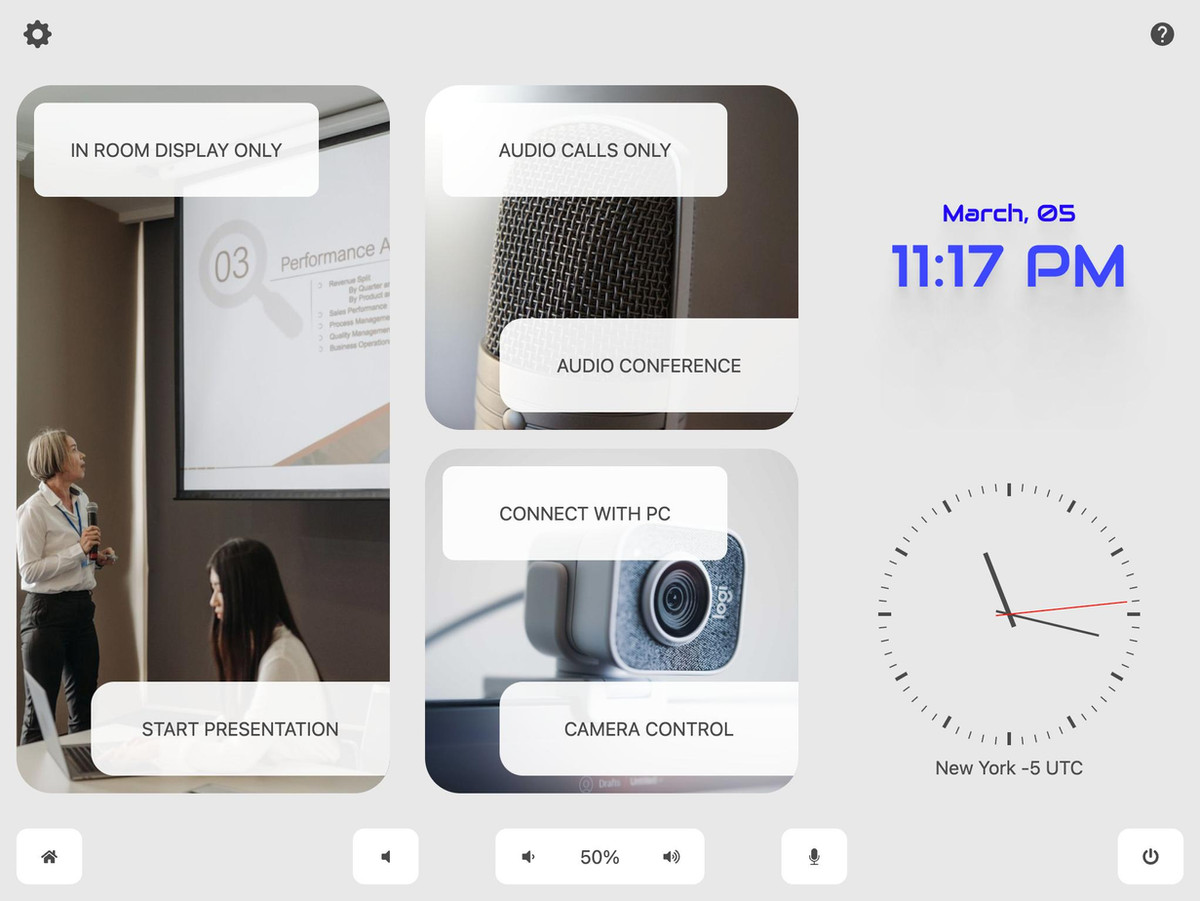
      <div><p>Bright Conference Space, a cutting-edge HTML5 demo project designed for modern meeting and huddle rooms.</p>

<p>This template, available in AVstudio, offers a sleek and contemporary design that enhances any collaborative environment. </p>

<p>With features that allow you to select activities such as presentations, video conferences, or audio conferences, you can easily control cameras, presets, and sources to create the perfect meeting experience. Elevate your collaboration with Bright Conference Space, where innovation meets functionality.</p>

<div class="wp-block-group is-nowrap is-layout-flex wp-container-core-group-is-layout-6c531013 wp-block-group-is-layout-flex">
<p>Start creating with the <em>AVstudio Editor</em> today!</p>
</div>

<p><a href="https://avgatordemo6brightconferencespace.netlify.app/" data-type="link" data-id="https://avgatordemo4.netlify.app/#/main" target="_blank" rel="noreferrer noopener">GUI Bright Conference Space</a></p></div>
      <p><a href="https://avstudio.app/showcase/bright-conference-space/">Read the full article on AVstudio.app</a></p>
    ]]></content>
    <media:thumbnail url="https://avstudio.app/images/blog/bright-conference-space-f0b9492f.jpeg"/>
  </entry>
  <entry>
    <title>Chesterfield Residence</title>
    <link href="https://avstudio.app/showcase/chesterfield-residence/" rel="alternate" type="text/html"/>
    <id>https://avstudio.app/showcase/chesterfield-residence/</id>
    <published>2025-07-31T20:42:18.000Z</published>
    <updated>2025-07-31T20:42:18.000Z</updated>
    <author>
      <name>AVstudio Team</name>
    </author>
    <category term="Showcase" label="Showcase"/>
    <category term="Showcase" label="Showcase"/>
    <summary type="text">This Demo Project is a simple yet dynamic showcase of modern design. Its responsive interface adapts to various touch panel sizes, ensuring a smooth user experience across all devices. Enjoy effortless navigation and an engaging layout that highlights the projects unique features. Experience the...</summary>
    <content type="html"><![CDATA[
      <img src="https://avstudio.app/images/blog/chesterfield-residence-bba98794.jpeg" alt="Chesterfield Residence" style="max-width: 100%; height: auto; margin-bottom: 1rem;" />
      <p><strong>Category:</strong> Showcase</p>
      <p><strong>Author:</strong> AVstudio Team</p>
      <p><strong>Tags:</strong> Showcase</p>
      <div><p>This Demo Project is a simple yet dynamic showcase of modern design. Its responsive interface adapts to various touch panel sizes, ensuring a smooth user experience across all devices.</p>

<p>Enjoy effortless navigation and an engaging layout that highlights the project's unique features. Experience the perfect blend of simplicity and functionality.</p>

<div class="wp-block-group is-nowrap is-layout-flex wp-container-core-group-is-layout-6c531013 wp-block-group-is-layout-flex">
<p>Start creating with the <em>AVstudio Editor</em> today!</p>
</div>

<p><a href="https://avgatordemo7chesterfieldresidence.netlify.app/" data-type="link" data-id="https://avgatordemo4.netlify.app/#/main" target="_blank" rel="noreferrer noopener">GUI Chesterfield Residence</a></p></div>
      <p><a href="https://avstudio.app/showcase/chesterfield-residence/">Read the full article on AVstudio.app</a></p>
    ]]></content>
    <media:thumbnail url="https://avstudio.app/images/blog/chesterfield-residence-bba98794.jpeg"/>
  </entry>
  <entry>
    <title>Home Cinema</title>
    <link href="https://avstudio.app/showcase/cinema/" rel="alternate" type="text/html"/>
    <id>https://avstudio.app/showcase/cinema/</id>
    <published>2025-07-31T20:40:07.000Z</published>
    <updated>2025-07-31T20:40:07.000Z</updated>
    <author>
      <name>AVstudio Team</name>
    </author>
    <category term="Showcase" label="Showcase"/>
    <category term="Showcase" label="Showcase"/>
    <summary type="text">Introducing a simple yet powerful HTML5 interface designed specifically for cinema environments. This intuitive UI allows users to effortlessly select sources, control lighting, and manage climate settings all in one place. With its user-friendly design, you can enhance the cinematic experience...</summary>
    <content type="html"><![CDATA[
      <img src="https://avstudio.app/images/blog/cinema-82f72154.jpeg" alt="Home Cinema" style="max-width: 100%; height: auto; margin-bottom: 1rem;" />
      <p><strong>Category:</strong> Showcase</p>
      <p><strong>Author:</strong> AVstudio Team</p>
      <p><strong>Tags:</strong> Showcase</p>
      <div><p>Introducing a simple yet powerful HTML5 interface designed specifically for cinema environments. </p>

<p>This intuitive UI allows users to effortlessly select sources, control lighting, and manage climate settings all in one place. With its user-friendly design, you can enhance the cinematic experience while ensuring optimal comfort and functionality. Experience seamless control and elevate your cinema operations with this innovative solution.</p>

<div class="wp-block-group is-nowrap is-layout-flex wp-container-core-group-is-layout-6c531013 wp-block-group-is-layout-flex">
<p>Start creating with the <em>AVstudio Editor</em> today!</p>
</div>

<p><a href="https://avgatordemo8cinema.netlify.app/" data-type="link" data-id="https://avgatordemo4.netlify.app/#/main" target="_blank" rel="noreferrer noopener">GUI Home Cinema</a></p></div>
      <p><a href="https://avstudio.app/showcase/cinema/">Read the full article on AVstudio.app</a></p>
    ]]></content>
    <media:thumbnail url="https://avstudio.app/images/blog/cinema-82f72154.jpeg"/>
  </entry>
  <entry>
    <title>Elegant Home Scene Control - AVstudio Demo by Artem Buslaev</title>
    <link href="https://avstudio.app/showcase/elegant-home-scene-control-avstudio-demo-by-artem-buslaev/" rel="alternate" type="text/html"/>
    <id>https://avstudio.app/showcase/elegant-home-scene-control-avstudio-demo-by-artem-buslaev/</id>
    <published>2025-07-23T16:57:14.000Z</published>
    <updated>2025-07-23T16:57:14.000Z</updated>
    <author>
      <name>AVstudio Team</name>
    </author>
    <category term="Showcase" label="Showcase"/>
    <category term="Showcase" label="Showcase"/>
    <summary type="text">Demo Home by Artem Buslaev Introducing the Smart Home User Interface by Artem Buslaev — a cutting-edge demo created with AVstudio that redefines the smart home experience. This sophisticated yet intuitive GUI offers a refined design with dynamic quick actions like “Lounge,” “Dinner,” and...</summary>
    <content type="html"><![CDATA[
      <img src="https://avstudio.app/images/blog/elegant-home-scene-control-avstudio-demo-by-artem-buslaev-ca3a6af5.jpeg" alt="Elegant Home Scene Control - AVstudio Demo by Artem Buslaev" style="max-width: 100%; height: auto; margin-bottom: 1rem;" />
      <p><strong>Category:</strong> Showcase</p>
      <p><strong>Author:</strong> AVstudio Team</p>
      <p><strong>Tags:</strong> Showcase</p>
      <div><p><strong>Demo Home by Artem Buslaev</strong></p>

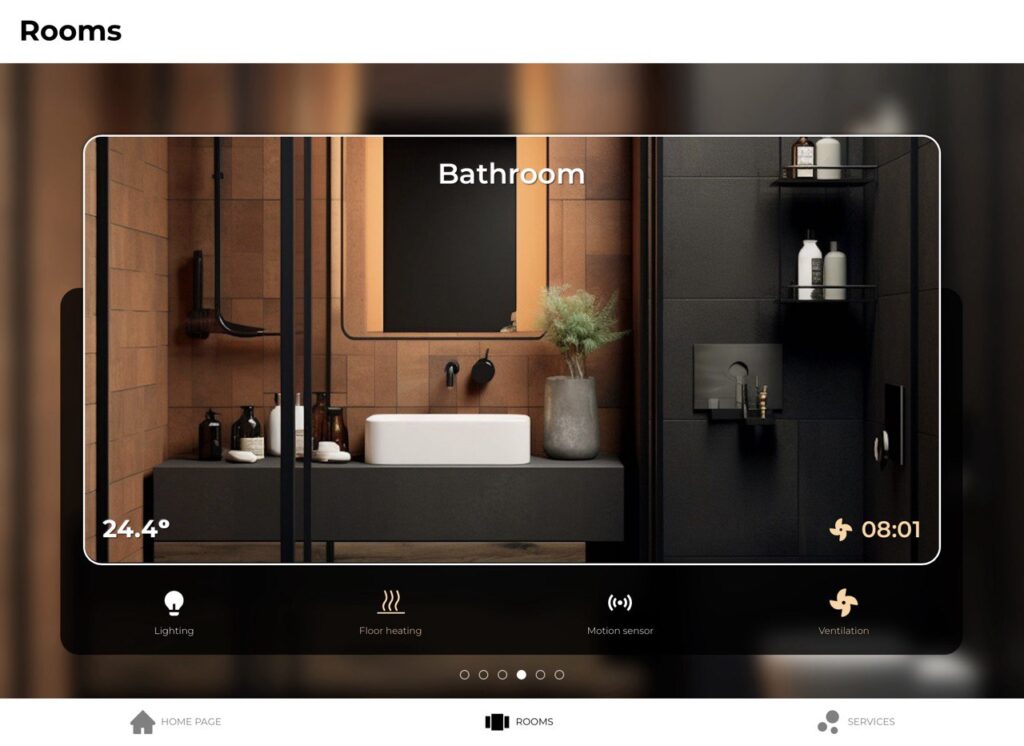
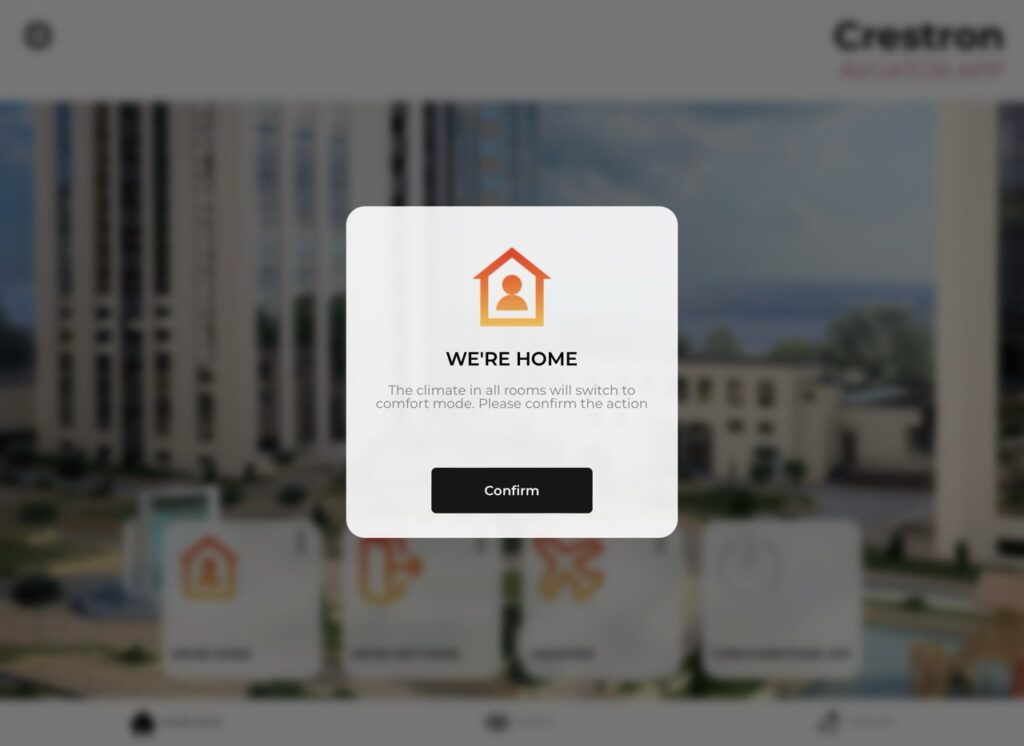
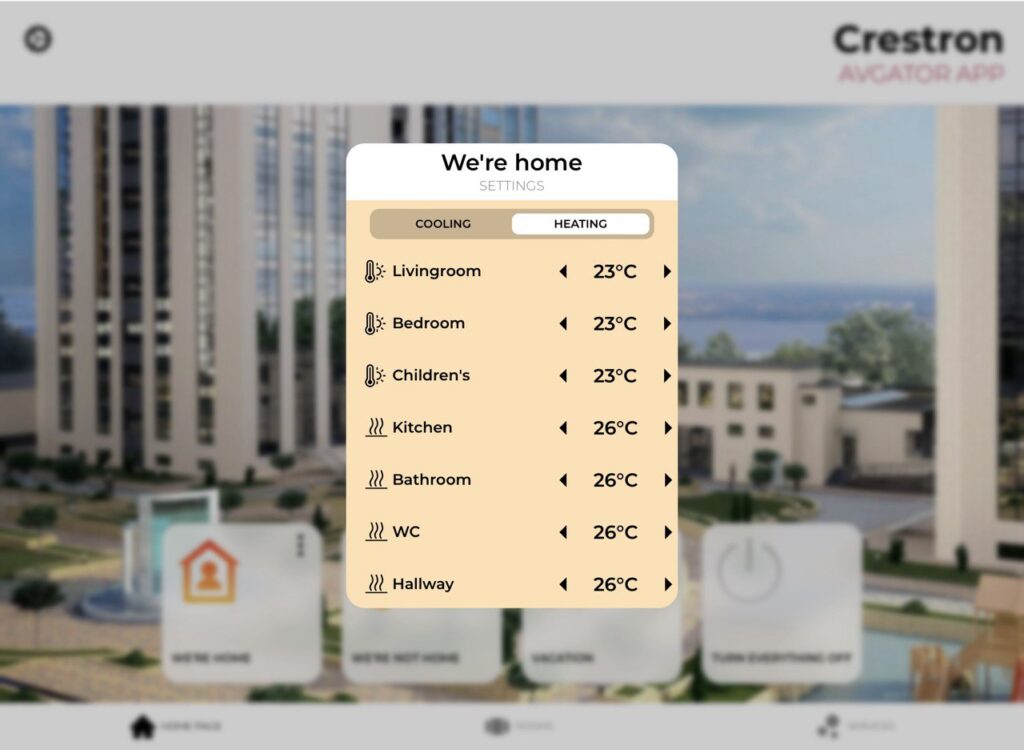
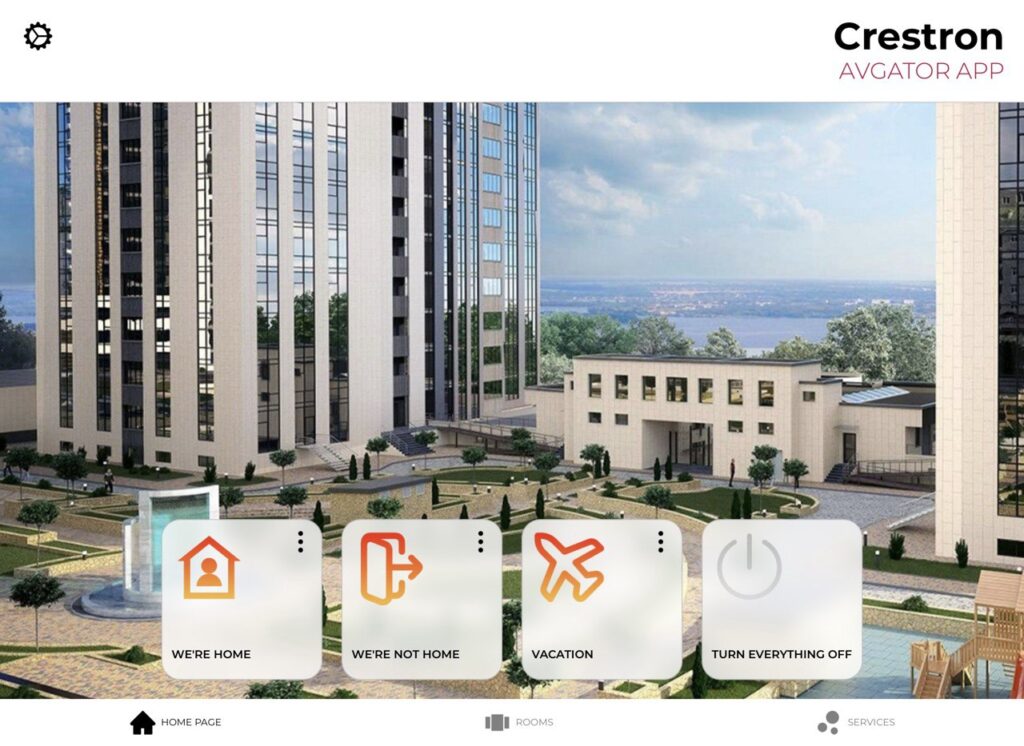
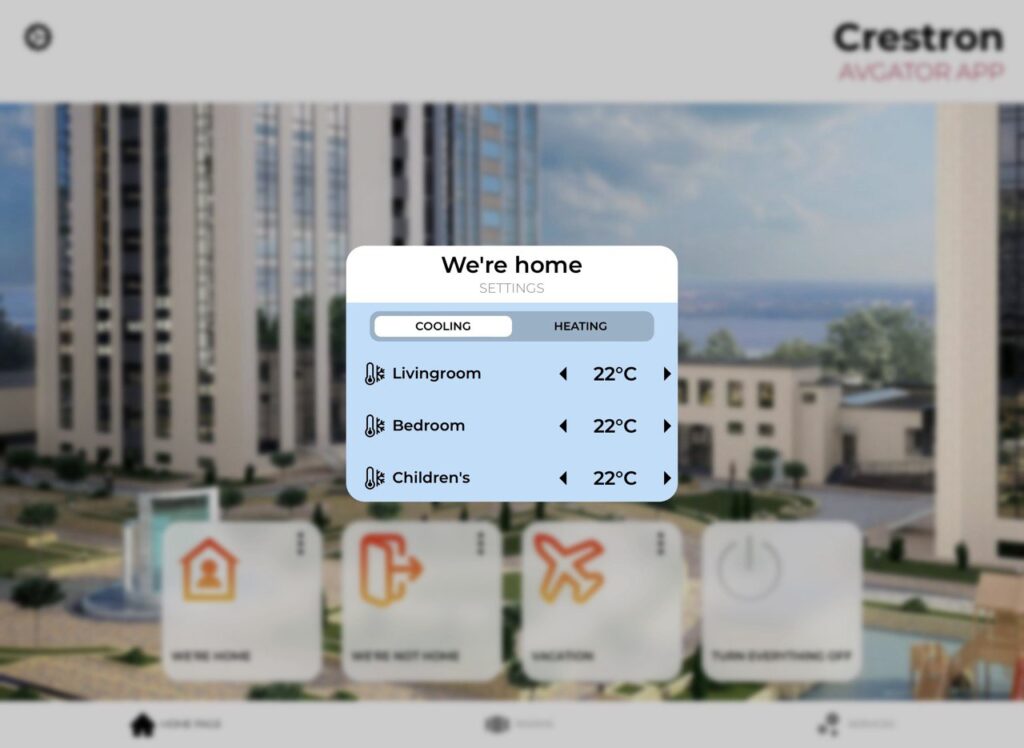
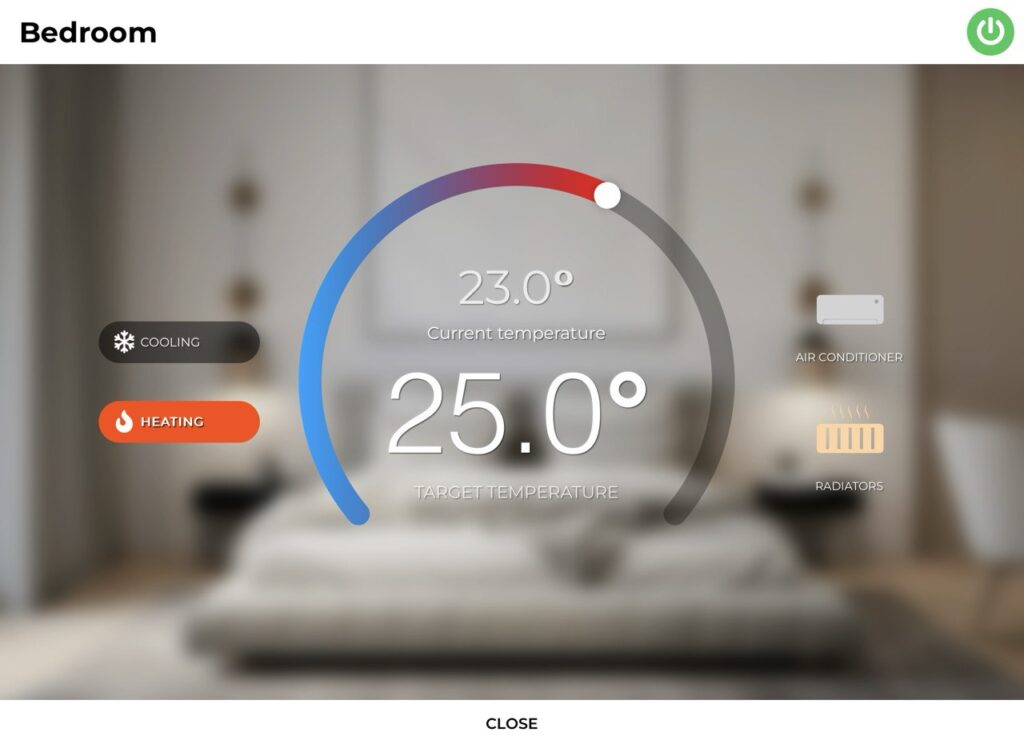
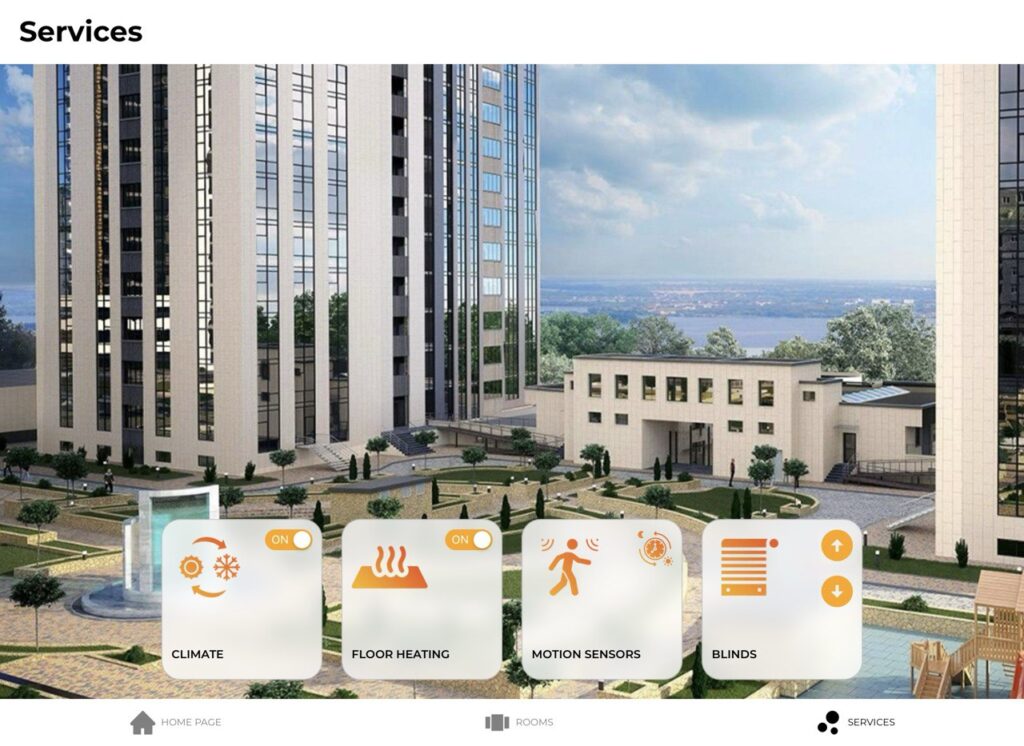
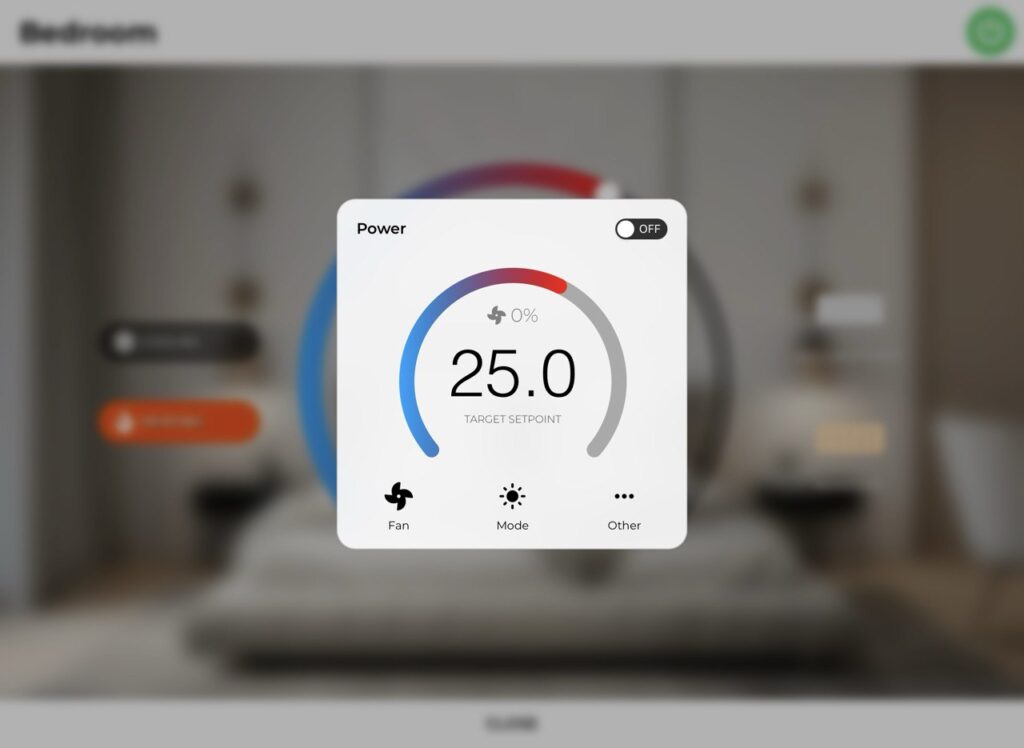
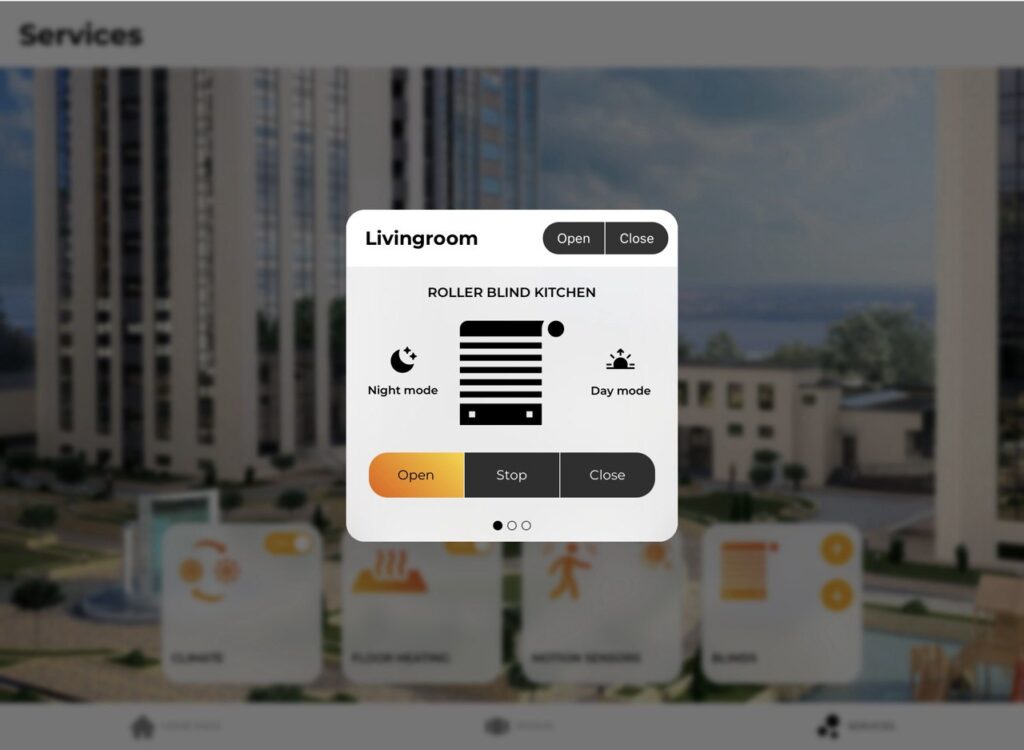
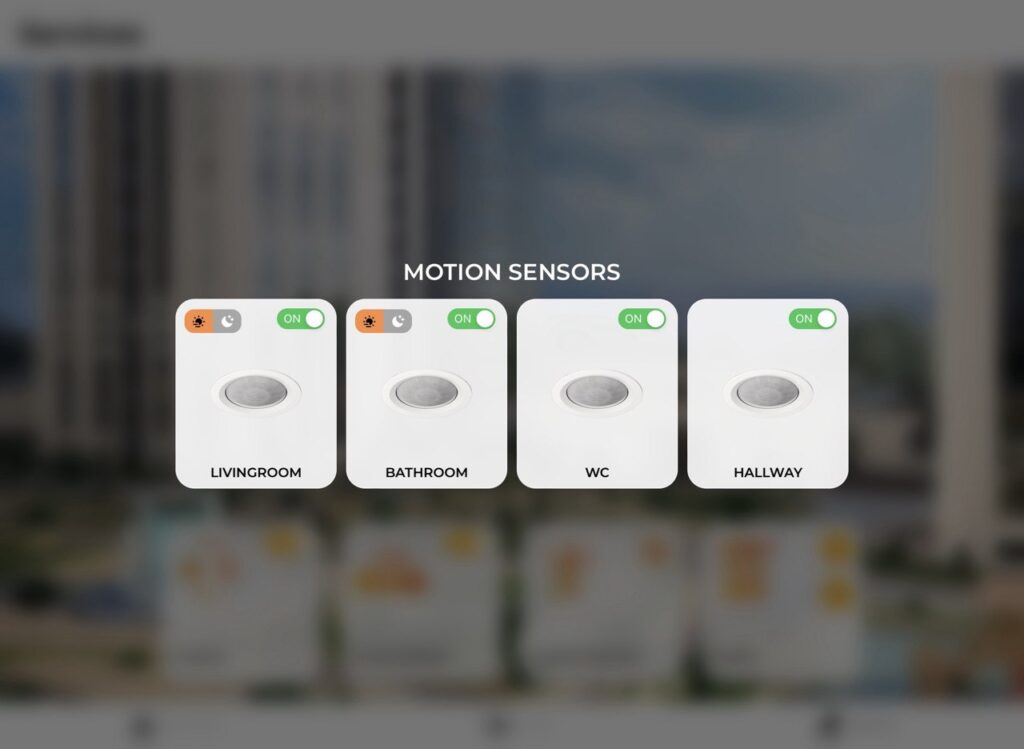
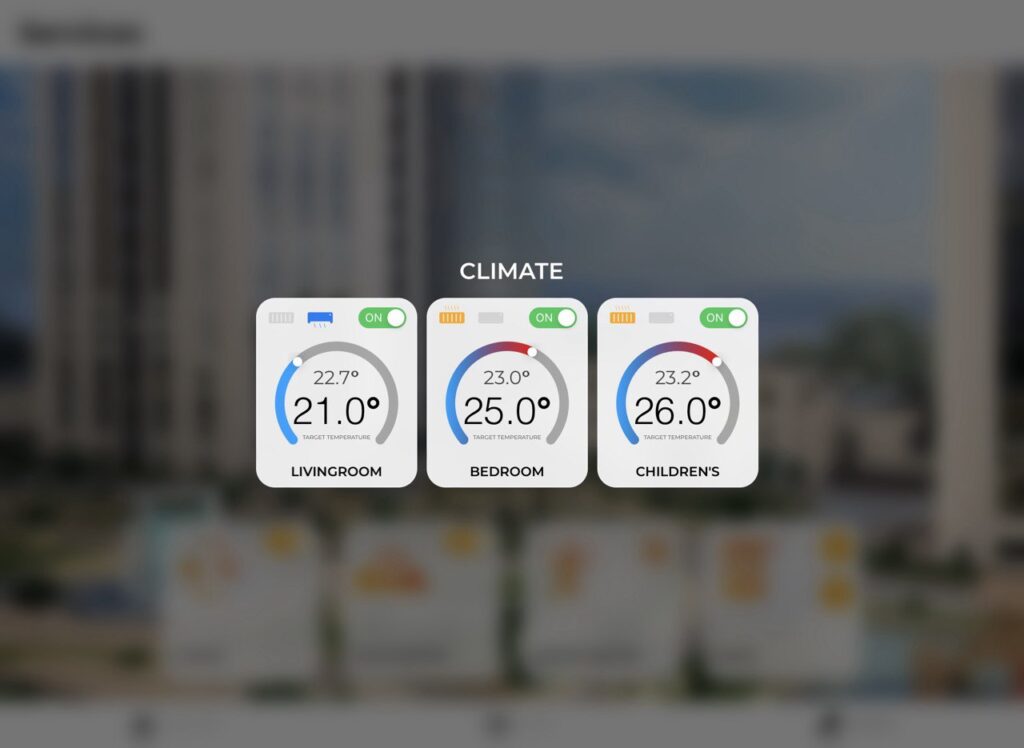
<p>Introducing the Smart Home User Interface by Artem Buslaev — a cutting-edge demo created with AVstudio that redefines the smart home experience. This sophisticated yet intuitive GUI offers a refined design with dynamic quick actions like “Lounge,” “Dinner,” and “Cleaning,” alongside direct controls for lighting, climate, and shades.</p>

<figure data-wp-context="{"imageId":"6a02496e7ee9e"}" data-wp-interactive="core/image" data-wp-key="6a02496e7ee9e" class="wp-block-image size-large wp-lightbox-container"><img loading="lazy" decoding="async" width="1024" height="746" data-wp-class--hide="state.isContentHidden" data-wp-class--show="state.isContentVisible" data-wp-init="callbacks.setButtonStyles" data-wp-on--click="actions.showLightbox" data-wp-on--load="callbacks.setButtonStyles" data-wp-on-window--resize="callbacks.setButtonStyles" src="https://avstudio.app/images/blog/elegant-home-scene-control-avstudio-demo-by-artem-buslaev-3bea020a.jpg" alt="" class="wp-image-29516" /><button
			class="lightbox-trigger"
			type="button"
			aria-haspopup="dialog"
			aria-label="Enlarge"
			data-wp-init="callbacks.initTriggerButton"
			data-wp-on--click="actions.showLightbox"
			data-wp-style--right="state.imageButtonRight"
			data-wp-style--top="state.imageButtonTop"
		>
			<svg xmlns="http://www.w3.org/2000/svg" width="12" height="12" fill="none" viewBox="0 0 12 12">
				<path fill="#fff" d="M2 0a2 2 0 0 0-2 2v2h1.5V2a.5.5 0 0 1 .5-.5h2V0H2Zm2 10.5H2a.5.5 0 0 1-.5-.5V8H0v2a2 2 0 0 0 2 2h2v-1.5ZM8 12v-1.5h2a.5.5 0 0 0 .5-.5V8H12v2a2 2 0 0 1-2 2H8Zm2-12a2 2 0 0 1 2 2v2h-1.5V2a.5.5 0 0 0-.5-.5H8V0h2Z" />
			</svg>
		</button></figure>

<p>Fully responsive across devices — including iPads and iPhones — the interface automatically adapts to screen size without the need for additional programming. Multi-language support and a smooth, logical layout ensure ease of use for all users.</p>

<div class="wp-block-gallery enhanced-gallery" data-gallery-id="gallery-hpa3e5nyk">
          <figure class="wp-block-image gallery-item" data-index="0">
            <img src="https://avstudio.app/images/blog/elegant-home-scene-control-avstudio-demo-by-artem-buslaev-6da7f8ad.jpg" alt="" class="gallery-image" loading="lazy" />
          </figure>
        </div>

<figure class="wp-block-image size-large"><img loading="lazy" decoding="async" width="1024" height="750" data-id="29518" src="https://avstudio.app/images/blog/elegant-home-scene-control-avstudio-demo-by-artem-buslaev-8aa3da4b.jpg" alt="" class="wp-image-29518" /></figure>

<figure class="wp-block-image size-large"><img loading="lazy" decoding="async" width="1024" height="746" data-id="29519" src="https://avstudio.app/images/blog/elegant-home-scene-control-avstudio-demo-by-artem-buslaev-a73582e9.jpg" alt="" class="wp-image-29519" /></figure>

<figure class="wp-block-image size-large"><img loading="lazy" decoding="async" width="1024" height="748" data-id="29520" src="https://avstudio.app/images/blog/elegant-home-scene-control-avstudio-demo-by-artem-buslaev-796d70af.jpg" alt="" class="wp-image-29520" /></figure>

<figure class="wp-block-image size-large"><img loading="lazy" decoding="async" width="1024" height="748" data-id="29521" src="https://avstudio.app/images/blog/elegant-home-scene-control-avstudio-demo-by-artem-buslaev-f4048d70.jpg" alt="" class="wp-image-29521" /></figure>

<figure class="wp-block-image size-large"><img loading="lazy" decoding="async" width="1024" height="746" data-id="29522" src="https://avstudio.app/images/blog/elegant-home-scene-control-avstudio-demo-by-artem-buslaev-5d46609f.jpg" alt="" class="wp-image-29522" /></figure>

<figure class="wp-block-image size-large"><img loading="lazy" decoding="async" width="1024" height="748" data-id="29523" src="https://avstudio.app/images/blog/elegant-home-scene-control-avstudio-demo-by-artem-buslaev-d3091032.jpg" alt="" class="wp-image-29523" /></figure>

<figure class="wp-block-image size-large"><img loading="lazy" decoding="async" width="1024" height="750" data-id="29524" src="https://avstudio.app/images/blog/elegant-home-scene-control-avstudio-demo-by-artem-buslaev-018f37f2.jpg" alt="" class="wp-image-29524" /></figure>

<figure class="wp-block-image size-large"><img loading="lazy" decoding="async" width="1024" height="749" data-id="29525" src="https://avstudio.app/images/blog/elegant-home-scene-control-avstudio-demo-by-artem-buslaev-a175f4f0.jpg" alt="" class="wp-image-29525" /></figure>

<figure class="wp-block-image size-large"><img loading="lazy" decoding="async" width="1024" height="748" data-id="29526" src="https://avstudio.app/images/blog/elegant-home-scene-control-avstudio-demo-by-artem-buslaev-ee525019.jpg" alt="" class="wp-image-29526" /></figure>
</figure>

<p>Optimized for seamless integration with Crestron and KNX systems, this demo showcases what’s possible with AVstudio: precision, performance, and design elegance combined.</p>

        <figure class="wp-block-video enhanced-video">
          <video 
            controls 
            playsinline 
            preload="metadata"
            
            class="responsive-video"
          >
            <source src="https://avstudio.app/images/blog/elegant-home-scene-control-avstudio-demo-by-artem-buslaev-4d71859e.mp4" type="video/mp4" />
            Your browser does not support the video tag.
          </video>
        </figure>

<p><strong>Explore the demo</strong>: <a href="https://avgatordemo09home-ab.netlify.app" target="_blank" rel="noreferrer noopener">Elegant Home Scene Control – AVstudio Demo by Artem Buslaev</a></p></div>
      <p><a href="https://avstudio.app/showcase/elegant-home-scene-control-avstudio-demo-by-artem-buslaev/">Read the full article on AVstudio.app</a></p>
    ]]></content>
    <media:thumbnail url="https://avstudio.app/images/blog/elegant-home-scene-control-avstudio-demo-by-artem-buslaev-ca3a6af5.jpeg"/>
  </entry>
  <entry>
    <title>Smart Home Dashboard – Dining Room Overview</title>
    <link href="https://avstudio.app/showcase/smart-home-dashboard-dining-room-overview/" rel="alternate" type="text/html"/>
    <id>https://avstudio.app/showcase/smart-home-dashboard-dining-room-overview/</id>
    <published>2025-07-23T16:48:53.000Z</published>
    <updated>2025-07-23T16:48:53.000Z</updated>
    <author>
      <name>AVstudio Team</name>
    </author>
    <category term="Showcase" label="Showcase"/>
    <category term="Showcase" label="Showcase"/>
    <summary type="text">This HTML5 GUI sample was created using one of the earliest versions of AVstudio.app, demonstrating its power even in the early stages of development. The interface delivers a clean, modern experience for smart home control, featuring real-time weather, analog clock, daily reminders, and...</summary>
    <content type="html"><![CDATA[
      <img src="https://avstudio.app/images/blog/smart-home-dashboard-dining-room-overview-f431ea75.jpeg" alt="Smart Home Dashboard – Dining Room Overview" style="max-width: 100%; height: auto; margin-bottom: 1rem;" />
      <p><strong>Category:</strong> Showcase</p>
      <p><strong>Author:</strong> AVstudio Team</p>
      <p><strong>Tags:</strong> Showcase</p>
      <div><p>This HTML5 GUI sample was created using one of the earliest versions of AVstudio.app, demonstrating its power even in the early stages of development. The interface delivers a clean, modern experience for smart home control, featuring real-time weather, analog clock, daily reminders, and personalized user data.</p>

<p>Explore basic functionality like video control, adjustable lighting, and motorized shades. Effortlessly switch between rooms and enjoy the intuitive layout.</p>

<p>Built with AVstudio.app to showcase versatility, speed, and simplicity – no coding required.</p>

<p><strong>Explore the demo</strong>: <a href="https://avgatordemo2.netlify.app/#/home">Live Preview Smart Home Dashboard – Dining Room</a></p></div>
      <p><a href="https://avstudio.app/showcase/smart-home-dashboard-dining-room-overview/">Read the full article on AVstudio.app</a></p>
    ]]></content>
    <media:thumbnail url="https://avstudio.app/images/blog/smart-home-dashboard-dining-room-overview-f431ea75.jpeg"/>
  </entry>
  <entry>
    <title>New Template: Bright Conference Space | AVstudio UI Template for Control System</title>
    <link href="https://avstudio.app/showcase/new-template-bright-conference-space-avstudio-ui-template-for-control-system/" rel="alternate" type="text/html"/>
    <id>https://avstudio.app/showcase/new-template-bright-conference-space-avstudio-ui-template-for-control-system/</id>
    <published>2025-03-06T20:33:15.000Z</published>
    <updated>2025-03-06T20:33:15.000Z</updated>
    <author>
      <name>AVstudio Team</name>
    </author>
    <category term="Showcase" label="Showcase"/>
    <category term="Showcase" label="Showcase"/>
    <summary type="text">Discover the new AVstudio UI Template for control system! Explore the “Bright Conference Space” in AVstudio and elevate your projects today!</summary>
    <content type="html"><![CDATA[
      <img src="https://avstudio.app/images/blog/new-template-bright-conference-space-avstudio-ui-template-for-control-system-ab780d65.jpg" alt="New Template: Bright Conference Space | AVstudio UI Template for Control System" style="max-width: 100%; height: auto; margin-bottom: 1rem;" />
      <p><strong>Category:</strong> Showcase</p>
      <p><strong>Author:</strong> AVstudio Team</p>
      <p><strong>Tags:</strong> Showcase</p>
      <div><p>We are thrilled to announce the release of a new template, “Bright Conference Space”, now available for free in AVstudio! This template offers a perfect blend of Responsive and Adaptive Design, showcasing how to handle both static and dynamic data, as well as smart adaptive elements. </p>

<p>Whether you’re learning or ready to implement it into your projects, this template provides a comprehensive guide to mastering modern UI design techniques.</p>

<figure class="wp-block-image"><img decoding="async" src="https://avstudio.app/images/blog/new-template-bright-conference-space-avstudio-ui-template-for-control-system-ceccc2f9.jpg" alt="Bright Conference Space Template Main Page AVstudio"/></figure>

<h2 class="wp-block-heading"><strong>What You Can Expect</strong></h2>

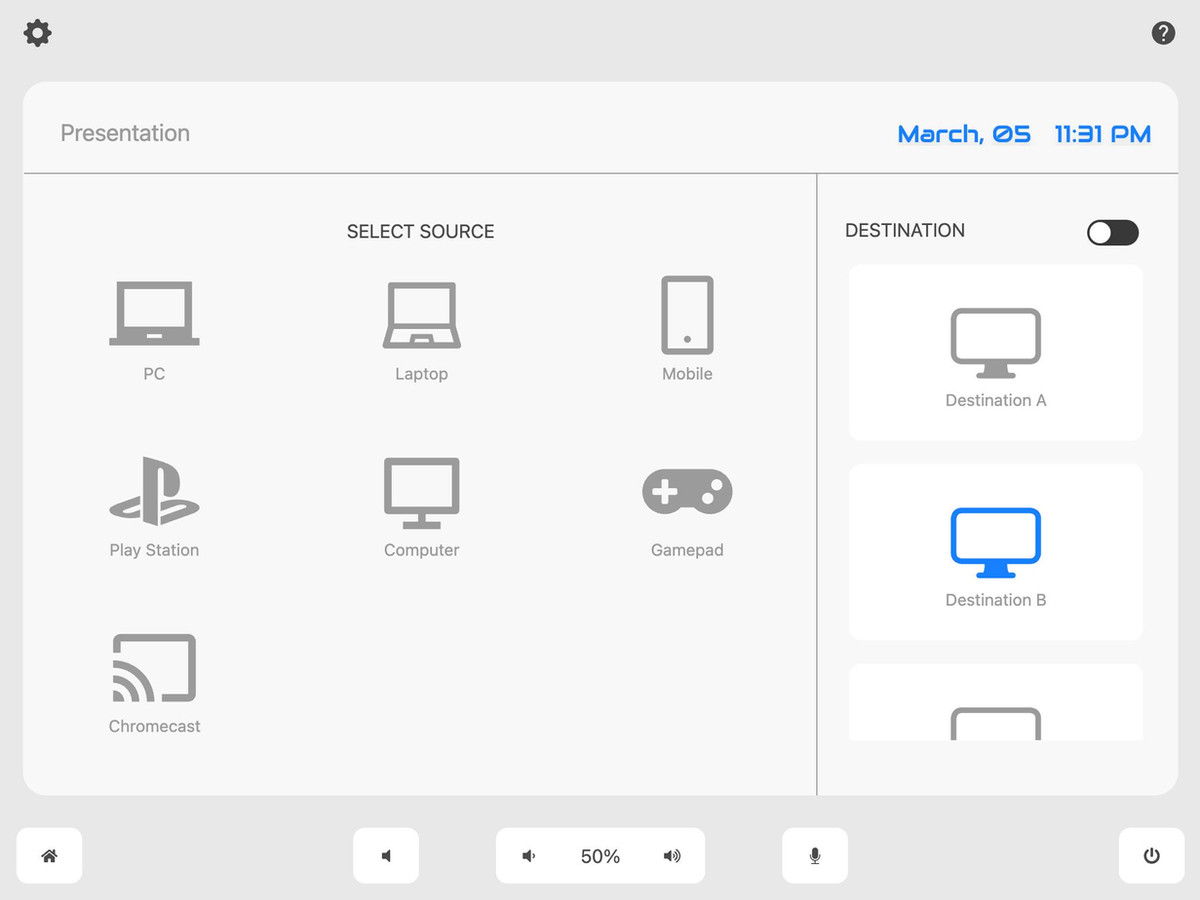
<p>This template demonstrates three core activities commonly used in a conference space setup:</p>

<ol class="wp-block-list">
<li><strong>Presentation Control</strong>
<ul class="wp-block-list">
<li>Select multiple destinations or use the toggle to select/deselect all displays.<br>Choose a <strong>source</strong> for the presentation.<br><br><img decoding="async" src="https://avstudio.app/images/blog/new-template-bright-conference-space-avstudio-ui-template-for-control-system-f649b896.jpg" alt="Bright Conference Space Template Presentation Page AVstudio"></li>
</ul>
</li>

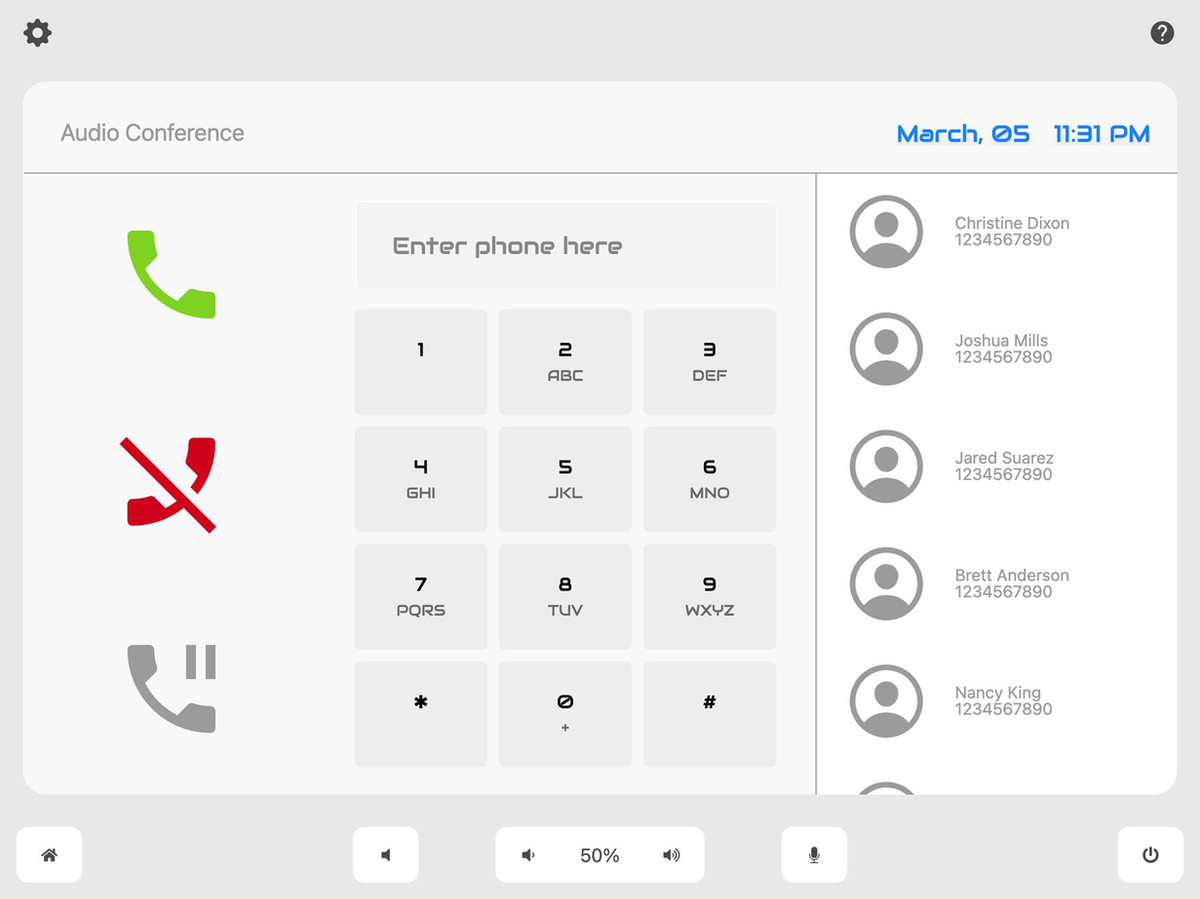
<li><strong>Audio Conference</strong>
<ul class="wp-block-list">
<li>Control the call with Hangup, Answer, Decline/Pause buttons.</li>

<li>Use the Dial Pad and Phonebook for easy calling.<br><br><img decoding="async" src="https://avstudio.app/images/blog/new-template-bright-conference-space-avstudio-ui-template-for-control-system-4e1fd63a.jpg" alt="Bright Conference Space Template Audio Conference Page AVstudio"></li>
</ul>
</li>

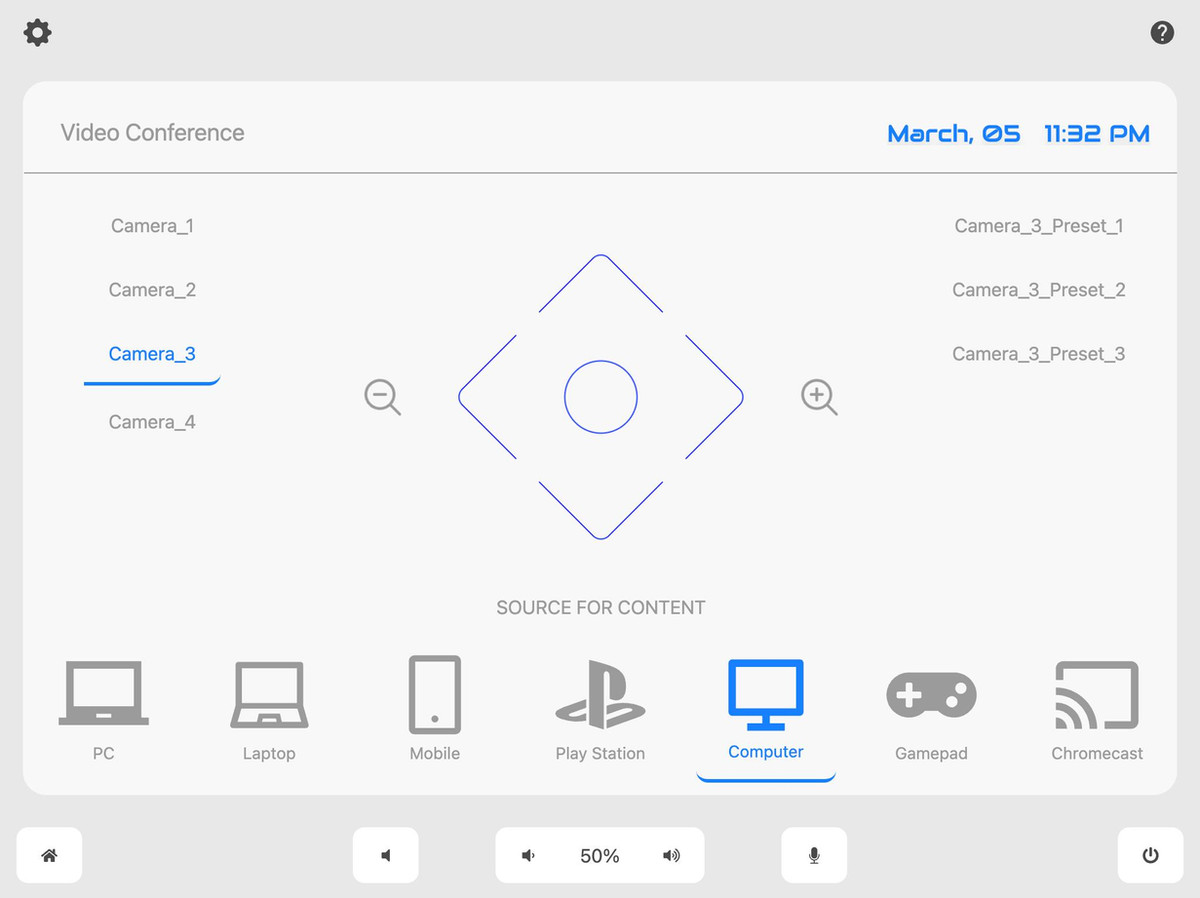
<li><strong>Video Conference</strong>
<ul class="wp-block-list">
<li>Adjust <strong>camera controls</strong>: tilt, pan, left/right turn, and zoom in/out.</li>

<li><strong>Camera selection</strong> and <strong>preset selection</strong> for precise control.</li>

<li><strong>Content source</strong> selection to manage the conference presentation.<br><br><img decoding="async" src="https://avstudio.app/images/blog/new-template-bright-conference-space-avstudio-ui-template-for-control-system-e2618988.jpg" alt="Bright Conference Space Template Video Conference Page AVstudio"></li>
</ul>
</li>
</ol>

<div class="wp-block-buttons is-content-justification-center is-layout-flex wp-container-core-buttons-is-layout-a89b3969 wp-block-buttons-is-layout-flex">
<div class="wp-block-button"><a class="wp-block-button__link wp-element-button">Explore the demo for a hands-on experience: <strong>Live Demo #6</strong></a></div>
</div>

<h2 class="wp-block-heading"><strong>Key Features:</strong></h2>

<ul class="wp-block-list">
<li><strong>Help Page</strong>: Access the readme and settings page placement for future control integration.</li>

<li><strong>Speaker and Microphone Controls</strong>: Mute and adjust volume with digital join numbers for precise control.</li>

<li><strong>Power Button</strong>: Activate a pop-up window and use the button for functions like starting a timer and more.</li>
</ul>

<h2 class="wp-block-heading"><strong>Read Me Section - Template Overview:</strong></h2>

<p>Here’s a quick summary of what this template offers for self-learning and demonstration purposes:</p>

<ul class="wp-block-list">
<li><strong>About This Template</strong>: Learn techniques for variable management, join assignments, data sources, and the use of custom CSS in production.</li>

<li><strong>Join Numbers for Key Features</strong>
<ul class="wp-block-list">
<li>Power Off Button: Digital Join: 1</li>

<li>Volume Controls: Volume Up (Digital 11), Volume Down (Digital 12), Mute Speaker (Digital 13), Mute Mic (Digital 14)</li>

<li>Presentation Join Numbers: Variable ‘joinInputSelection’</li>

<li>Content Source Join Numbers: Variable ‘joinInputConferenceSelection’</li>

<li>D-Pad Join Numbers: Managed through the ‘JoinNumbers’ data source</li>
</ul>
</li>

<li><strong>Fake Variables & Functions</strong>: This template uses <strong>fake variables</strong> and <strong>functions</strong> labeled “(fake)” for demonstration, which should be removed before production deployment.</li>

<li><strong>For More Information</strong>: Visit our comprehensive documentation at <strong>AVstudio Documentation</strong>.</li>
</ul>

<p><strong>Take your design skills to the next level</strong> by experimenting with <strong>“Bright Conference Space”</strong> in AVstudio! Perfect for both beginners and experts, it’s a hands-on way to learn key concepts of <strong>Responsive Design</strong>, <strong>Smart Adaptive Elements</strong>, and <strong>Dynamic Data Management</strong>.</p>

<p>Get started today – and don’t forget to share your experience with us!</p>

<h2 class="wp-block-heading has-small-font-size">AVstudio #Crestron #Template #UI #AVIntegration #SmartDesign #AVstudioLearning #FreeTemplate #ConferenceRoomDesign</h2></div>
      <p><a href="https://avstudio.app/showcase/new-template-bright-conference-space-avstudio-ui-template-for-control-system/">Read the full article on AVstudio.app</a></p>
    ]]></content>
    <media:thumbnail url="https://avstudio.app/images/blog/new-template-bright-conference-space-avstudio-ui-template-for-control-system-ab780d65.jpg"/>
  </entry>
  <entry>
    <title>Artem Buslaev&apos;s template | Community cases</title>
    <link href="https://avstudio.app/showcase/artem-buslaevs-template-community-cases/" rel="alternate" type="text/html"/>
    <id>https://avstudio.app/showcase/artem-buslaevs-template-community-cases/</id>
    <published>2024-08-23T00:00:00.000Z</published>
    <updated>2024-08-23T00:00:00.000Z</updated>
    <author>
      <name>AVstudio Team</name>
    </author>
    <category term="Showcase" label="Showcase"/>
    <category term="Community" label="Community"/>
    <category term="Showcase" label="Showcase"/>
    <summary type="text">Our user Artem Buslaev decided to share one of his developed interfaces in AVstudio for your inspiration.</summary>
    <content type="html"><![CDATA[
      <img src="https://avstudio.app/images/blog/artem-buslaevs-template-community-cases-ca3a6af5.jpeg" alt="Artem Buslaev&apos;s template | Community cases" style="max-width: 100%; height: auto; margin-bottom: 1rem;" />
      <p><strong>Category:</strong> Showcase</p>
      <p><strong>Author:</strong> AVstudio Team</p>
      <p><strong>Tags:</strong> Community, Showcase</p>
      <div><p>Our user Artem Buslaev decided to share one of his developed interfaces in AVstudio for your inspiration.</p>

<p>Thank you for sharing your developments with us and the whole AVstudio community!</p>

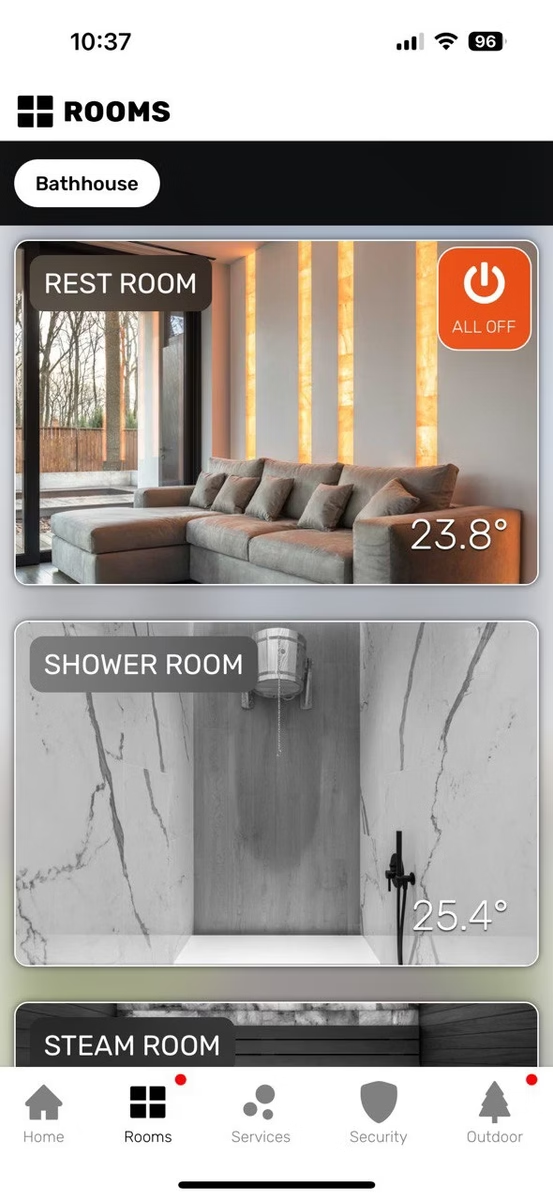
<figure class="wp-block-image"><img decoding="async" src="https://avstudio.app/images/blog/artem-buslaevs-template-community-cases-f19d1b3d.webp" alt="Home page"/></figure>

<p class="has-text-align-center has-small-font-size">Home page<br></p>

<figure class="wp-block-image"><img decoding="async" src="https://avstudio.app/images/blog/artem-buslaevs-template-community-cases-745811a4.webp" alt="Rooms page"/></figure>

<p class="has-text-align-center has-small-font-size">Rooms page</p>

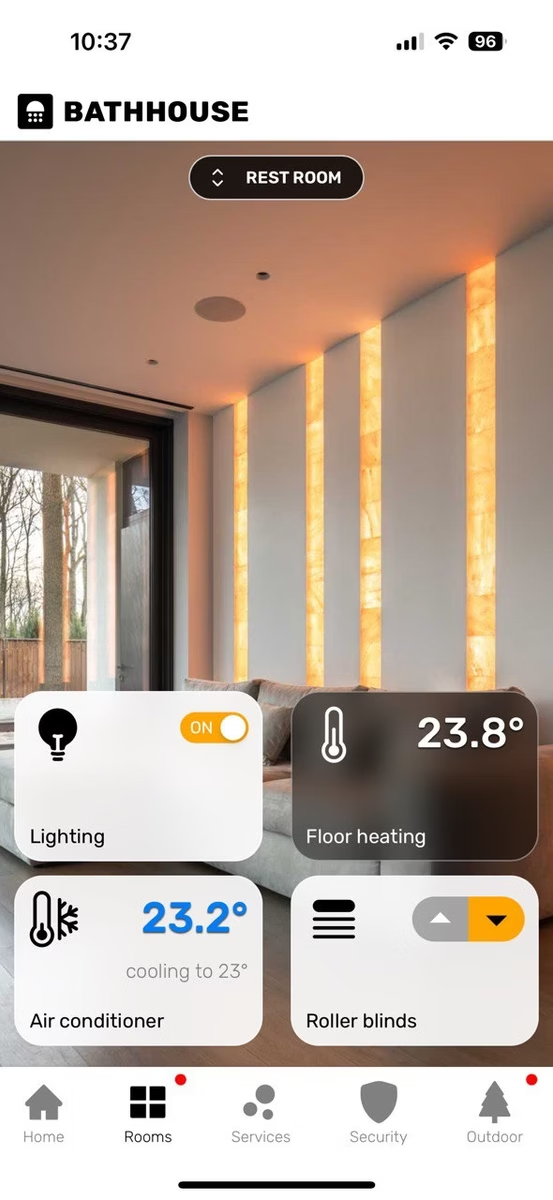
<figure class="wp-block-image"><img decoding="async" src="https://avstudio.app/images/blog/artem-buslaevs-template-community-cases-02fb4453.webp" alt="Selected Room Page"/></figure>

<p class="has-text-align-center has-small-font-size">Selected Room Page</p>

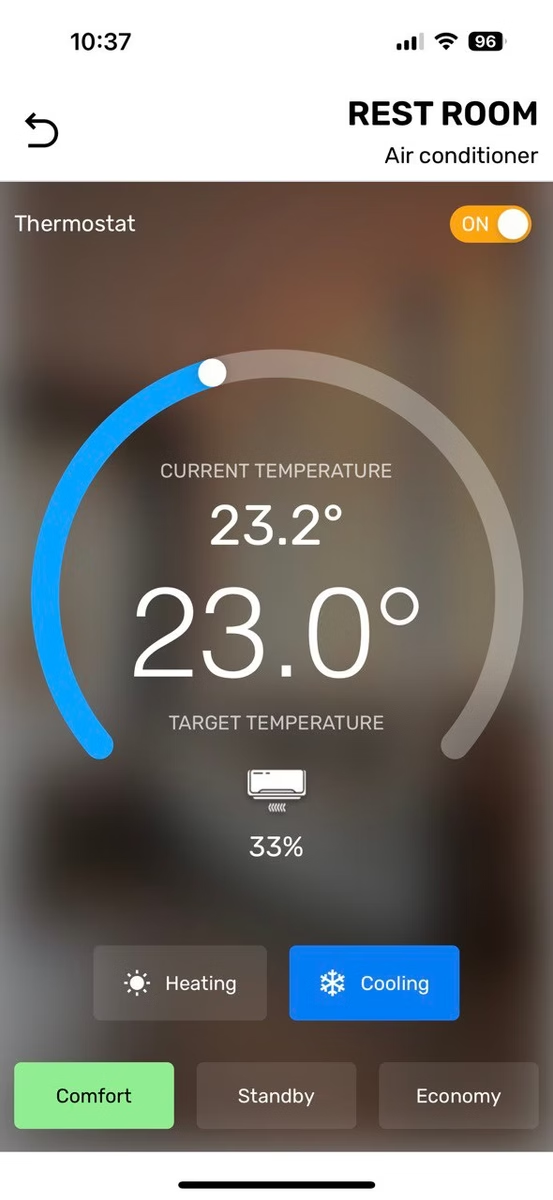
<figure class="wp-block-image"><img decoding="async" src="https://avstudio.app/images/blog/artem-buslaevs-template-community-cases-d183ba60.webp" alt="Air conditioner control"/></figure>

<p class="has-text-align-center has-small-font-size">Air conditioner control</p>

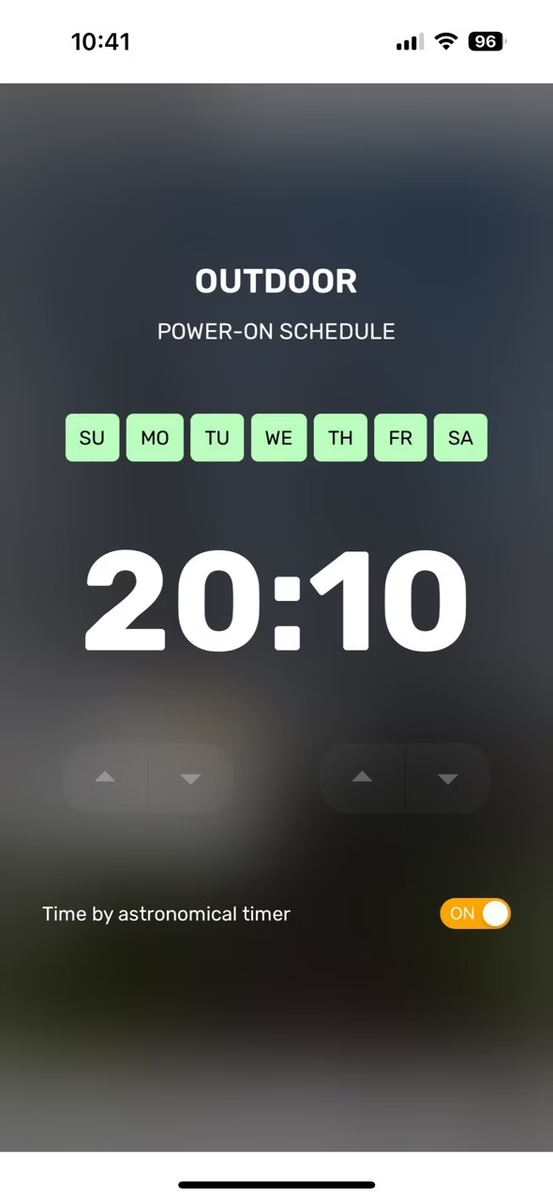
<figure class="wp-block-image"><img decoding="async" src="https://avstudio.app/images/blog/artem-buslaevs-template-community-cases-52c2cdbb.webp" alt="Scheduling option"/></figure>

<p class="has-text-align-center has-small-font-size">Scheduling option</p>

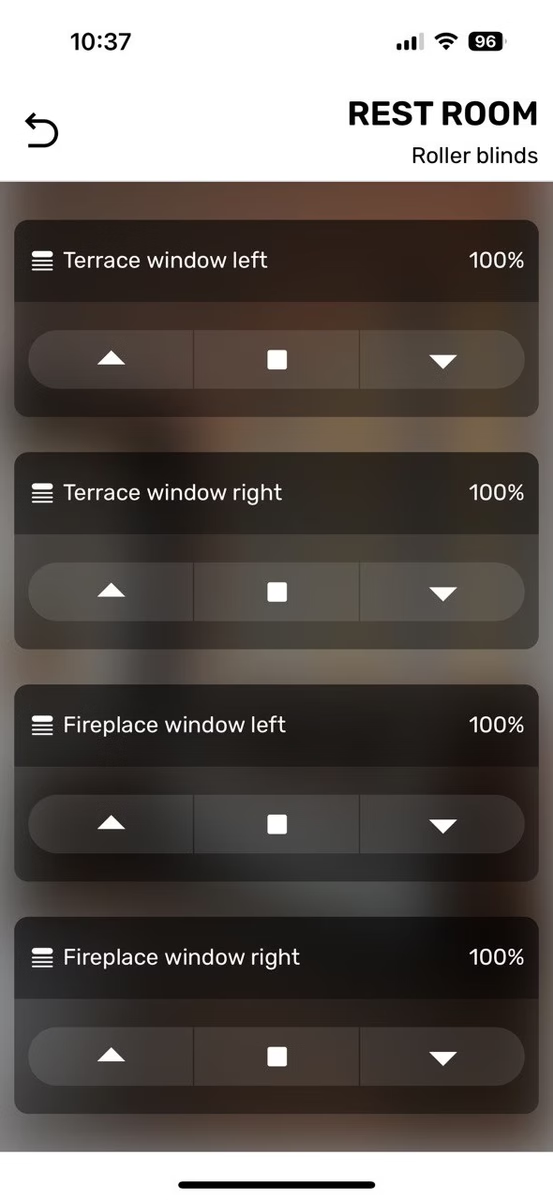
<figure class="wp-block-image"><img decoding="async" src="https://avstudio.app/images/blog/artem-buslaevs-template-community-cases-894fa55b.webp" alt="Roller blinds"/></figure>

<p class="has-text-align-center has-small-font-size">Roller blinds</p>

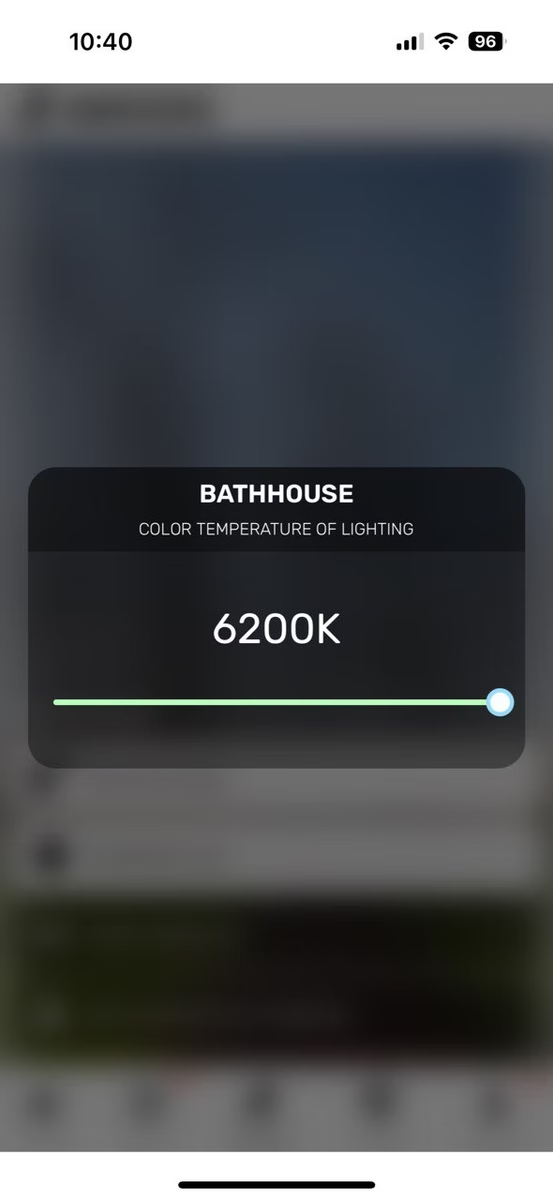
<figure class="wp-block-image"><img decoding="async" src="https://avstudio.app/images/blog/artem-buslaevs-template-community-cases-15c847b8.webp" alt="color of lighting "/></figure>

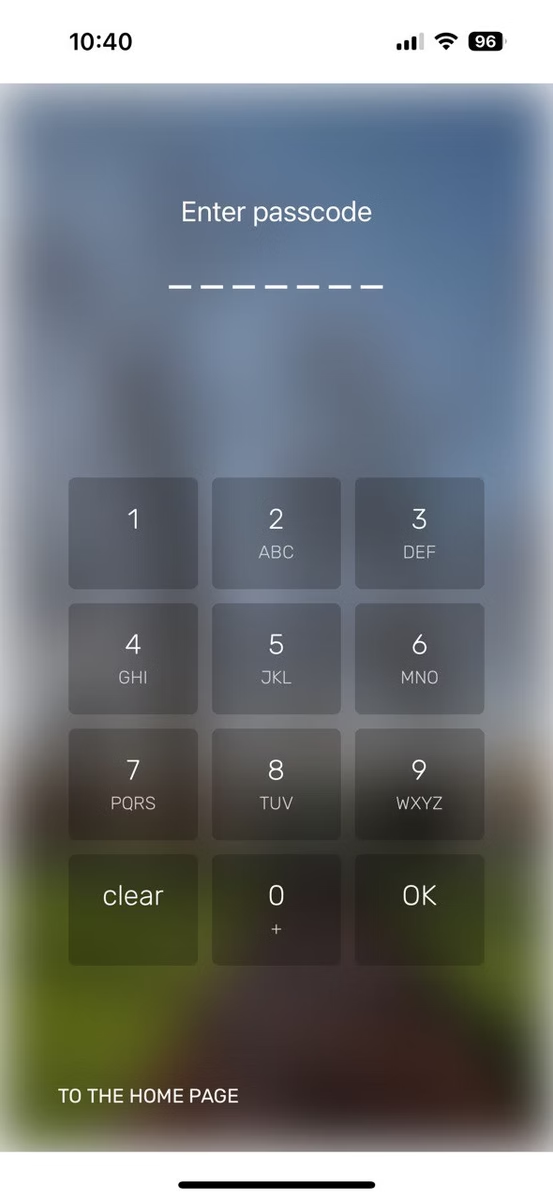
<figure class="wp-block-image"><img decoding="async" src="https://avstudio.app/images/blog/artem-buslaevs-template-community-cases-a04d36d7.webp" alt="Passcode panel"/></figure>

<p class="has-text-align-center has-small-font-size">Passcode panel</p>

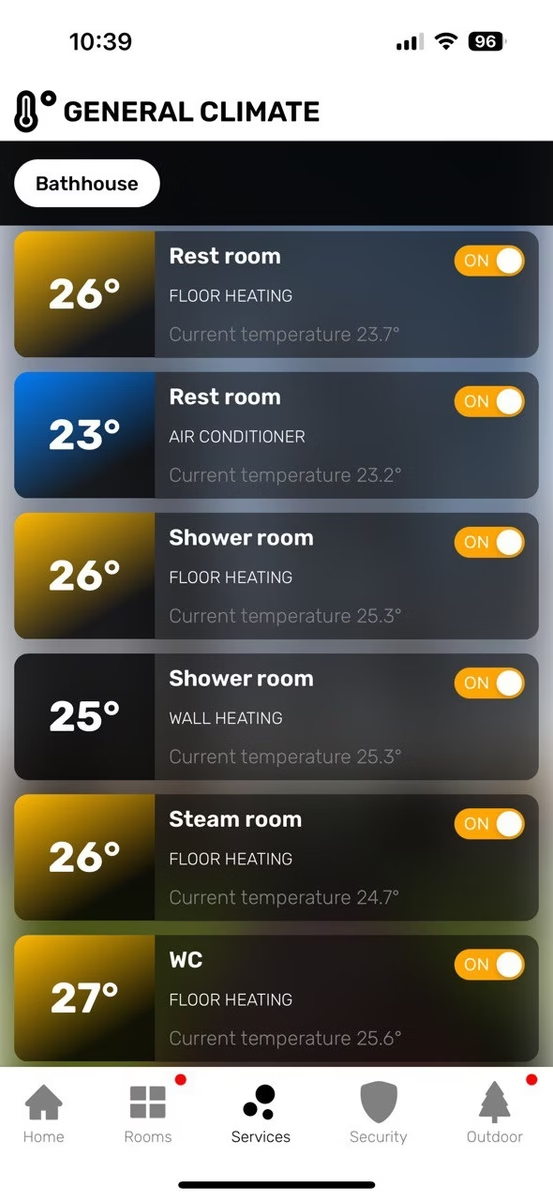
<figure class="wp-block-image"><img decoding="async" src="https://avstudio.app/images/blog/artem-buslaevs-template-community-cases-c62483e6.webp" alt="General climate"/></figure>

<p class="has-text-align-center has-small-font-size">General climate</p>

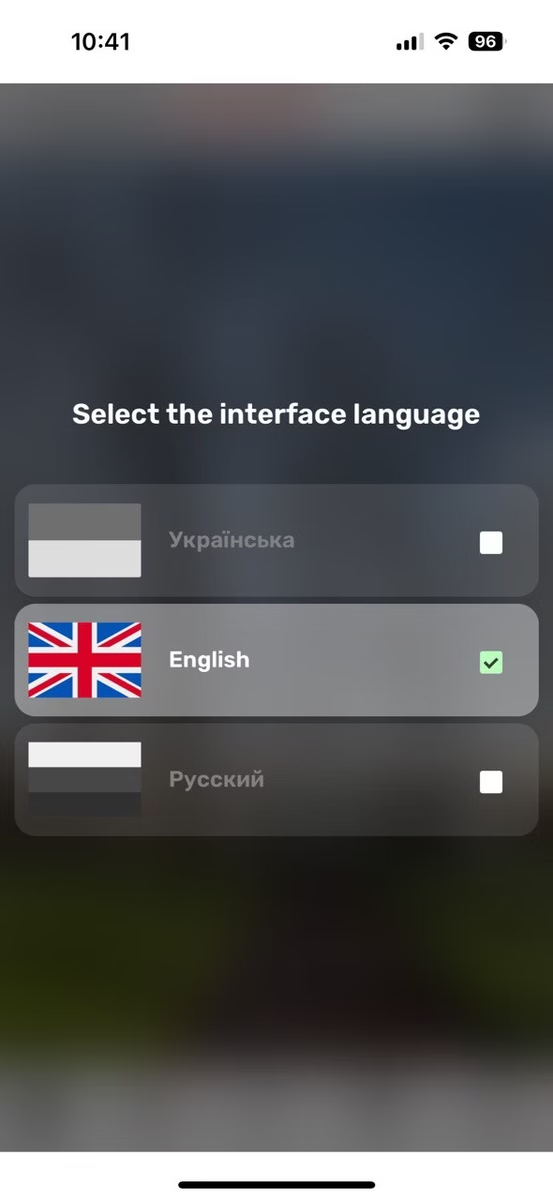
<figure class="wp-block-image"><img decoding="async" src="https://avstudio.app/images/blog/artem-buslaevs-template-community-cases-081b0ba8.webp" alt="Multilingual interface "/></figure>

<p class="has-text-align-center has-small-font-size">Multilingual interface</p>

<p>A video demonstration:</p>

        <figure class="wp-block-video enhanced-video">
          <video 
            controls 
            playsinline 
            preload="metadata"
            
            class="responsive-video"
          >
            <source src="https://avstudio.app/images/blog/artem-buslaevs-template-community-cases-4d71859e.mp4" type="video/mp4" />
            Your browser does not support the video tag.
          </video>
        </figure>

<div class="wp-block-buttons is-content-justification-center is-layout-flex wp-container-core-buttons-is-layout-a89b3969 wp-block-buttons-is-layout-flex">
<div class="wp-block-button"><a class="wp-block-button__link wp-element-button" href="https://avgatordemo09home-ab.netlify.app/">Check out the preview.</a></div>
</div></div>
      <p><a href="https://avstudio.app/showcase/artem-buslaevs-template-community-cases/">Read the full article on AVstudio.app</a></p>
    ]]></content>
    <media:thumbnail url="https://avstudio.app/images/blog/artem-buslaevs-template-community-cases-ca3a6af5.jpeg"/>
  </entry>
</feed>