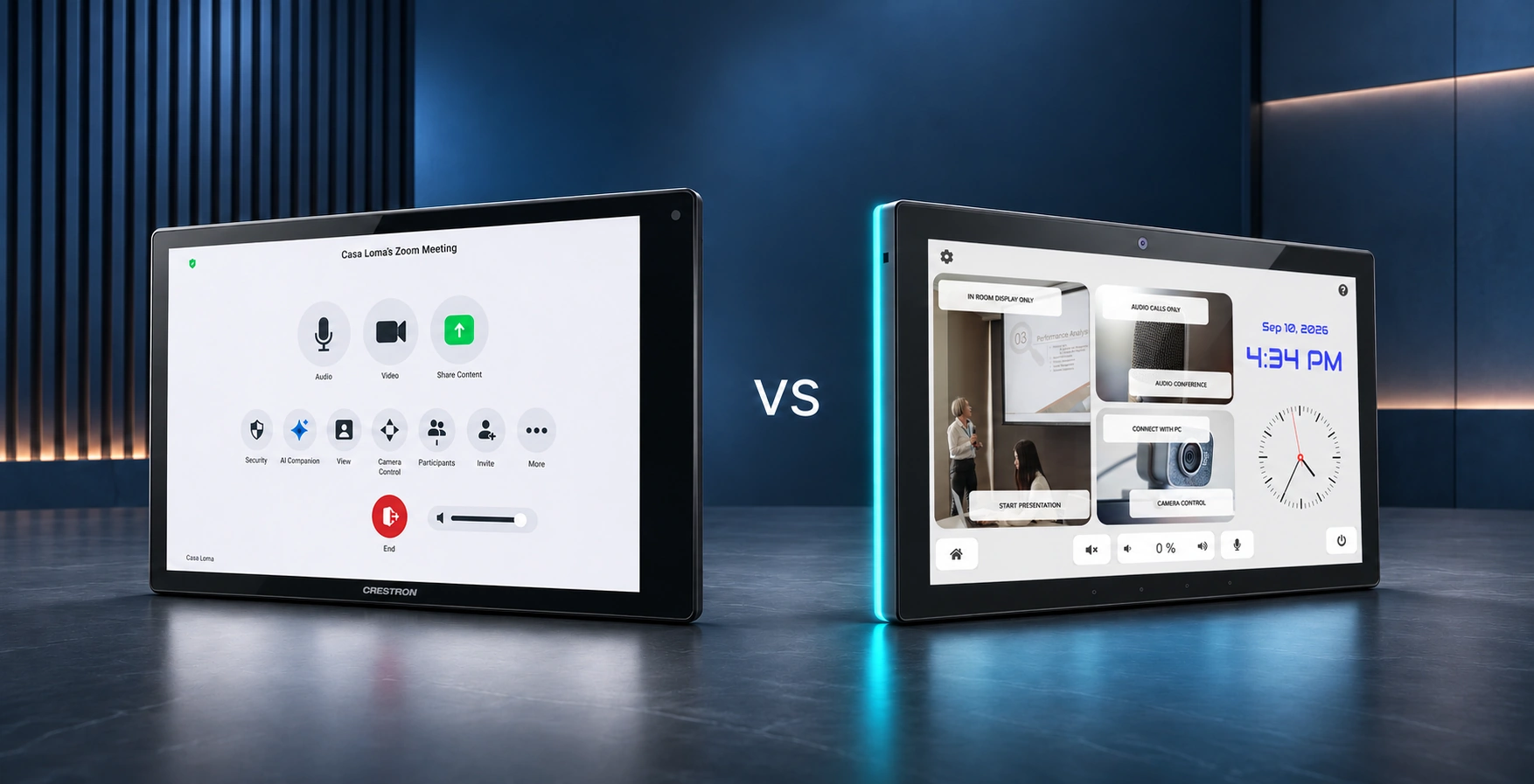
AVstudio AVS-10 vs. Crestron TSW-1080: Which Is Better for AV Integrators?
One Panel. Multiple Ecosystems. Your Software. Your Choice.
Choosing a professional AV touch panel is no longer just about screen size, resolution, processor specifications, or appearance.
For modern AV integrators, the decision is increasingly about software freedom, interoperability, development efficiency, hardware connectivity, long-term flexibility, and total cost of ownership.
Crestron has established itself as a leading manufacturer of professional AV and automation systems. Its TSW-1080 touch panel offers a high-resolution display, 8 GB of RAM, Wi-Fi 6E connectivity, integrated proximity sensing, and established enterprise management capabilities.
AVstudio takes a different approach.
The AVstudio AVS-10 is a professional Android-based touch panel that gives integrators greater freedom to choose their software, control systems, development tools, and integration architecture.
It supports Crestron development workflows, CH5 interfaces, native Crestron Home functionality, room scheduling, SIP communication, compatible Android applications, and custom HTML5 projects.
Rather than requiring integrators to adopt another proprietary ecosystem, AVstudio provides a flexible hardware platform that can become part of their existing ecosystem.
Which Touch Panel Is Better: AVstudio AVS-10 or Crestron TSW-1080?
For AV integrators who prioritize affordability, software freedom, extensive interface customization, AI-assisted development, integrated hardware connectivity, and multi-ecosystem integration, AVstudio AVS-10 offers a more flexible architecture.
Crestron TSW-1080 offers advantages in display resolution, RAM capacity, Wi-Fi 6E connectivity, proximity sensing, and established enterprise management infrastructure.
However, AVstudio extends the possibilities of a professional touch panel beyond a manufacturer-controlled application environment.
Integrators can work with existing Crestron systems while retaining the freedom to use other automation platforms, compatible Android applications, custom HTML5 interfaces, and modern AI-powered development tools.
The fundamental difference is not simply hardware specifications.
It is how much freedom integrators have to decide what their touch panels can do, how they communicate, and how their software evolves.
1. AVstudio AVS-10 vs. Crestron TSW-1080: Technical Comparison
Both products are professional 10.1-inch touch panels designed for residential and commercial automation applications.
The following comparison focuses on AVstudio AVS-10 and the standard Crestron TSW-1080-B.
Display and Hardware
| Feature | AVstudio AVS-10 | Crestron TSW-1080 | Winner |
|---|---|---|---|
| Relative Price Range | Low | Extra High | AVstudio |
| Display Size | 10.1-inch | 10.1-inch | Tie |
| Display Resolution | 1280 × 800 | 1920 × 1200 | Crestron |
| Aspect Ratio | 16:10 | 16:10 | Tie |
| Multitouch Capacity | 10-point | 5-point | AVstudio |
| RAM Capacity | 4 GB | 8 GB LPDDR4 | Crestron |
| Storage Capacity | 64 GB | 40 GB eMMC pSLC | AVstudio |
| Front Camera | Integrated 5 MP | No integrated camera listed | AVstudio |
| Temperature Sensor | Built-in | Not included in published specifications | AVstudio |
| Humidity Sensor | Built-in | Not included in published specifications | AVstudio |
| Ambient Light Management | Automatic brightness control | Automatic brightness control | Tie |
| Programmable RGB LED Bar | Built-in | External accessories | AVstudio |
| Finish Options | Black / White | Black / White | Tie |
| Wall Mount Installation | Supported | Supported | Tie |
Software and Application Freedom
| Feature | AVstudio AVS-10 | Crestron TSW-1080 | Winner |
|---|---|---|---|
| HTML5 Custom Interfaces | Supported | Supported | Tie |
| Local HTML5 Execution | Supported | Supported | Tie |
| Crestron CH5 Support | Supported | Supported | Tie |
| Crestron Construct Projects | Supported | Supported | Tie |
| Crestron Development Tools | Supported workflows | Supported workflows | Tie |
| Native Crestron Home Support | Supported | Supported | Tie |
| Room Scheduling Panel | Supported | Supported | Tie |
| Third-Party Android Applications | Compatible APK deployment | Crestron-approved applications | AVstudio |
| Custom Android Applications | Supported for authorized integrators | Manufacturer-controlled application environment | AVstudio |
| Application Selection Freedom | Broad software selection | Crestron-approved application catalog | AVstudio |
| Native App Launching from HTML5 | Supported | Manufacturer-controlled application environment | AVstudio |
| Multiple Application Workflows | HTML5 and compatible Android applications | One app selected during setup | AVstudio |
| Multi-Ecosystem Architecture | Designed for multiple automation platforms | Primarily Crestron-focused | AVstudio |
| XiO Cloud Management | Not native | Supported | Crestron |
Visual Development, AI and MCP
| Feature | AVstudio Editor NG | Crestron Construct | Winner |
|---|---|---|---|
| Visual UI Development | Flexible WYSIWYG editor with AI integration and streamlined publishing | Visual HTML5 editor | AVstudio |
| Development Environment | Visual Studio Code ecosystem | Dedicated Construct environment | AVstudio |
| Standard Web Technologies | HTML5, CSS, JavaScript | HTML5, CSS, JavaScript | Tie |
| Web Development Freedom | General-purpose HTML5 application architecture | Crestron-oriented workflows | AVstudio |
| UI Customization | Extensive HTML, CSS and JavaScript customization | Construct-based visual customization | AVstudio |
| Integrated MCP Server | Built-in | Equivalent functionality not documented | AVstudio |
| AI Assistant Integration | MCP and VS Code AI workflows | External AI workflows | AVstudio |
| Development Extension Ecosystem | VS Code extensions | Dedicated development environment | AVstudio |
| Local Project Source Files | Supported | Supported | Tie |
| Git-Based Development | Integrated VS Code workflow | Supported through external development tools | Tie |
| CH5 Project Export | Supported | Supported | Tie |
| Publishing and Deployment Flexibility | Multiple compatible deployment environments | Crestron-oriented deployment | AVstudio |
| Independent HTML5 Projects | No mandatory AVstudio UI framework | Custom projects with documented support considerations | AVstudio |
| Multi-Ecosystem Development | Multiple automation platforms | Primarily Crestron workflows | AVstudio |
Hardware Connectivity and Power
| Feature | AVstudio AVS-10 | Crestron TSW-1080 | Winner |
|---|---|---|---|
| Ethernet | 1 Gbps | 1 Gbps | Tie |
| Wireless Networking | Wi-Fi 6 | Wi-Fi 6E | Crestron |
| Bluetooth Version | Bluetooth 5.3 | Bluetooth 5.2 BLE | AVstudio |
| USB-C Connectivity | Supported | Supported | Tie |
| PoE+ | Supported | Supported | Tie |
| Alternative DC Power | 12 VDC | No dedicated DC power input listed | AVstudio |
| RS-232 | Built-in | No dedicated port | AVstudio |
| RS-485 | Built-in | No dedicated port | AVstudio |
| Relay Output | Built-in | No dedicated output | AVstudio |
| Digital I/O | Built-in | No dedicated port | AVstudio |
| Infrared Transmitter | Built-in | No dedicated transmitter listed | AVstudio |
| Direct Serial Device Control | Integrated hardware interfaces | External control hardware required | AVstudio |
| Remote Hardware REST API | Supported for integrated hardware | No equivalent onboard I/O | AVstudio |
| JavaScript Hardware API | Direct access to supported onboard hardware | No equivalent onboard I/O | AVstudio |
| Control Architecture | Centralized, direct and hybrid | Primarily centralized | AVstudio |
SIP, Video and Intercom
| Feature | AVstudio AVS-10 | Crestron TSW-1080 | Winner |
|---|---|---|---|
| Native SIP Support | Integrated SIP engine through App Container | Rava SIP | Tie |
| Two-Way Audio | Supported | Supported | Tie |
| Panel-to-Panel Communication | Supported | Supported | Tie |
| Direct Calling Without PBX | Supported | Rava direct intercom | Tie |
| SIP PBX Integration | Supported | Supported | Tie |
| SIP Door Station Integration | Supported | Supported | Tie |
| Broadcast Paging | Supported | Supported | Tie |
| Integrated Camera | 5 MP | No integrated camera listed | AVstudio |
| Two-Way Video Calls Using Onboard Camera | Supported | No integrated camera listed | AVstudio |
| RTSP Video Streaming | Supported | Supported | Tie |
| Dedicated SIP JavaScript API | Documented | Equivalent functionality not documented | AVstudio |
| Custom HTML5 SIP Interface | Supported through documented API | Rava integration | AVstudio |
| WebRTC / WHEP Video Integration | Documented | Not listed in compared documentation | AVstudio |
Software Evolution and Long-Term Flexibility
| Feature | AVstudio AVS-10 | Crestron TSW-1080 | Winner |
|---|---|---|---|
| Software Architecture | Modular Android and HTML5 platform | Manufacturer-controlled platform | AVstudio |
| Runtime Development | Independently developed App Container | Manufacturer-managed runtime | AVstudio |
| Custom HTML5 Project Updates | Supported | Supported | Tie |
| Third-Party Application Updates | Compatible application-specific updates | Crestron-approved releases | AVstudio |
| New Software Adoption | Multiple development and deployment paths | Manufacturer-supported implementation | AVstudio |
| Independent UI Modernization | Supported | Supported | Tie |
| Application Deployment Flexibility | Multiple software approaches | Manufacturer-controlled application selection | AVstudio |
| Hardware Standardization Across Ecosystems | Multi-platform architecture | Primarily Crestron | AVstudio |
| Vendor Independence | Broad architectural flexibility | Crestron-focused architecture | AVstudio |
| Local Web Management | Supported | Supported | Tie |
| Enterprise Cloud Management | No native XiO Cloud integration | XiO Cloud | Crestron |
| Established Enterprise Ecosystem | Growing ecosystem | Established enterprise infrastructure | Crestron |
Relative price classifications are comparative market positioning categories rather than standardized industry pricing tiers. Actual prices vary by dealer, region, availability, licensing, and commercial agreement.
Feature winners reflect the specific architectural advantage or documented functionality being compared. Tie indicates support for comparable core functionality, not guaranteed equivalence across every configuration. The comparison does not establish overall performance, reliability, or security superiority.
2. Software Freedom: The Fundamental Difference
Both AVstudio AVS-10 and Crestron TSW-1080 support modern HTML5-based interfaces.
However, HTML5 support alone does not make a touch panel an independent software platform.
According to Note 6 of the official Crestron TSW-1080 product specifications:
The TSW-1080 runs only one app, which is selected at setup. Only the apps approved and delivered by Crestron can run on the TSW-1080.
Crestron also specifies that room scheduling mode requires the panel to be dedicated exclusively to scheduling, limiting the availability of certain other functions.
Despite its modern hardware, high-resolution display, and substantial memory capacity, the TSW-1080 operates within a manufacturer-controlled application environment.
AVstudio takes a different approach.
Built on Android 14 Core, AVstudio AVS-10 allows authorized integrators to deploy compatible Android applications, run existing HTML5 projects, develop custom software, and launch supported native applications from a custom HTML5 interface.
The touch panel does not require integrators to adopt a single application ecosystem.
They can choose software according to the needs of each project.
AVstudio calls this philosophy True Open.
True Open represents interoperability, software choice, architectural flexibility, and freedom of development. It does not mean that every component of AVstudio software or firmware is open source.
Your touch panel should adapt to your project, not the other way around.
3. Web Development Freedom: More Than HTML5 Support
Supporting HTML5, CSS, and JavaScript is not the same as providing a flexible, general-purpose web application environment.
Both AVstudio and Crestron support modern web technologies. However, AVstudio App Container is designed to execute compatible web projects regardless of which development tools, libraries, or frameworks were used to create them.
Developers can work with:
- HTML5, CSS, and JavaScript.
- React.
- Vue.
- Angular.
- Svelte.
- Vanilla JavaScript.
- Web Components.
- Custom CSS frameworks.
- Compatible third-party JavaScript libraries.
- Custom interface components.
There is no mandatory AVstudio-specific UI framework that every project must use.
Integrators can create their own navigation systems, animations, layouts, design systems, interactive components, communication modules, and application logic.
Beyond Conventional Browser Limitations
Professional automation interfaces often need to communicate with equipment that was not designed for conventional web browser environments.
App Container provides additional capabilities designed for these integration requirements:
- Local HTML5 application execution.
- Full-screen application presentation.
- Integrated HTTP proxy capabilities for CORS-related integration challenges.
- Configurable handling of compatible local HTTPS services and certificates.
- Multimedia playback controls.
- Native RTSP rendering.
- WebRTC/WHEP video integration.
- JavaScript access to integrated hardware.
- Native Android application launching.
These capabilities extend the practical possibilities of HTML5 development in professional AV environments.
Security-sensitive options, including certificate handling and network access, should be configured according to the installation's security requirements.
AVstudio vs. Crestron Web Development
Crestron CH5 also supports standard web technologies, custom projects, and third-party JavaScript frameworks.
However, Crestron Construct has documented editor-specific customization considerations, and Crestron's development and deployment workflows remain centered around its own ecosystem.
AVstudio offers a broader application architecture, allowing developers to select their preferred tools and build interfaces for multiple automation platforms.
The advantage is not that Crestron lacks HTML5, CSS, or JavaScript support.
The advantage is the freedom AVstudio provides in how those technologies are used, deployed, and connected to professional hardware.
All web applications remain subject to the capabilities of the installed runtime, operating system, and device hardware.
True Open HTML5. Not just HTML5 support.
4. Visual UI Development: AVstudio Editor NG vs. Crestron Construct
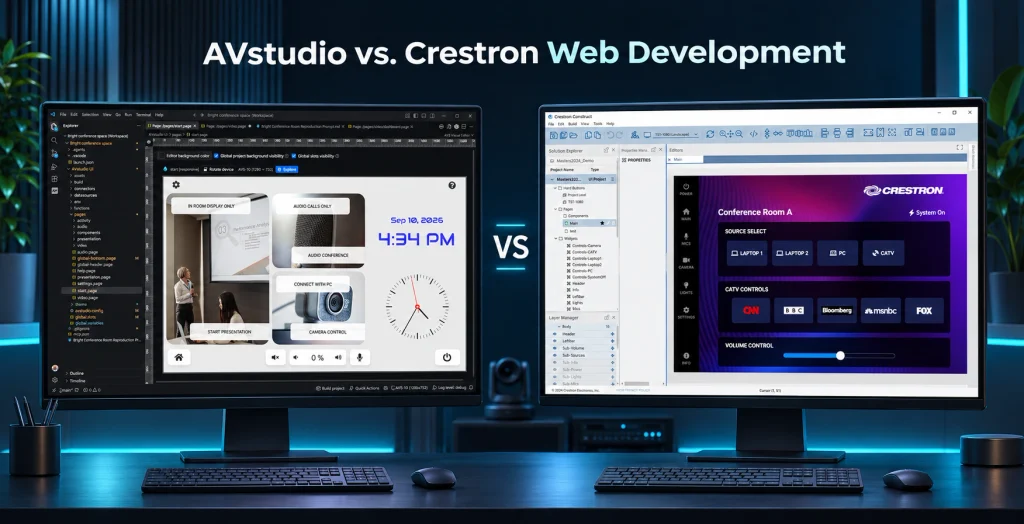
The way professional AV interfaces are designed and developed is changing.
AVstudio Editor NG combines a flexible visual WYSIWYG development environment with the power of Visual Studio Code, standard web technologies, artificial intelligence, and modern software engineering workflows.
Unlike development environments centered around a specific automation ecosystem, AVstudio Editor NG provides extensive freedom to design, customize, develop, build, and publish professional user interfaces.
Free Community Edition
AVstudio Editor NG is available as a Visual Studio Code extension.
Its Community edition is free, allowing integrators to begin creating professional HTML5 interfaces without purchasing an editor subscription.
Separate licensing may apply to additional PRO functionality or other software products.
Extensive Interface Customization
Developers are not restricted to a fixed collection of predefined visual templates.
They can create unique user experiences using custom HTML, CSS, JavaScript, reusable components, layouts, themes, animations, graphics, and interactions.
An interface can be designed around the customer's actual requirements rather than around the limitations of a predetermined visual template.
AI-Assisted Interface Development
AVstudio Editor NG provides a development environment that can work with modern AI coding assistants.
Developers can use AI to assist with interface creation, layout modifications, component development, code generation, project diagnostics, troubleshooting, and modernization.
The Visual Studio Code ecosystem also provides access to compatible AI extensions and development tools.
Integrated Model Context Protocol (MCP)
One of the most significant advantages of AVstudio Editor NG is its integrated local MCP server.
Model Context Protocol provides a standardized mechanism through which compatible AI assistants can interact with supported development tools and project context.
Instead of relying exclusively on generic code generation, AI assistants can work with supported information about the actual AVstudio project.
This creates opportunities for:
- Generating interface components.
- Creating and modifying page layouts.
- Updating project properties.
- Working with reusable components.
- Reviewing project diagnostics.
- Troubleshooting interface behavior.
- Modernizing legacy automation interfaces.
- Reducing repetitive development work.
All AI-generated changes should be reviewed and tested before production deployment.
Easy Building, Publishing and Deployment
Creating an interface is only one part of an AV development workflow.
AVstudio Editor NG also provides streamlined build, export, and publishing options.
Developers can work with local project files, use Git version control, generate portable HTML5 builds, and create compatible Crestron CH5 packages.
This allows integrators to reuse development work across compatible touch panels and deployment environments.
Freedom to Choose Development Tools
AVstudio Editor NG is not mandatory.
Developers can also use other compatible web development tools, frameworks, and existing software projects.
The purpose of Editor NG is to expand the choices available to integrators, not to introduce another mandatory proprietary development environment.
For AV professionals who prioritize free development tools, extensive customization, AI integration, development flexibility, and streamlined publishing, AVstudio Editor NG offers a compelling advantage.
Winner: AVstudio Editor NG.
Design with freedom. Develop with AI. Publish with confidence.
Learn more:
5. Software Update Lifecycle: Hardware Should Last. Software Should Evolve.
Professional AV touch panels are often installed for many years.
While physical hardware may remain operational, software technologies continue to evolve.
New communication protocols, JavaScript libraries, web standards, AI development tools, security requirements, and application frameworks create new opportunities for automation systems.
The long-term value of a professional touch panel therefore depends not only on its initial hardware specifications but also on how effectively its software can evolve.
The Manufacturer-Controlled Update Model
Crestron TSW-1080 operates within a manufacturer-controlled software environment.
Firmware updates, supported third-party applications, runtime capabilities, and platform-level improvements depend on Crestron's development and release processes.
Although integrators can update their custom HTML5 projects, certain platform-level improvements require official manufacturer support.
This creates a dependency between the hardware and the software capabilities approved for that hardware.
AVstudio's Modular Software Architecture
AVstudio approaches software evolution through several distinct software layers:
- AVstudio Editor NG.
- App Container Runtime.
- Custom HTML5 applications.
- Compatible third-party Android applications.
- Hardware firmware.
- Integration APIs.
- Developer tools.
These components can evolve independently where their compatibility requirements allow.
An improvement to Editor NG does not necessarily require a panel firmware update.
A redesigned HTML5 project does not necessarily require a new touch panel.
A compatible Android application may be updated independently of the primary automation interface.
A new JavaScript library can potentially introduce additional functionality without replacing the physical hardware.
This gives integrators more options when adopting new technologies and maintaining existing installations.
Continuous Software Development
AVstudio publishes software release notes describing new functionality, integration improvements, diagnostics, development capabilities, and fixes.
The public Editor NG changelog allows integrators to follow the evolution of the development platform.
Frequent editor releases demonstrate active development, although they should not be confused with Android security patches or panel firmware updates.
Each software layer has its own lifecycle.
Protecting Long-Term Investments
A flexible software architecture can help integrators preserve the practical value of existing hardware as customer requirements evolve.
It can reduce unnecessary redevelopment, simplify interface modernization, and provide more opportunities to adopt compatible emerging technologies.
No software architecture can guarantee indefinite hardware compatibility or security support.
However, reducing unnecessary dependencies between hardware, software, and development tools gives integrators additional modernization options.
Hardware should last. Software should evolve. Integrators should remain in control.
Learn more: AVstudio Editor NG Changelog.
6. Your Touch Panel Should Not Dictate Your Software
Purchasing an AVstudio AVS touch panel does not necessarily require developing a new interface in AVstudio Editor NG.
Integrators can choose from multiple software deployment approaches.
Use Existing Android Applications
When an automation platform provides a compatible Android application, integrators can deploy that application instead of recreating the entire visualization from scratch.
Use Existing HTML5 Projects
Compatible HTML5 applications can run through the pre-installed App Container runtime.
Projects can be developed using AVstudio Editor NG or other compatible web development tools.
Use Crestron CH5 Projects
AVstudio supports CH5 workflows, allowing integrators to continue working with existing Crestron systems and compatible development tools.
Use Native Crestron Home
AVS-10 supports native Crestron Home functionality, providing another option for integrators working within the Crestron residential automation ecosystem.
Develop Custom Android Applications
Companies with their own development teams can create native applications tailored to specific customer or business requirements.
Combine Multiple Software Technologies
Integrators can combine HTML5 interfaces, compatible Android applications, local equipment communication, and existing automation infrastructure within a common hardware architecture.
Application deployment remains subject to compatibility, licensing, firmware policies, security requirements, and authorization.
Choose the software that fits your project.
7. One Professional Touch Panel for Multiple Automation Ecosystems
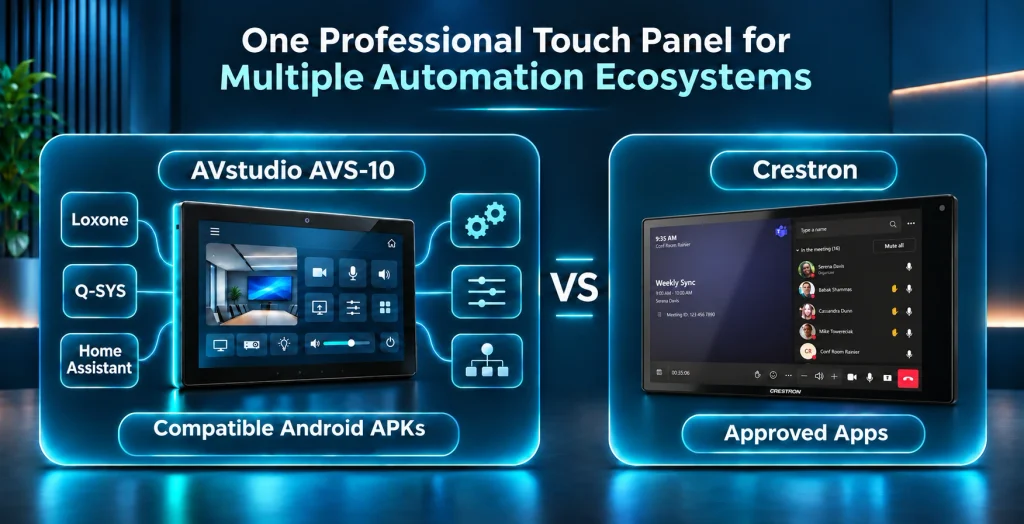
Many AV integration companies work with multiple automation platforms.
The same company may use Crestron for commercial AV, Loxone for residential automation, KNX for intelligent buildings, Q-SYS for conference rooms, and Home Assistant for specialized projects.
Traditionally, this can require maintaining different touch panel product lines, mounting accessories, programming environments, and replacement procedures.
AVstudio provides an opportunity to standardize professional touchscreen hardware while maintaining flexibility at the software level.
Automation Platforms and Application Opportunities
| Automation Platform | Application or Interface | Deployment Approach |
|---|---|---|
| Crestron | CH5 / Construct | App Container / HTML5 |
| Crestron Home | Native Crestron Home application | Native application |
| Crestron | Crestron Go | Android application |
| Loxone | Loxone App | Android application |
| Q-SYS | Android UCI Viewer | Android application |
| AMX | TPControl | Android application |
| Control4 | Control4 App | Android application |
| RTI | RTiPanel | Android application |
| Savant | Savant App | Android application |
| URC | Total Control | Android application |
| Extron | Extron Control applications | Application-based integration |
| Lutron | Lutron App | Android application |
| Nice / ELAN | Nice Viewer | Android application |
| Gira | Gira Smart Home | Android application |
| JUNG | Smart Visu | Android / Web |
| ABB | free@home Next | Android application |
| Hager | domovea | Android application |
| KNX | knXpresso / ayControl | Android visualization |
| iRidi | Automation visualization | Android application |
| Home Assistant | Companion App / Dashboard | Android / HTML5 |
| openHAB | openHAB App | Android / HTML5 |
| Node-RED | Dashboard | HTML5 |
| Shelly | Smart Control | Android application |
| Homey | Homey App | Android application |
| Custom Automation Systems | Custom applications | Android / HTML5 / APIs |
The availability of a third-party Android application does not automatically establish compatibility with AVS firmware.
Except for capabilities specifically confirmed by AVstudio, these applications represent integration opportunities rather than a certified compatibility matrix.
Individual applications must meet applicable Android requirements, licensing conditions, firmware policies, hardware requirements, and external service dependencies.
The important distinction is that AVstudio provides an architecture in which integrators can evaluate different software platforms without necessarily replacing the touch panel hardware.
8. Native Crestron Home Support on AVstudio AVS-10
AVstudio AVS-10 supports native Crestron Home functionality.
This is particularly important for residential AV integrators who want to retain the Crestron Home ecosystem while selecting an alternative professional touch panel.
An AVS-10 can serve as the user interface for a compatible Crestron Home installation without requiring the integrator to recreate the entire residential automation experience using custom HTML5 development.
A typical architecture is:
AVstudio AVS-10 → Crestron Home Application → Crestron Home Processor → Connected Devices
The underlying automation system can remain within the Crestron Home ecosystem.
AVstudio provides additional flexibility at the touchscreen hardware and software deployment level.
Integrators can therefore consider AVS-10 when evaluating touchscreen options for existing and new Crestron Home installations.
Project configuration, application licensing, processor requirements, and supported software versions remain applicable.
Keep your Crestron Home ecosystem. Gain more hardware and software flexibility.
9. AVstudio AVS-10 as a Room Scheduling Panel
Professional touch panels are increasingly used outside conference rooms, meeting spaces, offices, and shared facilities.
AVstudio AVS-10 supports room scheduling functionality, allowing the same professional hardware platform to serve as both an automation touch panel and a room scheduling endpoint in appropriate configurations.
Its Android-based software architecture and customizable HTML5 environment provide opportunities for developing room scheduling experiences tailored to organizational requirements.
Potential applications include:
- Meeting room availability displays.
- Conference room booking interfaces.
- Corporate office scheduling.
- Shared workspace management.
- Educational facilities.
- Hospitality environments.
- Custom enterprise scheduling applications.
The integrated programmable RGB LED bar can provide immediate visual indications of room availability or booking status.
For example, a scheduling application could use green to indicate availability, red to indicate an occupied room, and another configurable color to communicate an upcoming reservation.
Crestron TSW-1080 also provides native room scheduling support.
However, its official specifications identify dedicated scheduling mode and manufacturer-controlled application selection as part of the deployment architecture.
AVstudio provides additional opportunities for custom scheduling interfaces, compatible Android applications, and integration with broader building automation workflows.
Specific calendar services and reservation features depend on the selected scheduling application and configuration.
10. Crestron CH5 and Development Tools Support
Crestron HTML5 User Interface, commonly known as CH5, represents a modern approach to developing custom AV control interfaces using web technologies.
Both AVstudio AVS-10 and Crestron TSW-1080 support CH5-based workflows.
The fact that a touch panel is manufactured by Crestron does not, by itself, establish superior CH5 performance or compatibility for every project.
AVstudio supports compatible Crestron CH5 projects through App Container and provides support for Crestron development workflows.
Integrators can evaluate several development approaches:
- Deploying existing compatible CH5 projects.
- Using Crestron Construct.
- Developing interfaces with AVstudio Editor NG.
- Exporting compatible CH5 packages.
- Working with standard web development tools.
- Retaining existing Crestron processor programming.
This provides more flexibility in both development tools and deployment hardware.
An integrator working with Crestron does not necessarily need to select Crestron touchscreen hardware for every installation.
Individual projects must be validated for communication requirements, authentication, licensing, supported components, and runtime behavior.
CH5 support should not automatically mean a commitment to one touch panel manufacturer.
11. Can AVstudio Replace a Crestron Touch Panel Without Replacing the Control Processor?
Yes, in compatible installations.
Many existing Crestron systems have reliable control processors, extensive automation programming, and connected equipment that remains fully functional.
However, original touch panels may become outdated, damaged, or expensive to replace.
AVstudio introduces an alternative approach to modernization.
Traditional Architecture
Crestron Touch Panel → Crestron Control Processor → Connected Equipment
AVstudio Architecture
AVstudio AVS Touch Panel → Compatible CH5 / HTML5 Interface → Existing Crestron Control Processor → Connected Equipment
This approach can help preserve existing investments while modernizing the user experience.
Potential applications include:
- Replacing aging touch panels.
- Modernizing existing automation interfaces.
- Migrating VT Pro-e projects to HTML5.
- Reconstructing legacy Smart Graphics interfaces.
- Expanding residential and commercial AV systems.
- Introducing additional communication capabilities.
- Adding direct equipment control.
Existing control processors and automation logic may remain in place when the required functionality and communication architecture are compatible.
AVstudio is not a direct hardware or firmware clone of Crestron touch panels. Mounting, project migration, licensing, authentication, and processor compatibility must be evaluated.
Keep your control system. Modernize your interface. Expand your possibilities.
12. From VT Pro-e to Modern HTML5 Interfaces
The transition toward HTML5-based interfaces creates modernization opportunities for existing automation installations.
Many legacy interfaces were developed using VT Pro-e and Smart Graphics.
AVstudio Editor NG provides an environment for reconstructing and redesigning these interfaces using modern web technologies.
A typical modernization workflow includes:
- Reviewing the original VT Pro-e project.
- Identifying joins, commands, feedback, and existing functionality.
- Reconstructing the interface using HTML5.
- Configuring communication with the existing control processor.
- Testing interface behavior and system feedback.
- Deploying the new project to compatible touch panels.
AI-assisted development and MCP can help accelerate suitable parts of this process.
The objective is not necessarily to rebuild the entire automation system.
It is to modernize the user experience while preserving as much of the existing control infrastructure as practical.
13. Can AVstudio Work With Loxone, Q-SYS, KNX and Home Assistant?
AVstudio's Android and HTML5 architecture provides several possible integration paths for automation platforms outside the Crestron ecosystem.
Loxone
Loxone provides an Android application for controlling installations based on its Miniserver.
A possible architecture is:
AVstudio AVS Touch Panel → Loxone App → Loxone Miniserver → Connected Devices
This could allow integrators to retain their existing Loxone visualization and automation configuration without developing a new interface.
Q-SYS
Q-SYS provides an Android UCI Viewer for accessing user control interfaces developed within the Q-SYS platform.
A possible architecture is:
AVstudio AVS Touch Panel → Q-SYS Android UCI Viewer → Q-SYS Core → AV Equipment
This creates a potential alternative touchscreen deployment option for commercial AV installations.
KNX
KNX integrators can evaluate several approaches, including Android visualization applications, custom HTML5 interfaces, KNX/IP gateways, and automation servers.
AVstudio can serve as a visualization and integration endpoint without requiring every KNX installation to use the same software architecture.
Home Assistant
Home Assistant provides web-based dashboards and Android applications.
Its minimal Android application distribution is designed for environments without Google Play Services.
Integrators can evaluate both native Android and HTML5 deployment approaches according to their project requirements.
These examples illustrate the flexibility of AVstudio's architecture. Individual application configurations must be validated before commercial deployment.
14. More Than a Touch Panel: Integrated Hardware Control
AVstudio AVS-10 and AVS-15 are designed to provide more than graphical user interfaces.
Their integrated communication and control interfaces include:
- RS-232.
- RS-485.
- Relay output.
- Digital input/output.
- Infrared transmitter.
- USB-C OTG.
- Gigabit Ethernet.
- Wi-Fi 6.
- Bluetooth 5.3.
The Crestron TSW-1080 provides modern Ethernet, wireless networking, Bluetooth, and USB-C connectivity.
However, its published connector specifications do not include dedicated RS-232, RS-485, relay, or digital I/O ports.
AVstudio provides these interfaces directly on the touch panel.
Through supported JavaScript and REST APIs, developers can incorporate professional hardware control into their HTML5 applications.
For example, an AVS-10 in a meeting room could:
- Control a display through RS-232.
- Trigger an external device through a relay.
- Communicate with network-connected AV equipment.
- Monitor compatible hardware inputs.
- Display environmental information.
- Provide a custom user interface.
- Handle SIP communication.
Depending on the system architecture, this can reduce the need for additional gateways, adapters, and external control modules.
Complex automation installations may still require a dedicated control processor.
AVstudio gives integrators additional options rather than requiring every installation to follow a single centralized architecture.
Learn more: AVstudio Touch Panel Documentation.
15. Three Flexible Control Architectures
Different AV projects require different control architectures.
AVstudio supports three practical approaches.
Centralized Control
AVS Touch Panel → Control Processor → Connected Equipment
The touch panel communicates with an existing automation processor or server.
This is suitable for installations using established control systems.
Direct Device Control
AVS Touch Panel → Connected Equipment
The touch panel communicates directly with compatible devices using network protocols or integrated hardware interfaces.
This can be useful for smaller meeting rooms, equipment-specific interfaces, kiosks, and specialized automation applications.
Hybrid Control
AVS Touch Panel → Control Processor + Direct Device Communication
The touch panel works with an existing automation processor while independently interacting with selected equipment and services.
For example, AVS-10 can communicate with a Crestron processor for room automation while displaying a camera feed, handling SIP calls, and communicating with a compatible display through RS-232.
The integrator can choose the architecture that best fits the installation.
16. Native SIP, Video Intercom and Peer-to-Peer Communication
Professional touch panels are increasingly expected to provide communication capabilities in addition to automation control.
Both AVstudio AVS-10 and Crestron TSW-1080 support SIP-based communication.
Crestron Rava SIP
Crestron TSW-1080 includes Rava SIP, Crestron's implementation of SIP-based intercom and IP telephony.
Rava provides voice communication between compatible endpoints, paging, direct intercom, and integration with compatible SIP telephone infrastructure.
It offers established communication functionality within supported Crestron and SIP environments.
AVstudio Native SIP Support
AVstudio AVS-10 provides working SIP functionality through its integrated App Container SIP engine.
SIP is an existing AVS-10 capability, not an experimental or planned feature.
Supported communication functionality includes audio calls, compatible SIP endpoints, panel-to-panel communication, PBX integration, and custom intercom experiences.
Integrated Video Communication
AVstudio AVS-10 and AVS-15 include a 5 MP front-facing camera, microphones, and speakers.
The integrated camera provides additional opportunities for custom audio and video communication.
Potential applications include:
- Room-to-room video calls.
- Residential video intercom.
- Reception communication.
- IP video door stations.
- Visitor management.
- Office communication.
- Building intercom systems.
The standard TSW-1080 does not list an integrated front camera in its published hardware specifications.
SIP PBX Integration
AVstudio touch panels can communicate with compatible SIP PBX infrastructure.
A typical architecture is:
IP Door Station → SIP PBX → AVstudio AVS Touch Panel
Compatible SIP door stations, including supported 2N configurations, can be incorporated into the automation interface.
Direct Peer-to-Peer Communication
A dedicated SIP server is not always necessary.
AVstudio supports direct communication between compatible touch panels over the local network.
For example:
AVS-10 Kitchen ↔ AVS-10 Living Room
AVS-10 Reception ↔ AVS-15 Conference Room
This can simplify smaller intercom installations.
Custom SIP Interfaces With JavaScript
One of AVstudio's differentiating capabilities is its documented SIP JavaScript API:
window.appcontainer.sip
Developers can incorporate supported SIP functionality directly into custom HTML5 applications.
A professional automation interface can combine room controls, incoming call notifications, video overlays, communication controls, and authorized access-control actions.
Instead of relying exclusively on a predefined intercom screen, integrators can create communication experiences that match the rest of their project.
Learn more: AVstudio Intercom / SIP API.
17. RTSP, WebRTC and Modern Video Integration
Both AVstudio AVS-10 and Crestron TSW-1080 support network video streaming.
Crestron TSW-1080 provides support for H.265, H.264, and MJPEG video, including RTSP input resolutions up to 3840 × 2160 at 30 frames per second.
AVstudio approaches video integration through App Container, providing native RTSP rendering and documented WebRTC/WHEP capabilities.
Compatible video streams can be incorporated into custom HTML5 interfaces through supported rendering and gateway mechanisms.
This creates opportunities for:
- IP surveillance camera interfaces.
- Video door stations.
- Security dashboards.
- Commercial AV monitoring.
- Equipment visualization.
- Custom intercom experiences.
- Video-enabled automation interfaces.
The advantage is not simply the availability of video streaming.
It is the ability to integrate supported video functionality directly into customized applications.
18. Environmental Sensors and Programmable Status Lighting
AVstudio AVS touch panels include integrated environmental and multimedia hardware.
Temperature and humidity sensors can provide environmental information to compatible applications.
Ambient light management supports appropriate display brightness.
The integrated programmable RGB LED bar can provide visual indications of:
- Room availability.
- Meeting room bookings.
- Equipment status.
- Intercom calls.
- Security notifications.
- Automation events.
- Recording studio activity.
- Custom application alerts.
These capabilities provide additional opportunities for developers to create interactive and context-aware user interfaces.
For AV integrators, this can reduce the need for separate status indicators in suitable installations.
19. App Container: A Professional HTML5 Application Runtime
App Container comes pre-installed and activated on AVstudio AVS-10 and AVS-15 touch panels.
It enables compatible HTML5 projects to operate as dedicated full-screen applications rather than conventional browser pages.
Its capabilities include:
- Local HTML5 application execution.
- Offline operation for compatible projects.
- Crestron CH5 support.
- JavaScript hardware APIs.
- Serial communication.
- Relay and digital I/O access.
- Programmable RGB status lighting.
- Native SIP communication.
- RTSP video streaming.
- WebRTC/WHEP integration.
- Remote hardware management.
- Launching compatible Android applications.
Developers can create interfaces using AVstudio Editor NG, compatible Crestron development tools, or other standard web development environments.
App Container is also available for compatible iOS and Android devices.
This creates opportunities to extend user interfaces beyond dedicated wall-mounted touch panels.
Device-specific hardware access, communication capabilities, and licensing requirements may vary.
Learn more: App Container Documentation.
20. Why Hardware Standardization Matters for AV Integrators
For an AV integration business, the advantages of a flexible touchscreen platform extend beyond individual installations.
An integration company may work across smart homes, corporate offices, educational facilities, hospitality environments, commercial AV systems, and intelligent buildings.
Different projects may require different automation platforms.
They do not necessarily require completely different touchscreen hardware.
Simplified Procurement
Using a common professional touch panel product line can simplify purchasing decisions across compatible projects.
Reduced Inventory Complexity
Standardized hardware may reduce the number of replacement units, mounting accessories, and spare components that an integration company needs to maintain.
Reusable Software Development
HTML5 interfaces, reusable components, existing libraries, and development knowledge can be applied across multiple compatible projects.
Greater Software Flexibility
Integrators can evaluate existing Android applications, Crestron workflows, custom web applications, and company-specific software without automatically changing the hardware platform.
Easier Modernization
Compatible interface projects can be updated independently of physical touch panel replacement.
Reduced Dependency on a Single Manufacturer
When manufacturers change products, development tools, licensing models, or software roadmaps, integrators have additional options.
For companies working across multiple automation ecosystems, these operational advantages can be more significant than individual differences in display resolution or memory capacity.
21. Price and Total Cost of Ownership
Professional touch panels can represent a significant portion of an AV project's hardware budget.
This becomes especially important in installations involving multiple rooms, buildings, or recurring hardware deployments.
AVstudio AVS-10 is positioned as an affordable professional touch panel, while Crestron TSW-1080 occupies a premium price category.
However, the initial purchase price represents only part of the total cost of ownership.
Integrators should also consider:
- Interface development time.
- Software licensing.
- Runtime licensing.
- External control hardware.
- Communication modules.
- Installation labor.
- Programming and commissioning.
- Developer training.
- Inventory management.
- Replacement equipment.
- Software maintenance.
- Future modernization.
AVstudio combines competitive hardware pricing with integrated communication interfaces, free Community development tools, AI-assisted development capabilities, and flexible software deployment.
App Container is included and activated on dedicated AVS touch panels.
In suitable projects, these capabilities can reduce the need for additional control hardware, unnecessary interface redevelopment, and separate touchscreen product lines.
Actual savings depend on project requirements, application licensing, integration labor, and commercial agreements.
Lower hardware costs do not have to mean fewer integration possibilities.
22. When Is Crestron TSW-1080 the Better Choice?
Crestron TSW-1080 remains a capable professional touch panel with advantages for organizations standardized around the Crestron ecosystem.
It may be the preferred choice when the project prioritizes:
- Higher display resolution.
- Greater RAM capacity.
- Wi-Fi 6E and 6 GHz wireless connectivity.
- Integrated proximity sensing.
- Native XiO Cloud management.
- Established enterprise authentication capabilities.
- Existing Crestron device management infrastructure.
- Manufacturer-specific deployment and support requirements.
- Project specifications requiring Crestron hardware.
For enterprise customers with established Crestron infrastructure, these capabilities can simplify management, procurement, and support.
23. When Is AVstudio AVS-10 the Better Choice?
AVstudio AVS-10 is particularly attractive when integrators prioritize software freedom, development flexibility, affordability, hardware connectivity, and multi-ecosystem integration.
AVstudio may be the better choice when:
- Your company works with multiple automation platforms.
- You want to retain existing Crestron control systems.
- You need CH5 and Crestron Construct support.
- You want native Crestron Home functionality on alternative touchscreen hardware.
- You need room scheduling functionality.
- You want to deploy compatible third-party Android applications.
- You prefer standard HTML5, CSS, and JavaScript development.
- You need extensively customizable user interfaces.
- You want free visual development tools.
- You want to incorporate AI and MCP.
- You need streamlined publishing and deployment.
- You require integrated RS-232, RS-485, relays, infrared, or digital I/O.
- You need native SIP and custom video intercom capabilities.
- You want direct hardware access through documented APIs.
- You want greater flexibility in how software evolves.
- You want to standardize touchscreen hardware across compatible projects.
- You prioritize competitive hardware acquisition costs.
AVstudio also offers the AVS-15, a professional 15.6-inch Full HD touch panel featuring the same core software architecture and integrated hardware connectivity.
This gives integrators two display sizes while maintaining a consistent development and deployment approach.
Frequently Asked Questions
Is AVstudio AVS-10 better than Crestron TSW-1080?
AVstudio AVS-10 offers greater flexibility in software selection, Android application deployment, integrated hardware connectivity, AI-assisted development, custom interfaces, and multi-ecosystem integration.
Crestron TSW-1080 offers advantages in display resolution, RAM capacity, Wi-Fi 6E connectivity, proximity sensing, and established enterprise management.
For AV integrators prioritizing affordability, interoperability, and software freedom, AVstudio offers a more flexible architecture.
Is AVstudio AVS-10 cheaper than Crestron TSW-1080?
AVstudio AVS-10 is positioned in a lower hardware price category than Crestron TSW-1080.
Actual project savings depend on current dealer quotations, licensing, installation requirements, and system configuration.
Does AVstudio AVS-10 support Crestron CH5?
Yes. AVstudio AVS-10 supports compatible Crestron CH5 projects through App Container.
Can I use Crestron Construct with AVstudio touch panels?
Yes. Compatible Crestron Construct projects can be deployed through App Container.
Individual project functionality, communication, and licensing requirements should be validated.
Does AVstudio AVS-10 support Crestron Home?
Yes. AVstudio AVS-10 supports native Crestron Home functionality.
The selected application and processor configuration must meet applicable compatibility and licensing requirements.
Can AVstudio AVS-10 be used as a room scheduling panel?
Yes. AVS-10 supports room scheduling functionality.
Its programmable RGB LED bar and flexible application environment provide additional opportunities for customized scheduling experiences.
Does AVstudio AVS-10 support SIP?
Yes. AVstudio AVS-10 provides working native SIP functionality through App Container.
Supported communication workflows include compatible SIP endpoints, intercom, PBX integration, and panel-to-panel communication.
What is the difference between AVstudio SIP and Crestron Rava SIP?
Both platforms provide SIP-based communication.
AVstudio differentiates itself through its integrated camera, documented audio and video communication capabilities, and dedicated JavaScript API for creating customized HTML5 intercom interfaces.
Is AVstudio Editor NG free?
Yes. AVstudio Editor NG Community Edition is available free of charge.
Additional PRO features and other software products may have separate licensing requirements.
Is AVstudio Editor NG better than Crestron Construct?
For developers who prioritize extensive customization, modern AI workflows, integrated MCP support, Visual Studio Code integration, and flexible deployment, AVstudio Editor NG offers a broader development environment.
Crestron Construct remains a visual development tool for Crestron-oriented projects.
Does AVstudio Editor NG support artificial intelligence?
Yes. AVstudio Editor NG supports modern AI-assisted development workflows through Visual Studio Code and its integrated MCP server.
What is MCP in AVstudio Editor NG?
MCP stands for Model Context Protocol.
The integrated MCP server allows compatible AI assistants to interact with supported project context, diagnostics, and editor operations.
Does AVstudio support standard HTML5, CSS and JavaScript?
Yes. AVstudio supports standard web development technologies and compatible JavaScript frameworks without requiring a mandatory AVstudio-specific UI library.
Projects remain subject to runtime and hardware capabilities.
Can I use React, Vue, Angular or Svelte?
Compatible HTML5 projects built with these frameworks can run through App Container when their runtime and deployment requirements are supported.
Do I have to use AVstudio Editor NG?
No. Integrators can use other compatible web development tools, existing HTML5 projects, Crestron development workflows, or compatible standalone Android applications.
Can Crestron TSW-1080 run any Android application?
No. According to its official product specifications, the TSW-1080 supports applications approved and distributed by Crestron, with one application selected during setup.
Can I install third-party Android applications on AVstudio AVS-10?
Yes. Authorized integrators can deploy compatible Android applications.
Individual applications must meet applicable compatibility, security, licensing, and firmware requirements.
Can I install Loxone on AVstudio AVS-10?
Loxone provides an Android application that is a potential candidate for AVS deployment.
Application-specific compatibility should be confirmed before commercial installation.
Can AVstudio work with Q-SYS?
Q-SYS provides an Android UCI Viewer, offering a potential deployment path for AVstudio touch panels.
Application compatibility and system requirements must be confirmed.
Can AVstudio work with KNX?
AVstudio provides several integration opportunities for KNX, including compatible Android visualization applications, custom HTML5 interfaces, automation servers, and KNX/IP gateways.
Can AVstudio work with Home Assistant?
Home Assistant provides both web-based dashboards and Android applications, including a minimal Android distribution designed for environments without Google Play Services.
These provide potential deployment options for AVstudio touch panels.
Can AVstudio replace an existing Crestron touch panel?
Yes, in compatible installations.
AVstudio can provide an alternative interface platform while allowing the existing Crestron processor and automation infrastructure to remain in place.
Can AVstudio operate without a dedicated control processor?
Yes, in suitable applications.
Integrated serial interfaces, relays, digital I/O, and network connectivity allow developers to communicate directly with compatible equipment.
Does AVstudio require an internet connection?
Compatible locally deployed HTML5 applications can operate without continuous internet connectivity.
Applications that rely on external services may require internet access.
Does AVstudio update its software regularly?
AVstudio actively develops its software platform and publishes Editor NG release notes.
Its modular architecture allows different software components to evolve through separate update paths.
Is AVstudio open source?
True Open describes AVstudio's philosophy of software freedom, interoperability, architectural flexibility, and modern development practices.
It does not mean that all AVstudio software or firmware is open source.
Conclusion: One Panel. Multiple Ecosystems. More Freedom.
Crestron TSW-1080 and AVstudio AVS-10 represent two different approaches to professional AV control.
Crestron provides an established ecosystem with strong native integration, a high-resolution display, modern wireless connectivity, and enterprise management capabilities.
AVstudio provides an Android-based professional touchscreen platform designed around the integrator's freedom to choose.
Its fundamental competitive advantages are:
Software Freedom
Choose compatible Android applications, existing automation software, or custom HTML5 interfaces.
Crestron Compatibility
Work with Crestron CH5, Construct, compatible development workflows, and native Crestron Home functionality.
Web Development Freedom
Use standard HTML5, CSS, JavaScript, compatible frameworks, and extensively customizable interfaces.
AI-Powered Visual Development
Create, customize, and publish professional interfaces using AVstudio Editor NG with integrated MCP support.
Multi-Ecosystem Integration
Work with different automation platforms without automatically committing to different touchscreen hardware.
Integrated Hardware Connectivity
Access serial interfaces, relays, digital I/O, infrared, environmental sensors, and programmable RGB lighting.
Native SIP and Video Communication
Create custom intercom and communication experiences using integrated hardware and documented APIs.
Flexible Software Evolution
Adopt new development tools, compatible applications, and software technologies through a modular architecture.
Affordability
Evaluate professional touch panel capabilities without automatically committing to premium proprietary hardware costs.
AVstudio provides more than an alternative to Crestron touch panels.
It provides a universal professional touch panel platform designed for modern AV integrators.
You can retain your existing automation ecosystem.
You can choose your development tools.
You can create your own interface.
You can evaluate compatible third-party software.
You can decide how your system evolves.
Hardware should last. Software should evolve.
One Panel. Multiple Ecosystems.
Your Hardware. Your Software. Your Control System. Your Choice.
AVstudio. True Open.
Discover AVstudio
Explore a professional touch panel platform designed for the flexibility of modern AV integration.
- AVstudio Official Website
- AVS Touch Panel Technical Documentation
- AVstudio Store
- AVstudio Editor NG
- App Container Documentation
- AVstudio Pricing
Technical References
- Crestron TSW-1080-B Official Product Specifications
- AVstudio AVS Touch Panel Documentation
- AVstudio App Container Documentation
- AVstudio Intercom / SIP API
- AVstudio Editor NG Documentation
- AVstudio Editor NG AI Assistance and MCP
- AVstudio Editor NG Changelog
- Loxone Official Software Downloads
- Home Assistant Android Releases
This article was prepared by AVstudio and is based on published product specifications, AVstudio-confirmed functionality, documented capabilities, and architectural comparisons. It is a manufacturer-authored comparison, not an independent product review or laboratory benchmark.
Third-party application availability does not automatically constitute certified compatibility or official partnership. Actual functionality may depend on firmware, application versions, licensing, device configuration, and project requirements.
Software development activity does not guarantee a specific operating system security update schedule or hardware support period.
Crestron, Crestron Home, Smart Graphics, Rava, XiO Cloud, Loxone, Q-SYS, Control4, AMX, KNX, and all other third-party trademarks belong to their respective owners. Their inclusion is for informational and comparative purposes and does not imply affiliation, endorsement, or partnership.