

AVstudio Editor NG

The next generation of AV development

A Visual Studio Code extension that brings visual interface creation, open project files, Git workflows, professional code-editing tools, and AI-assisted development into one connected experience.

For Visual Studio Code · macOS & Windows

Available on Visual Studio Marketplace

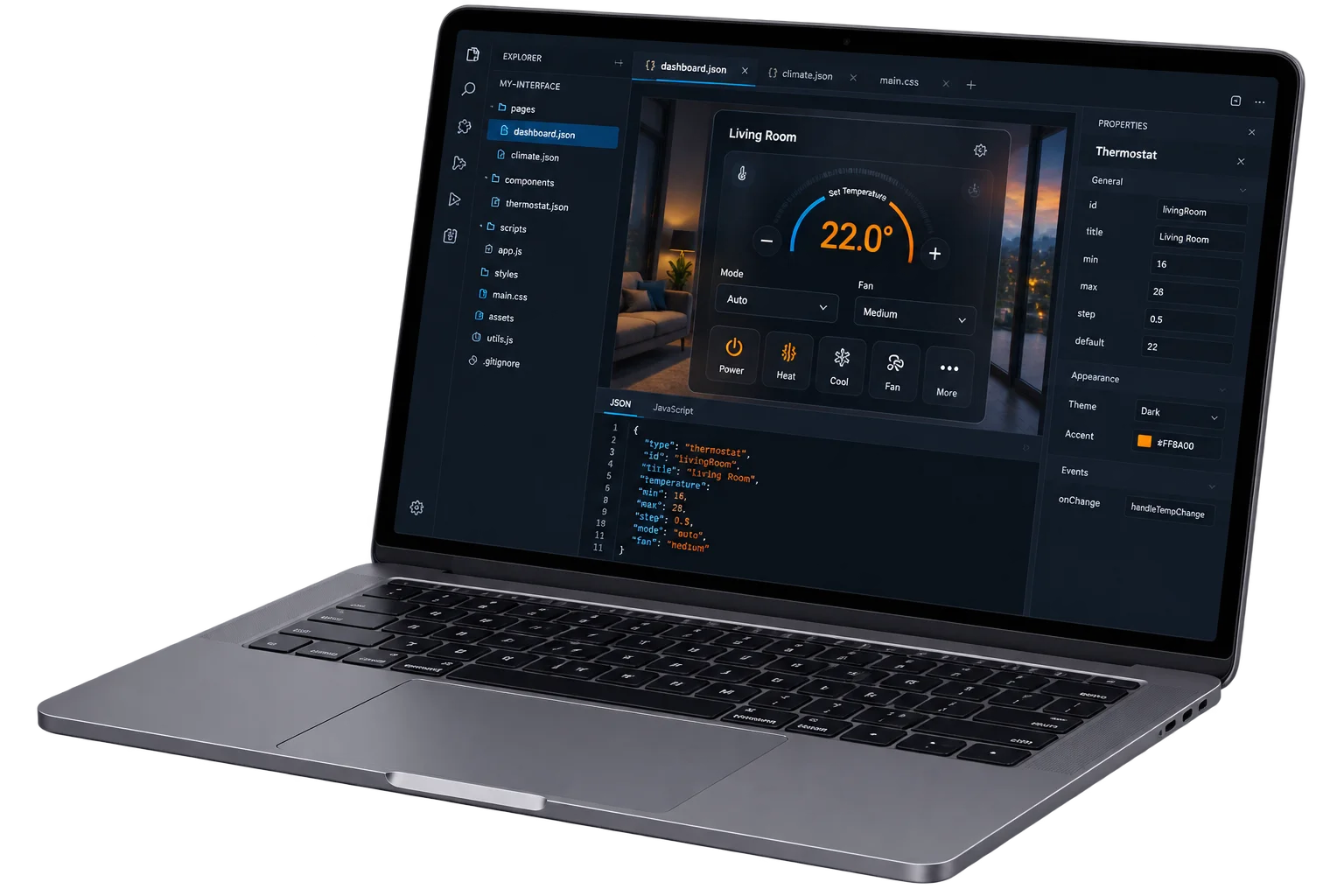
AVstudio Editor NG visual AV interface editor running inside Visual Studio Code
Visual interface design and code working side by side in Visual Studio Code

A unified workflow

Visual when you want it. Code when you need it.

Visual Studio Code
AVstudio

AVstudio Editor NG is built for AV professionals who want the speed of a visual editor without giving up the flexibility, transparency, and control of modern software development.

Design interfaces, organize real project files, collaborate through Git, and extend your work using familiar web technologies, all inside Visual Studio Code and compatible VS Code-based platforms.

Visual Editor

Build visually. Stay in control.

Select a control on the canvas and configure its size, appearance, content, and actions in the properties sidebar. Keep your interface and its settings together as you design.

Browse AVstudio Editor documentation
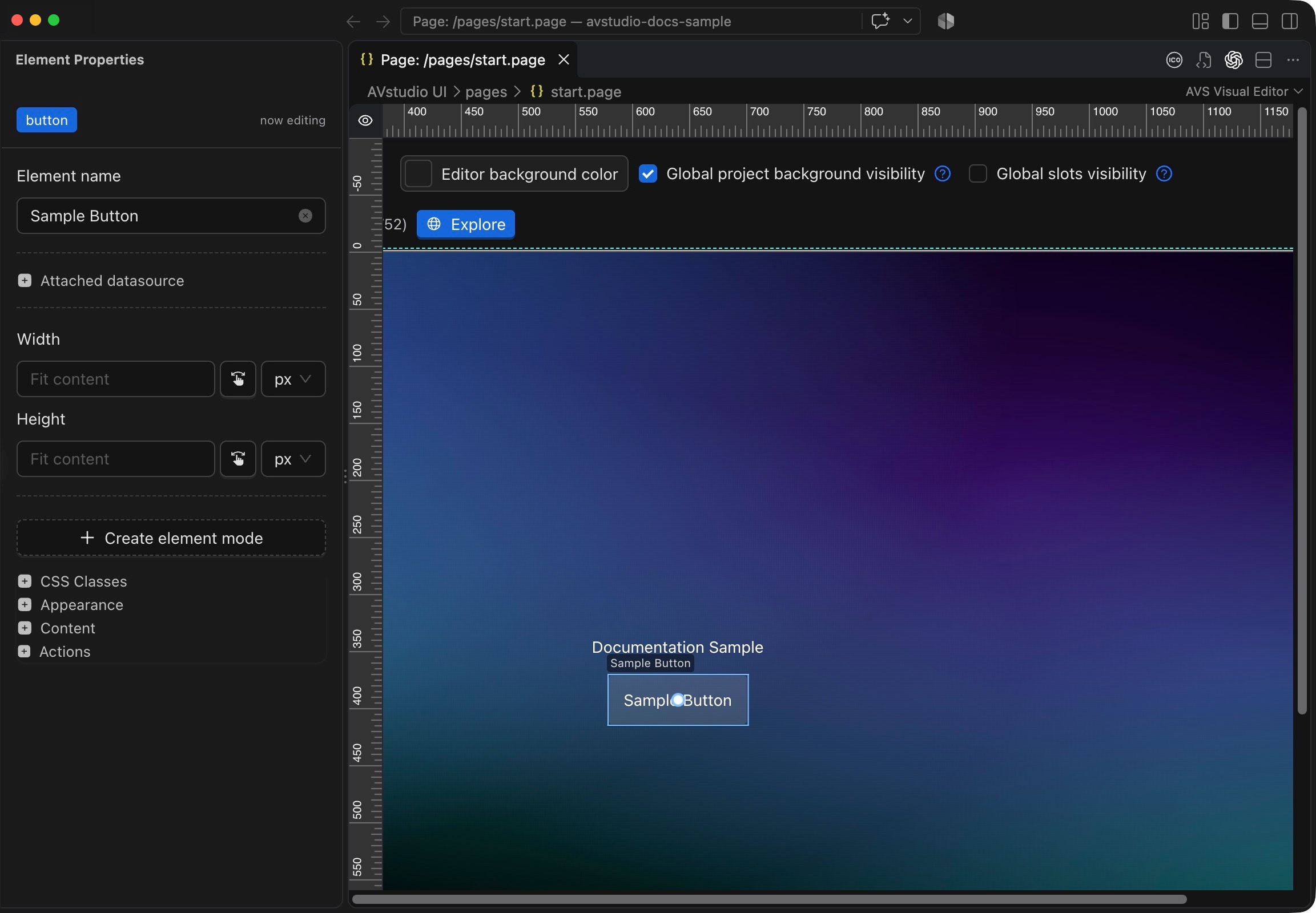
AVstudio canvas with Sample Button selected and its Element Properties sidebar showing size, appearance, content, and actions
The canvas and selected element’s properties, side by side.

Live Preview

Design it. Run it. See the response.

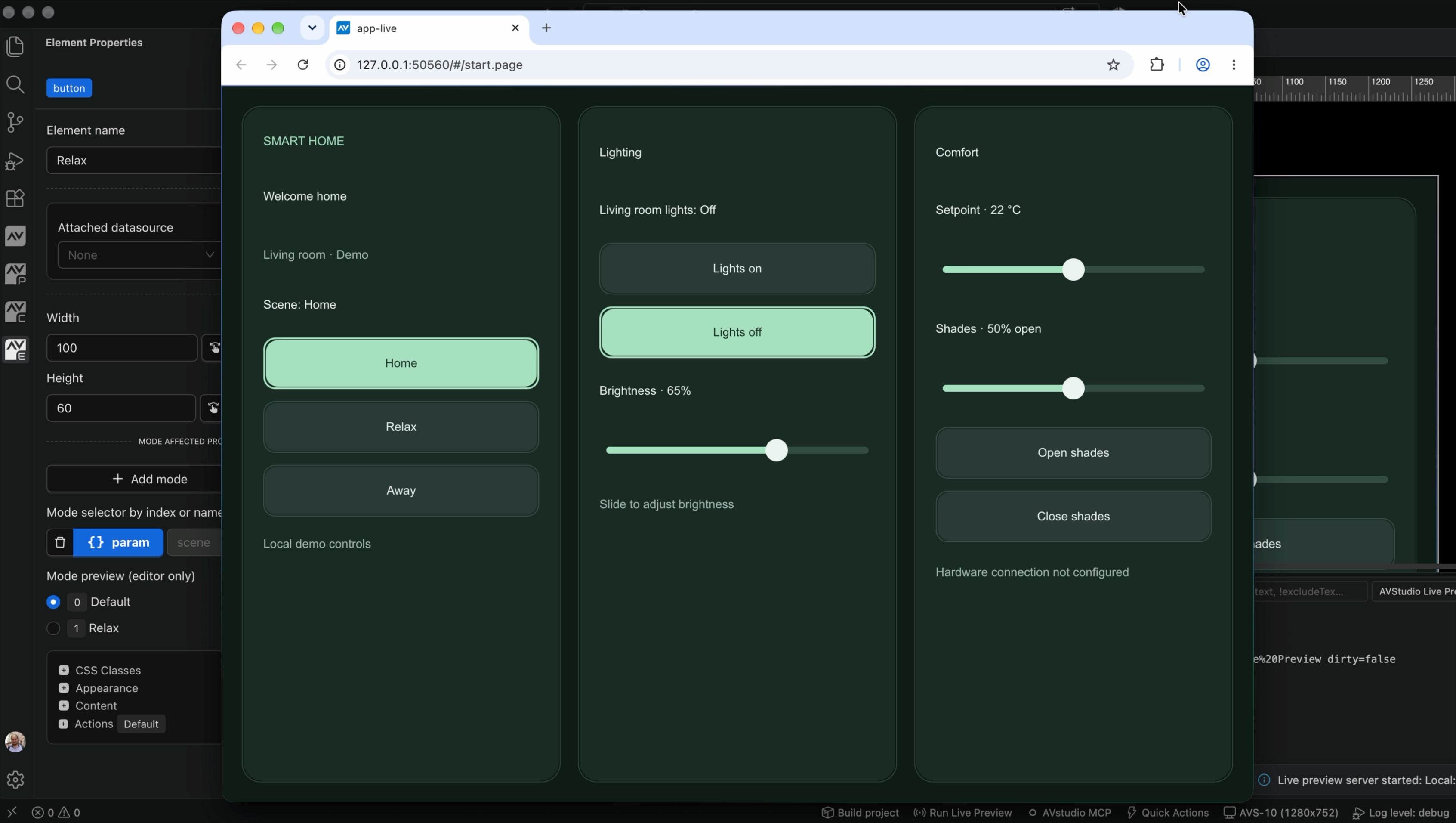
Run your interface in a browser while keeping the editor open. Try navigation, scene selection, and lighting controls, then check the displayed values and active states.

Browse AVstudio Editor documentation
Smart Home interface running in a browser over the AVstudio editor, with Home scene and Lights off selected and lighting and comfort values displayed
Smart Home demo with local state and visual feedback. No hardware is connected in this example.

Connectors & Variables

Give your interface a connection.

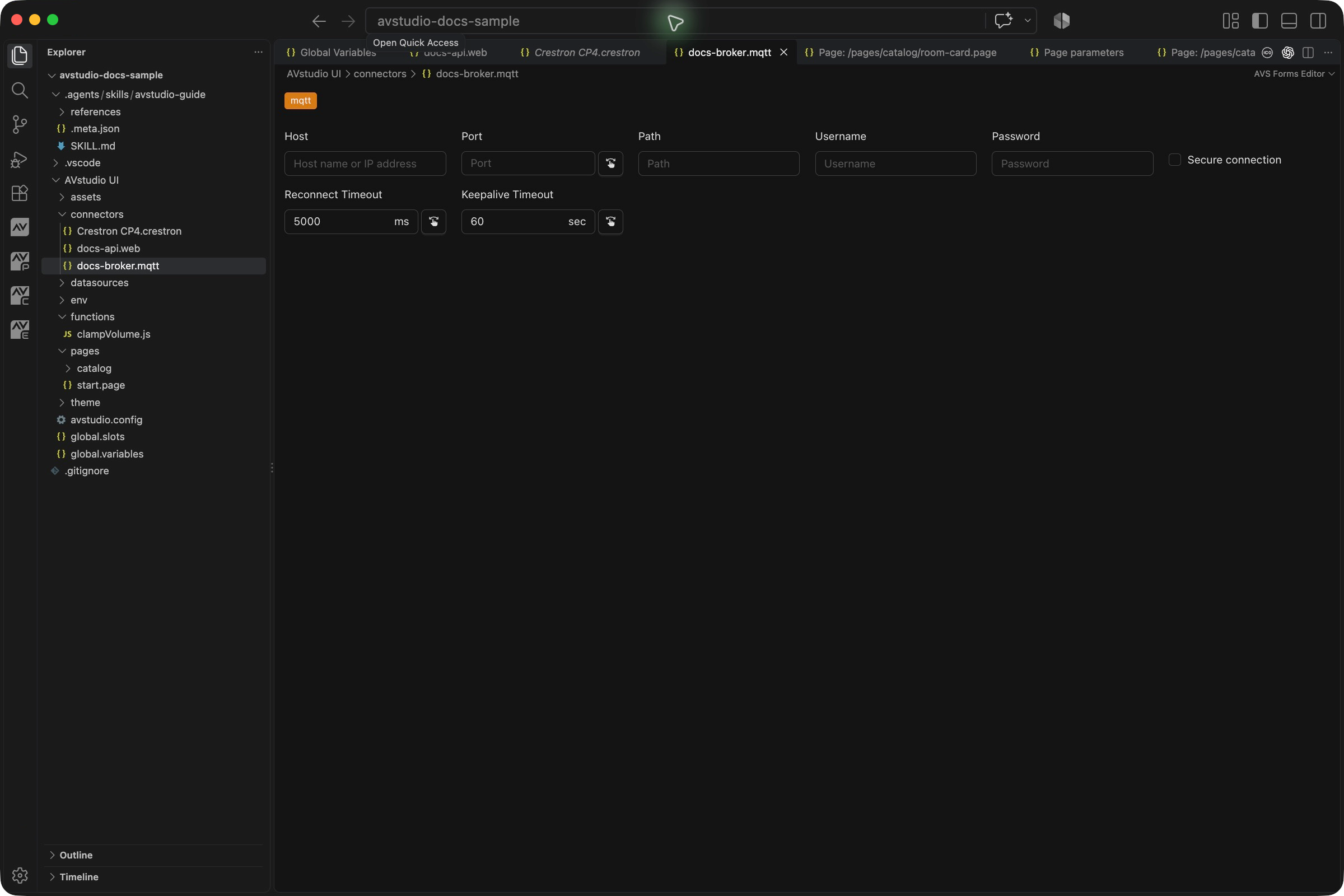
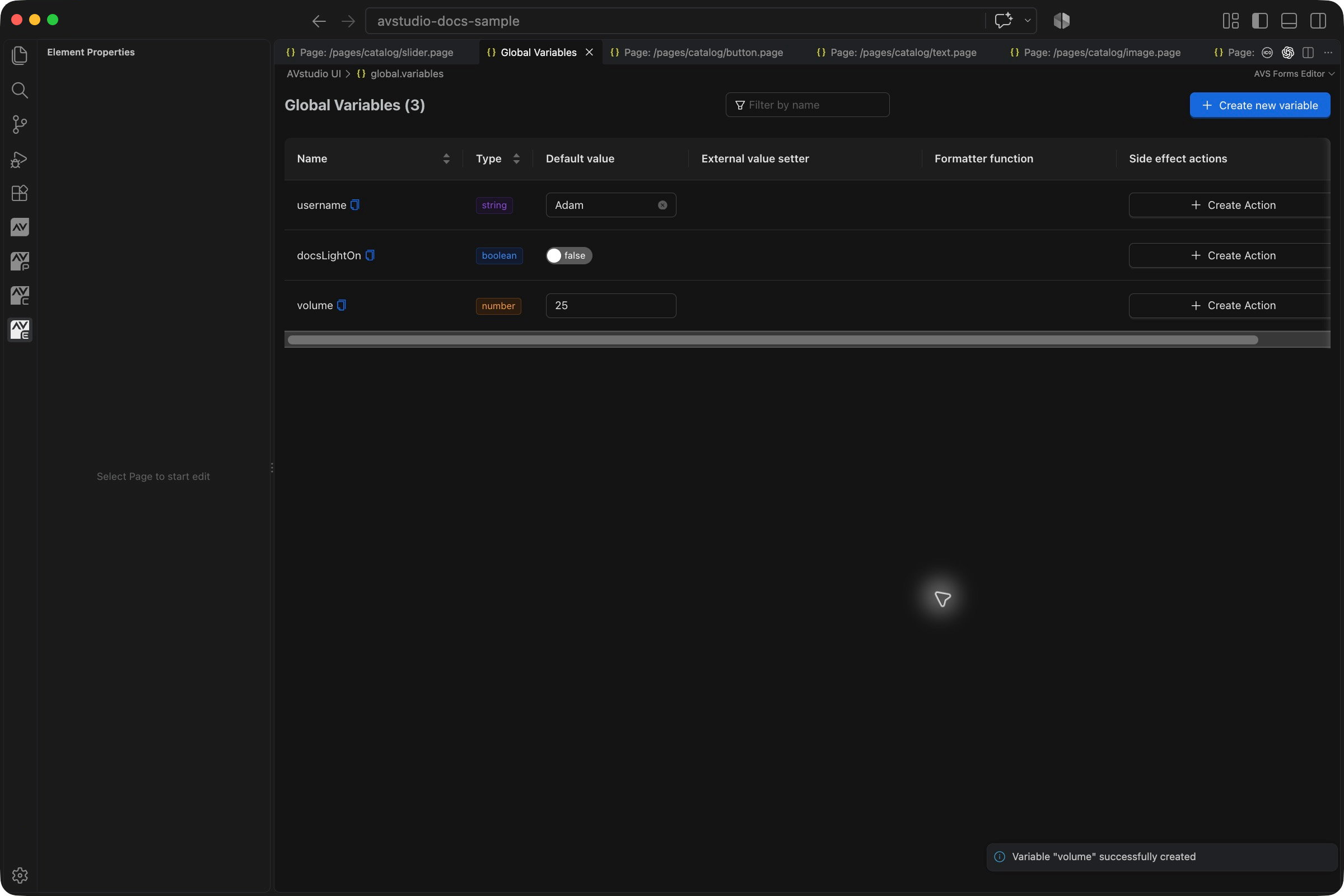
Configure connection settings in dedicated forms and manage typed variables in one place. Use actions and data bindings to connect controls to commands, incoming data, and interface state.

CrestronKNXMQTTWebSocketHTTPDoorBird
Browse AVstudio Editor documentation
MQTT connector form with broker host, port, path, credentials, security, and reconnect and keepalive settings
MQTT connection settings in the Forms Editor.
Global Variables table showing string, boolean, and number variables, their default values, and side effect actions
Typed variables and default values for interface state.

Built for Modern AV Development

A new foundation for creating, managing, and evolving professional AV interfaces.

Visual Interface Creation

Build modern, responsive AV interfaces visually while retaining direct access to the underlying web project.

Your Files. Your Rules.

Projects use a logical folder structure and open, human-readable JSON, HTML, CSS, and JavaScript files, without a proprietary project container.

Built for Collaboration

Work naturally with Git, GitHub, and other version-control systems for history, branching, code reviews, merges, archiving, and project handoff.

Inside Visual Studio Code

Delivered as a VS Code extension, with support for compatible platforms such as Cursor, Windsurf, and Antigravity, plus your preferred themes and extensions.

Built-in MCP for AI

Connect a compatible AI agent to the built-in MCP server for live project context, diagnostics, and supported editor commands. The generated AVstudio guide helps agents work with your project's structure and data model.

Offline & Developer-Owned

Keep local backups, reuse components and shared libraries, and retain access to project files without relying on proprietary exports or an online platform.

Get AVstudio Editor NG

Bring visual interface creation, open project files, and professional development tools into your Visual Studio Code workflow.

Install the extension from the Visual Studio Marketplace to get started.

Start Building with AVstudio NG

Get the Visual Studio Code extension and bring visual design, code, Git, and AI into one connected workflow.

Install from Visual Studio Marketplace

Frequently Asked Questions

Answers to common questions about AVstudio Editor NG.

What is AVstudio Editor NG?

AVstudio Editor NG is the next generation of AVstudio's visual interface editor. It combines visual interface creation with direct access to the underlying web project and professional development tools.

Does AVstudio Editor NG run inside Visual Studio Code?

Yes. AVstudio Editor NG runs as a Visual Studio Code extension, so visual design and code editing can remain part of one connected workflow.

Will it work with other VS Code-based platforms?

Support is planned for compatible VS Code-based platforms such as Cursor, Windsurf, and Antigravity. Compatibility may vary as those platforms and AVstudio Editor NG continue to evolve.

What kind of project files will it use?

Projects use a logical folder structure and open, human-readable files including JSON, HTML, CSS, and JavaScript, without requiring a proprietary project container.

Can projects be managed with Git?

Yes. The file-based workflow is designed to work naturally with Git, GitHub, and other version-control systems for history, branching, reviews, collaboration, and project handoff.

Can I use AI to help develop the UI?

Yes. A compatible AI coding assistant can use your open project files and the generated AVstudio guide to help create pages and elements, apply styles, configure actions, and write code. Connect it to the built-in MCP server to add live project context, diagnostics, and supported editor commands to the workflow.

What does the built-in MCP server give an AI agent?

The Model Context Protocol (MCP) server exposes project snapshots, diagnostics, page parameters, open editor context, and icon tools. A connected agent can also invoke supported, allowlisted editor commands. Available tools depend on the installed extension version and the assistant client.

Do I need MCP to use AVstudio Editor NG?

No. You can design interfaces, edit project files, and run Live Preview without MCP. MCP is an optional connection for compatible AI assistants. The generated AVstudio guide explains the project structure and editing rules; MCP adds live editor context and tools.

How do I install AVstudio Editor NG?

Install AVstudio Editor NG from the Visual Studio Marketplace using the installation link on this page.